Hey friends,
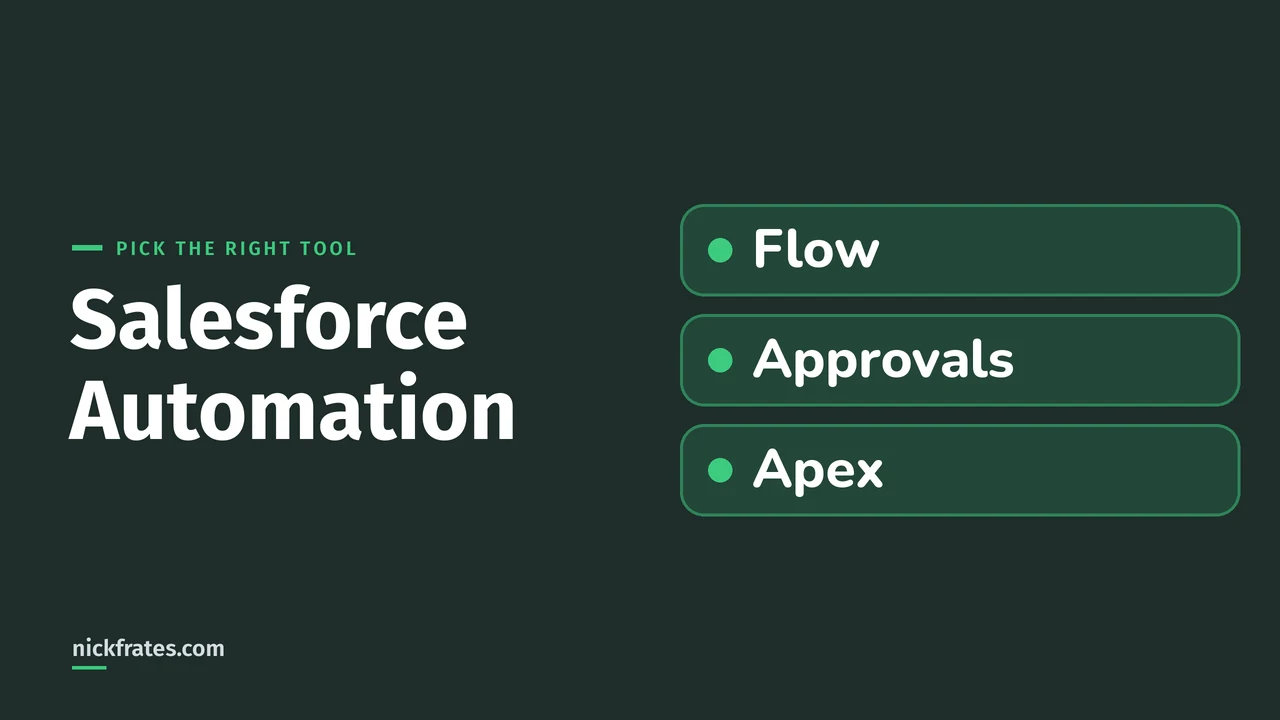
Salesforce automation means setting up Salesforce to do routine work for you, such as creating a follow-up task, sending a reminder email or updating a record. For new work, the tools are Flow Builder (screen flows, autolaunched flows, and record-, schedule- and event-triggered flows), approval processes for steps with assigned approvers, and Apex code for reusable blocks of automation. Workflow Rules and Process Builder were retired on December 31, 2025. That summary comes from Trailhead's Enhance Business Processes with Salesforce Automation unit and Salesforce's Workflow Rules and Process Builder End of Support article, both of which I read on October 28, 2026. I mark my own opinions as mine.
I also looked at the two Setup screens that matter most in my Developer Edition org, and I only looked: I didn't build, activate or migrate any automation for this post.
The two kinds of automation
Trailhead says the use cases you can automate fall into two categories, and you choose how to automate based on the requirements of the business process:
- Interactive experiences are for a process that needs input from a user.
- Behind-the-scenes automation starts automatically and runs without anyone watching, such as when a record changes.
That one question, does a person need to type or click something, narrows the choice faster than any feature list.
Which tool for which job
Here is Trailhead's list, put in one table. The right-hand column is what the unit says each option does:
| Your situation | Use | What Trailhead says it does |
|---|---|---|
| A user needs to answer questions or fill in a form | Screen flow | Presents info and asks your users questions. |
| Something should run when a button is clicked, or when another automation calls it | Autolaunched flow | Runs when a button is clicked, and can also be run by other automations. |
| A record needs approving by assigned people | Approval process | A series of steps with assigned approvers that can automate tasks such as locking and updating records. |
| A record is created, edited or deleted | Record-triggered flow | Runs when a record is created, edited or deleted. |
| Something should run on a schedule | Schedule-triggered flow | Runs at a time and frequency you specify. |
| A platform event message arrives | Platform event-triggered flow | Runs when a platform event message is received. |
| Data changes in Data 360 (Data Cloud) | Data Cloud-triggered flow | Runs when a change is made to data in Data 360. |
| You need reusable code | Apex | Reusable blocks of automation that you can trigger in a variety of ways. |
Trailhead also lists Lightning components and Visualforce pages under interactive experiences. Those are code-based ways to build an interactive component or page, so I leave them out of this admin-level view.
Most of that table is Flow Builder. Salesforce Help says Flow Builder lets you build simple or complex automations, forms and guided experiences with no code, and launch flows using buttons, record triggers or schedules (Automate Tasks with Flows). If flows are new to you, start with my plain-English guide to Salesforce Flow, then the Flow Builder tour.
Flow: the main tool
In my org, Setup > Flows > New Flow opens the New Automation window, and View All Automations lists 18 flow types. It showed 60 of 60 results with the Triggered, Scheduled, Screen and Autolaunched filters all ticked.
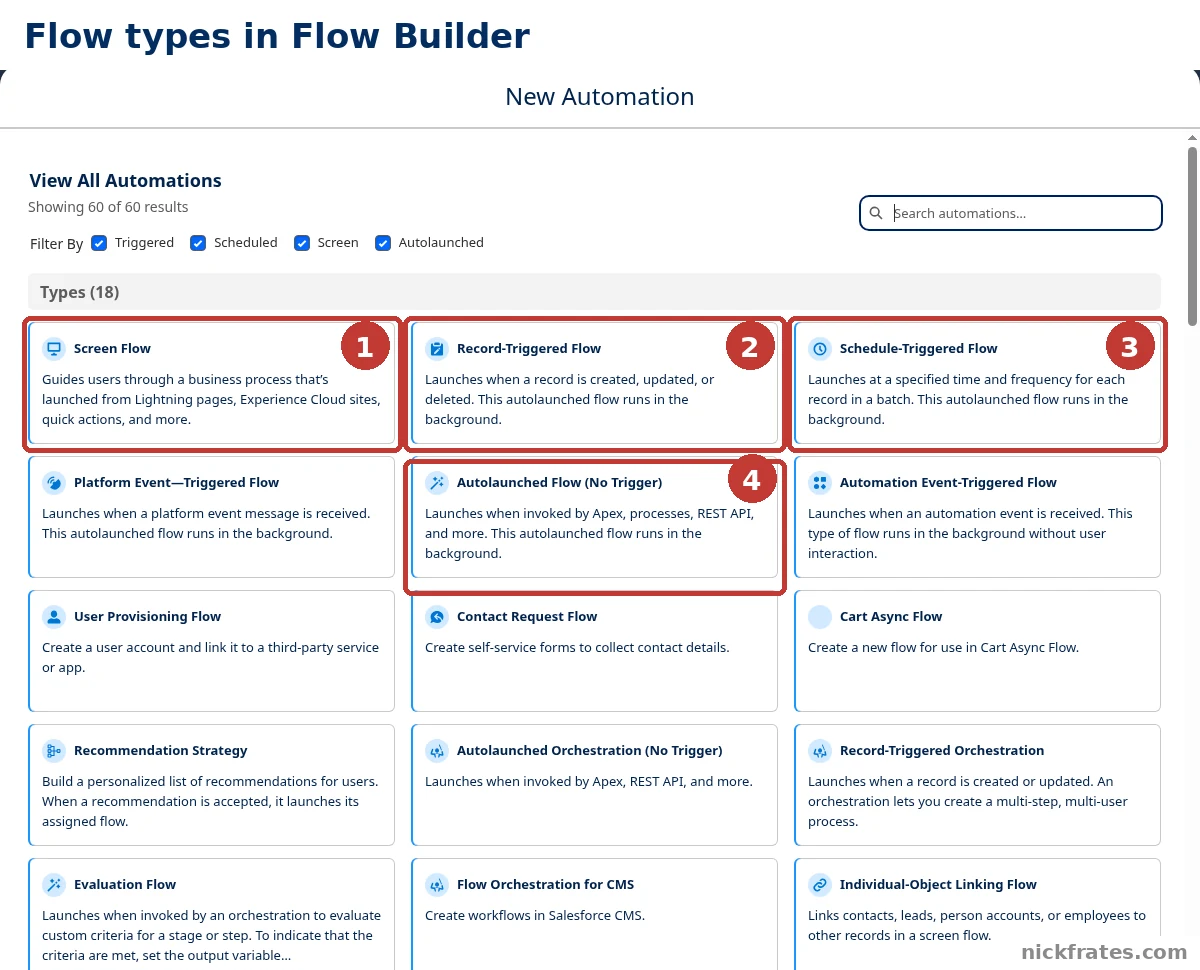
Setup > Flows > New Flow > View All Automations: the flow types in my Developer Edition org.
- Screen Flow. The card says it guides users through a business process launched from Lightning pages, Experience Cloud sites, quick actions and more.
- Record-Triggered Flow. Launches when a record is created, updated or deleted, and runs in the background.
- Schedule-Triggered Flow. Launches at a specified time and frequency for each record in a batch, and runs in the background.
- Autolaunched Flow (No Trigger). Launches when invoked by Apex, processes, REST API and more.
The other 14 types cover specialist cases, such as platform events, orchestrations and recommendations. My post on Salesforce flow types goes through them, and the flow best practices post covers how to build well.
Approvals: when someone has to say yes
If a record needs a person's sign-off, Trailhead points to approval processes. I wrote a full Salesforce approval process guide, so here is only the part that matters for choosing a tool. In my org, Setup > Process Automation > Approval Processes opens with a banner headed Try Flow Approval Processes!
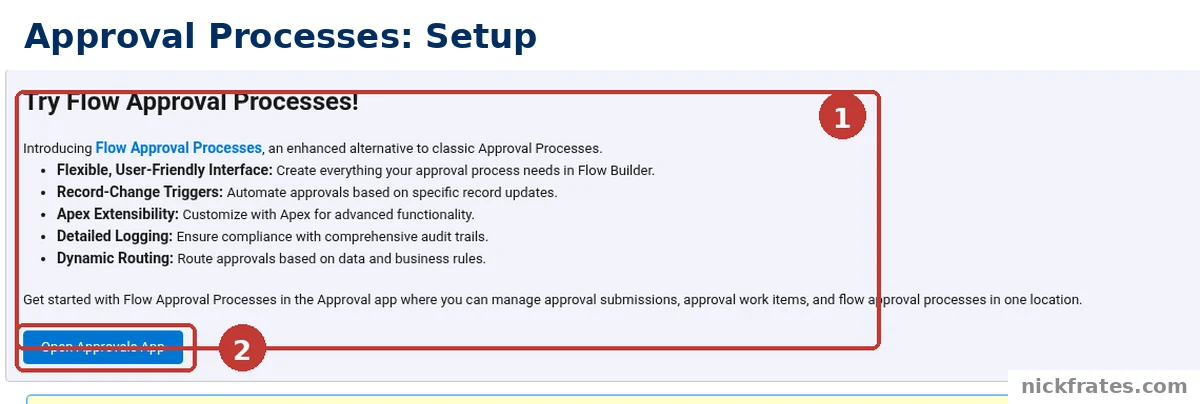
Setup > Process Automation > Approval Processes: the Try Flow Approval Processes banner.
- The banner. It introduces Flow Approval Processes as an enhanced alternative to classic Approval Processes. It lists five benefits: Flexible, User-Friendly Interface (build everything in Flow Builder), Record-Change Triggers, Apex Extensibility, Detailed Logging and Dynamic Routing.
- Open Approvals App. The banner says to get started in the Approval app, where you manage approval submissions, approval work items and flow approval processes in one location.
I did not build a flow approval process, so I can't say how it compares in use. What the screen shows is that Salesforce promotes Flow Approval Processes as an enhanced alternative, while the classic Approval Processes page is still there below the banner.
Apex: when you write code
Trailhead's one-line description is that you use Apex code to write reusable blocks of automation, which you can trigger in a variety of ways. My take, and it is my opinion, is to look at the declarative tools first and move to code when the requirement clearly needs it. My Apex vs Flow post walks through that decision, and How to Learn Apex is the place to start if you want to write it.
What happened to Workflow Rules and Process Builder
Both are older point-and-click tools, and you may still meet them in an org you inherit. Salesforce's end of support article says this:
- Salesforce no longer supports Workflow Rules and Process Builder as of December 31, 2025.
- Active Workflow Rules and Process Builder processes continue to run as before. The only change is that Salesforce no longer provides customer support or bug fixes for these two features.
- Salesforce recommends a plan to migrate active rules and processes to Flow Builder, and says it provides a Migrate to Flow tool and support resources. It adds that depending on your org the migration may take a significant amount of time and testing.
- To find active Workflow Rules, go to Setup, then Process Automation, then Workflow Rules, and sort the Active column for checkmarks. For Process Builder, go to Setup, then Process Automation, then Process Builder, and sort the Status column for Active.
I didn't open those two pages in my org, so I can't show you what they look like there. For the full comparison, see Workflow Rules vs Process Builder vs Flow.
Cert Lab by Nick Frates
Automation is on the Admin exam
The free Admin Cert Lab covers all 8 Admin exam sections with lessons, practice questions that explain every option, and flashcards. Free, no card, no trial.
Start the free Admin Cert Lab →A simple way to pick a tool
- Does a person need to enter something? If yes, think screen flow.
- Does a record need approving? If yes, think approval process or flow approval process.
- What starts it? A record change points to a record-triggered flow, the clock to a schedule-triggered flow, and a platform event to a platform event-triggered flow.
- Can Flow do it? If you need reusable code, that is Apex. My advice is to say why Flow can't do it before you reach for code.
- Is it an existing Workflow Rule or process? Leave it running, and plan a move to Flow.
Mistakes to avoid
- Building new work in Workflow Rules or Process Builder. They are retired and unsupported.
- Assuming retired means switched off. Salesforce says active ones keep running, so check for them before you build something that overlaps.
- Picking a tool by habit. Start from what the process needs: user input, approval or background work.
- Reaching for code first. That is my opinion. Trailhead lists Apex last in its background list, but it does not rank the options.
- Following old advice. Advice written before the retirement may recommend tools that are now unsupported, so check the date on anything about automation tools.
FAQ
What is Salesforce automation?
It is using Salesforce tools to do routine work for you, such as creating a follow-up task, sending a reminder email or updating a record.
What automation tools does Salesforce have?
For new work: Flow Builder, approval processes and Apex. Trailhead also lists Lightning components and Visualforce pages for interactive experiences.
What is the difference between interactive and behind-the-scenes automation?
Interactive automation needs input from a user. Behind-the-scenes automation starts on its own, for example when a record changes.
Are Workflow Rules and Process Builder still supported?
No. Salesforce stopped supporting them on December 31, 2025. Active ones continue to run, but there is no customer support or bug fixing.
What should I do with an existing Workflow Rule or process?
Salesforce recommends a plan to migrate them to Flow Builder and provides a Migrate to Flow tool.
Should I use Flow or Apex?
Trailhead describes Apex as reusable blocks of code automation. My advice is to try a declarative tool first and use Apex when the requirement needs code.
Where can I find Salesforce's own guidance?
Salesforce's Automation Best Practice Guide on Help links to a features matrix for each tool and an Architect Decision Guide.
Where to go next
- What is Salesforce Flow?: the plain-English start.
- Salesforce Flow Builder: the canvas, elements and resources.
- Salesforce flow types explained: all the flow types.
- Salesforce approval process: how to build a classic one.
- Apex vs Flow: how to choose between code and clicks.
- Flow best practices: build flows that last.
- Is there a Salesforce Flow certification?: which exams prove your Flow skills.
- Administrator certification study guide: automation is an exam topic.
- Salesforce Admin certification: cost, exam format and study plan.
- Is the Admin certification worth it?: how to decide.
- Salesforce certification: how it works: where the exams fit.
- To practice automation questions for free, try the free Admin Cert Lab.
Hope this helps!
Best,
Nick