Hey friends,
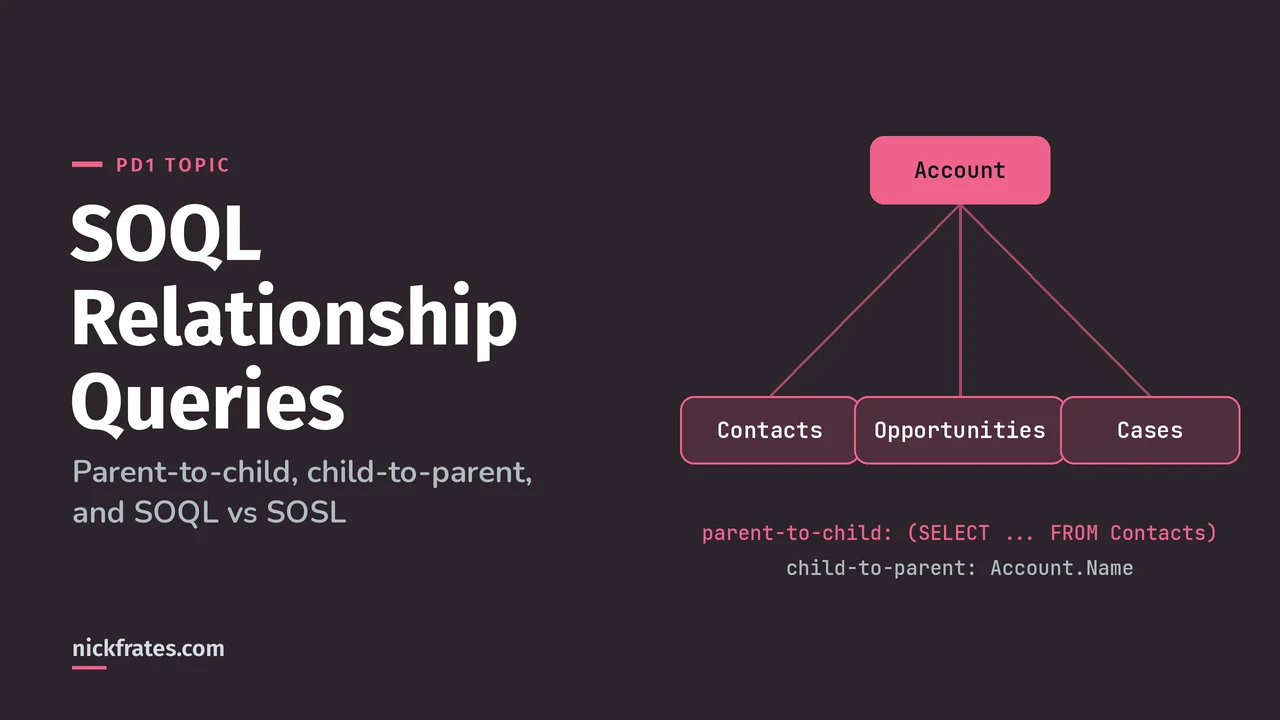
SOQL relationship queries go two ways. Child-to-parent uses dot notation, like Account.Name on a Contact query. Parent-to-child uses a subquery against the child relationship name, like (SELECT LastName FROM Contacts) inside an Account query. For custom relationships, swap __c for __r.
PD1's biggest section asks you to write SOQL, SOSL and DML in Apex "and assess what they will return", per the exam guide. Everything here follows Trailhead's SOQL unit and SOSL unit.
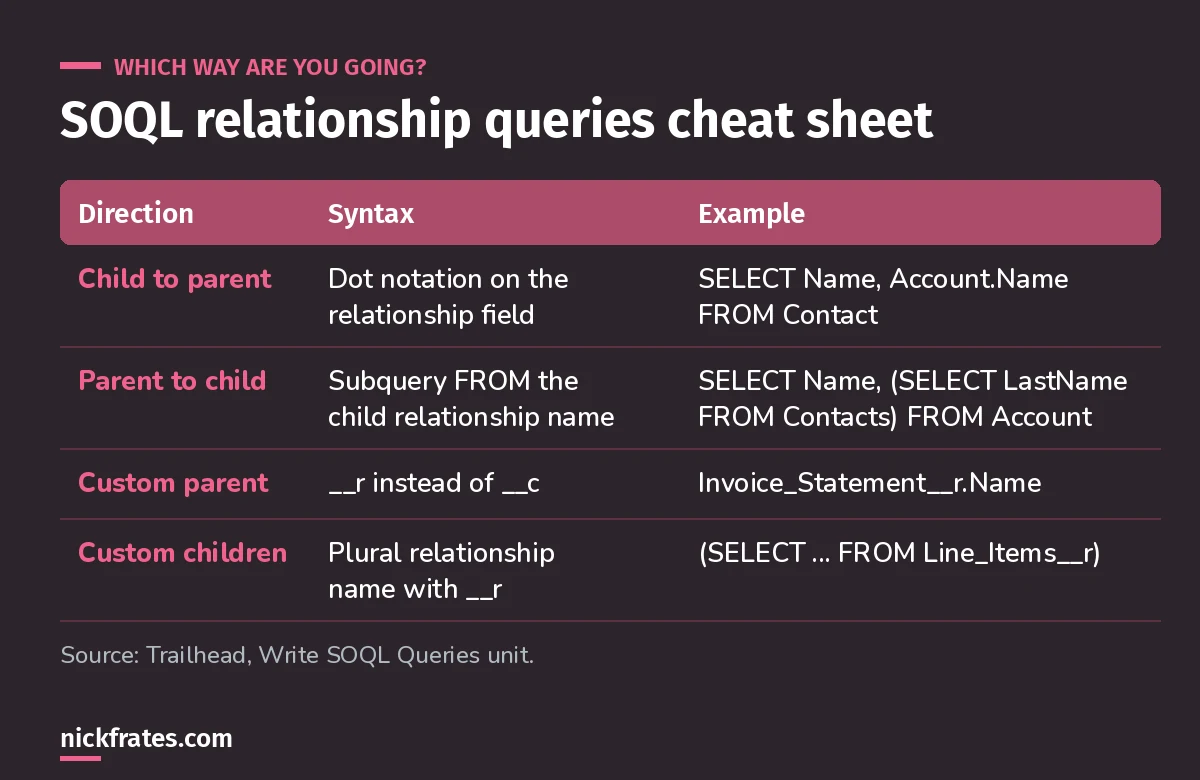
Up is dot notation. Down is a subquery.
Child-to-parent: dot notation
You go up through the relationship field. Contact has a lookup to Account, so Account.Name works. For a custom parent, use the relationship name ending in __r, for example Invoice_Statement__r.Name.
Parent-to-child: subqueries
The inner query's FROM uses the relationship name, not the object name: Contacts, not Contact. Custom child relationships end in __r, like Line_Items__r.
Exam pattern: an answer with FROM Contact inside the subquery is wrong. So is Account__c.Name for a custom parent field; it should be __r.
SOQL rules that trip people up
- No
SELECT *. List fields, or useFIELDS(). - Id comes back automatically in Apex, but touching a field you didn't select throws an error. For working with results in Lists and Maps, see my Apex collections cheat sheet.
- No guaranteed order without
ORDER BY. You can't sort on rich text or multi-select picklists. - String comparisons are case-insensitive.
LIKE 'SFDC%'does prefix matches;_matches exactly one character. - One query, not one per record. Put the relationship query outside the loop. See Apex trigger best practices.
Cert Lab by Nick Frates
Practice SOQL the way PD1 asks it
The Platform Developer Cert Lab has lessons and practice questions on SOQL, SOSL, DML and governor limits, with every option explained.
Start the PD1 Cert Lab, $9.99 →SOQL vs SOSL: when to use each
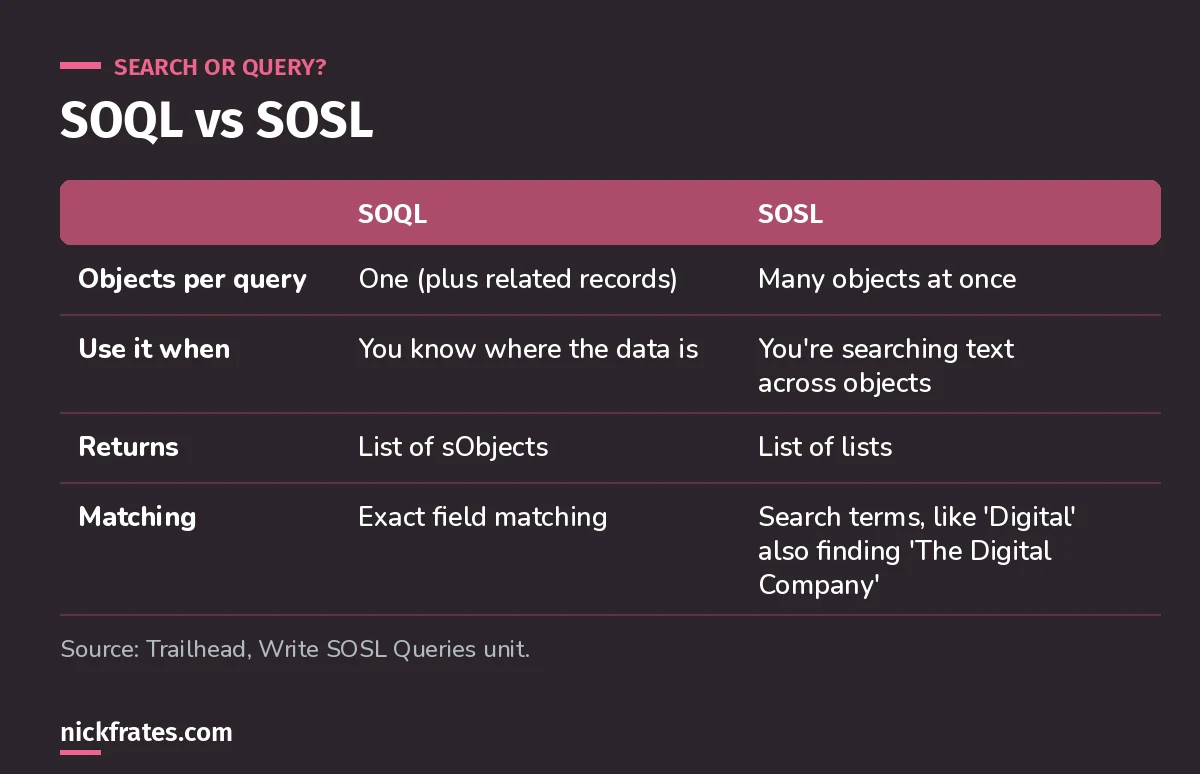
If you don't know which object holds it, search.
SOSL searches text across many objects in one go, which SOQL can't do. Results come back as a list of lists, one list per object in the RETURNING clause, and filters apply per object there.
Rule of thumb: you know the object and want related data, use SOQL. A user typed a word and you need to find it anywhere, use SOSL.
Practice question. A search box must find a phone number that might be on a Lead, Contact or Account. What's best?
- A. Three SOQL queries
- B. One SOSL query returning all three objects
- C. A SOQL query with a subquery
- D. A report
Answer: B. One SOSL query searches all three objects at once.
Keep studying
- Lookup vs master-detail relationships, the relationships you're querying.
- My 8-week PD1 study plan: SOQL is week 3.
- SOQL Secrets, a few of my favorite query tricks.
- 25 free PD1 practice questions.
Cert Lab by Nick Frates
Get the Platform Developer Cert Lab
Lessons, practice questions and flashcards for every PD1 exam section.
Start the PD1 Cert Lab, $9.99 →Hope this helps!
Best,
Nick