Hey friends,
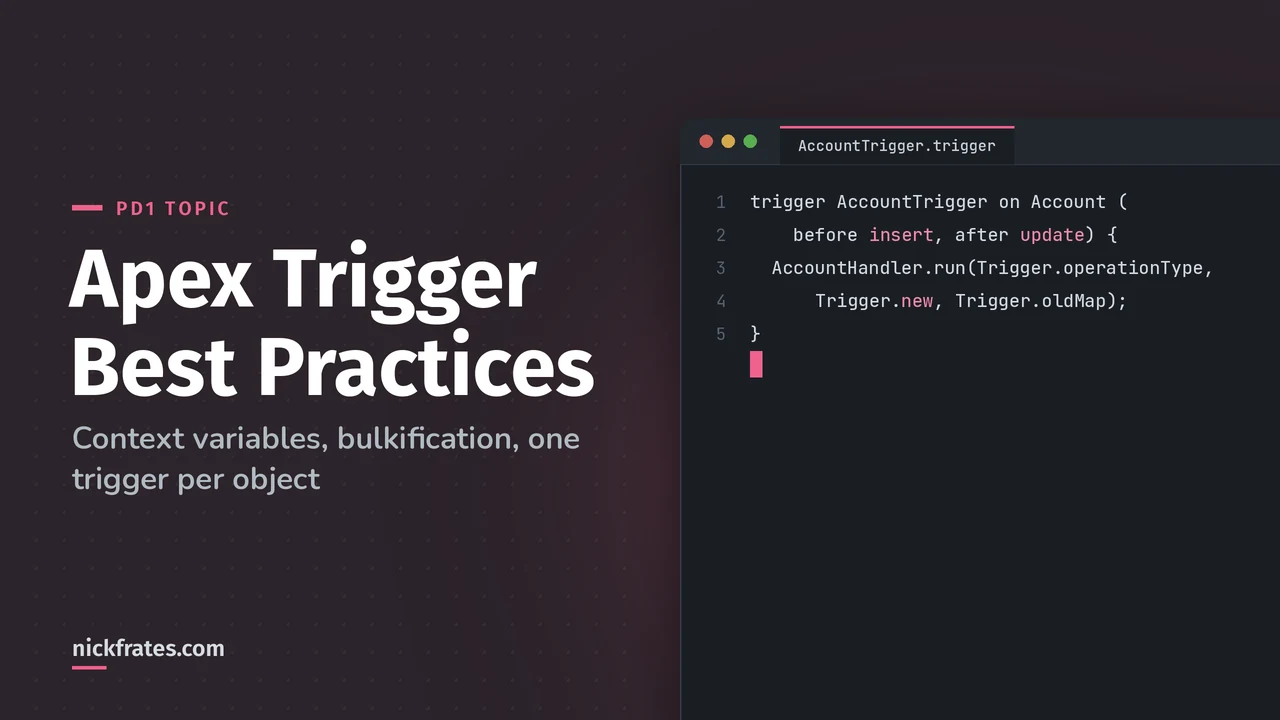
The Apex trigger best practices that matter most: one trigger per object, keep logic in a handler class, never put SOQL or DML inside a loop, and use the right context variable for the event. Those four habits answer most trigger questions on Platform Developer I, and they're what keeps a trigger alive when someone loads 10,000 records.
Process Automation and Logic is the biggest section of the PD1 exam at 28%. It literally includes "follow best practices to write Apex classes and triggers" and "understand governor limits and their implications". Here's what that means in practice.
Before triggers vs after triggers
Per Trailhead's Apex Triggers module:
- Before triggers update or validate values before the record is saved. You change fields on
Trigger.newdirectly, with no DML. Doing DML on those same records is an error. - After triggers read values the system sets, like the record
Id, and change other records. The records that fired the trigger are read-only here.
Rule of thumb: same record, use before. Other records, or you need the Id, use after. The full sequence is in my Salesforce order of execution guide.
Trigger context variables cheat sheet
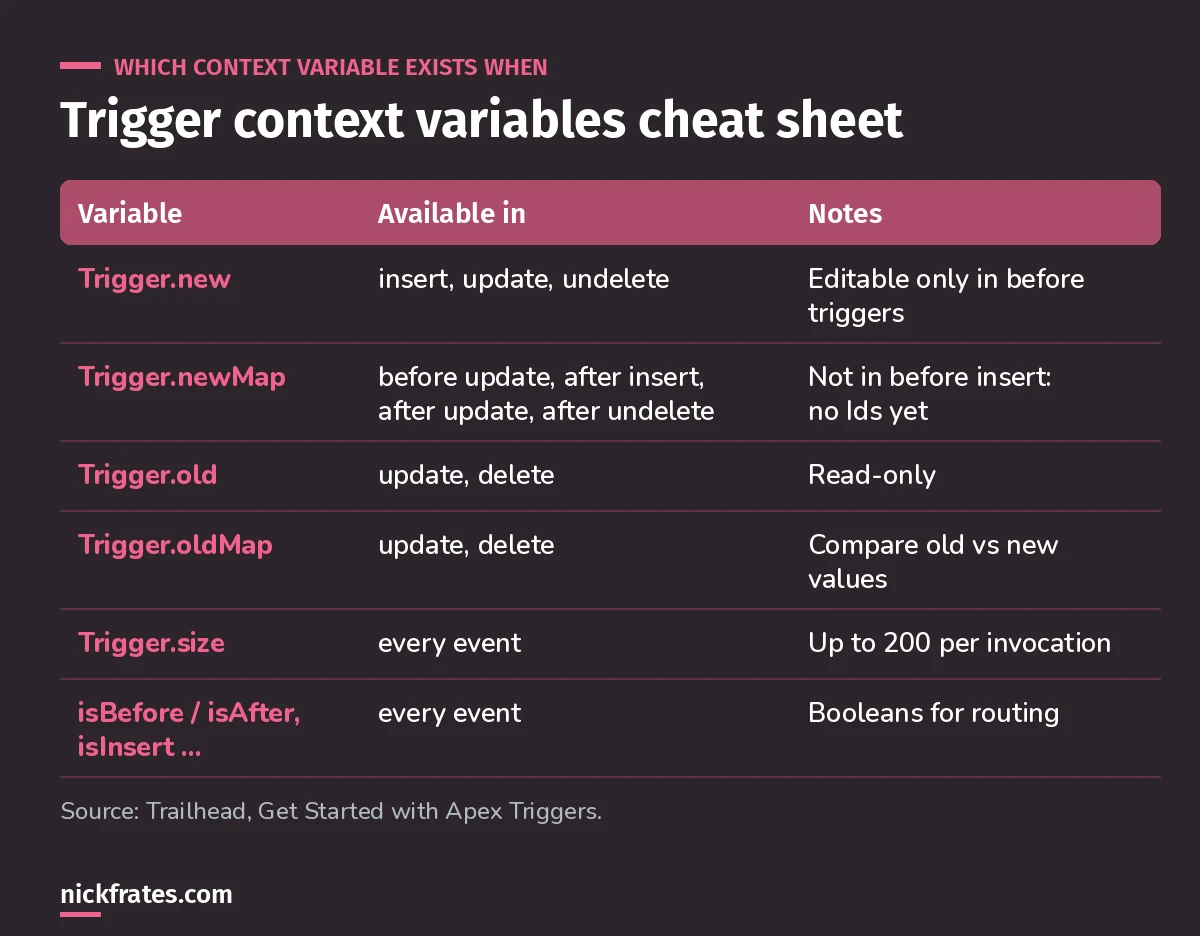
Save this one. The newMap row trips up a lot of people.
The classic gotcha: Trigger.newMap doesn't exist in before insert, because the records don't have Ids yet. If a question has you building a map keyed by Id in a before insert trigger, that answer is wrong.
Trigger.operationType gives you the event as one value, which makes routing in a handler clean with a switch on statement. Trailhead's bulk unit uses exactly that pattern.
Once your triggers follow these rules, see how they fit with service, selector and domain layers in Apex design patterns, a key topic on the Platform Developer II exam.
Bulkification: write every trigger for 200 records
Triggers run on up to 200 records at a time, and a load of 400 fires the trigger twice. Trailhead's bulk triggers unit lists the limits that bite: 100 SOQL queries for synchronous Apex (200 for asynchronous), and 150 DML statements per transaction.
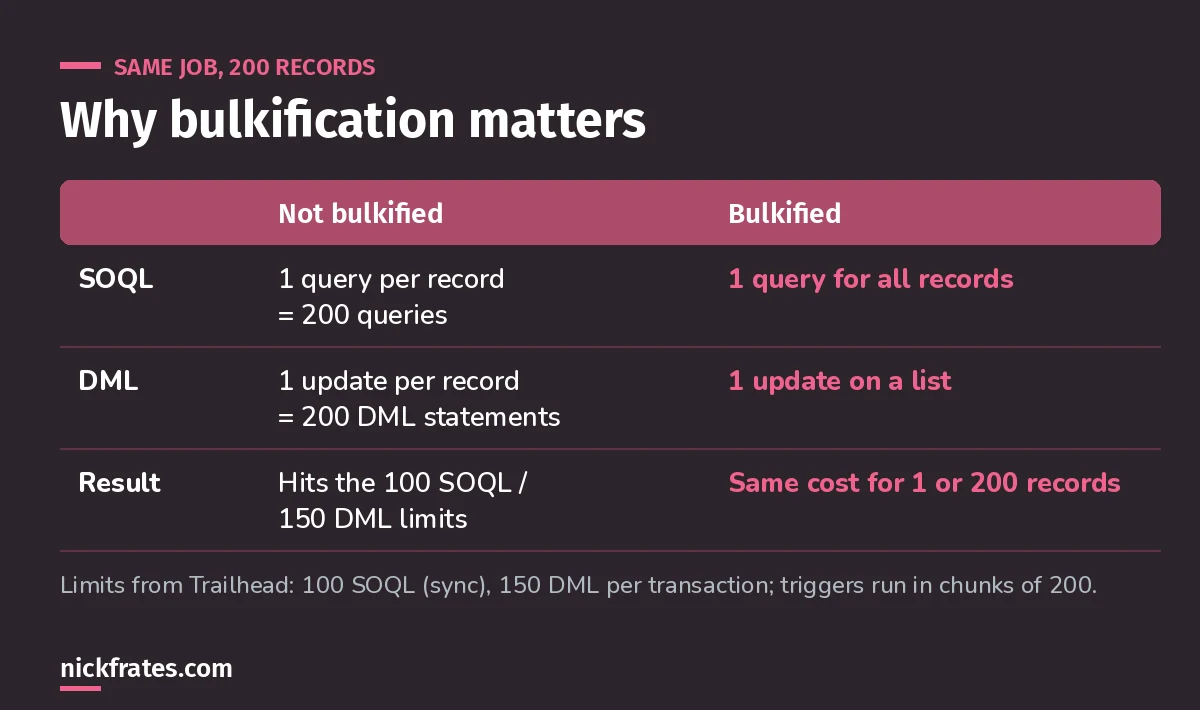
One query and one DML statement, no matter how many records come in. For the Set and Map syntax, see my Apex collections cheat sheet.
Not bulkified (query in a loop):
Bulkified (one query, bind the whole set):
Same idea for DML: add records to a list inside the loop, then call update once after it. For the difference between update and Database.update, see Apex DML vs Database methods.
Test it yourself: insert 200 records in one go from the Execute Anonymous window. If the trigger breaks, you've found the exact bug the exam is testing for. My guide to Apex test classes and code coverage shows how to turn that check into a real bulk test.
One trigger per object, logic in a handler
Trailhead points out that calling methods in other classes from a trigger keeps the trigger small and lets you reuse code. The pattern most teams use:
- One trigger per object, listening to every event you need. With two triggers on the same object and event, you can't control which runs first.
- The trigger only routes, handing
Trigger.operationType,Trigger.newandTrigger.oldMapto a handler. - The handler holds the logic in small methods, so you can unit test each one.
- Only act on records that changed. Compare
Trigger.oldMap.get(r.Id)to the new value. That one check prevents a lot of wasted work and recursion.
Cert Lab by Nick Frates
Practice triggers the way PD1 tests them
The Process Automation and Logic lessons in the Platform Developer Cert Lab cover triggers, governor limits and the order of execution, with practice questions that explain every option.
Start the PD1 Cert Lab, $9.99 →Three more practices that save you
- Stop saves with
addError()on the record, not exceptions. Trailhead's example blocks deleting accounts that have opportunities. - Callouts must be asynchronous. A trigger can't wait on an external service, so Trailhead uses a Queueable class with
Database.AllowsCallouts. More in my asynchronous Apex guide. - Know how errors roll back. If Apex DML fired the trigger, one error rolls back the whole operation. If a bulk API call fired it, Salesforce sets bad records aside and tries a partial save of the rest. For the limits behind many of those errors, see my Salesforce governor limits cheat sheet.
Before you write a trigger, check if you need one
PD1 also tests when not to code. A same-record field update is often a before-save flow, and a parent total on a master-detail is a roll-up summary field. I wrote about this in "That Needs Apex" and Other Scary Stories and before-save vs after-save flows.
Practice question. A before insert trigger on Contact needs the Account's Industry for each new contact. What's the best approach?
- A. Query the Account inside the loop over
Trigger.new - B. Collect the AccountIds into a Set, query once, and use a Map
- C. Use
Trigger.newMapto look up each Account - D. Move the logic to an after insert trigger and update the contacts
Answer: B. A is the query-in-a-loop bug. C is wrong because Trigger.newMap holds contacts, not accounts, and doesn't exist in before insert anyway. D works but adds DML on records you could have set for free in a before trigger. For more on querying parent fields, see SOQL relationship queries.
Keep studying
- My 8-week PD1 study plan covers triggers in week 4.
- The PD1 study guide explains every exam objective.
- 25 free PD1 practice questions to test yourself.
- CampApex, a free site for Apex coding practice.
Cert Lab by Nick Frates
Get the Platform Developer Cert Lab
Lessons, practice questions and flashcards for every PD1 exam section.
Start the PD1 Cert Lab, $9.99 →Hope this helps!
Best,
Nick


