Hey friends,
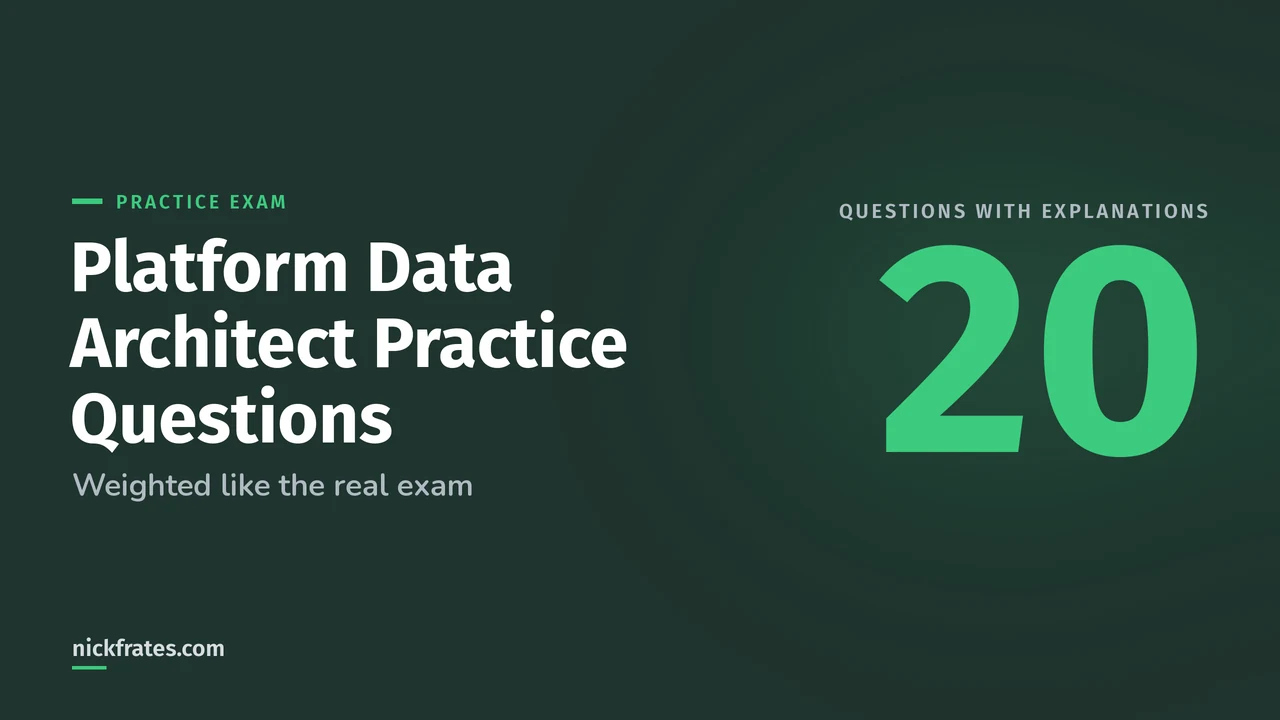
These 20 Salesforce Platform Data Architect practice questions are original, weighted like the real exam's six sections, and each one has the answer and an explanation in a dropdown. I wrote them from the objectives in the official exam guide and the Salesforce docs behind them. None are real exam questions.
The real exam, Salesforce Certified Platform Data Architect, has 60 scored questions in 105 minutes, and the passing score is 58%. So aim for 12 of these 20 on a first try, then read the explanation for every miss, including the lucky guesses. Every question is a scenario: a company, a problem and the best design choice.
Split here: Data Modeling/Database Design 25% (5 questions), Master Data Management 5% (1), Salesforce Data Management 25% (5), Data Governance 10% (2), Large Data Volume Considerations 20% (4) and Data Migration 15% (3). For the full plan, see my Platform Data Architect study plan.
Data Modeling/Database Design (25%): 5 questions
Question 1. A company imports 250,000 consumer contacts and puts them all under one placeholder account called Unassigned. Parallel loads now fail with record lock errors, and changing the account's owner takes a very long time. What should the architect recommend?
- A. Increase the Bulk API batch size so each load finishes faster
- B. Spread the contacts across many accounts so no account has anywhere near 10,000 children
- C. Make the placeholder account owner inactive
- D. Ask Salesforce Support for a skinny table on Contact
Show the answer and explanation
Answer: B. This is parent-child data skew, also called account data skew. Salesforce says to keep the children per parent under 10,000, because every update locks the parent and ownership or visibility changes force Salesforce to check all the children. The Trailhead LDV module describes the locking and sharing problems. A bigger batch only makes more updates wait for the same lock, and a skinny table speeds up reads, not locks.
Question 2. Each invoice line item should be deleted when its invoice is deleted, inherit the invoice's sharing, and let the invoice show a total of its lines. Which design fits?
- A. A lookup from line item to invoice, plus a flow to delete the lines
- B. A master-detail relationship with a roll-up summary field on the invoice
- C. A hierarchical relationship on the invoice
- D. An external lookup to the invoice
Show the answer and explanation
Answer: B. Master-detail ties the child to the parent: the child is deleted with the parent and inherits its security. A roll-up summary field needs the detail record to be related through a master-detail relationship, as the Salesforce Help page on roll-up summary fields explains. A lookup can't do a native roll-up, and the flow would be extra code to maintain.
Question 3. Students enroll in many courses, and each course has many students. You need to store the enrollment date on each pairing. What is the standard Salesforce design?
- A. A junction object with two master-detail relationships, one to Student and one to Course
- B. A multi-select picklist of courses on Student
- C. A lookup from Student to Course
- D. Two hierarchical relationships on Student
Show the answer and explanation
Answer: A. A junction object models many-to-many, and its own fields, like the enrollment date, hold data about each pairing. A custom object can have at most two master-detail relationships, which is exactly what a junction needs. The default limit on lookup plus master-detail relationship fields per object is 40, per Salesforce Help. My lookup vs master-detail post shows the pattern.
Question 4. A utility must keep 2 billion historical meter readings for seven years. Users rarely look at them, the data is never edited, and the live CRM must not slow down. Which option fits best?
- A. A custom object with a custom index
- B. A custom big object
- C. A standard object with a skinny table
- D. A long text area field on Account
Show the answer and explanation
Answer: B. Big objects are built for hundreds of millions or billions of records with consistent performance, and archiving history is a documented use case, per the Big Objects Implementation Guide. The trade-offs to remember: big objects support only object and field permissions, and triggers, flows, processes and the Salesforce mobile app aren't supported. If this scenario also needed flows or sharing rules, a custom object would be the better answer.
Question 5. One integration user owns 600,000 lead records and sits in the middle of the role hierarchy. A role realignment is planned. What should the architect advise?
- A. Leave it alone, because ownership doesn't affect sharing
- B. Distribute the records across more owners, or keep the owner out of the role hierarchy
- C. Move the user to a different role each quarter
- D. Add the user to a public group used in sharing rules
Show the answer and explanation
Answer: B. This is ownership skew. When a single user owns more than 10,000 records of an object, role and group changes force Salesforce to adjust a huge number of sharing entries. Salesforce recommends spreading ownership, and if one owner is unavoidable, keep the user out of a role, or put the role at the top of the hierarchy in its own branch and don't move it. See Ownership Data Skew in Designing Record Access for Enterprise Scale.
Master Data Management (5%): 1 question
Question 6. A customer's legal name is different in Salesforce, the ERP and the billing system. The business wants one governed value that all three systems receive, but each system will keep creating its own customers. Which MDM implementation style fits?
- A. Registry
- B. Consolidation
- C. Coexistence
- D. Centralized
Show the answer and explanation
Answer: C. In coexistence, data still lives in and is created by several systems, but the mastering process decides the winning value and publishes it back to them. Registry only links records that belong together. Consolidation brings data together, usually for reporting, and doesn't push values back. Centralized moves creation into the master, which would mean the systems stop creating their own customers. My master data management guide compares all four.
Salesforce Data Management (25%): 5 questions
Question 7. Sales reps need to see live order history from a data warehouse on the account page. The warehouse must stay the system of record, and nobody wants to copy the data into Salesforce. What is the best approach?
- A. Nightly ETL into custom objects
- B. External objects with Salesforce Connect, so the data is queried at runtime
- C. Monthly CSV imports with Data Loader
- D. Copy the history into a big object
Show the answer and explanation
Answer: B. External objects map to data stored outside Salesforce and read it on demand, so the data always reflects the source and doesn't use Salesforce storage. Salesforce's Data Virtualization overview describes this as querying the data at its source at runtime, with no replication. The other choices copy the data, which brings delay and a second copy to govern.
Question 8. A team finds the same account entered three times. They want to combine all three into one record and keep the related contacts and opportunities. How many records can one merge combine?
- A. Two
- B. Three
- C. Five
- D. As many as the batch allows
Show the answer and explanation
Answer: B. A merge combines up to three records of the same type, including the main record, and that's the same limit the user interface enforces. To combine more than three, merge successively. See the merge() reference. Before you merge, decide which record wins and what happens to the children.
Question 9. An integration sends the same ERP customer number to Salesforce every night, and duplicate accounts keep appearing. Which design keeps the data consistent?
- A. A text field with a validation rule
- B. A custom field on Account marked External ID and Unique, with the integration doing upserts on it
- C. A flow that searches for the account first
- D. A weekly report that finds duplicates
Show the answer and explanation
Answer: B. An external ID field is indexed, and upsert uses it to decide whether to insert or update, so the same ERP number always lands on the same account. Marking it Unique adds protection against duplicates. The Salesforce Help article on importing related records with an external ID shows the same idea for related records. A report finds duplicates after they exist, instead of preventing them.
Question 10. A sales director expects to see all records of child accounts because the accounts are linked in an account hierarchy. The users can't see them. What explains this?
- A. The role hierarchy is turned off
- B. An account hierarchy doesn't grant access by itself; the role and territory hierarchies do
- C. The child accounts are archived
- D. Hierarchies only work in Classic
Show the answer and explanation
Answer: B. The Salesforce Architects guide on platform sharing architecture calls out this assumption: simply having a parent/child relationship between two accounts doesn't drive access. The role hierarchy and the territory hierarchy do work that way. Fix it with the sharing model, not the account hierarchy.
Question 11. The Opportunity object already has 25 roll-up summary fields, and a team wants another. What is the best first step?
- A. Create a lookup field and update it with a trigger
- B. Check whether a report can do the calculation, and if not, ask Salesforce Support to raise the limit, up to a hard maximum of 40
- C. Convert the relationship to a lookup
- D. Delete the oldest roll-up summary field without checking
Show the answer and explanation
Answer: B. The default is 25 roll-up summary fields per object, with a hard maximum of 40 that only Salesforce Support can raise. The same Help article warns that too many roll-up summary fields can affect performance and suggests trying reports first. Once a roll-up summary field exists, Salesforce doesn't let you convert that master-detail relationship to a lookup, as the roll-up summary field page notes.
Data Governance (10%): 2 questions
Question 12. A privacy team wants to record, for each field, who owns it, how sensitive it is and whether GDPR applies. Which Salesforce feature stores that?
- A. Field history tracking
- B. Data classification metadata fields
- C. Field-level security
- D. Validation rules
Show the answer and explanation
Answer: B. Data classification metadata fields let you record the Data Owner, Field Usage, Data Sensitivity Level and Compliance Categorization of any standard or custom object field, and GDPR is one of the default Compliance Categorization values. See Data Classification Metadata Fields in Salesforce Help. These fields describe the data. They don't enforce access, which is what field-level security does.
Question 13. An architect sets a field's Field Usage to Hidden as part of a cleanup. What happens to the field?
- A. Users can no longer see it on page layouts
- B. Nothing changes for users; the value only records the field's status
- C. The field is deleted after 15 days
- D. The field is removed from reports
Show the answer and explanation
Answer: B. Salesforce Help states that changing the value of Field Usage doesn't hide or expose the field. The values Active, DeprecateCandidate and Hidden are labels for your governance process. To really hide a field, change layouts or field-level security. This is documented on the same Data Classification Metadata Fields page.
Large Data Volume Considerations (20%): 4 questions
Question 14. Account has 5 million records, and a report filters on a custom field that has a custom index. Roughly how many matching records can the filter return before the query optimizer stops using the custom index?
- A. About 50,000
- B. About 300,000
- C. About 900,000
- D. About 2.5 million
Show the answer and explanation
Answer: B. Salesforce's Large Data Volumes guide gives this example: a custom index is used if the filter matches less than 10% of the first million records and less than 5% of the records after that, so a 5 million record table allows about 300,000 matches. Standard indexes are more generous, at 30% and 15%, which gives 900,000 for the same table. See Indexes in the guide.
Question 15. Which SOQL filter on a 6 million record Account table is most likely to use an index?
- A. WHERE Status__c != 'Closed'
- B. WHERE Name LIKE '%corp%'
- C. WHERE External_Id__c = 'ERP-48213'
- D. WHERE Description LIKE '%renewal%'
Show the answer and explanation
Answer: C. An equality filter on an indexed field that matches very few rows is selective. External ID fields are indexed automatically. The Salesforce Help article on custom indexes lists reasons an index isn't used, including negative operators such as not equal to, and a CONTAINS filter when more than 333,000 rows have to be scanned.
Question 16. A company runs the same report over 8 million accounts every morning, and it reads only the same 12 fields. What can Salesforce Support set up to speed up read-only operations like this?
- A. A skinny table
- B. A big object
- C. A second master-detail relationship
- D. A formula field with a cross-object reference
Show the answer and explanation
Answer: A. A skinny table holds frequently used fields in one table so the query avoids a join between standard and custom field tables. It's created and maintained by Salesforce Support, works for read operations and can't include fields from other objects. The Skinny Tables page also says it isn't a magic wand, because there's overhead in keeping the copy in sync.
Question 17. A territory realignment will change the hierarchy for more than 2 million accounts in an org that uses sharing. What does Salesforce suggest to make the bulk change more efficient?
- A. Run it during business hours in small batches
- B. Have Salesforce Support defer automatic sharing calculations, then recalculate at the end
- C. Switch off the role hierarchy
- D. Delete the sharing rules first
Show the answer and explanation
Answer: B. The platform sharing architecture guide describes a feature Salesforce Customer Support can enable to defer automatic sharing calculations, so a bulk change triggers one recalculation instead of many. It also recommends testing large changes in a sandbox first.
Data Migration (15%): 3 questions
Question 18. A company migrating from a legacy system must keep the original Created Date and Created By on accounts. What must the architect do?
- A. Update the audit fields after the load
- B. Enable the permission to set audit fields on record creation and include the fields in the load file
- C. Use a flow after the load
- D. It isn't possible
Show the answer and explanation
Answer: B. Salesforce Help explains that with the Set Audit Fields upon Record Creation permission, a user can set audit fields like Created Date and Created By when inserting records through API tools such as Data Loader. It works only at creation, so you can't fix them afterward. See Enable the Create Audit Fields permission.
Question 19. You're upserting contacts and need each one to land under the right account without looking up Salesforce IDs. The accounts already carry an external ID. What goes in the contact file?
- A. A column with the account name
- B. A column that references the account's external ID through the relationship, such as Account__r.External_Id__c
- C. The account's Salesforce ID, found by hand
- D. A formula column
Show the answer and explanation
Answer: B. Both Data Loader and the Bulk API let you identify a parent by an external ID using the relationship name and field in the header. The Relationship Fields in a Header Row page in the Bulk API guide shows the syntax. Load the parent object first so the IDs exist.
Question 20. You need to export 30 million records from one object with the Bulk API. What helps most with extracting an entire large table?
- A. Query the whole table in one batch
- B. PK chunking, which splits the query by record ID ranges
- C. Lower the page size to 1
- D. Use the Data Import Wizard
Show the answer and explanation
Answer: B. PK chunking splits a bulk query on a large table into chunks based on record IDs. The default chunk size is 100,000 and the maximum is 250,000, per the PK Chunking page of the Bulk API guide. Each chunk is a separate batch that counts toward your daily batch limit.
How did you do? If you scored under 12, go back to the sections you missed and read the linked pages. My posts on large data volumes, data migration and the standard object data model go deeper on the biggest sections.
Cert Lab by Nick Frates
Practice until the patterns feel obvious
Rapid-fire questions for all six Platform Data Architect sections, with every option explained and current doc links.
Start the Platform Data Architect Cert Lab for $9.99 →Not ready to buy? Try a free lesson and see how fast you learn.
FAQ
Are these real exam questions?
No. I wrote every question myself from the exam objectives and Salesforce documentation.
What score should I aim for?
The real exam's passing score is 58%, so 12 of 20 here is the minimum. Aim higher so a hard exam day doesn't sink you.
How are these weighted?
Like the exam outline: Data Modeling 25%, Salesforce Data Management 25%, Large Data Volumes 20%, Data Migration 15%, Data Governance 10%, Master Data Management 5%.
Where should you go next?
- Platform Data Architect study plan for the weights and a week-by-week plan.
- Platform Data Architect study guide for the long walkthrough.
- The science of studying for Salesforce certifications for why testing beats rereading.
Nick Frates, a senior Salesforce developer with 17 certifications, built the Platform Data Architect Cert Lab at nickfrates.com: rapid-fire practice questions for every exam section, each answer explained.
Hope this helps!
Best,
Nick