Hey friends,
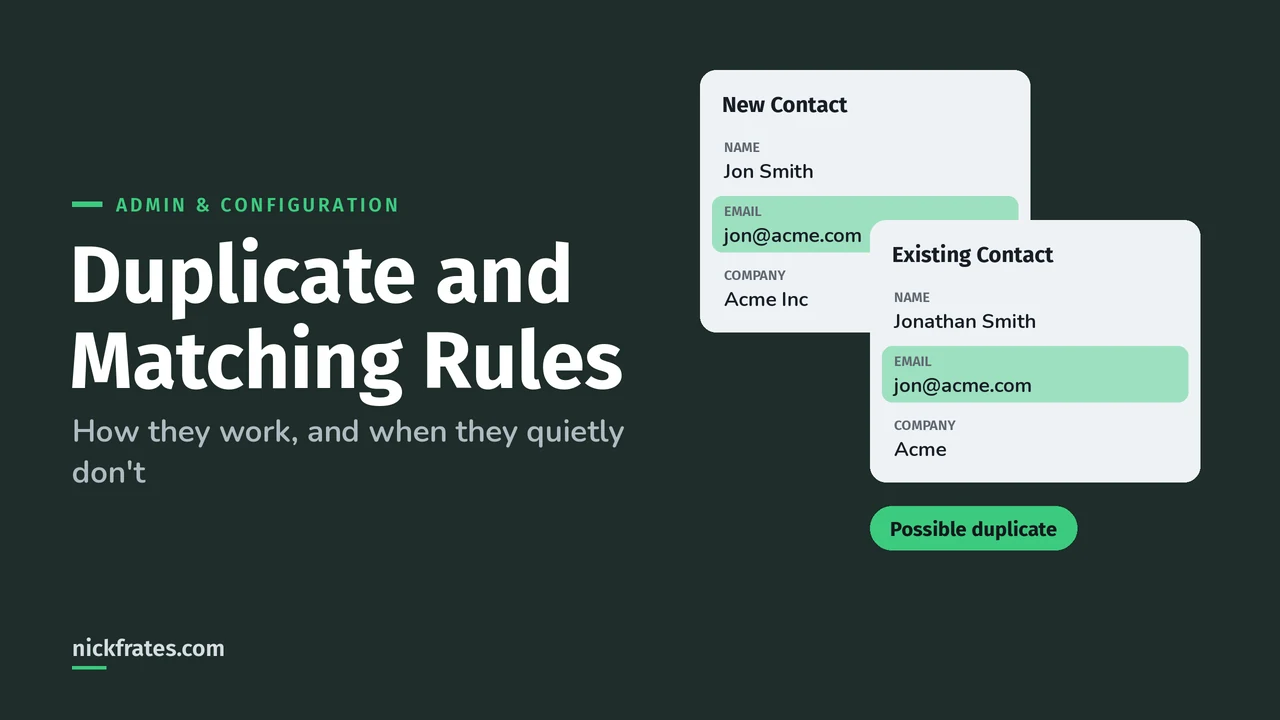
In Salesforce, a matching rule decides whether two records look like duplicates, and a duplicate rule decides what happens when they do: allow the save with an alert, report it, or block it. You can have up to five active duplicate rules per object, each using up to three matching rules. The part people get wrong is knowing when the rules don't run at all.
This is based on Salesforce Help's Things to Know About Duplicate Rules and Things to Know About Matching Rules.
Two rules, two jobs
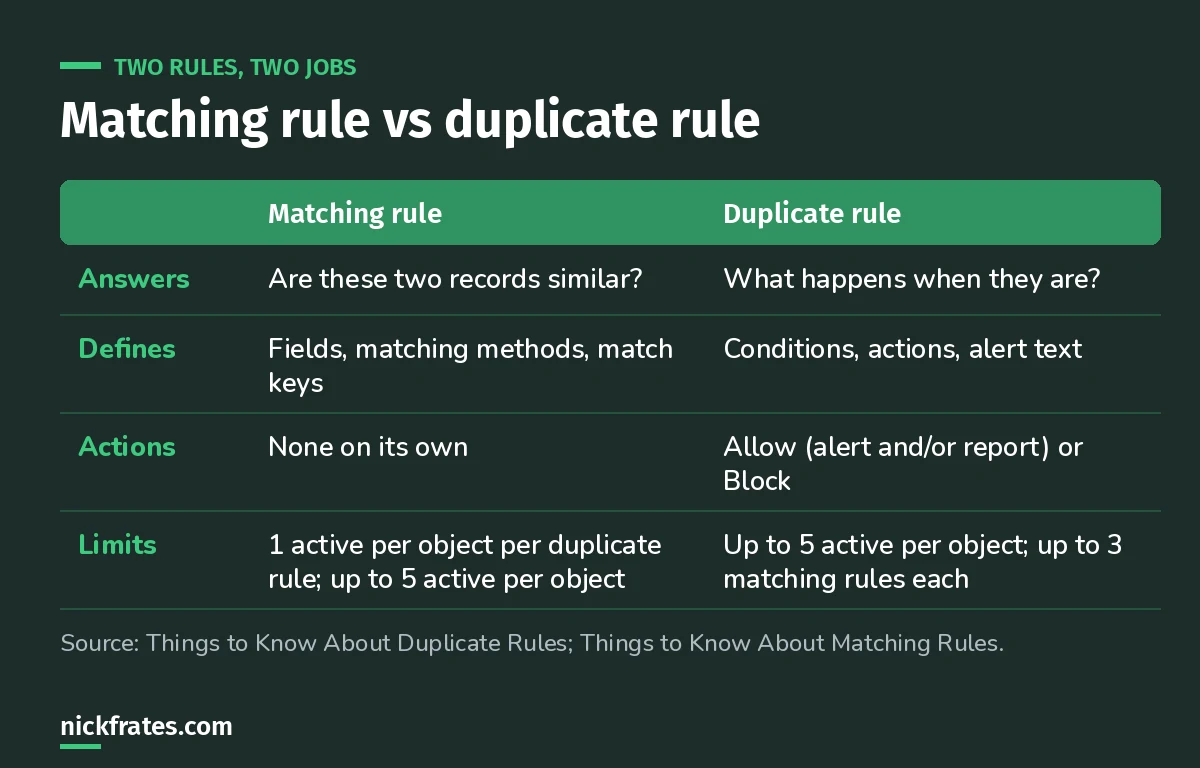
The matching rule finds them. The duplicate rule decides what to do.
How matching rules compare records
A matching rule compares a field on the new or edited record to the same field on existing records. Each field uses a matching method, made up of normalization, match keys and a matching algorithm. Standard matching rules come with predefined criteria; custom ones are yours to define.
Match keys are the performance trick: before running the full matching equation, Salesforce uses match key formulas to narrow the candidates to the 100 most likely duplicates, then compares only those.
What duplicate rules do
- Allow lets the user save, optionally with an alert and optionally reporting it.
- Report puts the saved record and its matches into a duplicate record set, with up to 100 duplicates per matching rule run. Cross-object rules (like contacts that duplicate leads) include records from the other object.
- Block stops the save.
A rule can act on create, edit or both. But on edit, it only runs when the edited fields are part of the matching rule. If a rep changes a custom field the matching rule doesn't use, nothing happens.
Cert Lab by Nick Frates
Data quality shows up in App Builder scenarios
The App Builder Cert Lab covers data management, validation and automation with practice questions that explain every option.
Start the App Builder Cert Lab, $9.99 →When duplicate rules don't run
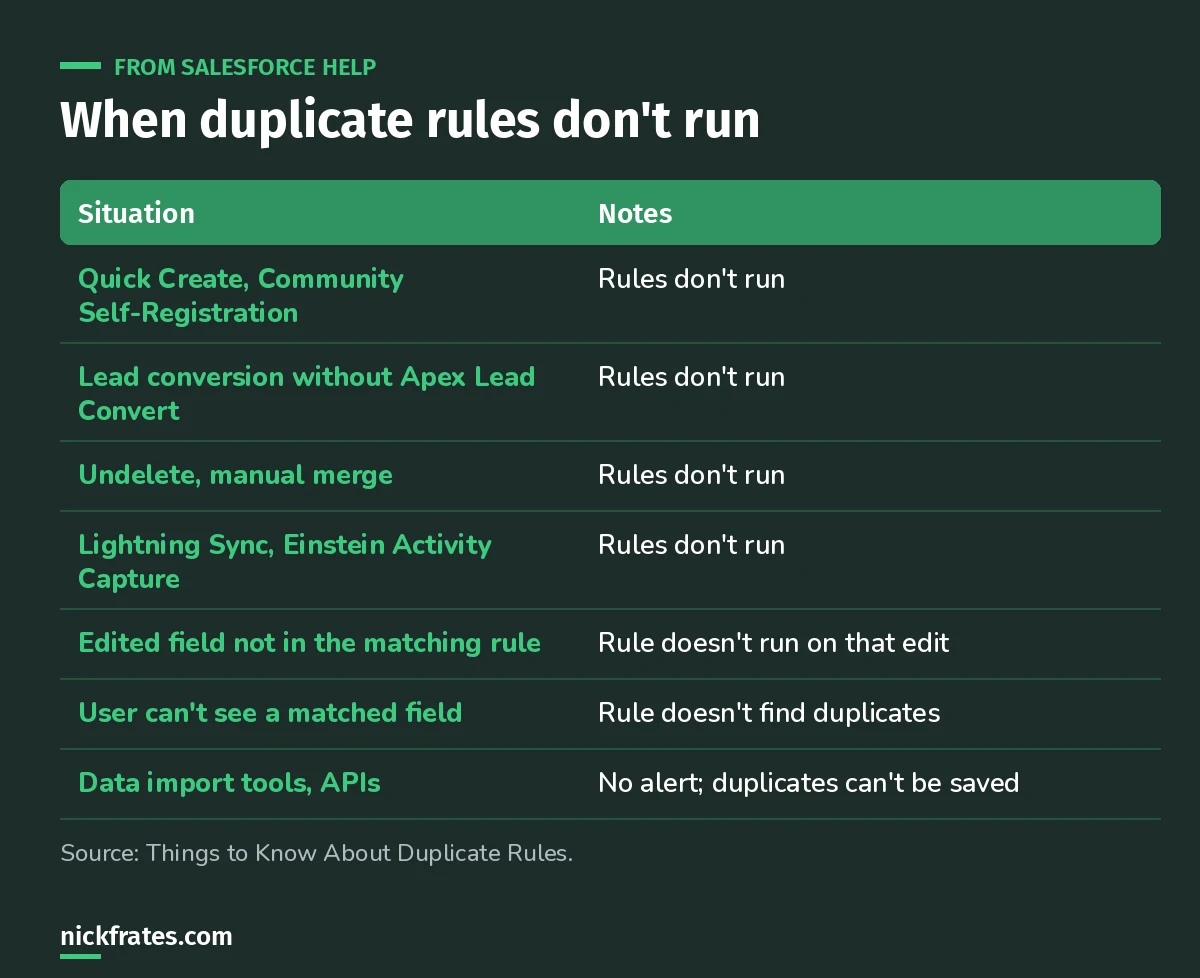
Most 'my duplicate rule isn't working' tickets are on this list.
Two of those deserve a closer look:
- Field access. If the user saving the record can't see a field the matching rule uses, the rule doesn't find duplicates. It works for the admin who tested it and fails for reps. Test as a real user.
- Imports and APIs. With data import tools and Salesforce APIs, duplicate rule settings are overridden: there's no alert, and users can't save the records. Plan your loads with that in mind.
Also, records saved at the same moment aren't compared with each other for Block and Alert, only with records already in Salesforce. The Report option still catches them.
Duplicates during lead conversion
From the lead conversion help: possible matches based on standard fields appear when you start converting, and more can appear when you click Convert based on custom fields. Custom warnings from your admin don't show during conversion, and cross-object duplicate rules aren't triggered. How duplicates are handled depends on Apex Lead Convert and your Duplicate Management setup; for example, you can require users to resolve them before finishing.
Other limits worth knowing
- Global picklist value sets aren't supported in duplicate rules.
- Custom picklist fields aren't supported in matching rules used by cross-object duplicate rules.
- When a roll-up summary value changes, duplicate rules run and the Allow option isn't supported.
- The Translation Workbench doesn't translate the custom alert text.
Three exam-style scenarios
1. A duplicate rule blocks duplicate contacts for admins, but reps can create them. What's the likely cause?
Answer: the reps don't have access to a field the matching rule uses, so the rule doesn't find matches for them.
2. A rep edits a contact's Department field and creates a duplicate, but no alert appears. Why?
Answer: on edit, rules only run when the edited fields are in the matching rule. Department isn't.
3. You want to find existing duplicates without stopping anyone from saving. Which action?
Answer: Allow with Report, then review the duplicate record sets.
Keep going
- Validation rule patterns: the other half of data quality.
- Data Import Wizard vs Data Loader: how loads interact with rules.
- App Builder practice questions: more scenarios.
- Platform Data Architect study guide: master data and data quality from the architect side.
Cert Lab by Nick Frates
Get the Platform App Builder Cert Lab
Lessons, practice questions and flashcards for all 5 App Builder exam sections, built from the official exam guide.
Start the App Builder Cert Lab, $9.99 →Hope this helps!
Best,
Nick


