Hey friends,
Salesforce DevOps means keeping your metadata in version control, building in isolated environments and moving every change through a repeatable pipeline that validates, tests and deploys it, instead of hand-moving changes from org to org. You pick the tool by who builds and how much you ship: change sets for small admin-led teams, DevOps Center (now called Lifecycle Center) for mixed admin and developer teams, and Salesforce CLI with a CI tool or a vendor platform for pro-code teams.
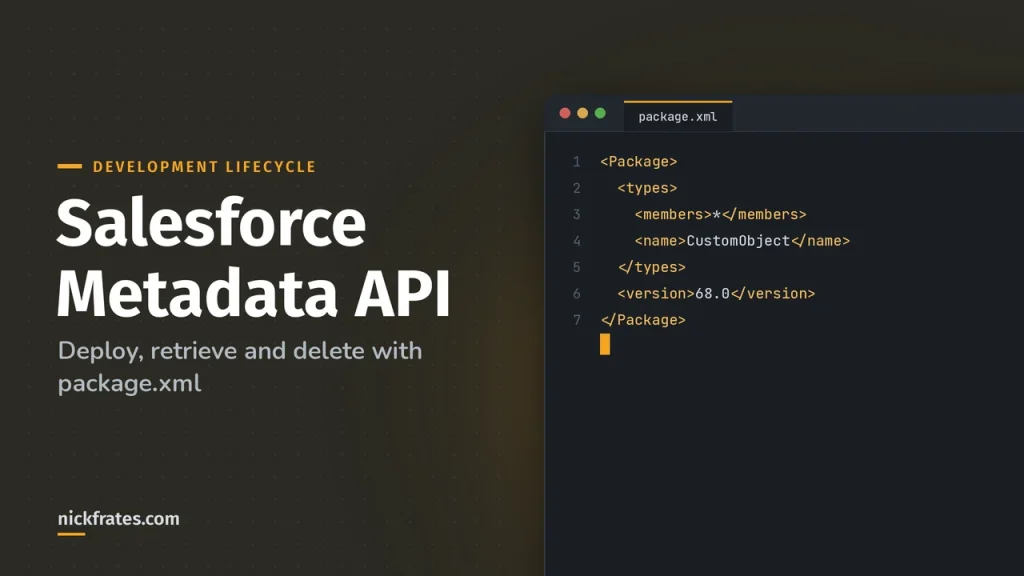
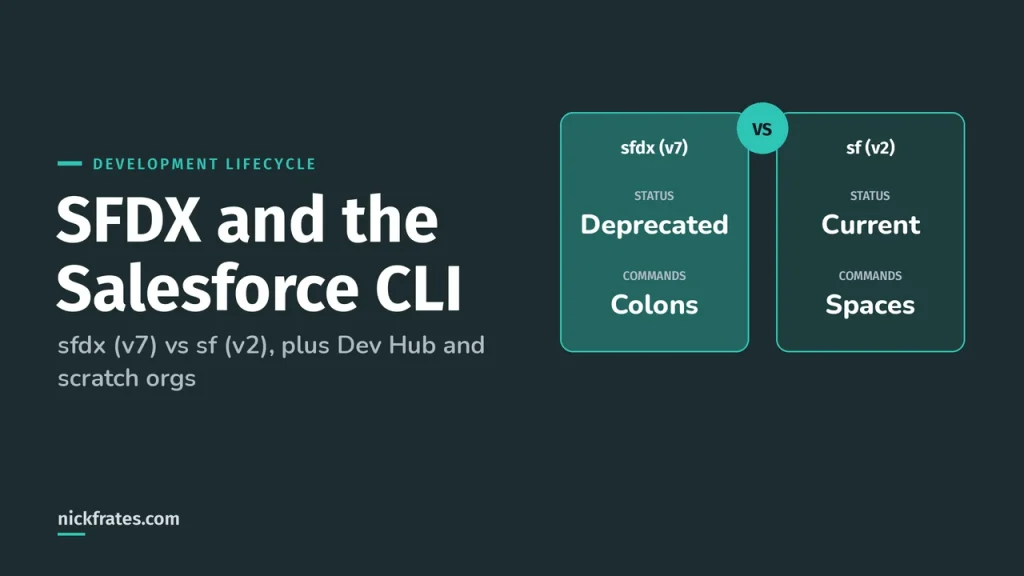
This is the big picture, with my take on how to choose. For deeper dives I link to change sets, SFDX and the Salesforce CLI and the Metadata API. It's also the heart of the System Design and Deploying sections of the Salesforce Certified Platform Development Lifecycle and Deployment Architect exam.
What is Salesforce DevOps?
DevOps on Salesforce is the same idea as anywhere else: small changes, version control, automated checks and a predictable release. The Salesforce-specific part is the org. Salesforce's Well-Architected DevOps patterns say all metadata should live in Git in Salesforce DX source format, developers should use isolated environments for feature work and every production-bound change should go through a reviewed pull request.
The same page names the opposite as an anti-pattern: treating the org as the source of truth. Development happens in a shared sandbox, the metadata gets exported to version control as an afterthought, and the org and the repository drift apart until deployments start failing.
That difference is the org development model versus the package development model in Salesforce's Build and Release Your App guide. In the org model you develop in sandboxes and use the CLI or VS Code to retrieve and deploy. In the package model you organize metadata into unlocked packages and install versions into each org. Both can sit inside a pipeline.
What are the Salesforce deployment options?
There isn't one right tool. These are the main ways teams move changes, and what each is best at:
| Approach | Best for | Watch out for |
|---|---|---|
| Change sets | Small admin-led teams moving a handful of components between connected orgs in Setup | No version history, manual steps and easy to miss a dependency. Salesforce's Well-Architected page lists manual change set deployments as an anti-pattern for teams that need repeatability |
| Metadata API with the Salesforce CLI | Developers who want scripted, repeatable deployments from source files | Needs source control discipline. Tests, validation and rollback are your job to design |
| DevOps Center (now Lifecycle Center) | Teams mixing admins and developers that want work items, a pipeline and Git without building it themselves | It's a Salesforce product with its own model, so you work the way it expects |
| Unlocked packages | Internal teams that want modular, versioned units they can install and upgrade in each org | Dependencies between packages need planning |
| CI tools (GitHub Actions, GitLab CI, Azure DevOps, CircleCI, Jenkins) | Pro-code teams that already run a CI platform and want to add Salesforce steps | You build and maintain the pipeline |
| Vendor platforms (Copado, Gearset, Flosum, AutoRABIT and others) | Teams that want a managed product with pipelines, comparison and rollback in a UI | Cost and a new tool to learn. I haven't tested every one, so compare them on a trial against your own org |
Salesforce lists its own tool options in the DX Developer Guide: Agentforce Vibes IDE, VS Code extensions, Salesforce CLI, Metadata API, DevOps Center and unlocked packages. The Well-Architected pipeline guidance names DevOps Center for platform-native CI/CD, or external platforms such as GitHub Actions, GitLab CI, Azure DevOps, CircleCI, Jenkins, Copado, Gearset and AutoRABIT. I'm not ranking the vendors. Pick on team skills and budget, not on a league table.
How do I choose a deployment approach?
My rule of thumb, based on who is building and what you can't afford to get wrong:
| Your situation | I'd start with |
|---|---|
| One or two admins, a few changes a month, one production org | Change sets, with a written checklist. Don't over-engineer it |
| Admins and developers working together, releases are getting messy | DevOps Center, now called Lifecycle Center, so changes are tracked and promoted through a pipeline without everyone learning Git |
| A pro-code team with CI already in place | Salesforce CLI plus your CI platform, with validation and quick deploy for production |
| Many apps, many orgs or a need for versioned releases | Unlocked packages in a pipeline |
| Heavy compliance, audit or many environments to manage | Evaluate a vendor platform alongside the native options |
Whatever you pick, get these four things in place first: version control as the source of truth, isolated development environments, an automated validation step and a tested rollback plan. The tool matters less than those habits.
What does a CI/CD pipeline for Salesforce look like?
Salesforce's continuous integration guidance describes CI as developers regularly integrating changes into a repository, with automated builds and tests running before or after check-in. The Well-Architected pipeline pattern lays out the stages:
| Stage | What happens |
|---|---|
| Source commit | Developers commit to feature branches with clear messages |
| Static analysis | Salesforce Code Analyzer scans Apex for security issues, performance anti-patterns and governor limit risks |
| Unit tests | Apex tests run in a scratch org or a dedicated integration sandbox |
| Validation deployment | Metadata deploys to an integration sandbox as a validation only, running tests without committing changes |
| Integration tests | Automated tests check multi-component flows and external integration contracts |
| UAT deployment | Changes that pass the automated gates deploy to user acceptance testing, with a manual approval if the risk calls for it |
| Production deployment | After approval, changes deploy to production with logging and a way to roll back |
The same guidance says a typical change should clear the pipeline in under 15 minutes, and warns that pipelines taking 45 to 60 minutes or more discourage frequent commits. It also calls out ignoring pipeline failures to hit a deadline as an anti-pattern, because the quality gates stop meaning anything.
Cert Lab by Nick Frates
Let the Platform Development Lifecycle and Deployment Architect Cert Lab test you to success
Lessons, flashcards, a quiz for each of the eight exam sections and full practice exams, every answer explained.
Start the Platform Development Lifecycle and Deployment Architect Cert Lab for $9.99 →Not ready to buy? Try a free lesson and see how fast you learn.
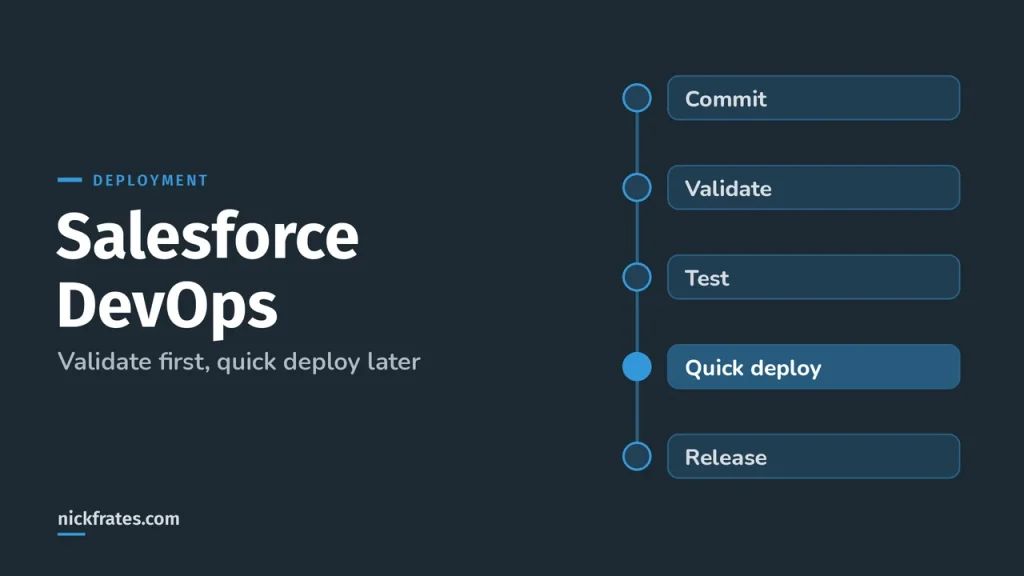
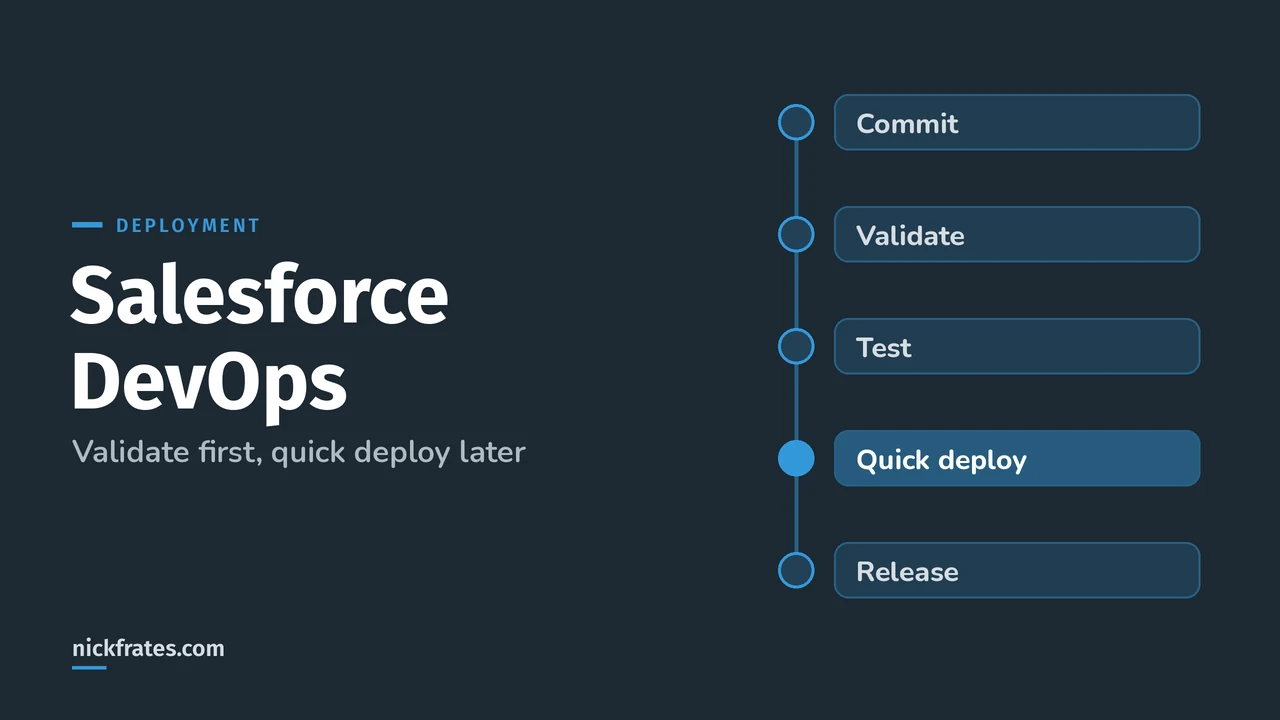
How does validate and quick deploy work?
This is the production deployment trick every Salesforce team should know. A validation runs the deployment with the checkOnly option, so tests run but nothing is committed. If it passes, you can quick deploy it later without running the tests again. The deployRecentValidation() documentation lists the conditions: the components were validated successfully for the target environment in the last 10 days, the Apex tests passed and code coverage is met.
With the CLI it's two commands. The validate command requires Apex tests to run and returns a job ID, and the quick deploy command takes that ID:
Three details that trip people up. The job ID is valid for 10 days from when you started the validation. The --use-most-recent flag only finds validations from the past 3 days. And Salesforce says these two commands are meant for production orgs, because sandboxes don't run tests on deploy by default. To validate with tests on a sandbox, use sf project deploy start --dry-run --test-level RunLocalTests instead.
Why bother? Because a production deployment with a big test suite can take hours. Validate ahead of the release window, then quick deploy inside it. It removes the risk of a failed deploy at the worst moment.
Which test level should a deployment use?
| Test level | What it runs | Notes |
|---|---|---|
| NoTestRun | No tests | Only for development environments such as sandboxes, Developer Edition and trial orgs. It's their default |
| RunSpecifiedTests | Only the tests you name | Each class and trigger in the package must be covered at least 75% by those tests. This is per class, not overall |
| RunLocalTests | All tests in the org except those from installed managed and unlocked packages | The default for production deployments that include Apex classes or triggers |
| RunAllTestsInOrg | All tests, including managed package tests | The longest option |
| RunRelevantTests (beta) | Tests relevant to the payload, picked automatically | Same 75% per class and trigger rule as RunSpecifiedTests |
One more detail from the Metadata API test documentation: if you deploy to production with no test level and the package has no Apex classes or triggers, no tests run by default. Salesforce's advice is to run all local tests in your development environment first, which reduces what production has to run.
What environment and sandbox strategy do I need?
Use the right sandbox for each stage. This lines up with Salesforce's Well-Architected sandbox guidance and the sandbox types article in Salesforce Help:
| Sandbox | Refresh | Good for |
|---|---|---|
| Developer | Once a day | One developer's feature work and rapid iteration. No data copied, 200 MB of data allowed |
| Developer Pro | Once a day | The same, with 1 GB of data allowed, for collaborative work or data-heavy testing |
| Partial Copy | Every 5 days | Integration testing with a sample of production data. It requires a sandbox template |
| Full | Every 29 days | Performance testing, UAT and production-like staging with a full copy of production data |
The anti-patterns are easy to spot: one shared sandbox for the whole team, sandboxes that haven't been refreshed for months, Full sandboxes full of unmasked personal data and sandboxes connected to production integration endpoints. I compare the types in more depth in Salesforce sandbox types.
The guidance also recommends automating post-refresh setup with CLI scripts, such as restoring integration credentials and test data, so refreshing isn't something people avoid.
What is Lifecycle Center (DevOps Center)?
Salesforce's Trailhead module says Lifecycle Center was previously known as DevOps Center. Older docs and blog posts still use the old name, so expect to see both. It's built on Salesforce DX compatibility, the Salesforce CLI, the Metadata API and source control. The key ideas:
- A work item defines the change and tracks it through the release pipeline.
- The source control repository is the source of truth, and branches are created and managed for you.
- You move changes through pipeline stages with clicks instead of building the promotion process yourself.
- Declarative and programmatic developers can both work in it, and you can build inside or outside it.
The DevOps Center developer guide describes two kinds of promotion: unbundled, where people select work items and promote them to the next stage, and versioned, where work items are combined into a numbered change bundle and promoted as one unit. If you're an admin-heavy team that wants version control without running your own pipeline, it's worth a look.
How do I deploy safely and roll back?
The Well-Architected safe deployment practices are common sense once you see them listed:
- Put high-risk changes behind a feature flag in custom metadata or a custom setting, so you can turn them off without redeploying.
- Release to a small group first for business-critical changes, and watch it for a day or two before widening.
- Deploy in low-usage windows, and avoid peak hours, month-end and weekends when support is thin.
- Write a rollback plan for each deployment type, and test it in a non-production environment.
- Run smoke tests right after a deployment instead of assuming it worked.
Rollback on Salesforce usually means redeploying the previous version from version control. That's one more reason to keep the repository as the source of truth: the last good version is a commit away.
What mistakes do teams make?
- Making changes directly in production, then forgetting to bring them back into source. The next deployment can overwrite them.
- Treating DevOps as a tool purchase. Without branching rules, review and tests, a new tool just moves the mess around.
- Running only the minimum 75% coverage and no integration tests, so regressions slip through.
- Skipping the validation step and discovering a failure in the middle of the release window.
- Keeping long-lived environment branches that drift from each other.
- Letting one sandbox serve every purpose.
How does DevOps show up on the exam?
The Development Lifecycle and Deployment Architect exam asks you to compare the components and tools of a deployment strategy in System Design, describe the capabilities and limits of the Metadata and Tooling APIs in Deploying, and recommend a release management approach in Releasing. Expect a scenario, then four reasonable choices. My study plan for the exam puts this topic in weeks 2 to 4, and the guide notes you aren't expected to write the scripts or set up the CI tools yourself.
If you learn best by testing yourself, the Platform Development Lifecycle and Deployment Architect Cert Lab has quick practice questions on deployment strategy, test levels and release management, with every option explained.
I'll be honest about how I learned this stuff. I loved Focus on Force and used it through 17 Salesforce certifications. Reading the study guide first was slow for me; taking practice tests rapid-fire and studying every wrong answer was fast. So when I built Cert Lab, I built it around that: test yourself quickly, see why each option is right or wrong.
FAQ
What is Salesforce DevOps?
Managing Salesforce changes with version control, isolated environments and an automated pipeline that validates, tests and deploys them, instead of moving changes by hand between orgs.
Is DevOps Center the same as Lifecycle Center?
Yes. Salesforce's Trailhead module says Lifecycle Center was previously known as DevOps Center. Older documentation still uses the old name.
What is the difference between validate and quick deploy?
A validation runs the deployment and its tests without committing changes. A quick deploy then deploys that validated set without rerunning the tests, as long as the validation is for the same org, passed and is no older than 10 days.
Which CI/CD tool is best for Salesforce?
It depends on your team. Salesforce's own guidance lists DevOps Center, GitHub Actions, GitLab CI, Azure DevOps, CircleCI, Jenkins, Copado, Gearset and AutoRABIT as options. Choose on team skills, budget and how much change you ship.
Are change sets still okay?
For a small team moving a few components, yes. Once you need version history, review and repeatability, move to source control and a pipeline. I cover them in my change sets post.
Which test level should I use for production?
If you set nothing and the package has Apex, RunLocalTests is the default. RunSpecifiedTests lets you name the tests, but each class and trigger needs at least 75% coverage from them.
Where should you go next?
- Salesforce change sets if you're starting there.
- SFDX and the Salesforce CLI for scratch orgs and the CLI.
- Salesforce Metadata API for deploy, retrieve and package.xml.
- Salesforce sandbox types for the environment side.
- How to pass the exam for the study plan.
Nick Frates, a senior Salesforce developer with 17 certifications, built the Platform Development Lifecycle and Deployment Architect Cert Lab at nickfrates.com: rapid-fire practice questions for every exam section, each answer explained.
Cert Lab by Nick Frates
Let the Platform Development Lifecycle and Deployment Architect Cert Lab test you to success
Lessons, flashcards, a quiz for each of the eight exam sections and full practice exams, every answer explained.
Start the Platform Development Lifecycle and Deployment Architect Cert Lab for $9.99 →Not ready to buy? Try a free lesson and see how fast you learn.
Hope this helps!
Best,
Nick