Hey friends,
These are 25 original Platform Administrator II practice questions, spread across the seven exam sections the way the official exam guide weights them, each with an answer, the reasoning, and the Salesforce Help page it comes from. They’re not exam dumps. I wrote them from the official Platform Administrator II exam guide and the Help articles behind each topic.
Platform Administrator II is the new name for the Advanced Administrator certification. Same exam, same prerequisite. If you want the full outline first, start with my Advanced Administrator study guide, then come back here to test yourself.
How many questions are on the Platform Administrator II exam?
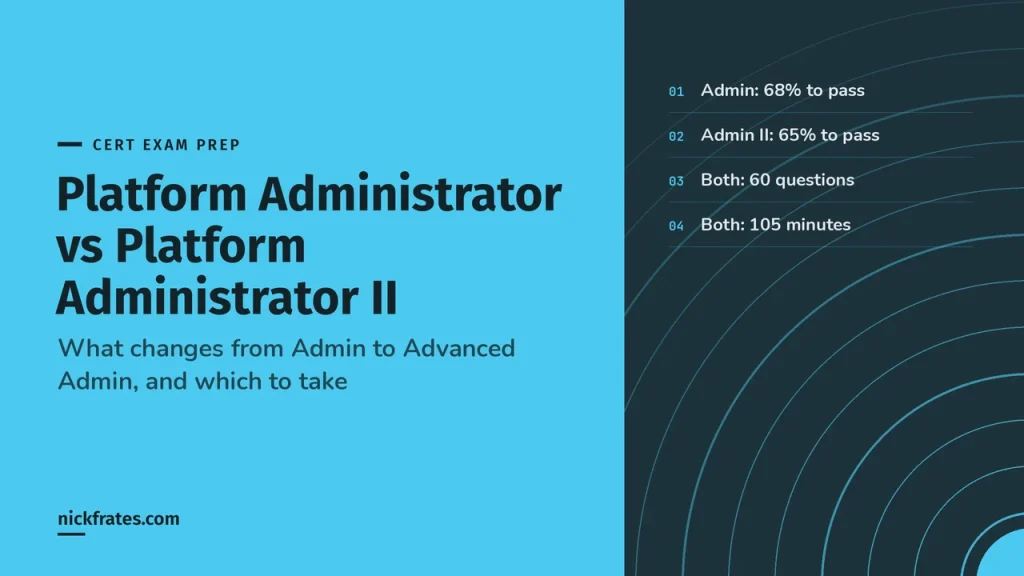
The Platform Administrator II exam has 60 scored multiple-choice and multiple-select questions plus up to five unscored ones, you get 105 minutes, and the passing score is 65%. Here’s the rest of what the exam guide says:
| Exam fact | Detail |
|---|---|
| Questions | 60 scored, plus up to 5 unscored |
| Time | 105 minutes |
| Passing score | 65% |
| Prerequisite | Salesforce Certified Platform Administrator |
| References allowed | None |
| Fee | See my Salesforce certification cost table |
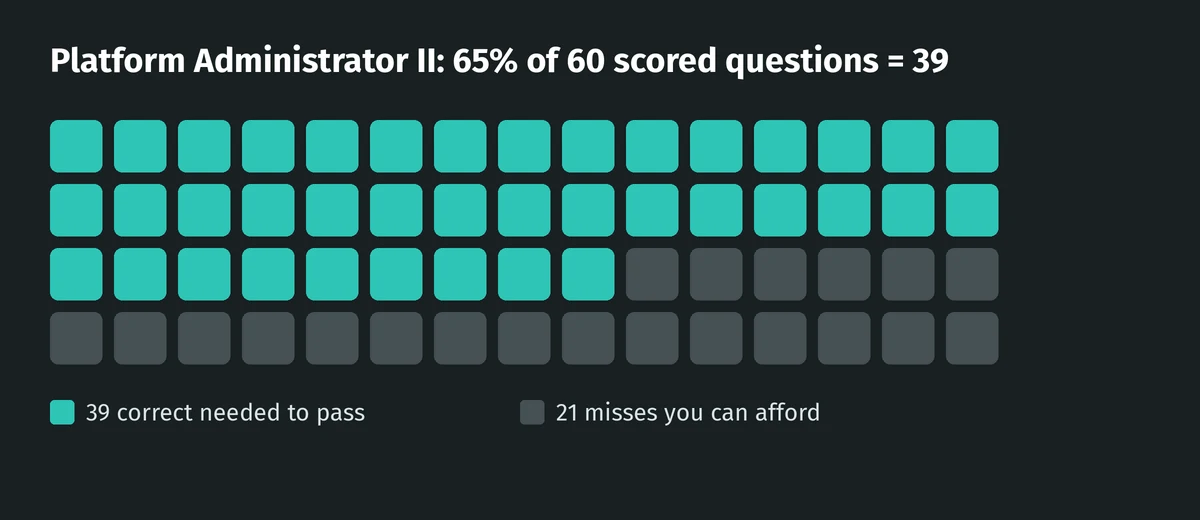
65% of 60 is 39. That leaves room for 21 misses, which sounds like a lot until a few long sharing scenarios eat your time.
Which sections matter most?
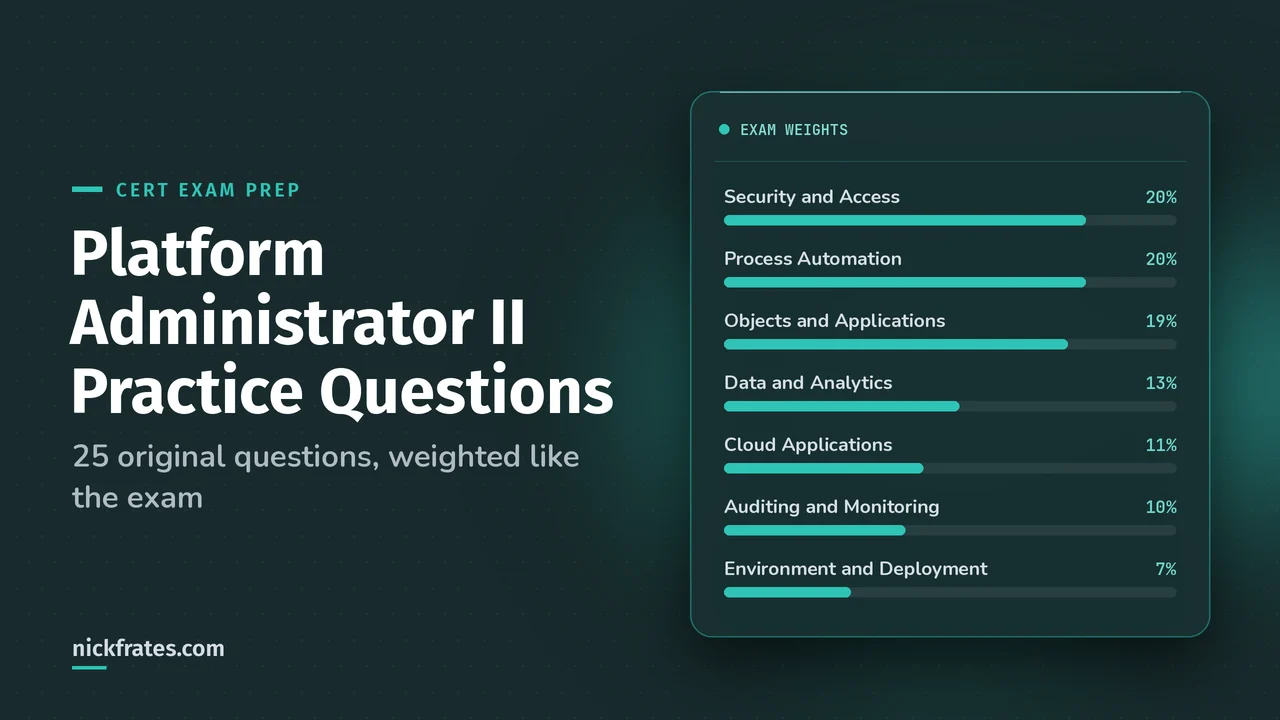
| Section | Weight | Questions here |
|---|---|---|
| Security and Access | 20% | 5 |
| Process Automation | 20% | 5 |
| Objects and Applications | 19% | 5 |
| Data and Analytics Management | 13% | 3 |
| Cloud Applications | 11% | 3 |
| Auditing and Monitoring | 10% | 2 |
| Environment Management and Deployment | 7% | 2 |
How to use these: read the scenario, commit to a letter, then open the answer. Read the explanation even when you got it right. Advanced admin questions usually have two options that technically work, and the explanation is where you learn why one is better.
Security and Access practice questions (20%)
Question 1. Two sales teams sell to the same accounts. Each team must see only its own tasks and events on those accounts, even though both teams can see the account. What’s the best way to set this up?
- A. Set the org-wide default for activities to Private
- B. Create a restriction rule on tasks and events for each team
- C. Create criteria-based sharing rules on tasks
- D. Remove Read on tasks from both teams’ permission sets
Show the answer and explanation
Answer: B. Restriction rules filter the records a user can already see down to the ones that match your criteria. Salesforce Help calls out tasks, events and contracts as records that are hard to make truly private with org-wide defaults, and uses competing sales teams as the example.
Sharing rules only ever open access up, so C can’t hide anything. Removing Read on tasks (D) hides all tasks, not just the other team’s. Restriction rules apply everywhere the user sees records, including list views, related lists, reports, search and SOQL. (Source: Restriction Rules)
Question 2. Your support agents get a permission set group that includes a broad Case Management permission set. Tier 1 agents need everything in it except deleting cases. You don’t want to clone the permission set. What do you do?
- A. Create a second permission set group with a muting permission set that mutes Delete on Case
- B. Remove Delete from the Case Management permission set
- C. Give tier 1 a custom profile without Delete on Case
- D. Add a restriction rule on Case
Show the answer and explanation
Answer: A. A muting permission set turns off selected permissions inside one permission set group. You get one muting permission set per group, and it only affects users assigned through that group, not users who have the underlying permission set assigned directly.
Option B changes the permission set for everyone who has it. Option C doesn’t help, because the profile can’t switch off Delete that the permission set group still grants. A restriction rule (D) filters records, not object permissions. (Source: Muting Permission Sets)
Question 3. The support manager wants to create users, reset passwords and unlock users in the Support Manager role and everything below it, without being a system administrator. Which feature fits?
- A. Delegated administration
- B. A permission set with Manage Users
- C. Login access granted to the manager
- D. A public group the manager owns
Show the answer and explanation
Answer: A. Delegated administrators can create and edit users in the roles you specify and all subordinate roles, reset passwords, unlock users, and assign specified profiles and permission sets. Manage Users (B) works across the whole org, which is far more than the manager needs.
Know the limits too. A delegated admin can manage custom objects but can’t create or change relationships on them or set org-wide sharing defaults. (Source: Delegate Administrative Duties)
Question 4. Account org-wide default access is Public Read Only. An account owner wants to add a contractor to the account team with less access than everyone else already has. What happens?
- A. The contractor gets Private access on that account
- B. It can’t be done, because team member access can’t be lower than the org-wide default
- C. The contractor gets no access until a sharing rule is added
- D. The role hierarchy overrides the team setting
Show the answer and explanation
Answer: B. Account team member access has to be equal to or less restrictive than the org-wide default. You can grant team members more access, but not less. If someone must see less than the default, the team isn’t the tool for it. (Source: Considerations for Using Account Teams)
Question 5. A consultant works for three client companies, and the sales team needs her on all three accounts without creating three contact records. What do you set up, and what stays required?
- A. Contacts to Multiple Accounts. She keeps one primary account and gets indirect relationships to the other two
- B. Person accounts for each company
- C. Three contacts linked by a custom lookup
- D. Account teams on each account
Show the answer and explanation
Answer: A. Contacts to Multiple Accounts relates one contact to several accounts without duplicate records. Each contact still needs a primary account (the Account Name field), which is the direct relationship. The other accounts are indirect relationships.
It also works with person accounts, and a relationship to a person account is always indirect because person accounts don’t have a primary account. (Source: Contacts to Multiple Accounts)
Cert Lab by Nick Frates
Want more scenarios like these?
The Platform Administrator II Cert Lab has a practice quiz for every exam section and four 60-question practice exams, each answer explained.
Start the Platform Administrator II Cert Lab, $9.99 →Process Automation practice questions (20%)
Question 6. When an opportunity is created or edited, a Region field on the same record must be set from the owner’s state. What’s the most efficient automation?
- A. An after-save record-triggered flow with an Update Records element
- B. A before-save record-triggered flow that assigns the value to $Record
- C. A scheduled flow that runs nightly
- D. An Apex after trigger
Show the answer and explanation
Answer: B. Before-save updates change the triggering record before it’s saved, so Salesforce doesn’t save it a second time. Help says this can be about 10 times faster than a record-change process, and recommends before-save updates for updating fields on new or changed records.
In a before-save flow, changing $Record is enough. There’s no Update Records element to add. For the tradeoffs, see my before-save vs after-save flows post. (Source: Before-Save Record-Triggered Flows)
Question 7. When a case is closed, a follow-up task must be created for the case owner. Which flow configuration works?
- A. Before-save record-triggered flow with a Create Records element
- B. After-save record-triggered flow with a Create Records element
- C. Before-save flow that assigns values to $Record
- D. A screen flow on the case page
Show the answer and explanation
Answer: B. Creating or updating related records is one of the listed reasons to use after-save instead of before-save. A before-save flow can only use Assignment, Decision, Get Records and Loop, so option A can’t even be built. (Source: Before-Save Record-Triggered Flows)
Question 8. A before-save flow and an Apex before trigger both run on Account insert. Which runs first?
- A. The Apex before trigger
- B. The before-save flow
- C. They run in parallel
- D. It depends on the flow’s trigger order setting
Show the answer and explanation
Answer: B. In the save procedure, before-save updates in flows run immediately before Apex before triggers. Order of execution questions are a big part of this section, so know where each tool sits. (Source: Before-Save Record-Triggered Flows)
Question 9. Three record-triggered flows run after save on Opportunity update, and one must always run before the other two. Where do you control that?
- A. Flow Trigger Explorer, using Edit Order to set the Trigger Order
- B. Rename the flows alphabetically
- C. Activate them in the order you want them to run
- D. You can’t control the order of record-triggered flows
Show the answer and explanation
Answer: A. Flow Trigger Explorer shows every flow that runs for an object and trigger, before-save and after-save. Edit Order lets you drag them into sequence, which changes each flow’s Trigger Order value. Standard flows show in the list but can’t be reordered. (Source: Manage Record-Triggered Flows)
Question 10. A screen flow’s Update Records element sometimes fails, and users see “An unhandled fault has occurred in this flow.” What’s the best-practice fix?
- A. Add a fault path to the Update Records element that shows a clear message and emails the admin the resource values
- B. Wrap the flow in a Process Builder process
- C. Turn off flow error emails
- D. Replace Update Records with an Assignment element
Show the answer and explanation
Answer: A. Elements that touch the database, like Update Records, can fail. Salesforce recommends fault paths on every element that can fail, an email with the current resource values, and a friendlier message than the default unhandled fault text when the flow has screens.
By default, the failure email goes to the admin who last modified the flow. (Source: Customize What Happens When a Flow Fails)
Objects and Applications practice questions (19%)
Question 11. You want to change the lookup from Inspection__c to Property__c into a master-detail relationship. The conversion fails. What’s the most likely cause?
- A. Property__c has roll-up summary fields
- B. Some Inspection__c records have a blank Property__c lookup
- C. Inspection__c has a record type
- D. Property__c has a custom tab
Show the answer and explanation
Answer: B. A lookup can only become master-detail when every record has a value in the lookup field. Roll-up summary fields (A) block the opposite move, from master-detail to lookup.
Refresher on the two types: lookup vs master-detail relationship. (Source: Considerations for Object Relationships)
Question 12. Inspection__c already has two master-detail relationships. The business wants a third parent, Vendor__c, with a required link. What do you build?
- A. A third master-detail relationship
- B. A lookup relationship to Vendor__c, made required
- C. A junction object between Inspection__c and Vendor__c
- D. A hierarchical relationship
Show the answer and explanation
Answer: B. Each custom object can have up to two master-detail relationships and many lookups. A required lookup gives you the mandatory link without breaking the limit. A junction object (C) is for many-to-many, which this isn’t. (Source: Considerations for Object Relationships)
Question 13. The Case page has three record types that exist only to show different fields to different teams. You want fewer record types and page layouts to maintain. What should you use?
- A. Dynamic Forms with field and section visibility rules
- B. More page layouts assigned by profile
- C. A Visualforce page
- D. Compact layouts
Show the answer and explanation
Answer: A. Dynamic Forms moves fields and sections into the Lightning App Builder, where visibility rules show and hide them. Help lists reducing the number of page layouts and record types as a direct benefit.
One trap: on a Dynamic Forms page, the fields users see when creating, editing or cloning come from the page, not the page layout. (Source: Dynamic Forms)
Question 14. A bug can relate to many cases and a case can relate to many bugs. Reports must show both directions. What do you build?
- A. A lookup from Case to Bug__c
- B. A junction object with master-detail relationships to Case and Bug__c
- C. A multi-select picklist on Case
- D. A self-relationship on Bug__c
Show the answer and explanation
Answer: B. A junction object is a custom object with two master-detail relationships, which is how you model many-to-many. Help’s example is exactly this Bug and Case pair, and it recommends an auto-number Record Name on the junction object. (Source: Create a Many-to-Many Object Relationship)
Question 15. Users complain an Account record page loads slowly. It has about 120 fields in the Record Detail component and many related lists on the first tab. What does Salesforce recommend?
- A. Keep the page layout under 60 fields or move Record Detail to a non-default tab, and move heavy related lists out of the initial load
- B. Add more components to the first tab so they load together
- C. Switch users to Salesforce Classic
- D. Convert the related lists to rich text fields
Show the answer and explanation
Answer: A. Too many visible components, heavy related lists and too many Record Detail fields all slow a Lightning page. Help recommends fewer than 60 fields on the page layout, or putting Record Detail in a non-default tab or Accordion, and moving heavy related lists out of the initial page load.
For phones, it suggests no more than eight visible components per page. (Source: Lightning Page Performance)
Data and Analytics Management practice questions (13%)
Question 16. The support manager wants a trend chart of how many cases were open at 5 PM each day over the last quarter. A normal report only shows today’s open cases. What do you set up?
- A. A joined report
- B. A reporting snapshot that loads the report into a custom object every day
- C. A dashboard filter
- D. Field history tracking on Status
Show the answer and explanation
Answer: B. A reporting snapshot saves a tabular or summary report’s results into fields on a custom object on a schedule, so you can report on the history. Help’s own example is a manager capturing open cases every day at 5:00 PM.
One limit to remember: reporting snapshots don’t support row-level formula fields. (Source: Reporting Snapshots)
Question 17. Sales leadership wants a list of accounts that have no activities. Which report feature does this without formulas?
- A. A bucket field
- B. A cross filter: Accounts WITHOUT Activities
- C. A row-level formula
- D. A custom summary formula
Show the answer and explanation
Answer: B. Cross filters include or exclude records based on related objects. WITHOUT gives you parents that have no matching children, like contacts without activities. WITH does the opposite, like accounts with escalated cases. More in my reports and dashboards guide. (Source: Cross Filters)
Question 18. You need to import 120,000 custom object records from a CSV. Which tool do you pick?
- A. Data Import Wizard
- B. Data Loader
- C. A change set
- D. Schema Builder
Show the answer and explanation
Answer: B. The Data Import Wizard handles up to 50,000 records at a time, so 120,000 means Data Loader, or splitting the file into three jobs. Change sets (C) move metadata, never records. See Data Import Wizard vs Data Loader. (Source: Data Import Wizard)
Auditing and Monitoring practice questions (10%)
Question 19. Someone changed field-level security on the Sales profile last week, and nobody admits to it. Where do you look?
- A. Field history tracking on the Profile
- B. View Setup Audit Trail
- C. Login History
- D. A debug log
Show the answer and explanation
Answer: B. Setup Audit Trail tracks setup changes, including field-level security changes on profiles. The page shows the 20 most recent changes, and you can download the past 180 days.
Field history tracking (A) is for record field values, not setup. (Source: Monitor Setup Changes with Setup Audit Trail)
Question 20. A user gets an error when saving an opportunity. You want to see which validation rules, automation and errors ran in that transaction. What’s the right first step?
- A. Set a trace flag on the user, have them repeat the save, then read the debug log
- B. Turn on field history tracking
- C. Check Setup Audit Trail
- D. Run a report on opportunities
Show the answer and explanation
Answer: A. Debug logs record database changes, errors, validation rules, assignment rules and approval processes. Help describes this exact admin workflow: set a trace flag on the user, have them step through the problem, then read the log. System debug logs are kept for 24 hours, so read them quickly. (Source: Debug Logs)
Cloud Applications practice questions (11%)
Question 21. Cases and work orders share one entitlement. The case entitlement process runs on cases, but never on the work orders. Why?
- A. Work orders don’t support entitlements
- B. An entitlement process only runs on records that match its type, so work orders need their own entitlement
- C. The process has more than 10 milestones
- D. Business hours aren’t set
Show the answer and explanation
Answer: B. An entitlement process only runs on records that match its type. Salesforce recommends managing cases and work orders on separate entitlements for that reason. You can have up to 1,000 entitlement processes, each with up to 10 milestones. (Source: Work with Entitlement Processes)
Question 22. You’re planning Knowledge data categories by region, product, audience, language and channel, and later want a sixth group. What limit do you hit?
- A. 5 data category groups, with 3 active at a time
- B. 4 groups total
- C. 10 active groups
- D. No limit on groups, only on categories
Show the answer and explanation
Answer: A. The documented limits are 5 data category groups with 3 active at a time, 100 categories per group, 5 levels per hierarchy, and 8 categories from one group per article. (Source: Work with Data Categories)
Question 23. A translator wants to assign different data categories to the Spanish translation of a Knowledge article. What happens?
- A. It works; translations have their own categories
- B. It can’t be done; translations inherit data categories from the primary article
- C. Only an admin can do it
- D. It requires a second category group
Show the answer and explanation
Answer: B. Data categories can be added only to the primary article. Translations inherit them and can’t have their own. (Source: Work with Data Categories)
Environment Management and Deployment practice questions (7%)
Question 24. A new custom object, its fields and 500 sample records were built in a sandbox. What will a change set to production carry?
- A. The object, fields and the 500 records
- B. Only the object and fields. Change sets carry metadata, not records
- C. Only the records
- D. Nothing, until the sandbox is refreshed
Show the answer and explanation
Answer: B. Change sets contain only changes you can make through Setup, so no data records. They also need a deployment connection, and both orgs must be affiliated with the same production org. (Source: Change Sets)
Question 25. QA needs a sandbox with a representative sample of production records that can be refreshed every week. Full copies aren’t needed. Which sandbox type fits?
- A. Developer
- B. Developer Pro
- C. Partial Copy, with a sandbox template
- D. Full
Show the answer and explanation
Answer: C. Partial Copy sandboxes copy metadata plus sample data, need a sandbox template, and can be refreshed every 5 days. Developer and Developer Pro copy metadata only. A Full sandbox copies all data but refreshes only every 29 days. (Source: Sandbox Licenses and Storage Limits by Type)
Mistakes I see on advanced admin questions
- Reaching for sharing rules to hide records. Sharing rules only open access. Hiding takes org-wide defaults, restriction rules or muting.
- Removing a permission from the wrong place. If a permission set group grants it, mute it in that group instead of editing a shared permission set.
- Using after-save for same-record updates. If you’re only changing fields on the triggering record, before-save is faster and simpler.
- Mixing up audit tools. Setup changes go to Setup Audit Trail. Record value changes go to field history. Transaction details go to debug logs.
- Ignoring the 50,000 line. Over 50,000 records means Data Loader.
Frequently asked questions
Is Platform Administrator II the same as Advanced Administrator? Yes. It’s the same certification under its newer name, and it still needs the Platform Administrator certification first.
What’s the passing score for Platform Administrator II? 65%, which is 39 of the 60 scored questions.
Are these real exam questions? No. I wrote every question from the exam guide and Salesforce Help. Real exam questions are confidential, and dumps break the certification agreement.
Which sections should I study first? Security and Access and Process Automation, at 20% each, then Objects and Applications at 19%. Together they’re 59% of the exam.
How do I see which sections cost me points? Enter your section scores in my Salesforce exam score calculator.
Where to go next
- Advanced Administrator (Platform Administrator II) study guide
- Platform Administrator vs Platform Administrator II
- Salesforce security model explained
- All my Salesforce certification study guides
Cert Lab by Nick Frates
Get the Platform Administrator II Cert Lab
Lessons, flashcards, section quizzes and four 60-question practice exams for all seven Platform Administrator II sections, built from the official exam guide.
Start the Platform Administrator II Cert Lab, $9.99 →Hope this helps!
Best,
Nick