Hey friends,
Collaborative Forecasting (now Pipeline Forecasting) is the forecast your reps and managers build and adjust. Einstein Forecasting is an AI prediction shown next to it on the same forecasts page, so leaders can compare the team's call with what the data says. Einstein Forecasting doesn't replace Collaborative Forecasting. It needs it turned on.
Both show up in the Agentforce Sales Consultant exam guide: Opportunity Forecasting in Sales Lifecycle and predictive AI tools in Predictive and Generative AI. Facts below are from Salesforce Help.
What's the difference between Einstein Forecasting and Collaborative Forecasting?
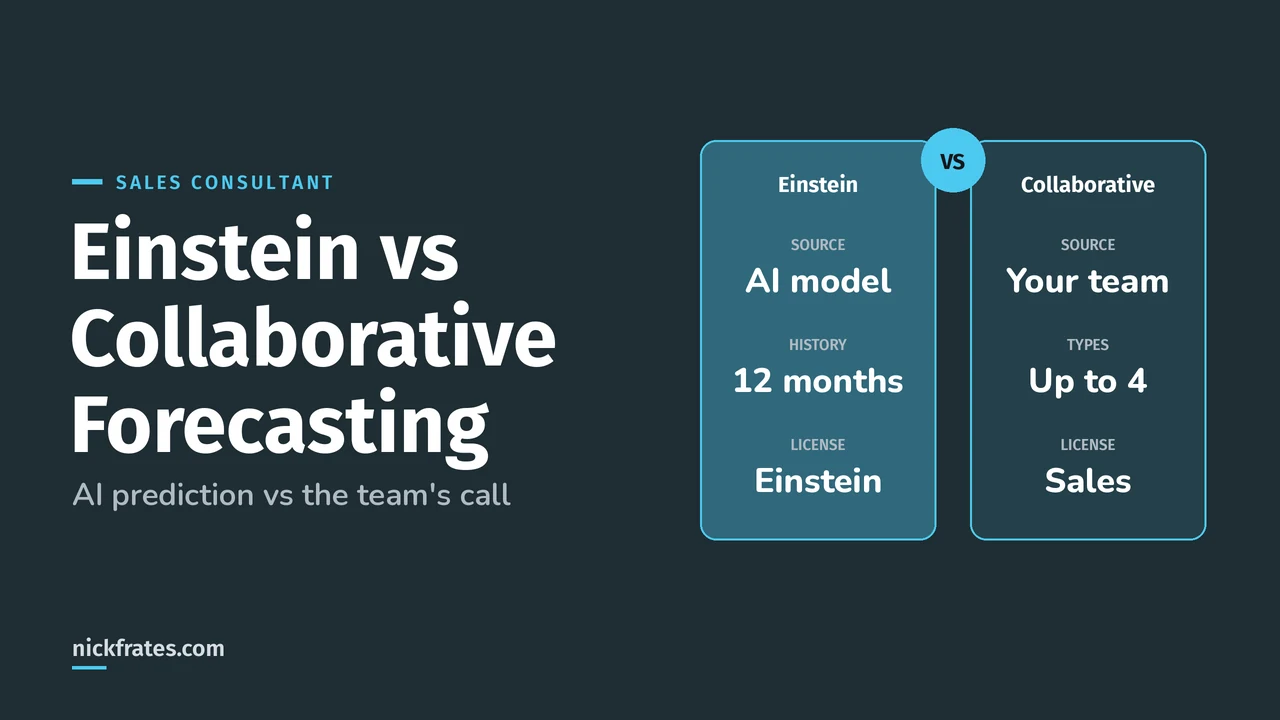
Collaborative Forecasting rolls up what's in the pipeline. Einstein Forecasting predicts what will actually close. Side by side:
| Collaborative (Pipeline) Forecasting | Einstein Forecasting | |
|---|---|---|
| What it is | Rollups of opportunities by forecast category, with adjustments and quotas | An AI prediction column on the forecasts page |
| Who decides | Reps and managers | A predictive model built from your history |
| Data | Any forecast type: opportunity, product, splits, schedules, territory | Standard Opportunity Amount and Close Date, role hierarchy only |
| Forecast types | Up to four active | Only the oldest active opportunity revenue type |
| Edition or license | Professional, Performance, Developer, and Enterprise and Unlimited with Sales | Sales Cloud Einstein: Performance and Unlimited, extra cost in Enterprise |
| Where it runs | Lightning Experience (forecast types) | Production orgs only, not sandboxes |
Sources: Pipeline Forecast Types, Einstein Forecasting and Considerations for Setting Up Einstein Forecasting.
How does Einstein Forecasting make its prediction?
Einstein Forecasting analyzes your team's past opportunities to build a predictive model (Understand How Einstein Creates Your Forecasting Prediction). The prediction column shows the median predicted amount for each manager's team, based on opportunities in the Best Case and Commit categories.
- Breakdown: Wins from Existing Deals, Wins from New Deals and Pulled In deals.
- Top factors: what pushed the prediction up or down, such as more open deals in the pipeline.
- Range: the full range behind the median.
- No prediction when there isn't enough history or the range is too wide to be useful.
Predictions are in US dollars unless you use multiple currencies, in which case they convert with the static rate set by the admin.
Here's why I care about this. Certs have opened real doors for me: interviews, a new job, raises and the chance to work in new parts of Salesforce. I studied with Focus on Force early on and learned fastest from rapid-fire practice tests, so that's what I built Cert Lab around, with current links and screenshots. One honest caveat: hiring managers still want experience. Use the cert to get in the room, and bring stories of what you've done.
Cert Lab by Nick Frates
Let the Agentforce Sales Consultant Cert Lab test you to success
Forecasting and AI scenarios like the real exam, with an explanation for every option.
Start the Agentforce Sales Consultant Cert Lab for $9.99 →What does Einstein Forecasting need before it works?
From Considerations for Setting Up Einstein Forecasting:
| Requirement | Detail |
|---|---|
| Salesforce Forecasting | Must be enabled, with at least one forecasting-enabled user reporting to a forecast manager |
| History | Opportunity history with at least one update in each of the past 12 months |
| Fiscal year | Standard fiscal year (can start in any month) |
| Forecast type | Measured by opportunity revenue; predictions only for the oldest active one |
| Fields | Standard Opportunity, Close Date and Amount; Amount filled on at least 80% of open opportunities |
| Not supported | Custom date fields, opportunity splits, territories, sandboxes |
To turn it on, you need Customize Application and Modify All Data. Use Assisted Setup, choose all or some opportunity records and fields, then save (Enable Einstein Forecasting). Users must be enabled for forecasts and assigned as forecast managers. For the home page prediction graph, turn on historical trending for Forecasting Item.
When should you use each one?
| Scenario | Answer |
|---|---|
| Managers want to commit their own number and adjust reps | Collaborative Forecasting with adjustments |
| Leadership wants an unbiased check on the Commit number | Add Einstein Forecasting |
| Forecasts are by territory | Collaborative territory forecasts; Einstein doesn't support territories |
| Company is 6 months old on Salesforce | Collaborative now; Einstein needs 12 months of history |
| Forecasting by product schedule | Collaborative Forecasting (Line Item Schedule type) |
Setup steps for the human side are in my Collaborative Forecasting guide, and forecast types, rollups and quotas goes deeper on types. For every AI feature in Sales Cloud, see Einstein for Sales.
Practice with the 30 questions in my Agentforce Sales Consultant practice exam, and use the Agentforce Sales Consultant study guide for the full outline.
Nick Frates, a senior Salesforce developer with 17 certifications, built the Agentforce Sales Consultant Cert Lab at nickfrates.com: rapid-fire practice tests with every answer explained, $9.99 for 12 months (Admin is free).
FAQ
Does Einstein Forecasting replace Collaborative Forecasting?
No. It adds a prediction column, and Salesforce Forecasting must be enabled.
How much history does Einstein Forecasting need?
At least one opportunity update in each of the past 12 months.
Can Einstein Forecasting predict territory forecasts?
No. Territories and opportunity splits aren't supported.
Can I test Einstein Forecasting in a sandbox?
No. It works only in production orgs.
Cert Lab by Nick Frates
Know which forecast fits every scenario
The Agentforce Sales Consultant Cert Lab quizzes you on all five sections and explains each answer.
Start the Agentforce Sales Consultant Cert Lab for $9.99 →Hope this helps!
Best,
Nick


