Hey friends,
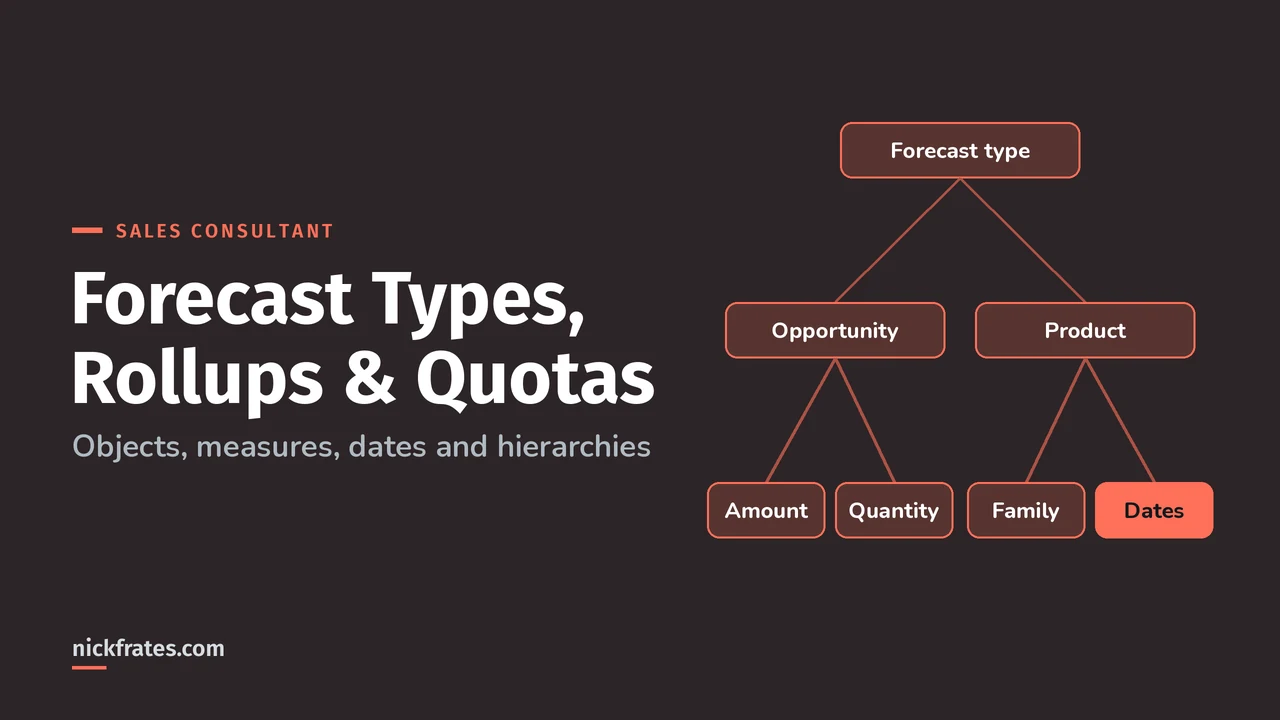
A Salesforce forecast type is the combination of an object, a measure, a date type and a hierarchy that a forecast rolls up, such as Opportunity Amount by Close Date on the role hierarchy. You can have up to four active forecast types, each with its own adjustments and quotas, and each forecast rolls up by single category or cumulative rollups.
These details are prime material for scenario questions in the Agentforce Sales Consultant exam. Everything below comes from the Pipeline Forecasting pages in Salesforce Help.
What forecast types can you create in Salesforce?
From Pipeline Forecast Types, these are the main options:
| Object | Measures | Date types | Hierarchy |
|---|---|---|---|
| Opportunity | Amount, Quantity, custom currency or number | Close date, custom date | User role, territory |
| Opportunity Product | Total price, Quantity, custom currency or number | Close date, custom date, product date | User role, territory |
| Opportunity Split | Amount, custom currency | Close date, custom date | User role, territory |
| Opportunity Product Split | Amount, custom currency | Close date, custom date, service date | User role, territory |
| Line Item Schedule | Revenue, Quantity, custom currency or number | Schedule date | User role, territory |
You can group Opportunity forecasts by a custom picklist, and product-based types by product family. Custom measure forecasts need Performance or Unlimited Edition, or an extra cost in Enterprise Edition.
How do you create and activate a forecast type?
- Check the prerequisites (Help): opportunity splits for split types, product schedules for Line Item Schedule, and picklists or product families for grouping.
- In Setup, open Forecasts Settings and click Create a Forecast Type. You need Customize Application and View Setup and Configuration.
- Finish the setup flow. The new type is inactive.
- Select Activate from its quick actions. Filter definitions can't be edited after activation.
Deactivating a forecast type deletes its forecasting data. Legacy types created before Summer '21 can't be activated, so recreate them.
How do product date and schedule date forecasts differ from close date?
Help's examples make this clear (Forecast Date Types):
| Forecast by | Example | What June shows |
|---|---|---|
| Close date | $12,000 deal closing June 30, $1,000 scheduled monthly | $12,000 |
| Schedule date | Same deal | $1,000 |
| Close date | $10,000 deal closing June 30: $4,000 product dated June 30, $6,000 product dated May 31 | $10,000 (May shows nothing) |
| Product date | Same deal | $4,000 (May shows $6,000) |
I learned most of what I know by testing myself fast and often. Focus on Force was the resource I loved early on, and rapid-fire practice tests were what made things stick. Cert Lab is my version of that: quick tests, explanations with current Help links and screenshots. Certs brought me interviews, hires, raises and new domains to work in, but they work best alongside hands-on experience, not instead of it.
Cert Lab by Nick Frates
Let the Agentforce Sales Consultant Cert Lab test you to success
Forecast type, rollup and quota scenarios like the exam, each answer explained.
Start the Agentforce Sales Consultant Cert Lab for $9.99 →What's the difference between single category and cumulative rollups?
Single category rollups show each forecast category on its own. Cumulative rollups combine categories (Rollup Methods):
| Cumulative column | Includes |
|---|---|
| Open Pipeline | Pipeline + Best Case + Commit |
| Best Case Forecast | Best Case + Commit + Closed |
| Commit Forecast | Commit + Closed |
| Closed Only | Closed |
Switching rollup methods deletes adjustments for all active forecast types. And Pipeline Inspection has its own rollup setting, separate from forecasting.
How do territory forecasts work?
Territory forecasts roll up on the territory hierarchy instead of the role hierarchy (Territory Forecasts). The key rules:
- An opportunity rolls up into one territory forecast only.
- If a territory has a forecast manager, its opportunities roll up to the territory forecast. If not, they're grouped by the users in the territory.
- A territory's forecast manager can view its forecast. Other users assigned to the territory can't.
- Deleting or archiving a territory model deletes the related forecast data, so export first.
How do forecast quotas work?
A quota is the monthly or quarterly sales goal for a user or territory (Forecast Quotas). A manager's quota is what the manager and team are expected to generate together, and the rollup is done manually. Quotas can use revenue, quantity or custom measure data, and each forecast type keeps its own.
- In Setup: the Forecasts Quotas page, with Manage Quotas and View All Forecasts (Help).
- Bulk: Data Loader or the API (Forecast Quotas from External Sources).
Which forecast type scenarios should you practice?
- A company bills monthly on 12-month deals and wants revenue by month billed. Line Item Schedule by schedule date.
- Overlay specialists need credit without double counting the main rep. Opportunity Split type.
- Leadership forecasts by region on a territory model. Territory hierarchy forecast type.
- An admin wants to fix a filter on an active type. They can't edit it; they create a new type.
Next, see the full setup in Salesforce Collaborative Forecasting, AI predictions in Einstein Forecasting vs Collaborative Forecasting, and the Agentforce Sales Consultant study guide.
Nick Frates, a senior Salesforce developer with 17 certifications, built the Agentforce Sales Consultant Cert Lab at nickfrates.com: rapid-fire practice tests with every answer explained, $9.99 for 12 months (Admin is free).
FAQ
How many forecast types can be active?
Up to four. Contact Salesforce Customer Support for more.
Can I edit a forecast type's filters after activation?
No. Filter definitions can't be edited after activation.
Do quotas roll up automatically?
No. Quota rollup is done manually by users and managers.
Which rollup method is the default?
Help's rollup page says cumulative rollups are the default.
Cert Lab by Nick Frates
Lock in forecast types before exam day
The Agentforce Sales Consultant Cert Lab drills every exam section with explanations for every answer.
Start the Agentforce Sales Consultant Cert Lab for $9.99 →Hope this helps!
Best,
Nick


