Hey there,
Say you want your own app, website or backend service to ask an Agentforce agent a question and get an answer back. That’s what the Agent API is for.
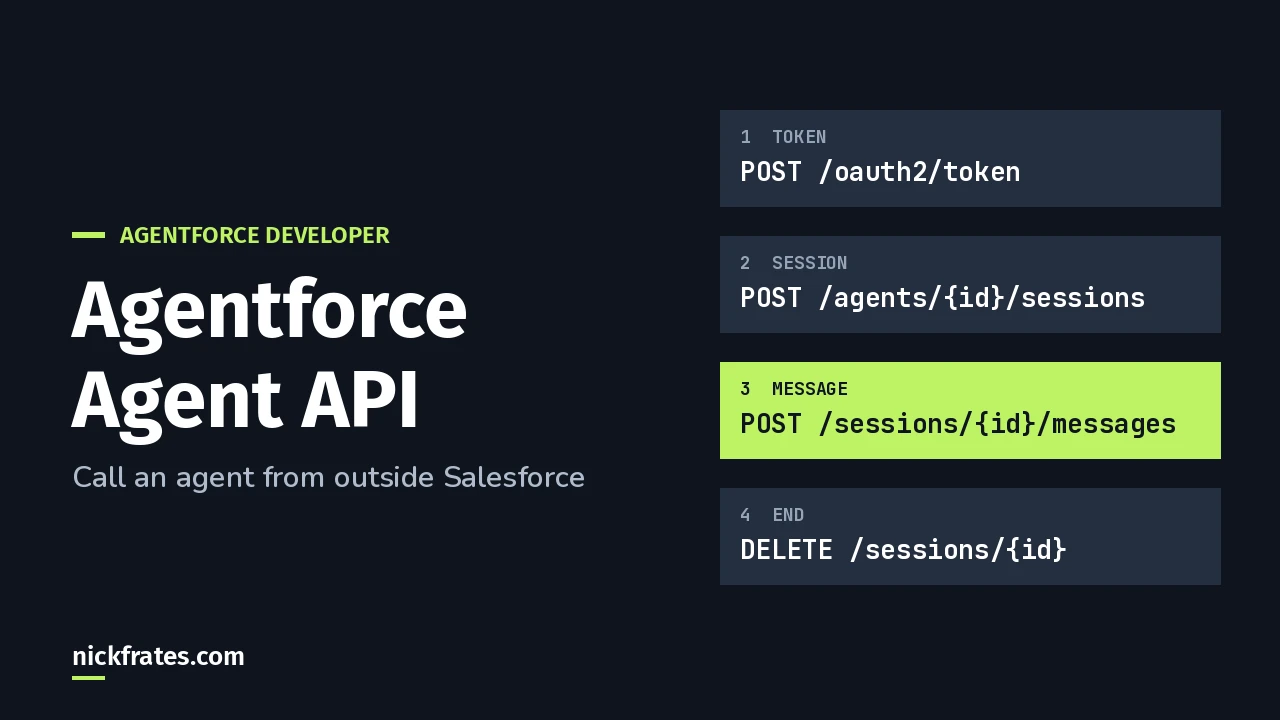
The Agentforce Agent API lets an outside app talk to an Agentforce agent over REST. You get an access token, start a session, send messages, and end the session. You need an active agent (not the “Agentforce (Default)” type) and an external client app set up for the client credentials flow.
REST is the common way apps call web services with HTTP requests. A session is one conversation with the agent. Everything below comes from the Agent API get-started guide and the Agent API examples in the Agentforce Developer Guide.
When should I use the Agent API?
Use it when your own code needs to talk to an agent directly. If you just want a chat window on a site, I’d use messaging instead, since it needs no code. See how to add an agent to Experience Cloud.
Knowing when the Agent API is the right choice is also an objective in the AI Agents section of the Agentforce Specialist exam guide.
How do I set up the external client app?
An external client app (ECA) is how an outside app gets permission to call Salesforce. The guide’s steps:
- From Setup, search for External Client App and open External Client Apps Manager. Click New External Client App.
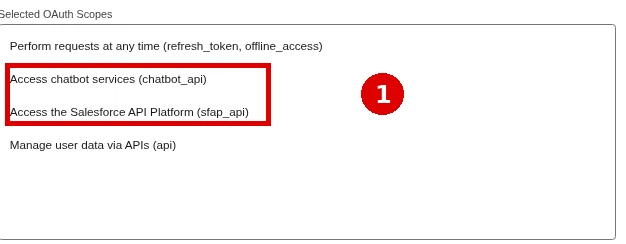
- Enter a name and contact email. Select Enable OAuth and add these scopes: Manage user data via APIs (api), Perform requests at any time (refresh_token, offline_access), Access chatbot services (chatbot_api) and Access the Salesforce API Platform (sfap_api).
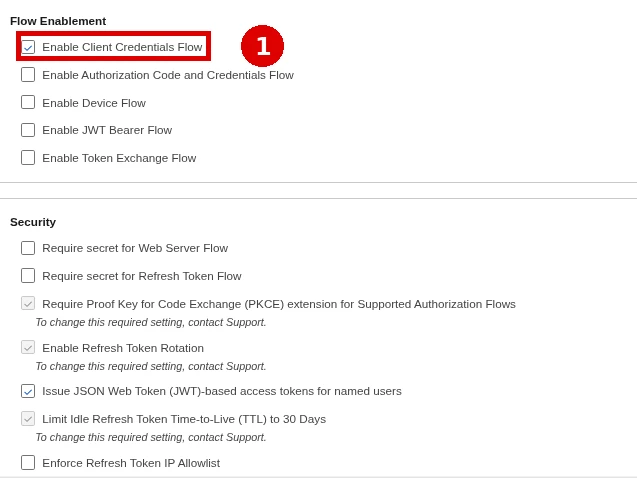
- Select Enable Client Credentials Flow and Issue JSON Web Token (JWT)-based access tokens for named users.
- Deselect Require secret for Web Server Flow, Require secret for Refresh Token Flow and the Proof Key for Code Exchange (PKCE) option, then create the app.
- On the Policy tab, click Edit, check Enable Client Credentials Flow, and set Run As (Username) to a user with at least API Only access. Save.
Then on the Settings tab, expand OAuth Settings and click Consumer Key and Secret. Copy both. Treat the secret like a password.
(The guide uses the client credentials flow, but it says any flow that provides a JWT-based access token works.)
How do I get an access token?
Every Agent API call needs a token. Use your My Domain URL from Setup, not the lightning.force.com address in your browser.
Copy the access_token from the response.
How do I start a session?
You need the agent’s ID, your token, a random UUID you make up as the session key, and your My Domain URL. A UUID is a long random ID. It helps you trace the conversation in the agent’s event logs.
bypassUser picks whose access the agent uses. true uses the user assigned to the agent. false uses the user tied to the token. The response includes a session ID for the next calls.
Cert Lab by Nick Frates
Know when to pick the Agent API
Exam-style questions on agents, actions and deployment choices, with each answer explained, plus lessons for all six Agentforce Specialist sections.
Start the Agentforce Specialist Cert Lab for $9.99 →How do I send a message?
The examples show two endpoints. /messages is synchronous: it returns the whole reply at once. /messages/stream sends the reply in pieces using server-sent events (SSE), ending with an EndOfTurn event.
Increase sequenceId by one for each new message in the session.
Streaming has one trap. If you get a ValidationFailureChunk event, the agent’s reply failed validation. Remove the chunks you already showed and display only the new content.
How do I end the session?
The examples page also shows a feedback endpoint for rating replies (Salesforce stores that feedback in Data 360) and links to a guide for passing agent variables.
Why isn’t my call working?
- Default agent. The Agent API doesn’t support “Agentforce (Default)” agents.
- Wrong domain. Use your My Domain URL, not the lightning.force.com one.
- Government Cloud. Replace api.salesforce.com with api.gov.salesforce.com.
- Missing scopes. The app needs chatbot_api and sfap_api as well as api.
Building actions for the agent to call? See Agentforce subagents and actions and what an Agentforce developer does. For the bigger picture, start with the Agentforce guide or browse my Salesforce certification study guides.
Cert Lab by Nick Frates
Get ready for the Agentforce Specialist exam
Lessons, practice questions and flashcards for every exam section, with each answer explained.
Start the Agentforce Specialist Cert Lab for $9.99 →What are you connecting to your agent? Let me know!
Hope this helps!
Best,
Nick


