Hey friends,
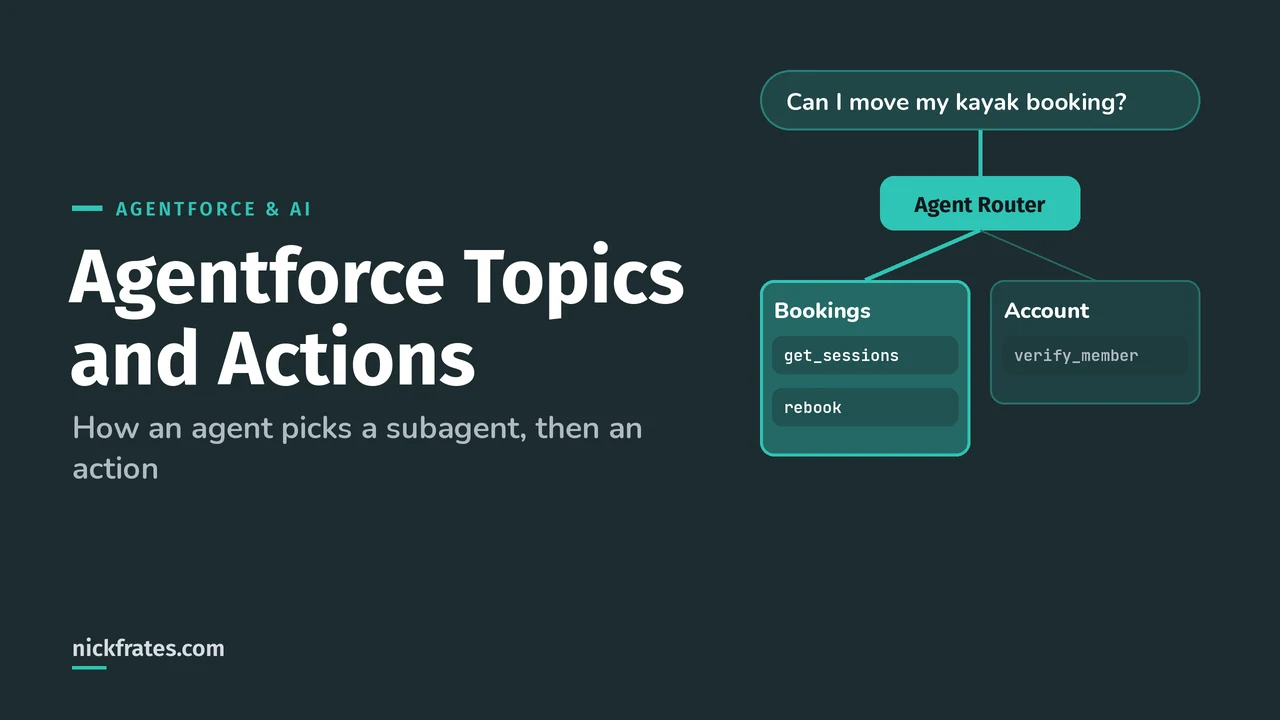
In Agentforce, a subagent (called a topic before April 2026) is a job area with its own instructions, and actions are the units of work it can do, like running a flow, Apex or a prompt template. The Agent Router picks the subagent for each message; then the subagent's reasoning instructions either run actions directly or let the LLM choose them as tools.
Salesforce's Agent Script docs put the rename plainly: beginning in April 2026, agent topics are now called subagents, with no change in functionality, and you'll see a mix of both terms for a while. I use "subagent" below, but if your org, an older tutorial or an exam question says "topic", it's the same thing.
The four layers
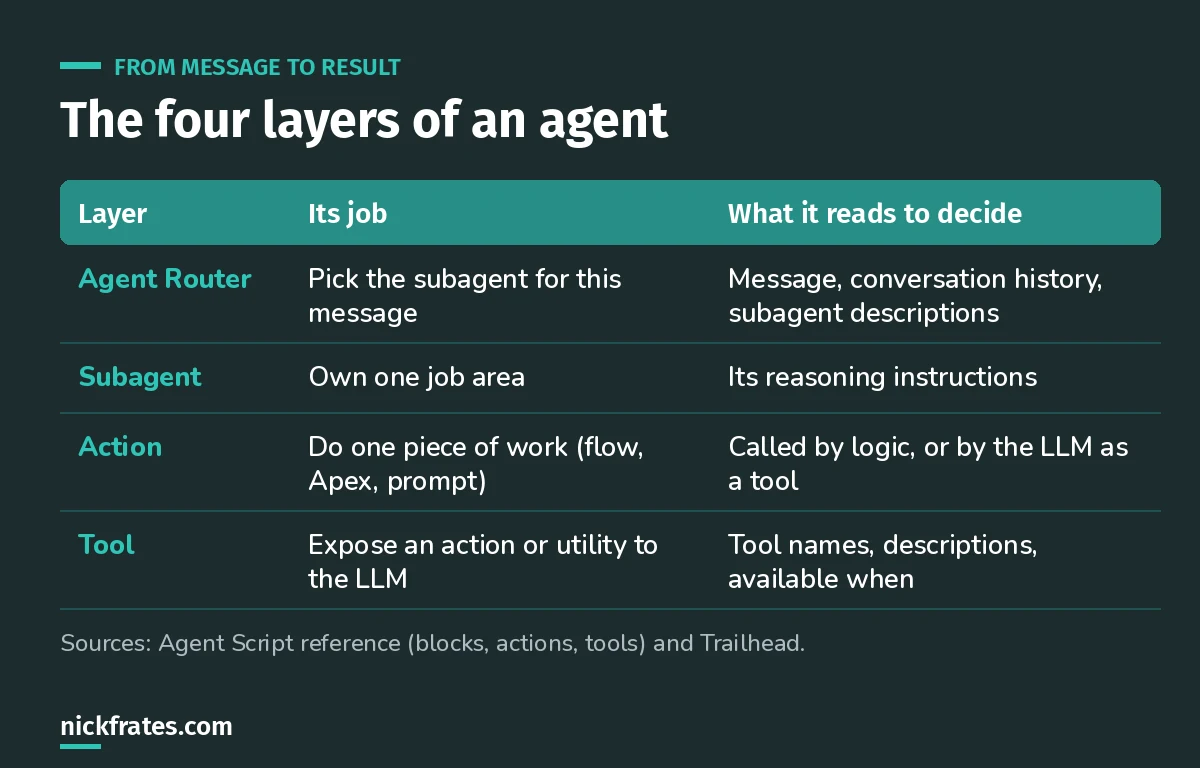
Every layer reads text you wrote. That's why descriptions matter so much.
The Trailhead quick start describes the Agent Router as the core component that decides which subagent to use, based on user input and conversation history. Every agent starts with one.
In Agentforce Builder, the Explorer panel lists it at the top of the Subagents section:
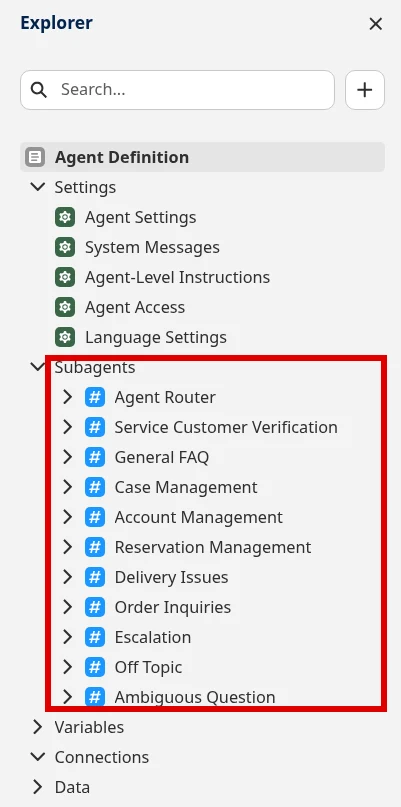
Subagents: one job area each
Think of a subagent like a team in a support center: bookings, billing, identity. Each has a name, a description, reasoning instructions and its own actions.
The description is the routing signal. If two subagents have similar descriptions, the router has to guess. Good descriptions say what's in scope, in the words customers use. "Handles reservations, changes to session bookings and questions about experience details" beats "Experience stuff".
My rule of thumb: if you can't explain the difference between two subagents in one sentence, merge them.
Here's a real subagent. The builder labels the routing field Description: When the subagent is used. Older docs call it the classification description (Salesforce's legacy prompt guide). Below it are the reasoning instructions, which tell the subagent what to do once it's picked (Trailhead).
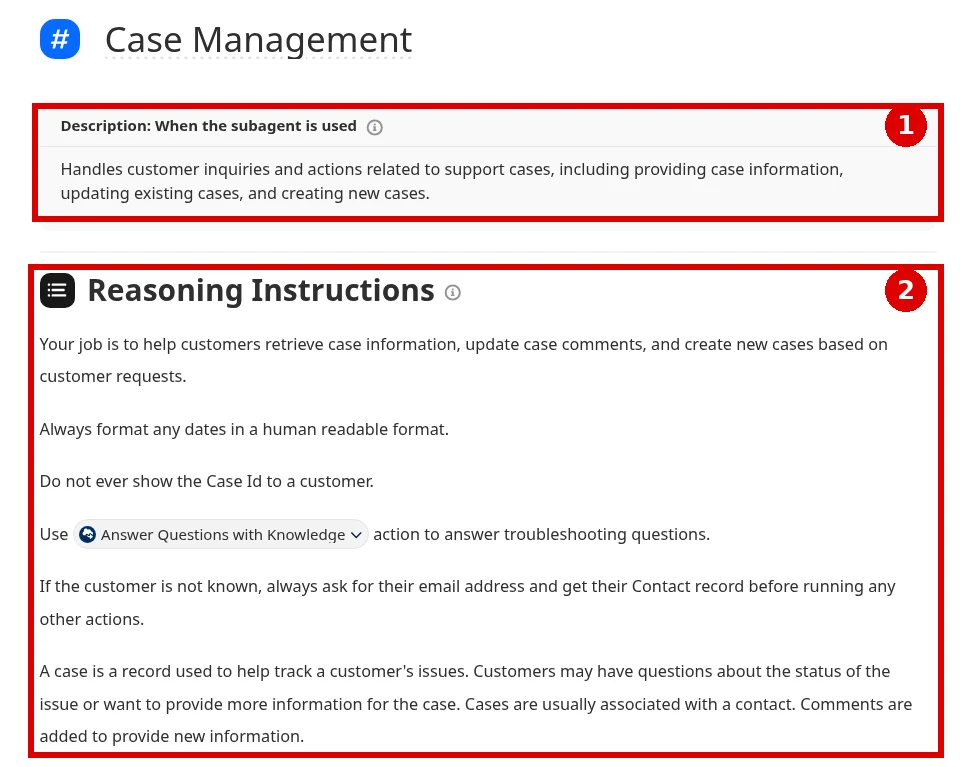
Actions: the units of work
An action points at something executable. In Agent Script that's the target, a reference to Apex, a flow or a prompt template (actions reference). The properties worth knowing:
- description: the LLM reads it when deciding whether to call the action. If you leave it out, Agentforce makes one from the name, which is rarely good enough.
- inputs: if a required input isn't provided, the LLM tries to slot-fill it from the conversation. It only does this for inputs that are required and not already bound.
- require_user_confirmation: the customer has to confirm before the action runs. Use it for anything that changes data or money.
- outputs: values the action returns, which you can store in variables or show in the conversation.
In the builder, a subagent's actions sit under Actions Available For Reasoning. You'll see the same ideas as checkboxes: Require Input to execute action on inputs and Show in conversation on outputs (Trailhead quick start). With Require Input checked, the agent won't run the action until it has that value.
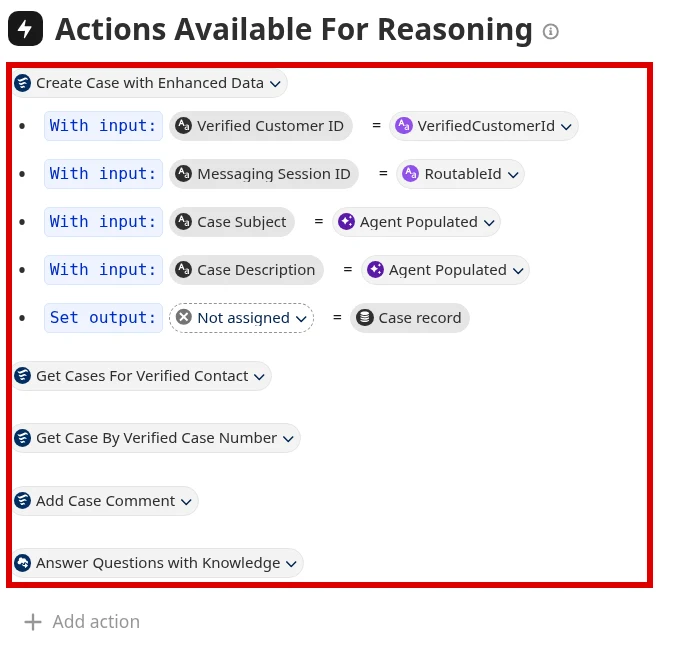
Reasoning instructions: logic and prompt
This is the part most people miss. Reasoning instructions have two halves (Help):
- Logic instructions are deterministic: conditions,
runan action,seta variable. They happen every time the condition is true. - Prompt instructions are natural language passed to the LLM, written after a pipe (
|).
Here's the pattern from Salesforce's reference, trimmed:
The code is always sent when there's an email. Whether to resend it is left to the LLM. Salesforce also notes that, in general, shorter reasoning instructions give more accurate and reliable results.
Cert Lab by Nick Frates
Practice agent design questions
The Agentforce Specialist Cert Lab has a full section on agent building blocks, with practice questions on subagents, actions, instructions and variables.
Start the Agentforce Specialist Cert Lab, $9.99 →Actions vs tools
Agent Script has two action blocks, and the tools reference spells out the difference:
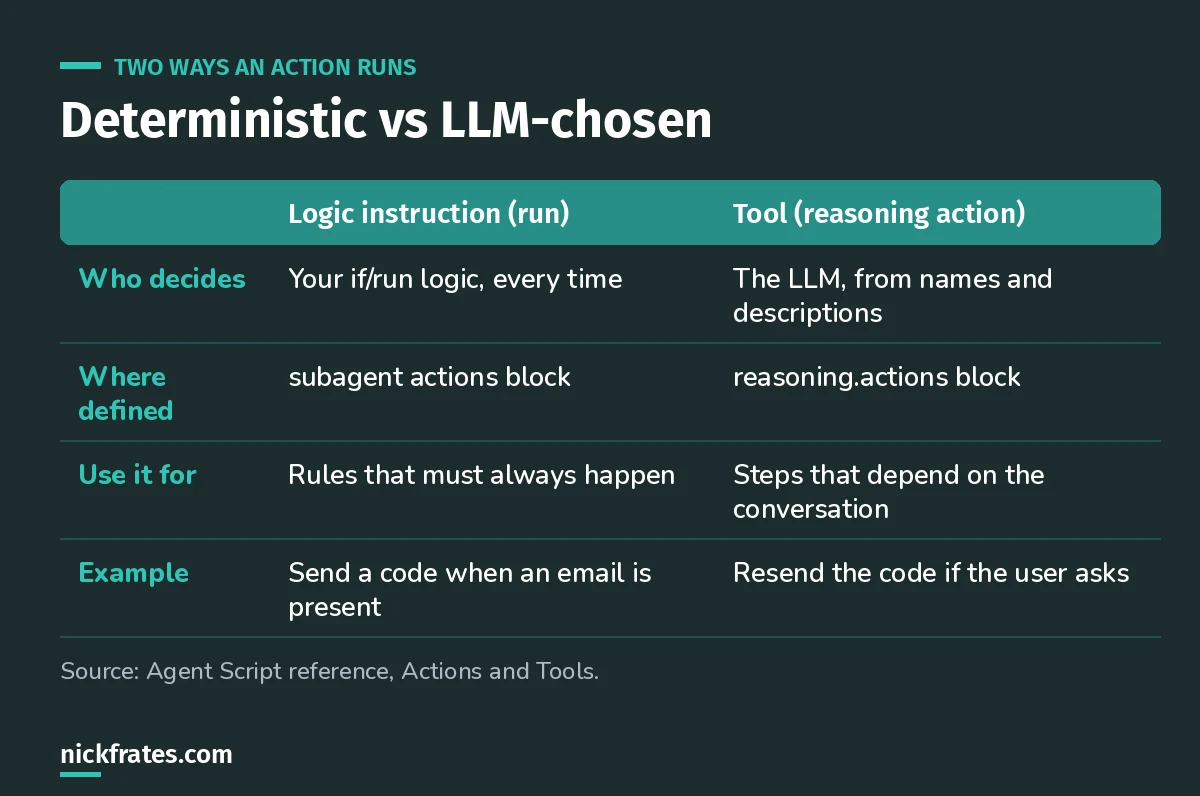
If a step must always happen, don't leave it to the LLM.
Tools can wrap an action or a utility. Two utilities show up a lot: @utils.setVariables, which lets the LLM capture what the customer said into variables, and @utils.transition, which moves the conversation to another subagent. Add available when to control when a tool is even offered:
If you build in Canvas view you don't have to manage the two blocks yourself. Actions you add in the UI and expose as tools share the same name. It still helps to know what's underneath when an agent behaves oddly.
Design rules I'd follow
- Split subagents by job, not by data. "Bookings" and "Billing", not "Account fields" and "Contact fields".
- Write every description for the LLM. Subagent, action and tool descriptions are all read when deciding.
- Use logic for must-happen steps. Identity checks, required lookups, anything compliance cares about.
- Gate risky tools.
available whenplusrequire_user_confirmationfor changes. - Keep instructions short. Salesforce says so, and it matches what I see in testing.
Two practice questions
1. An agent sometimes skips the identity check before showing order details. What's the most reliable fix?
Answer: make the check deterministic with a logic instruction (or gate the order tool with available when on a verified variable), rather than adding more wording to the prompt.
2. Messages about refunds keep landing in the Orders subagent instead of Billing. Where do you look first?
Answer: the subagent descriptions the Agent Router uses to choose. Make the scopes distinct.
Keep going
- Agentforce tutorial: build an agent with these pieces, step by step.
- Agentforce Testing Center: check that routing and actions hold up at scale.
- Prompt Builder: build the prompt template actions.
- Agentforce Specialist practice questions: more scenarios like the two above.
Cert Lab by Nick Frates
Get the Agentforce Specialist Cert Lab
Lessons, practice questions and flashcards for all 6 Agentforce Specialist exam sections, built from Salesforce Help.
Start the Agentforce Specialist Cert Lab, $9.99 →Hope this helps!
Best,
Nick