Hey friends,
The Salesforce REST API lets any system that can send an HTTPS request create, read, update, delete and query Salesforce records as JSON, authorized with an OAuth 2.0 access token. Standard resources live under /services/data/vXX.X/, and your own Apex REST classes live under /services/apexrest/.
This is the post I wish I had when I started integrating with Salesforce: endpoints, the OAuth flow to pick, upsert by external ID, the limits that bite, and when to write a custom Apex REST service. It maps to the Design and Build sections of the Salesforce Certified Platform Integration Architect exam, which together are 51% of the exam. For the bigger picture of when REST is the right API at all, start with Salesforce API types.
What is the Salesforce REST API, and what does an endpoint look like?
The REST API exposes Salesforce data as resources, such as records, query results, metadata and org limits, and you work with them by sending HTTP requests to a URI. Salesforce's REST resources and requests page gives the shape:
Replace vXX.X with the API version you want. A request is made of four things: the URI, the HTTP method, headers and, for most writes, a JSON body. A few details from the REST API architecture page are worth remembering:
- It's stateless: every request carries everything the server needs, so there's no session to keep alive.
- JSON is the default format, and XML is supported. Everything goes over HTTPS.
- IDs in responses are always 18 characters. In requests you can send 15 or 18.
- Record IDs in a URI are case-sensitive, but object and field names aren't.
- gzip and deflate compression are supported, and Salesforce suggests clients support them.
| Endpoint (after /services/data/vXX.X) | Method | What it does |
|---|---|---|
| /sobjects/Account | POST | Create a record |
| /sobjects/Account/{id} | GET, PATCH, DELETE | Read, update or delete one record by ID |
| /sobjects/Account/Ext_Id__c/{value} | PATCH | Upsert by external ID |
| /query?q=SELECT+... | GET | Run a SOQL query |
| /limits/ | GET | Org limits and what's left |
| /services/apexrest/yourPath | Whatever you define | Your own Apex REST class |
REST isn't the only way to move data, and it isn't the best one for volume. I compare the alternatives in Bulk API 2.0 and Composite API.
How do I authenticate to the Salesforce REST API?
With OAuth 2.0 through an external client app. The REST API authorization page says a client must be authorized as a safe visitor, using an external client app or a connected app plus an OAuth flow. Salesforce restricted creating new connected apps as of Spring '26, so build new integrations on external client apps. Existing connected apps keep working.
Per the OAuth flows documentation, every flow except the SAML assertion flow requires an external client app. These are the flows I'd expect a scenario question to be about:
| Flow | Use it when | What to remember |
|---|---|---|
| Web server flow | A web app on a server that can keep its client secret safe | The user logs in and approves, and you get an access token and a refresh token |
| JWT bearer flow | Server to server, no user to click anything | The JWT is signed with a certificate, the app needs prior approval, and the flow never issues a refresh token |
| Client credentials flow | Two applications sharing data with no user involved | You name an integration user to run as, and there's no refresh token. Salesforce calls it a more secure alternative to username-password |
| Refresh token flow | Renewing access tokens from the web server and user-agent flows | Not an entry point on its own |
| Device flow | Devices with limited input, and command-line apps | The user approves in a browser on another device |
| User-agent and username-password flows | Avoid for new work | Both pass credentials around. Username-password is blocked by default in orgs created in Summer '23 or later |
Here's the client credentials request from the Salesforce Help article, with a curl wrapper. It has to go to your My Domain URL, because requests to login.salesforce.com and test.salesforce.com aren't supported for this flow:
For the JWT bearer flow, the details are on the JWT flow page. Keep the consumer secret in a secrets store or a Named Credential, never in code. For where authentication fits in each pattern, see my integration patterns post.
How do I create, read, update and delete records with the REST API?
You use the sObject resources with the matching HTTP method. The create a record page shows a POST to /sobjects/Account/ with a JSON body, and the response gives you the new ID:
Two details from the docs trip people up. If you send an Id in a create body, you get an INVALID_FIELD error saying the Id shouldn't be specified. And if you ask for fields that don't exist or that field-level security hides, the get field values page says you get a 400, not a partial answer.
How do I run a SOQL query through the REST API?
Send a GET to /query?q= with a URL-encoded SOQL string. A synchronous query returns up to 2,000 records at a time, per the Query resource. If there's more, the response has done: false and a nextRecordsUrl, and you keep calling it until done is true.
You can ask for a smaller batch with the Sforce-Query-Options: batchSize=1000 header. The Query Options header page says the minimum is 200, the maximum is 2,000, and Salesforce can change the size to protect performance. If you're paging through hundreds of thousands of rows, that's a Bulk API job, not a REST loop.
How do I upsert records with the REST API?
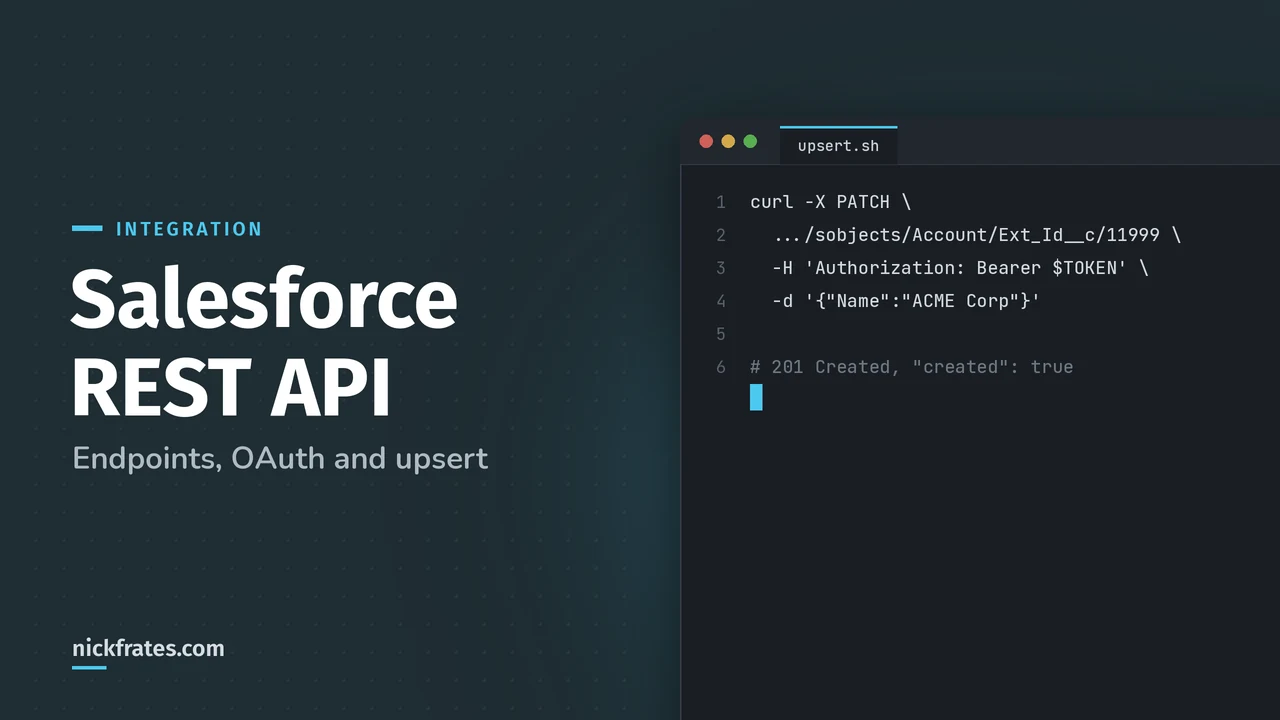
Send a PATCH to the sObject Rows by External ID resource: /sobjects/Account/Ext_Id__c/11999. Per the upsert page, Salesforce creates the record if the external ID isn't found, updates it if it matches one record, and returns a 300 and changes nothing if it matches several.
This is the pattern I reach for in almost every ERP-to-Salesforce design, because the external ID makes retries safe. If the network drops and the caller sends the same record twice, the second call updates instead of creating a duplicate. The docs add the rules worth knowing for an exam question:
- If the external ID field is also marked Unique, you need no special permission.
- If it's an external ID without Unique, the calling app needs the View All Data permission.
- The
createdflag in the response is available in API version 46.0 and later. POST /sobjects/Account/Idtreats the Id field as the external ID. It's handy when one code path upserts by different external IDs.- An email address ending in a top-level domain like .inc can clash with a file extension and return 404. Use a different external ID field, or use Apex REST.
Cert Lab by Nick Frates
Practice REST and OAuth scenarios
Scenario questions on API choice, OAuth flows, upsert and Apex REST for all six Platform Integration Architect sections, with every option explained.
Start the Platform Integration Architect Cert Lab for $9.99 →Not ready to buy? Try a free lesson and see how fast you learn.
When should I build a custom Apex REST service?
When the standard resources can't express your business logic, for example when one call has to create several records in a single transaction or apply your own validation. You expose an Apex class with @RestResource and annotate methods with @HttpGet, @HttpPost, @HttpPatch, @HttpPut or @HttpDelete, per the Apex REST annotations list.
You'd call it at /services/apexrest/onboard/ with a JSON body whose keys match the parameter names. The names matter and the order doesn't. Both inserts run in one transaction, so if the contact fails, the account rolls back too.
What the Apex REST docs say you need to plan for:
- Calls count against your API limits, and all standard Apex governor limits apply. The request or response size limit is 6 MB for synchronous Apex, per the Apex REST introduction.
- A class can't have two methods with the same HTTP annotation, so you can't have two
@HttpGetmethods. Methods with@HttpGetor@HttpDeletecan't take parameters. - Authentication is OAuth 2.0 or a session ID, the same as the standard REST API.
- If the class is in a managed package, the namespace goes into the URL after
/services/apexrest/. - If you return a big list of sObjects and hit the heap limit mid-serialization, you can get an HTTP 200 with an error appended to partial JSON. Use a
RestResponseto control the status code and body.
One recent change deserves a call-out. The Apex REST security page says that in API version 67.0 and later, Apex runs in user mode by default and classes with no sharing declaration run with sharing. In 66.0 and earlier, the default was system mode and without sharing. An older class can still bypass field-level security without anyone noticing, so check the API version on integration classes you inherit.
Which REST API limits and errors should I plan for?
Three limits matter, all from the API request limits page: the daily total, concurrent long-running calls, and the timeout.
| Limit | What the docs say |
|---|---|
| Total calls per 24 hours | Enterprise Edition gets 100,000 plus the number of licenses times the calls per license type (1,000 for a Salesforce license), plus any purchased add-ons. Unlimited and Performance get 5,000 per Salesforce license |
| Concurrent requests that run 20 seconds or longer | 25 in production orgs and sandboxes, 5 in Developer Edition and trial orgs. Beyond that you get REQUEST_LIMIT_EXCEEDED |
| Timeout | 10 minutes for REST and SOAP calls, except queries, which follow the SOQL limits |
Every REST response carries an Sforce-Limit-Info header with your usage, for example api-usage=10018/100000, per the Limit Info header page. The /limits resource gives you the wider picture. Build your integration to read these and slow down before it hits the wall.
For errors, the status codes page is the cheat sheet I use:
| Code | Meaning here |
|---|---|
| 201 / 204 | Created, or success with no content (deletes and some updates) |
| 300 | An external ID matched more than one record, and nothing was changed |
| 400 | Bad request body, or fields that don't exist or you can't see |
| 401 | The access token has expired or is invalid. Refresh or request a new one |
| 403 | Refused. Check permissions, or REQUEST_LIMIT_EXCEEDED if you're out of API calls |
| 404 | Wrong URI, or a sharing issue that hides the record |
| 410 | The API version has been retired |
On versions: Salesforce supports each API version for at least 3 years and gives at least 1 year of notice before ending support, per the REST API end-of-life policy. Versions 21.0 through 30.0 are retired, and calls to them return 410. Pin a version in your URLs, and review it at least once a year.
How does the REST API show up on the Platform Integration Architect exam?
The exam is scenario-based, so you'll rarely be asked a definition. You'll get a requirement and pick the approach. These are the patterns I'd drill:
| If the scenario says... | The answer usually is... |
|---|---|
| An ERP pushes order changes and might retry | REST upsert by external ID, so a retry never creates a duplicate |
| A mobile app needs one record in real time | REST sObject Rows, one call |
| One call must create several records and apply custom rules | A custom Apex REST service |
| A nightly load of millions of records | Not REST. Use Bulk API 2.0, see Bulk API 2.0 |
| A server-to-server job with no user | JWT bearer or client credentials, never username-password |
| The org keeps hitting daily API limits | Cut calls with Composite or collections (Composite API), and watch Sforce-Limit-Info |
If you learn best by testing yourself, the Platform Integration Architect Cert Lab has quick practice questions on REST API and OAuth, with every option explained.
What mistakes do people make with the REST API?
- Sending the Id in a create body.
- Looping single-record calls for thousands of records, which burns the daily API allocation.
- Using the client credentials flow against login.salesforce.com instead of the My Domain URL.
- Expecting a refresh token from the JWT bearer or client credentials flows. Neither issues one.
- Building new integrations on the username-password flow.
- Upserting on an external ID field that isn't unique and then wondering why the call gets a 300.
- Assuming an inherited Apex REST class respects field-level security when it's saved on API 66.0 or earlier.
Quick backstory. I loved Focus on Force and used it on my way to 17 Salesforce certifications. At first I read the study guide cover to cover, then took the tests. What I eventually noticed: I learned way faster when I skipped ahead and took practice tests rapid-fire, reading the explanation for every miss. So I built Cert Lab around fast testing, with up-to-date doc links in every explanation. It's designed to test you to success.
FAQ
What is the Salesforce REST API?
A web interface that lets external systems create, read, update, delete and query Salesforce data over HTTPS, using JSON by default and OAuth 2.0 for authorization.
What is the base URL for the Salesforce REST API?
Your My Domain URL followed by /services/data/vXX.X/, where vXX.X is the API version you want.
How do I authenticate to the Salesforce REST API?
Use OAuth 2.0 with an external client app. For server-to-server integrations, use the JWT bearer or client credentials flow. Avoid the username-password flow.
What is the difference between REST API and Apex REST?
The REST API gives you standard resources for objects and queries. Apex REST lets you expose your own Apex class as an endpoint under /services/apexrest/ when you need custom logic.
How does upsert work in the Salesforce REST API?
You PATCH to the object with an external ID field and value. Salesforce creates the record if there's no match, updates it if there's one match, and returns a 300 if there are several.
How many records can a REST API query return at once?
Up to 2,000. If there are more, the response includes a nextRecordsUrl to fetch the next batch.
Should I use REST or SOAP API for a new integration?
Salesforce recommends REST for new development, because SOAP API is still supported but no longer being enhanced.
Where should you go next?
- Salesforce API types for choosing between REST, SOAP, Bulk, Composite and Pub/Sub.
- Salesforce Composite API for fewer calls and all-or-nothing writes.
- Salesforce platform events for the event-driven side of integration.
- Salesforce SOAP API if a legacy system needs a WSDL.
- Platform Integration Architect study plan for the full exam.
Nick Frates, a senior Salesforce developer with 17 certifications, built the Platform Integration Architect Cert Lab at nickfrates.com: rapid-fire practice questions for every exam section, each answer explained.
Cert Lab by Nick Frates
Let the Platform Integration Architect Cert Lab test you to success
Lessons, flashcards, a quiz for each of the six exam sections and full practice exams, every answer explained.
Start the Platform Integration Architect Cert Lab for $9.99 →Not ready to buy? Try a free lesson and see how fast you learn.
Hope this helps!
Best,
Nick