Hey friends,
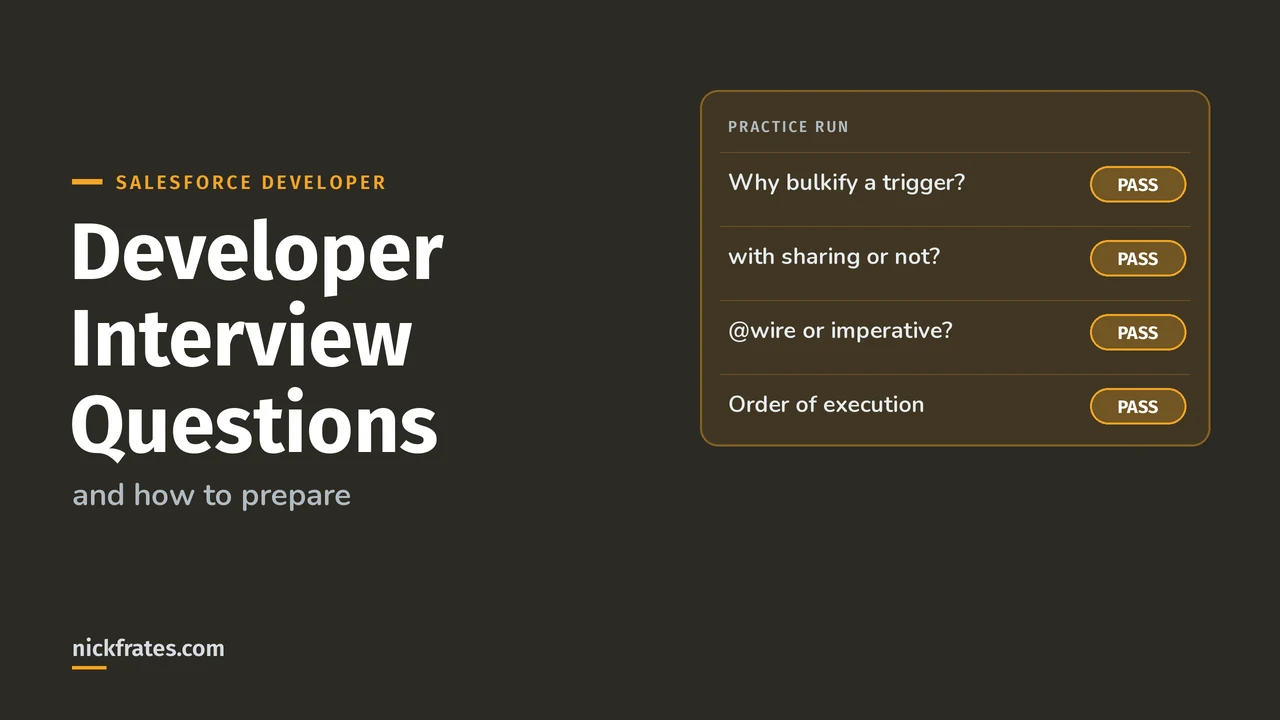
To prepare for a Salesforce developer interview, get comfortable explaining how code behaves on a shared, limited platform: governor limits, bulkification, the order of execution, sharing and security, async Apex, SOQL (Salesforce's query language), Lightning Web Components (LWC) and tests. Below are 18 questions on those topics with short answers checked against Salesforce's developer docs, plus a way to practice them.
I can't tell you what any one company will ask, so I won't invent "real" questions or numbers about interviews. These are topics the platform itself makes unavoidable. Every technical answer comes from Salesforce's Apex and Lightning Web Components developer guides as they read on Oct 28, 2026, and each one links to the page it came from. Where I'm giving my own view, I say so.
How to prepare
- Start from the job post. List every technology it names, such as Apex, LWC, integrations or Flow, and study those first.
- Build one small thing end to end in a free Developer Edition org: a trigger with a handler class, a test class, and an LWC that reads and saves through Apex. Then explain each choice out loud.
- Practice answers out loud, not just in your head. A good answer states the rule, the reason, and the trade-off.
- Know where to look. If you can't recall a number, say what it limits and where you'd check it. The Apex Developer Guide and the Limits class exist for that.
- Prepare three project stories: something you debugged, a limit or performance problem you fixed, and a time you simplified something. More on that at the end.
For the Apex-heavy parts, my Apex code examples and governor limits cheat sheet are good practice material. For hiring context, see what employers list in my Salesforce developer jobs post.
Apex and transactions
1. Why does Salesforce enforce governor limits? Apex runs in a multitenant environment, where many customers share the same platform, so the runtime strictly enforces limits so that runaway code can't monopolize shared resources. Salesforce says that when code exceeds a limit, the governor throws a runtime exception that can't be handled, so you can't catch it. These are the per-transaction numbers from the Execution Governors and Limits page:
| Limit | Synchronous | Asynchronous |
|---|---|---|
| SOQL queries issued | 100 | 200 |
| Records retrieved by SOQL | 50,000 | 50,000 |
| DML statements (inserts, updates, deletes) | 150 | 150 |
| Records processed by DML | 10,000 | 10,000 |
| Callouts | 100 | 100 |
| CPU time | 10,000 ms | 60,000 ms |
| Heap size | 10 MB | 25 MB |
Follow-ups to expect: Batch Apex resets these limits for each execution of the execute method, scheduled Apex uses the synchronous limits even though it's asynchronous, and the Limits class lets you check usage while code runs, for example the methods that return DML statements used and available. My cheat sheet has the full list.
2. What does it mean to bulkify a trigger? A trigger can receive many records at once. Salesforce lists the Apex trigger batch size as 200, and 2,000 for platform events and Change Data Capture events. So you write the trigger to handle a whole list: collect IDs in a set, run one query into a map, then loop. The Common Bulk Trigger Idioms page calls sets and maps critical to bulk triggers and suggests Trigger.newMap and Trigger.oldMap to match records with query results. A query or a DML statement inside a loop would burn through the 100 query or 150 DML limit quickly.
Salesforce's own before insert example works the same way: it changes a field on the records in Trigger.new and never calls DML, because the save is still ahead of the trigger. For trigger structure and one-trigger-per-object patterns, see my Apex trigger best practices post.
3. Walk me through the order of execution. Salesforce lists 20 steps on its Triggers and Order of Execution page. The key ones, in order:
- Salesforce loads the original record and applies the new values, running system validation.
- Before-save record-triggered flows run (step 3 on Salesforce's list).
- Before triggers run (step 4).
- System validation runs again, along with custom validation rules, then duplicate rules.
- The record is saved to the database, but not committed.
- After triggers run (step 8).
- Assignment, auto-response, workflow and escalation rules run. Other flow automations, such as Process Builder, run next with no guaranteed order.
- After-save record-triggered flows run (step 14).
- Entitlement rules, roll-up summary updates and criteria-based sharing run.
- DML is committed. Then post-commit logic runs: emails, enqueued queueable jobs and future methods, and asynchronous flow paths.
Two details Salesforce calls out: if more than one trigger is defined on an object for the same event, the order isn't guaranteed, and a workflow rule field update can run the before update and after update triggers one more time, and only once more. My order of execution post walks through every step.
4. What sharing mode does an Apex trigger run in? This one trips people up. Per the sharing keywords page, triggers can't have an explicit sharing declaration and run implicitly in a without sharing context. But database operations inside the trigger body, including SOQL, SOSL, DML and Database methods, run in user mode unless you explicitly specify system mode, and that effectively enforces sharing in the trigger body. Salesforce recommends setting an explicit access mode on every database operation in triggers and handler classes, and putting business logic in trigger handlers. The default access mode changed with API version 67.0 (see question 6), so state the version when you answer.
5. What's the difference between with sharing, without sharing and inherited sharing? From the same page:
- with sharing enforces the current user's sharing rules. Salesforce says to use it by default.
- without sharing doesn't enforce them. Use it with caution, for classes that need system-level access, such as letting community users read records they otherwise couldn't.
- inherited sharing uses the sharing mode of the calling class, which makes it useful for service classes that must work in more than one mode. It runs with sharing when it's an entry point, such as an @AuraEnabled method called from an LWC or an Apex REST service, and as without sharing only when called from an already established without sharing context.
The follow-up is the default. In API version 67.0 and later, a class with no sharing declaration runs with sharing. In API version 66.0 and earlier the mode depended on the class, so it was hard to tell. Salesforce recommends an explicit declaration on any class that runs queries or database operations, and I'd say the same in an interview. Sharing declarations also don't enforce object or field permissions. My security model post and Apex managed sharing post cover the declarative side.
6. How do you enforce object and field permissions in Apex? Sharing controls which records a user sees, and permissions control objects and fields. Salesforce's Enforce Object and Field Permissions page lists three tools: set the access mode on database operations and queries (the docs' samples use WITH USER_MODE), call the stripInaccessible method to remove fields the user can't access from query results or before DML, or check the Schema describe methods for an object or field. If sharing and permissions conflict, object-level and field-level permissions take precedence. Also say which API version you mean: in 67.0 and later Apex runs in user context by default, and in 66.0 and earlier system mode is the default.
7. Future, Queueable, Batch or Scheduled: which would you use? Salesforce recommends Queueable instead of future methods, because it gives you job IDs, non-primitive types and job chaining. Facts worth knowing from the Queueable Apex and limits pages:
| Option | What to remember |
|---|---|
| Queueable | Up to 50 jobs per synchronous transaction, 1 from an asynchronous one. One child job per parent when chaining. Callouts need Database.AllowsCallouts. If the transaction rolls back, its queued jobs aren't processed |
| Future | Up to 50 calls per invocation in synchronous Apex. None allowed from batch or future contexts |
| Batch | Limits reset for each execute call. At most 5 batch jobs queued or active at once. Submitted jobs wait in the flex queue first |
| Scheduled | Asynchronous, but synchronous limits apply |
All four count against a shared daily limit on asynchronous executions, which is 250,000 or the number of user licenses times 200, whichever is greater. In a test, put the job between Test.startTest and Test.stopTest and the system runs it synchronously after stopTest. For a longer comparison, see my asynchronous Apex guide.
SOQL
8. How do relationship queries work in SOQL? They traverse parent-to-child and child-to-parent relationships and are similar to SQL joins, but you can't write arbitrary joins: the query has to follow a valid relationship path (Relationship Queries). In a child-to-parent query you use the relationship name, not the field name, so it's Owner.Name rather than OwnerId. In a parent-to-child subquery, each relationship counts as an extra query, and Salesforce sets that limit at three times the top-level number.
9. What's a polymorphic relationship? It's a relationship field whose target can be one of several object types, such as Who on a Task (a Contact or a Lead) or What on an Event. You can filter with the Type qualifier in WHERE, or choose fields per object type with TYPEOF in SELECT, which is available in API version 46.0 and later (Polymorphic Fields). TYPEOF isn't allowed with GROUP BY, HAVING, or functions in the SELECT clause, and it can't be nested.
The first query goes child to parent, the second is a parent-to-child subquery, and the third picks fields by the type that What points to. My SOQL relationship queries cheat sheet has more examples.
Lightning Web Components
10. When do you use @wire and when do you call Apex imperatively? Use @wire for reads: the wire service provisions a stream of data and re-provisions it when a reactive parameter, prefixed with $, changes. Salesforce's wire service page says create, update and delete operations belong in an imperative function, because you want full control over operations that change data. Per the imperative Apex page, you must call imperatively when the method isn't cacheable (any method that inserts, updates or deletes), when you need to control when it runs, or for objects the User Interface API doesn't support, like Task and Event.
11. What does cacheable=true do, and how do you refresh stale data? It caches the Apex result on the client, and a cacheable method can only read data, not change it. Salesforce says a method must be cacheable to be used with @wire. To refresh data provisioned by an Apex wire, call refreshApex with the wired value. For data from an imperative call, call the method again and then notifyRecordUpdateAvailable to update the Lightning Data Service cache (Client-Side Caching). Don't assume a cache duration: Salesforce says the default can change.
12. How do LWC components communicate? Down the tree, you pass properties through HTML attributes or call public methods. Up the tree, the child dispatches a CustomEvent and the parent listens for it. For components with no direct relationship, Salesforce points to Lightning message service or a publish-subscribe utility (Communicate with Events). Good answers add the best practices from Events Best Practices: use bubbles: false and composed: false, because bubbling and composed events make the event type part of your public API, and keep detail to primitives, or copy objects first so listeners can't mutate your data. The data guidelines also say data should flow one way, from parent to child, and objects passed to a component are read-only.
The parent listens with the on prefix, for example <c-product-tile onselected={handleSelected}>. Salesforce recommends event names with no uppercase letters or spaces, and says not to start them with "on".
13. What are the LWC lifecycle hooks? The Lifecycle Hooks page lists constructor(), connectedCallback() and disconnectedCallback(), renderedCallback() and errorCallback(). On creation, the order is constructor, connectedCallback, render, then renderedCallback, and a wire adapter can emit data again later, which re-renders the component. One gotcha from the wire page: don't change a wire adapter's configuration inside renderedCallback, because it can cause an infinite loop.
14. Lightning Data Service or Apex for getting data? Salesforce's Data Guidelines give an order: start with base components built on Lightning Data Service, such as lightning-record-form, then the LDS wire adapters, with the GraphQL wire adapter when you need several queries in one operation, and use Apex when those aren't flexible enough. Apex is the right call for objects the User Interface API doesn't support, like Task and Event, for loading records by criteria, and for transactional operations across records, since each LDS operation is its own transaction. Remember that Apex data isn't managed by LDS, so you have to refresh it.
15. What can an LWC call in Apex? The method must be static, public or global, and annotated with @AuraEnabled. Supported inputs and outputs are primitives, sObjects, Apex class instances and collections of those. Salesforce says an Apex inner class as a parameter or return value isn't supported (Expose Apex Methods). When you call imperatively, pass an object whose properties match the parameter names, and don't pass JavaScript Map values, which aren't serialized. My LWC basics post covers the fundamentals.
Testing and deployment
16. What makes a good Apex test, and what's the coverage rule? Per What Are Apex Unit Tests?, unit test methods take no arguments, commit no data and send no emails, and are marked with @IsTest, which Salesforce recommends over the older testMethod keyword. Test methods can't be used to test web service callouts, so you use mock callouts instead. The Code Coverage Best Practices page says you need at least 75% coverage in production to deploy, that coverage is based on all the lines in the org, and that tests should create their own data instead of using SeeAllData=true. My view, not Salesforce's: coverage proves lines ran, not that the code is right, so a strong answer also mentions asserting results and testing bulk (200 records) and negative cases. See my test class guide.
17. Why can code coverage differ between a sandbox and production? When you deploy, Salesforce runs local tests in the destination org, and the orgs often don't have the same data and metadata. The Code Coverage page lists test failures, data dependencies, metadata dependencies and package tests as common causes. Its recommended fixes are to use test data in your tests and to stage production deployments in a Full Sandbox, which mimics production data and metadata.
Design questions
18. Flow or Apex for this requirement? This question is really about how you decide. Facts to anchor your answer: both run in the same save sequence, with before-save flows ahead of before triggers and after-save flows after workflow rules, and Salesforce says Process Builder processes and flows launched by workflow rules run in no guaranteed order, and points to record-triggered flows when you need to control order (order of execution). My own view: use the simplest tool that meets the requirement and that the team can maintain, and choose Apex when you need things like complex logic, bulk processing or callouts that Flow handles badly. Say what you'd check first, and never split one process between a trigger and a flow without writing down which owns what. I compare them in Apex vs Flow.
Scenario and behavioral questions
These are my suggestions, not a list of what companies ask. A simple structure works for most of them: the situation, the constraint, what you did and why, the trade-off, and what happened. Have a real answer ready for prompts like these:
- Tell me about a bug you tracked down. How did you find it?
- Describe a time you hit a governor limit. What did you change?
- How would you handle a trigger that's slow in production but fine in a sandbox?
- How do you decide between a declarative solution and code?
- Tell me about a time you pushed back on a requirement.
- How do you review someone else's code?
Then ask your own: how the team deploys, how they test, who owns the org's automation, and what the first month looks like. Those questions show how you think about the work.
Cert Lab by Nick Frates
Practicing these topics for Platform Developer I?
The Platform Developer Cert Lab has lessons, practice questions and flashcards for every Platform Developer I exam section, with explanations for each answer.
Start the Platform Developer I Cert Lab, $9.99 →If you're deciding what to study next, my developer certifications post compares the options, and the Platform Developer I study guide lays out one exam outline.
FAQ
What should I study for a Salesforce developer interview? Cover governor limits, bulkified triggers, the order of execution, sharing and field security in Apex, async Apex, SOQL relationships, LWC data and events, and tests. Then read the job post for the exact stack, since I can't say what a given company will ask.
What are Salesforce governor limits? They're per-transaction caps that the Apex runtime enforces because Apex runs in a multitenant environment, such as 100 SOQL queries and 150 DML statements in synchronous Apex. Exceeding one throws an exception you can't catch.
What does bulkifying mean? Writing code that handles a whole list of records at once, with one query and one DML statement for the batch instead of one per record. Triggers receive up to 200 records at a time.
What's the difference between with sharing and without sharing? With sharing enforces the current user's sharing rules and without sharing doesn't. Neither enforces object or field permissions on its own.
Should I use Queueable or future methods? Salesforce recommends Queueable because it gives you job IDs, non-primitive types and chaining.
When should I use @wire instead of calling Apex imperatively? Use @wire to read data reactively with a cacheable method, and call imperatively when the method changes data, isn't cacheable or needs to run on demand.
What code coverage do I need to deploy Apex to production? Salesforce says at least 75%, and every test that contributes to coverage must pass.
What if I don't know the answer in an interview? Say what you do know, where you'd look it up, and how you'd test it. That's closer to real work than guessing.
Hope this helps!
Best,
Nick