Hey friends,
Sales Cloud is for the team that wins new business: leads, opportunities, accounts and forecasts. Service Cloud is for the team that supports customers: cases, knowledge and a console where agents work them. If your problem is closing deals, start with Sales Cloud. If your problem is answering and resolving customer issues, start with Service Cloud. Many companies use both on the same Salesforce platform.
I used Salesforce's own Sales Cloud guide and Service Cloud page, Trailhead, and the two consultant exam guides, as I read them on October 28, 2026. One naming note: those product pages still say Sales Cloud and Service Cloud, while the exam guides say Agentforce Sales and Agentforce Service. It's the same pair of products under newer names. I also opened both apps in a Developer Edition org, so the screens below are real.
Sales Cloud vs Service Cloud at a glance
- Who it's for.
Sales Cloud: sales teams who manage leads, opportunities and customer relationships through the sales process.
Service Cloud: service teams who manage and resolve customer inquiries and issues. - Records at the center.
Sales Cloud: Leads, Accounts, Contacts, Opportunities and Activities.
Service Cloud: Cases, which agents use to log every customer interaction. - Main tools.
Sales Cloud: lead management, pipeline and opportunity tracking, forecasting, quoting and sales analytics.
Service Cloud: case management, a knowledge base, Omni-Channel routing, automation and analytics. - Where people work.
Sales Cloud: the Sales app.
Service Cloud: the Service Console. - Matching exam.
Sales Cloud: Agentforce Sales Consultant.
Service Cloud: Agentforce Service Consultant.
What Sales Cloud does
Salesforce describes Sales Cloud as the central hub for the sales team. It covers lead management (capturing and nurturing prospects), opportunity management (moving deals through the pipeline), account management and analytics. The guide also lists quoting, forecasting and sales engagement tools. A new lead comes in, gets routed to a rep, and the rep logs interactions and moves the deal through its stages. For the full tour, see Salesforce Sales Cloud.
What Service Cloud does
Service Cloud is the customer service platform: tools for case management, a knowledge base, omni-channel support, automation and analytics. Trailhead explains the pieces.
- Cases. Agents use the Case object to log every customer interaction, according to Trailhead.
- The Service Console. A Lightning console app that serves as the hub for multi-channel service delivery. Agents get cases, customer information, knowledge articles and productivity tools on one screen (Trailhead project).
- Knowledge. A library of articles that reps can search and attach directly from case records.
- Omni-Channel. Routes work items such as cases, leads and chats to the most qualified available reps using the criteria you set, by queue, by skills or through external routing (Trailhead unit).
One thing to check before you plan around Omni-Channel: that Trailhead unit says Standard Omni-Channel is no longer available to new customers and is no longer turned on for existing customers, and points to Enhanced Omni-Channel instead. For the full picture, see Salesforce Service Cloud.
What the two share
They sit on one platform. Salesforce's Sales Cloud guide describes the Salesforce Platform as the underlying technology that Sales Cloud and all other Salesforce applications are built on, and says sales teams can see service case history without leaving the CRM. The overlap also shows up in the editions. The Sales Cloud guide lists case management under its Starter edition, and the Service Cloud page lists lead, account, contact and opportunity management under its Starter Suite. So "Sales Cloud is for sales and Service Cloud is for service" is the right center of gravity, not a wall between them.
See the difference in a real org
I opened both apps in a Developer Edition org. In App Launcher, the apps include Sales, Service, Sales Console and Service Console. The launcher describes Sales as managing "your sales process with accounts, leads, opportunities, and more" and Service as managing "customer service with accounts, contacts, cases, and more."
- Click the App Launcher (the grid icon in the top left).
- Choose Sales. The navigation bar lists Home, Opportunities, Leads, Tasks, Files, Accounts, Contacts, Campaigns, Dashboards, Reports, Chatter, Groups, Calendar, People, Cases and Forecasts.
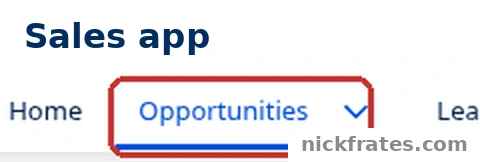
App Launcher > Sales. The Opportunities tab is highlighted.
The Opportunities list in the Sales app has a New button and an Assign Label button. The Leads list has New, Intelligence View, Import, Add to Campaign and Change Status. My lists say "Nothing to see here" because I haven't added records.
- Open the App Launcher again and choose Service Console.
- Open the Cases tab. The Cases list has New, Change Owner and Assign Label buttons, and the utility bar (the strip of tools along the bottom) shows History.
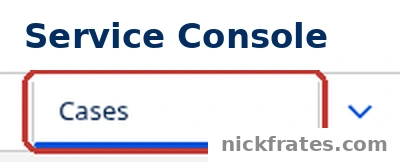
App Launcher > Service Console. The Cases tab is highlighted.
Two notes on what I can and can't show. The Sales app's navigation bar includes a Cases tab too, which fits the overlap above. And in this org Omni-Channel isn't turned on and Knowledge isn't available, so I haven't shown an Omni-Channel widget or Knowledge articles. Those two parts of Service Cloud come from Trailhead.
Which do you need?
| Your biggest problem | Start with |
|---|---|
| Finding, qualifying and following up new leads | Sales Cloud. Lead management is a core feature. |
| Tracking deals through stages and forecasting revenue | Sales Cloud. Opportunities, forecasting and sales analytics. |
| Customers contact support by phone, email, chat or web form and requests get lost | Service Cloud. Cases, the Service Console and Omni-Channel. |
| Agents keep looking up the same answers | Service Cloud. Knowledge articles attached from the case. |
| Sales needs to see support history, and support needs to see the deal | Both. They share one platform and one customer record. |
| A small team that needs basic case tracking alongside sales | Sales Cloud first. Its Starter edition lists case management. |
If you're unsure, count who is asking. Reps asking for a pipeline view means Sales Cloud. Agents asking for a queue of customer issues means Service Cloud.
Which certification fits each cloud?
If you want to work with one of them as a consultant, each cloud has its own exam. The Agentforce Sales Consultant exam guide lists the Salesforce Administrator certification as a prerequisite and describes candidates with 1+ years of experience using Salesforce and working with sales processes. It has five sections, including Sales Lifecycle (20%) and Data Management (18%). The topics it names include Opportunities, Leads, Forecasting, Territory Management and the Sales Console. I wrote up the role in What Does a Sales Cloud Consultant Do?.
Cert Lab by Nick Frates
Let the Agentforce Sales Consultant Cert Lab test you to success
Lessons, flashcards, a quiz for each of the five exam sections and full practice exams, every answer explained.
Start the Sales Consultant Cert Lab for $9.99 →The Agentforce Service Consultant exam guide lists the Salesforce Platform Administrator certification as a prerequisite and describes candidates with 2 to 5 years of professional experience. It has eight sections, including Knowledge Management (12%), Intake and Interaction Channels (13%) and Case Management (13%). The matching role post is What Does a Service Cloud Consultant Do?.
Cert Lab by Nick Frates
Practice the whole Service Consultant exam
Short quizzes for each of the eight exam sections plus full practice exams, every answer explained with links to current Salesforce docs.
Start the Agentforce Service Consultant Cert Lab for $9.99 →Both exams need the Administrator certification first, so that's the shared starting point. If you haven't earned it yet, the free Admin Cert Lab covers all eight exam sections, and the Sales and Service apps cheat sheet covers how the Admin exam treats these two clouds.
Mistakes to avoid
- Treating it as an either-or choice. They run on the same platform, and Salesforce's own pages show features of each in the other's entry editions.
- Buying by name instead of by problem. If the work is a queue of customer issues, that's Cases and the Service Console, not Opportunities.
- Assuming Omni-Channel is just there. Check what your org has, and read the Standard versus Enhanced note before you plan routing.
- Skipping Knowledge planning. The knowledge base only helps agents if articles exist and are attached to cases.
- Mixing up old and new names. A job post or an exam guide may say Agentforce Sales or Agentforce Service where a product page says Sales Cloud or Service Cloud.
FAQ
What is the difference between Sales Cloud and Service Cloud?
Sales Cloud is built for sales teams to manage leads, opportunities and customer relationships through the sales process. Service Cloud is built for customer service and support, to manage and resolve customer inquiries.
Can I use Sales Cloud and Service Cloud together?
Yes. Both are built on the Salesforce Platform and integrate with each other, so sales teams can see service case history without leaving the CRM.
Does Sales Cloud include case management?
Salesforce's Sales Cloud guide lists case management under its Starter edition. In my Developer Edition org, the Sales app's navigation bar also has a Cases tab.
What is the Service Console?
It's a Lightning console app that serves as the hub for multi-channel service delivery, so agents can reach cases, customer information, knowledge articles and productivity tools from one screen.
Which certification goes with each cloud?
Agentforce Sales Consultant for Sales Cloud and Agentforce Service Consultant for Service Cloud. Both require the Administrator certification first.
Are Sales Cloud and Service Cloud now called Agentforce Sales and Agentforce Service?
Salesforce's product pages still use Sales Cloud and Service Cloud, and the exam guides use Agentforce Sales and Agentforce Service for the same products.
Hope this helps!
Best,
Nick