Hey friends,
Sales and Marketing Applications and Service and Support Applications are 10% each of the Admin exam. Almost every question is "which feature fits this scenario". Learn the triggers: assignment rules set the owner once, escalation rules react to time, auto-response rules email the customer, and lead conversion creates an account, contact and optional opportunity.
Section weights come from the official exam guide. The feature details are the ones I checked against Salesforce Help when building the Admin Cert Lab lessons.
Sales and Marketing Applications
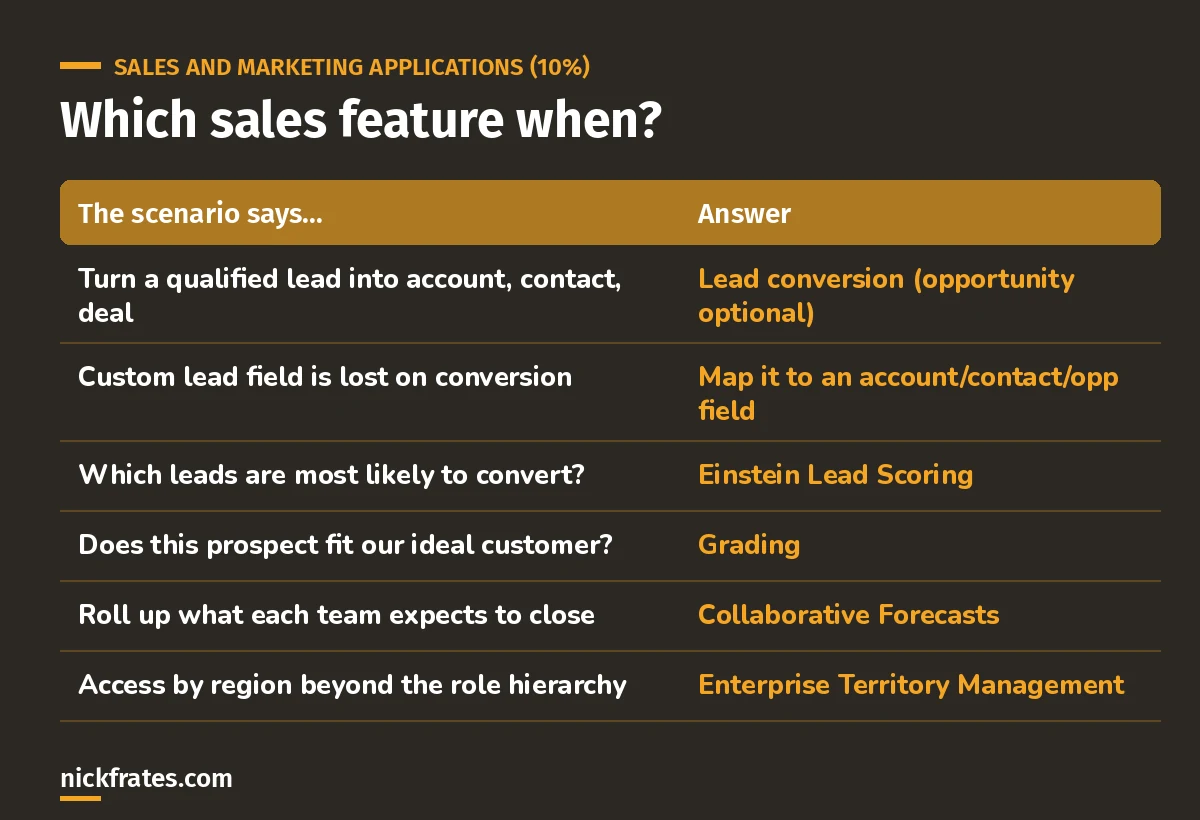
Match the scenario to the feature.
- Lead conversion creates an account (new or existing), a contact (new or existing) and, optionally, an opportunity. There's no unconvert. (Help)
- Custom lead fields only carry over if you map them. Unmapped fields are lost.
- Scores vs grades: a score measures interest or likelihood, a grade measures fit. "Who's most interested" is a score.
- Sales processes limit Stage values per record type, like support processes do for cases.
Service and Support Applications
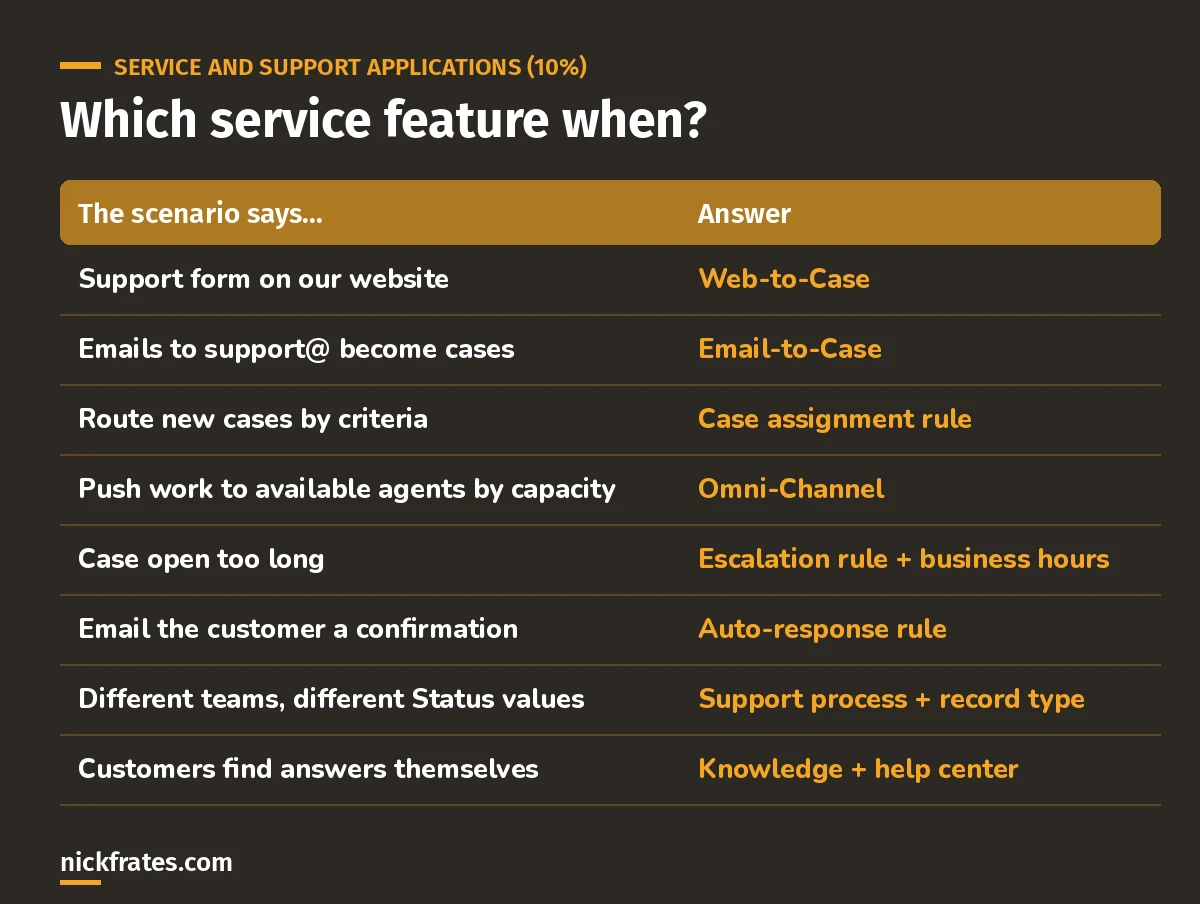
Most service questions are one of these eight.
- Web-to-Case captures up to 5,000 cases a day. Web-to-Lead's default is 500 leads a day. Don't mix them up. (Help)
- One active assignment rule per object. Entries are checked in order and the first match wins. Unmatched cases go to the Default Case Owner.
- Assignment sets the owner once. Moving a case later because it's aging is an escalation rule. (Help)
- "4 business hours" means the escalation rule entry needs business hours, or nights and weekends count too.
- Queues are pull, Omni-Channel is push: Omni-Channel sends the next item to an available agent based on capacity. (Help)
- Neither Web-to-Lead nor Web-to-Case replies to the customer. That's an auto-response rule.
Cert Lab by Nick Frates
Practice these two sections free
The Admin Cert Lab has lessons, section checks and flashcards for Sales and Marketing and Service and Support, with every answer explained.
Start the free Admin Cert Lab →Three quick practice questions
1. High-priority cases must go to Tier 2 when created, and to a manager if still open after 4 business hours. What do you need?
Answer: a case assignment rule for Tier 2, plus an escalation rule entry with business hours.
2. A rep converted the wrong lead. How do you undo it?
Answer: you can't unconvert. Fix or delete the records it created.
3. Agents keep answering the same questions. What reduces case volume?
Answer: Knowledge articles in a help center, so customers find answers themselves.
Keep studying
- Flow for the Admin exam: when Flow isn't the answer.
- Reports and dashboards.
- My 6-week Admin study plan: these sections are week 5.
Hope this helps!
Best,
Nick


