Hey friends,
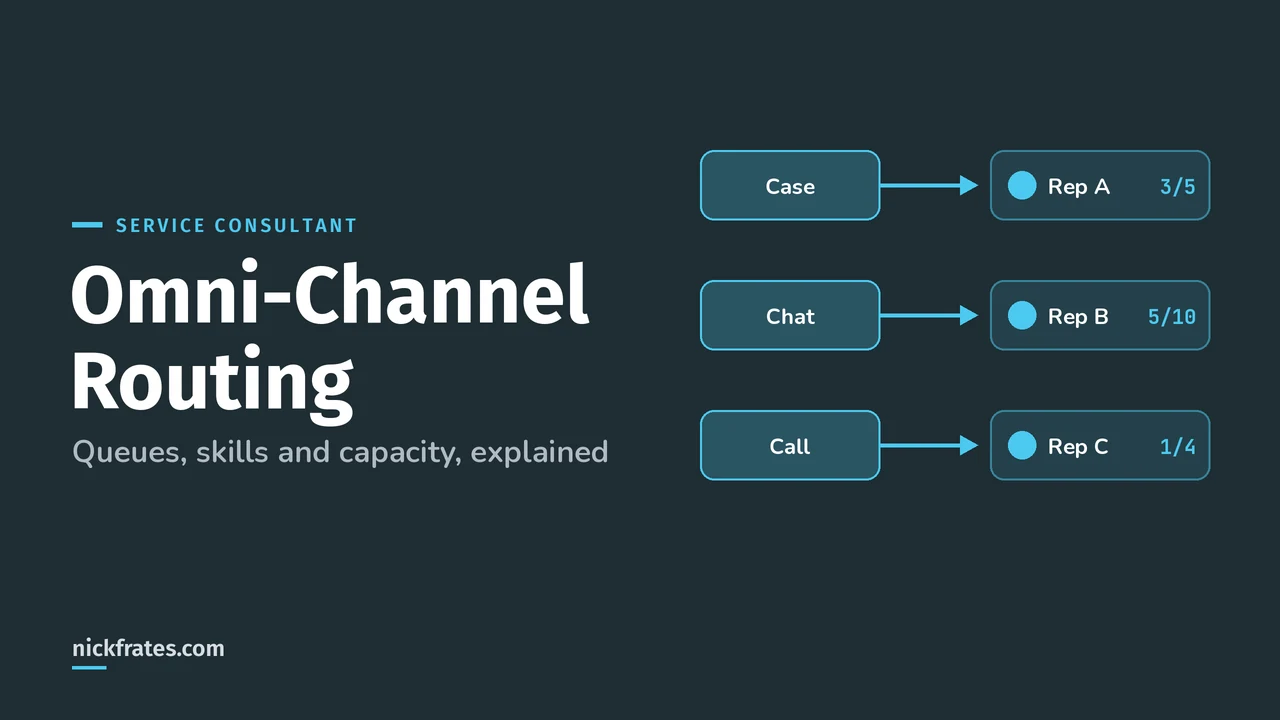
Salesforce Omni-Channel routing pushes work items like cases, chats, messages and calls to the most available, qualified service rep automatically, based on queues or skills, each rep's capacity, and a routing model you choose. Reps stop cherry-picking from list views, and the important work gets handled first.
This post walks through the pieces you configure, how queue-based and skills-based routing differ, and how capacity decides who gets the next item. It's built from Salesforce Help, starting with the Omni-Channel overview. Omni-Channel setup is listed as a core skill in the Agentforce Service Consultant exam guide, so expect scenario questions on it.
What do you configure for Omni-Channel?
Five building blocks, and each one answers a different question:
| Building block | Question it answers |
|---|---|
| Service channel | What kind of work is this? Cases, leads, chats, messaging sessions, voice calls or a custom object. |
| Routing configuration | How important and how big is the work, and which routing model distributes it? |
| Queue (or skills) | Who is eligible to receive it? |
| Presence status | Which channels is the rep available for right now? Online or Busy. |
| Presence configuration | How much work can a rep handle at once (their capacity)? |
A presence status can cover more than one channel. Salesforce's own example in Create Presence Statuses is "Available for Web Support", which includes chat and email channels, so a rep signed in with it gets both.
One 2026 change to know: Standard Omni-Channel is retired with the Summer '26 release, and Salesforce automatically upgrades orgs to Enhanced Omni-Channel during that rollout. New Omni-Channel features are built for Enhanced only.
What's the difference between queue-based and skills-based routing?
Queue-based routing sends work to a member of the queue. Skills-based routing sends it to any rep who has every required skill and has capacity. Queues usually represent one skill each, like a Spanish queue and a Tier 3 queue. Skills let you combine them on one work item.
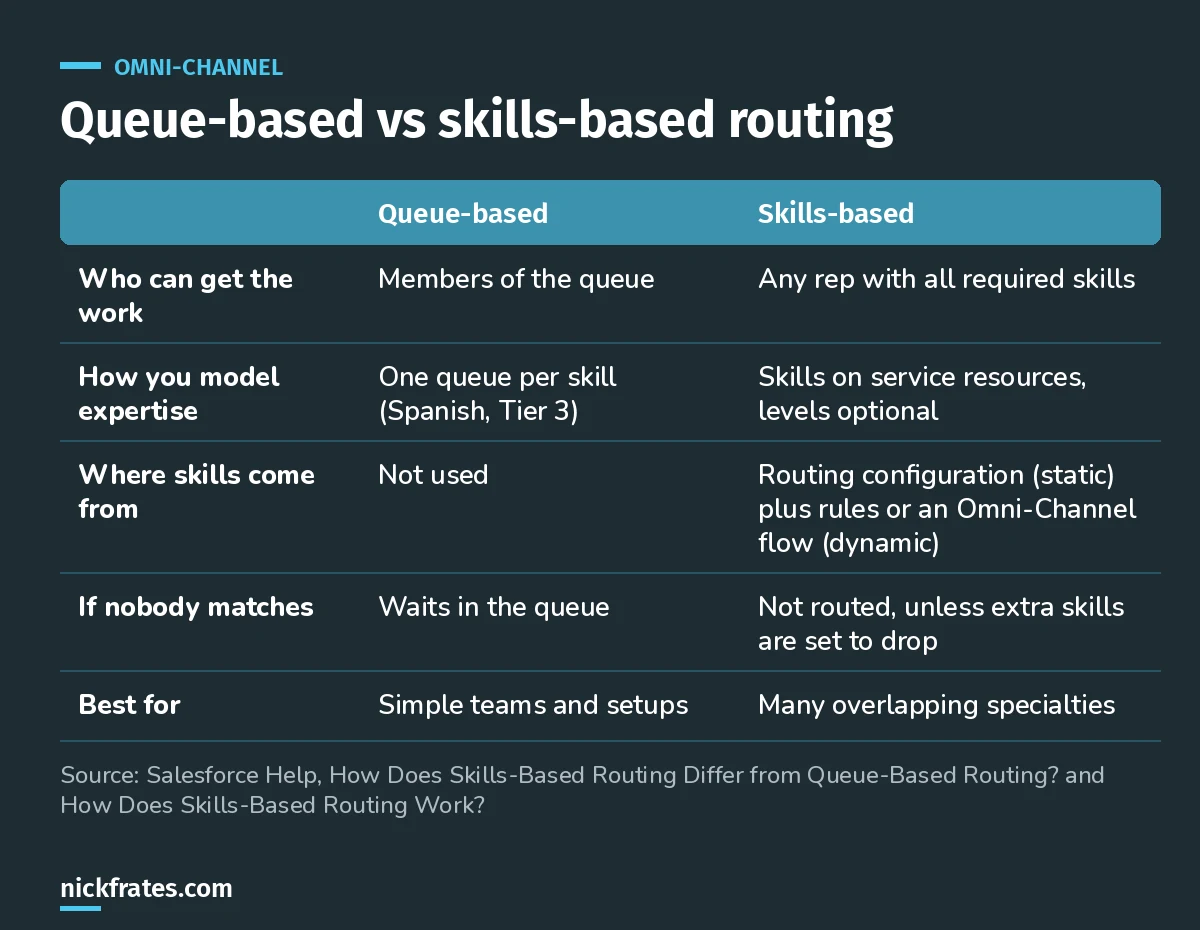
Skills-based routing pays off when a single case needs two or three specialties at once.
Skills come from two places, per How Does Skills-Based Routing Work?: static skills on the routing configuration, which apply to every item it routes, and dynamic skills added by skills-based routing rules or an Omni-Channel flow when conditions match.
Three behaviors that show up in exam scenarios:
- No match means no routing. If no rep has all the required skills, the item isn't routed, the same as a queue with nobody online. You can mark extra skills as droppable so Omni-Channel relaxes them in order until someone matches.
- Skills are set when the item enters the queue. Editing a case that's already waiting doesn't change its skills until you reassign it to a queue again.
- Skills rules override queue membership. If you turn on skills-based routing rules in a routing configuration and assign it to a queue, the queue's membership no longer controls routing (Create Routing Configurations).
How does Omni-Channel decide which rep gets the work?
The routing configuration's routing model decides. Least Active sends work to the rep whose current work uses the least capacity. Most Available sends it to the rep with the most capacity left. Ties go to whoever has gone longest without new work (Routing Model Options).
Here's Salesforce's example worked through. Rep A has a capacity of 5 and 3 open items. Rep B has a capacity of 10 and 5 open items. Each item weighs 1.
| Rep A | Rep B | Who gets the next item | |
|---|---|---|---|
| Used capacity | 3 | 5 | Least Active: Rep A (3 is less than 5) |
| Available capacity | 5 - 3 = 2 | 10 - 5 = 5 | Most Available: Rep B (5 is more than 2) |
Same reps, same workload, opposite answer. That's exactly the kind of trap a scenario question sets, so read which model the question names.
One more detail: Omni-Channel counts work as assigned the moment it's routed, whether the rep accepts or declines it.
Quick backstory. I loved Focus on Force and used it on my way to 17 Salesforce certifications. At first I bought the study guide and read it cover to cover, then took the tests. What I eventually noticed: I learned way faster when I skipped ahead and took practice tests rapid-fire, reading the explanation for every miss. So I built Cert Lab around fast testing, with up-to-date Help links and screenshots in every explanation. It's designed to test you to success.
Cert Lab by Nick Frates
Let the Service Consultant Cert Lab test you to success
Rapid-fire scenario questions on Omni-Channel, queues, skills and capacity, with an explanation for every option so you learn why the right answer is right.
Start the Service Consultant Cert Lab for $9.99 →What's the difference between tab-based and status-based capacity?
Tab-based capacity frees up a rep's capacity when they close the work tab. Status-based capacity frees it only when the work reaches a completed status, so closing a tab or going offline doesn't make a rep look free (Set Up a Status-Based Capacity Model).
- Status-based capacity maps a picklist (like case Status) to In-Progress, Paused and Completed. The Paused state needs Enhanced Omni-Channel.
- With status-based capacity, a rep can be assigned up to 100 work items; the Omni-Channel component shows the first 20.
- After Conversation Work (ACW) isn't compatible with the status-based model.
I'd pick status-based for case-heavy teams where work stays open for days. Tab-based fits short, real-time work like chats.
When should you use an Omni-Channel flow?
Use an Omni-Channel flow when a queue plus a routing configuration can't express your logic. A flow can route to queues, skills, a specific rep, or a bot or AI agent, and it can add skills based on the record's data.
Two rules worth memorizing: a basic queue and routing configuration can't route to an enhanced bot or AI agent, and to route calls with an Omni-Channel flow, the routing configuration's routing model must be set to External Routing.
What mistakes should you avoid?
- Expecting edits to re-route work. Routing logic runs when work is assigned. Changing fields afterward doesn't re-run it.
- Building ten queues for ten skill combinations. That's the signal to switch to skills-based routing.
- Ignoring capacity weights. If a phone call and an email both weigh 1, a rep on a call can still be pushed more emails.
- Letting reps work outside Omni-Channel. Salesforce recommends reps take assignments only from Omni-Channel so capacity stays accurate.
- Forgetting the presence status. A rep who's online with a status that doesn't include the chat channel will never get chats.
FAQ
Is Omni-Channel included with Service Cloud?
Omni-Channel is part of Agentforce Service (the new name for Service Cloud). Check Salesforce's supported editions list for your edition.
Can Omni-Channel route leads or custom objects?
Yes. Supported objects include cases, leads, messaging sessions, voice calls and custom objects that don't have a primary object. Accounts and contacts aren't routable.
What happens if no rep is online?
The work item waits until an eligible rep with capacity comes online, the same as an item sitting in a queue.
Least Active or Most Available: which should I pick?
Least Active spreads work by how busy reps are now. Most Available favors reps with bigger capacity. If reps have different capacities, Most Available sends more work to the high-capacity reps.
Do I need Omni-Channel for Agentforce Service agents?
To hand messaging conversations to an AI agent, you route them with an Omni-Channel flow, so in practice yes.
Where should you go next?
- The Agentforce Service Consultant study guide covers all eight exam sections.
- Sales and Service apps cheat sheet for the admin-level basics this builds on.
- Agentforce topics and actions if you're routing to AI agents next.
- Try the free Service Consultant lesson before you commit.
Cert Lab by Nick Frates
Let the Agentforce Service Consultant Cert Lab test you to success
Lessons, flashcards, a quiz for each of the eight exam sections and full practice exams, every answer explained.
Start the Service Consultant Cert Lab for $9.99 →Hope this helps!
Best,
Nick


