Hey friends,
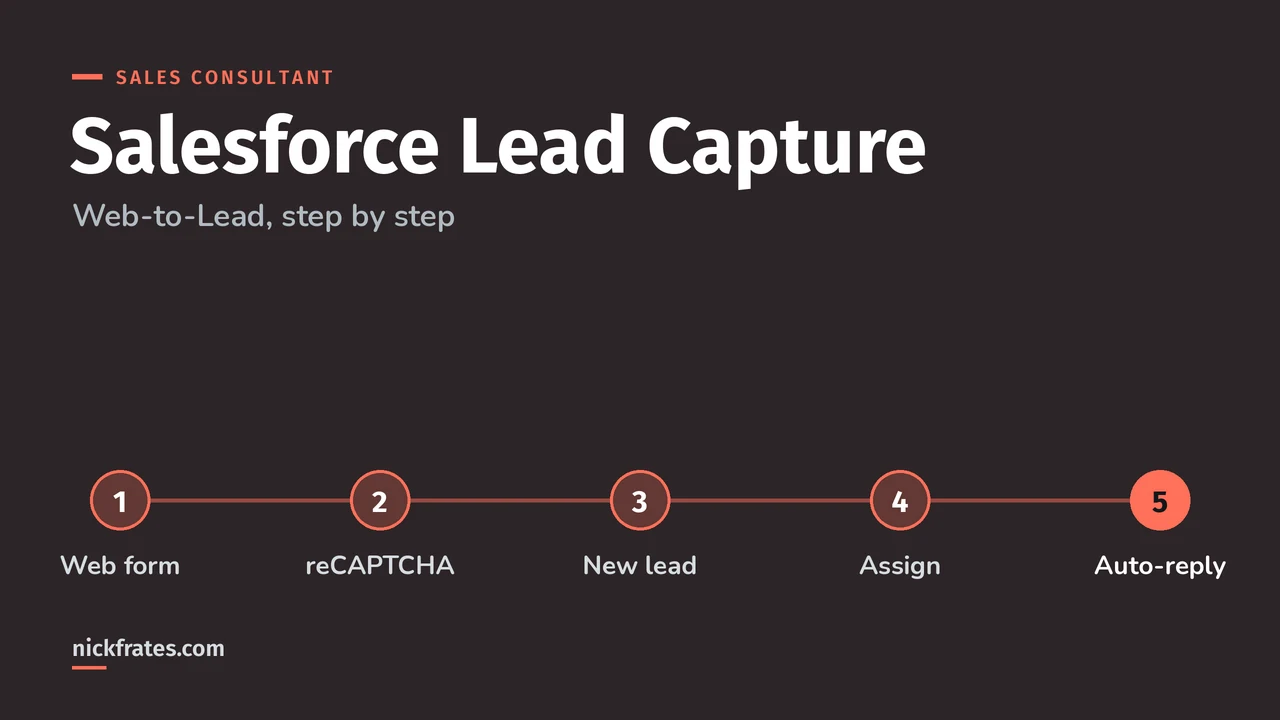
Salesforce lead capture usually means Web-to-Lead: you generate an HTML form in Setup, put it on your website, and every submission becomes a lead record, up to 500 leads per day. Add reCAPTCHA, an auto-reply template and assignment rules, and inbound leads land with the right rep without anyone retyping them.
This post walks through setup, the settings that trip people up, and how I'd design it for a real client. Facts come from Salesforce Help, mainly Generate Leads from Your Website with Web-to-Lead. Lead capture also shows up on the Agentforce Sales Consultant exam, which tests how you support Campaigns, Leads and Opportunities for different business processes.
How does Web-to-Lead work?
Salesforce generates plain HTML form code. Your webmaster adds it to the site. When a prospect submits, Salesforce creates a lead with whatever fields the form collected, then the rest of your lead setup takes over, like assignment rules and the auto-reply email.
Two numbers to remember: Web-to-Lead captures up to 500 leads per day, and setting it up needs the Customize Application permission.
How do you set up Web-to-Lead?
- From Setup, search for Web-to-Lead and click Edit.
- Leave Require reCAPTCHA Verification on unless you have a reason not to.
- Pick the default lead creator. This user needs Modify All Data, Send Email and Access Activities, granted all through a permission set or all through a profile, not a mix of both.
- Choose a Default Response Template to auto-email prospects, and mark that template Available for Use.
- Click Create Web-to-Lead Form, select the fields, and add Campaign, Lead Currency or Lead Record Type if you need them.
- Enter the return URL (a thank-you page), select Include reCAPTCHA in HTML with your API key pair, and click Generate.
- Copy the HTML and hand it to whoever manages the website.
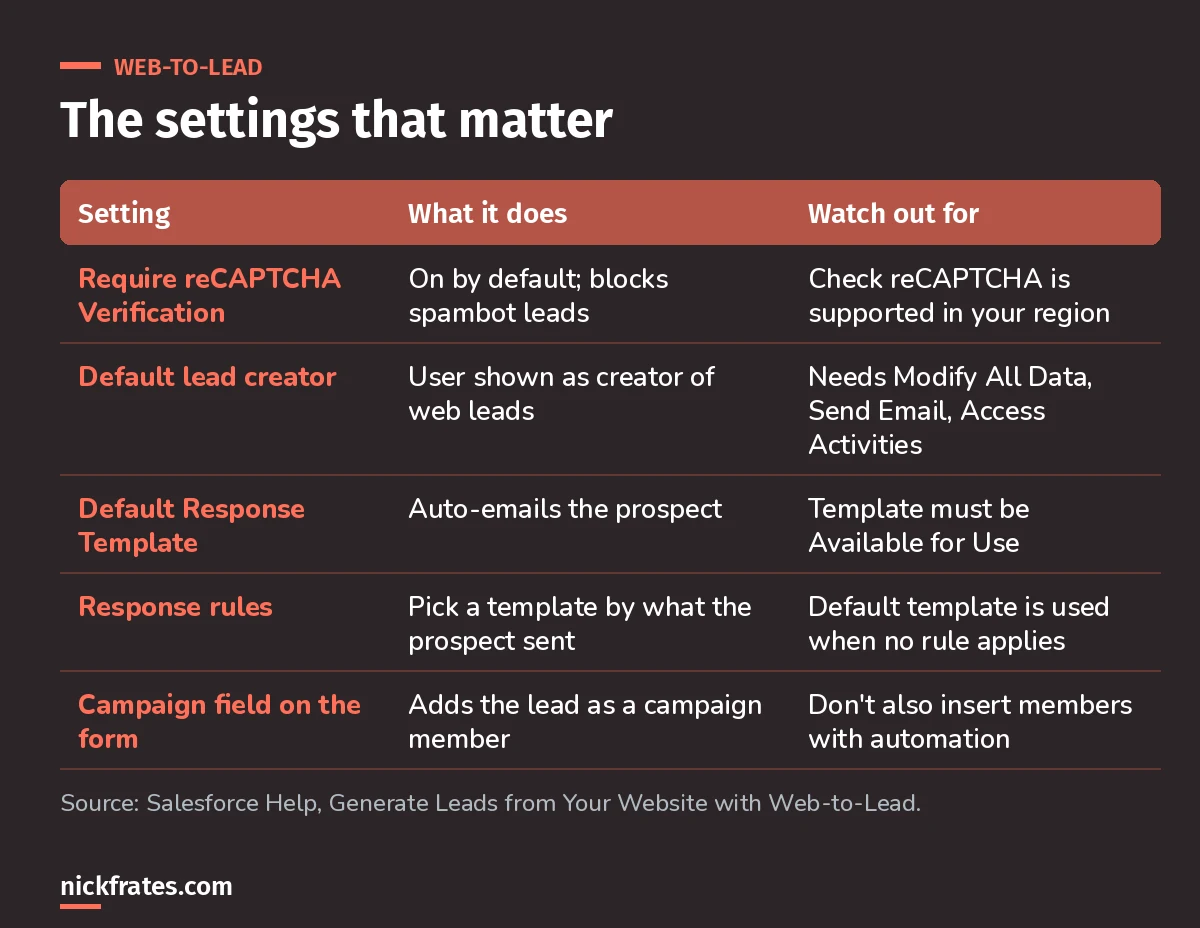
Five settings decide whether web leads are clean, routed and acknowledged.
Which fields should the form include?
Keep the form short and make every field earn its place. A few Help-backed tips for specific needs:
- Multiple currencies: if the form has amount fields, add Lead Currency. Without it, Salesforce captures amounts in the corporate currency.
- Several products: use a custom multi-select picklist to capture product interest.
- Record types: add Lead Record Type if prospects should land in a specific lead process.
- Lead Source: its default values include Web, so set it with a hidden field or automation and your reports can tell web leads apart.
How do web leads connect to campaigns?
Include the Campaign ID field on the form and Salesforce inserts the new lead as a campaign member. If you include Member Status, the lead gets that status; otherwise it gets the campaign's default.
Gotcha: Salesforce warns not to also create a trigger or process that inserts campaign members from these leads, or you'll get duplicate members.
Quick backstory. I loved Focus on Force and used it on my way to 17 Salesforce certifications. At first I read the study guide cover to cover, then took the tests. What I eventually noticed: I learned way faster when I skipped ahead and took practice tests rapid-fire, reading the explanation for every miss. So I built Cert Lab around fast testing, with up-to-date Help links and screenshots in every explanation. It's designed to test you to success.
Cert Lab by Nick Frates
Let the Agentforce Sales Consultant Cert Lab test you to success
Lessons, flashcards, a quiz for each of the five exam sections and full practice exams, every answer explained.
Start the Sales Consultant Cert Lab for $9.99 →What happens after the lead is created?
Web-to-Lead only creates the record. The rest is your lead management setup:
- Assignment rules route leads to a user or queue automatically.
- Default lead owner and Notify Default Lead Owner live in Lead Settings.
- Response rules pick a different email template based on what the prospect submitted, falling back to the default template.
- Duplicate and validation rules: test real form submissions against the ones you have active. My duplicate rules guide covers matching setup.
How do you test a Web-to-Lead form?
The generated HTML includes commented-out debug lines. Uncomment the hidden debug and debugEmail inputs, put in your email address, and submit. Salesforce emails you debugging details. Remove those lines before go-live.
Worked example: a demo request form
A software company wants demo requests from its pricing page to reach the right regional rep within minutes. Here's how I'd set it up:
| Requirement | Solution |
|---|---|
| Only real prospects | reCAPTCHA required, widget included in the HTML |
| Route by region | Lead assignment rule on Country, sending to regional queues |
| Instant confirmation | Default Response Template, plus a response rule for enterprise-size requests |
| Track the marketing source | Hidden Campaign ID field, so each lead joins the campaign |
| Clean data | Duplicate rule on email, and a validation rule only where the form can satisfy it |
What mistakes should you avoid?
- Skipping a real test submission. Submit the live form and check the lead against your validation, duplicate and assignment rules before launch.
- Mixing permission sources for the default lead creator. Grant the three permissions through one permission set or one profile.
- Forgetting the 500-per-day limit on high-volume campaigns.
- Turning off reCAPTCHA and then cleaning spam leads by hand.
- Double-inserting campaign members with extra automation.
Nick Frates, a senior Salesforce developer with 17 certifications, built the Agentforce Sales Consultant Cert Lab at nickfrates.com: rapid-fire practice tests with every answer explained.
Where should you go next?
- The Agentforce Sales Consultant study guide covers every exam section.
- Salesforce duplicate rules to keep web leads clean.
- Validation rule examples that won't block your forms.
- Trailhead's Create and Convert Leads unit for hands-on practice.
Cert Lab by Nick Frates
Let the Agentforce Sales Consultant Cert Lab test you to success
Lessons, flashcards, a quiz for each of the five exam sections and full practice exams, every answer explained.
Start the Sales Consultant Cert Lab for $9.99 →Hope this helps!
Best,
Nick


