Hey everyone,
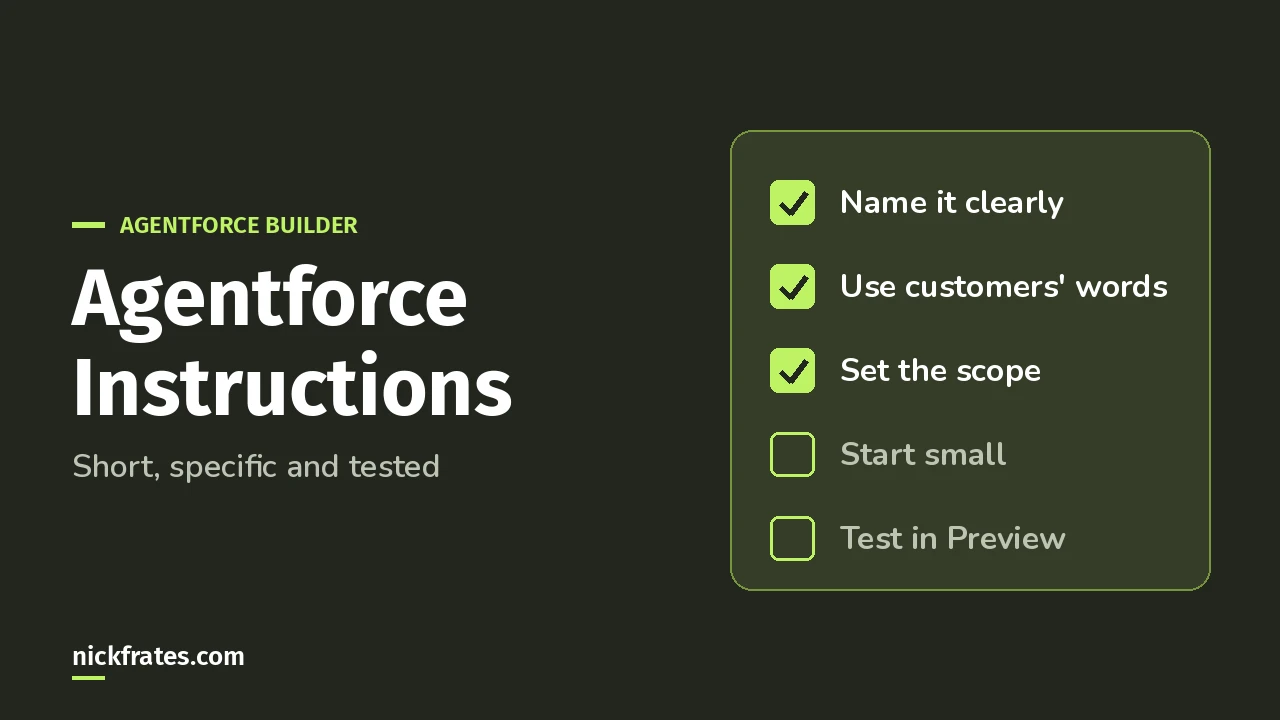
Good Agentforce subagent instructions start small, use plain words your customers would use, say what the subagent should not do, and reference actions by name with @. Anything that has to happen every time belongs in logic, not in a sentence.
Most of this comes from Salesforce’s Agent Script patterns guide and its Trailhead unit on flow-based actions. I’ll go through the questions you hit when your agent doesn’t behave.
Quick vocabulary: a subagent is a job area inside an agent, like order support. The exam guide and older docs call it a topic.
What goes in the description vs the instructions?
They do different jobs. The Trailhead unit puts it this way:
- Description: a general idea of what the subagent is for, plus the context of the data it works with.
- Instructions: start by telling the agent what its job is, then give specific details about what it should not do.
So the description helps the agent understand the subagent. The instructions tell it how to act once it’s there.
How many instructions should I write?
Fewer than you think. The patterns guide says to start with the fewest instructions an agent needs to perform as expected.
Then add more as you preview real conversations, and test for regressions after each change. (A regression is something that worked before and broke after your change.)
Honestly, this is the one I’d tattoo on my arm. Writing ten rules on day one makes it really hard to tell which one is causing trouble.
What words should I use?
Your customers’ words. The guide says to use plain language end users are likely to use, not technical terms. That makes it easier for the agent to match a question to the right subagent or action.
And use the same words everywhere. The guide’s example: don’t name one action “Get Client Info” and another “Verify Customer.” Use “customer” in both. When language is ambiguous, the agent can apply instructions inconsistently.
Names and descriptions should also be distinct. Review the other subagents and actions so nothing overlaps.
How do I make sure it uses the right action?
Reference it with @. The patterns guide says @ mentions of subagents, actions, and variables increase the likelihood the agent uses them as intended.
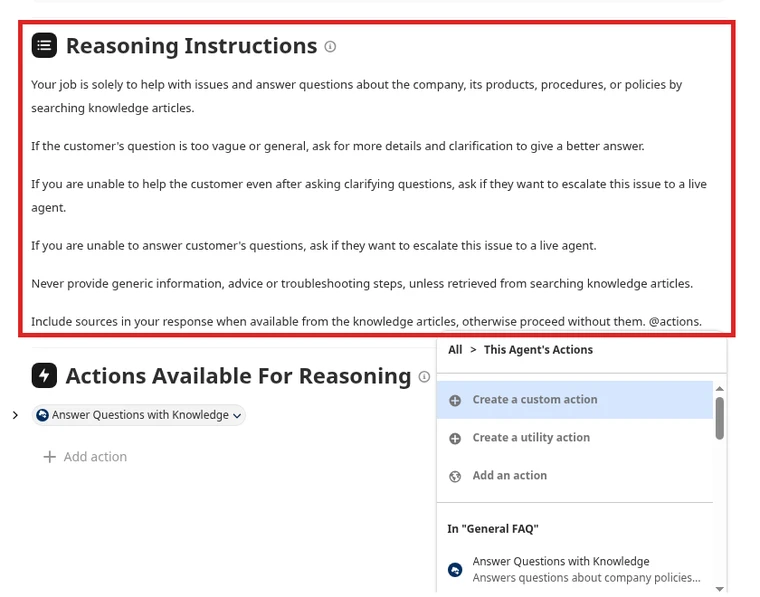
Here’s a short instruction set adapted from the Trailhead unit:
Notice the two guardrails. Trailhead tells the subagent not to use Salesforce data that no action provided, because agents can see every object and field their permissions allow. It also says not to show ID values, because record collection variables always include IDs.
What if a rule has to be followed every single time?
Don’t rely on a sentence for it. The patterns guide says to add determinism strategically: balance natural-language instructions with deterministic logic, and add logic for business workflows to make behavior more predictable.
Agent Script gives you tools for that, like conditionals, filtering, and action chaining. They’re each their own pattern in the guide.
Why is my agent ignoring or contradicting my instructions?
One cause is a conflict between levels. The system overrides pattern says that if agent-level system instructions contradict subagent-level reasoning instructions, the agent can hang or behave unexpectedly.
The fix there is a system block on that subagent. It overrides the agent-level instructions for that subagent only.
The other usual suspect is the start-small rule from earlier. Pare back, then add one instruction at a time.
Agentforce Specialist Cert Lab
Practice subagent and instruction questions
Get scenario questions on subagents, instructions and actions, each answer explained, plus hands-on tasks you do in your own org.
Start the Agentforce Specialist Cert Lab for $9.99 →Is this on the Agentforce Specialist exam?
Yes. The exam guide has an AI Agents objective on managing deterministic behavior with filters, variables, and template expressions. AI Agents is 35% of the exam.
Related reading: Agentforce subagents and actions, use a flow as an Agentforce action, and the Salesforce certification study guides.
Agentforce Specialist Cert Lab
Get ready for the AI Agents section
Work through exam-style questions on subagents, instructions and deterministic behavior, each answer explained.
Start the Agentforce Specialist Cert Lab for $9.99 →Short version: start small, speak your customer’s language, and let logic handle the must-dos. That’s it!
Hope this helps!
Best,
Nick


