Hey there,
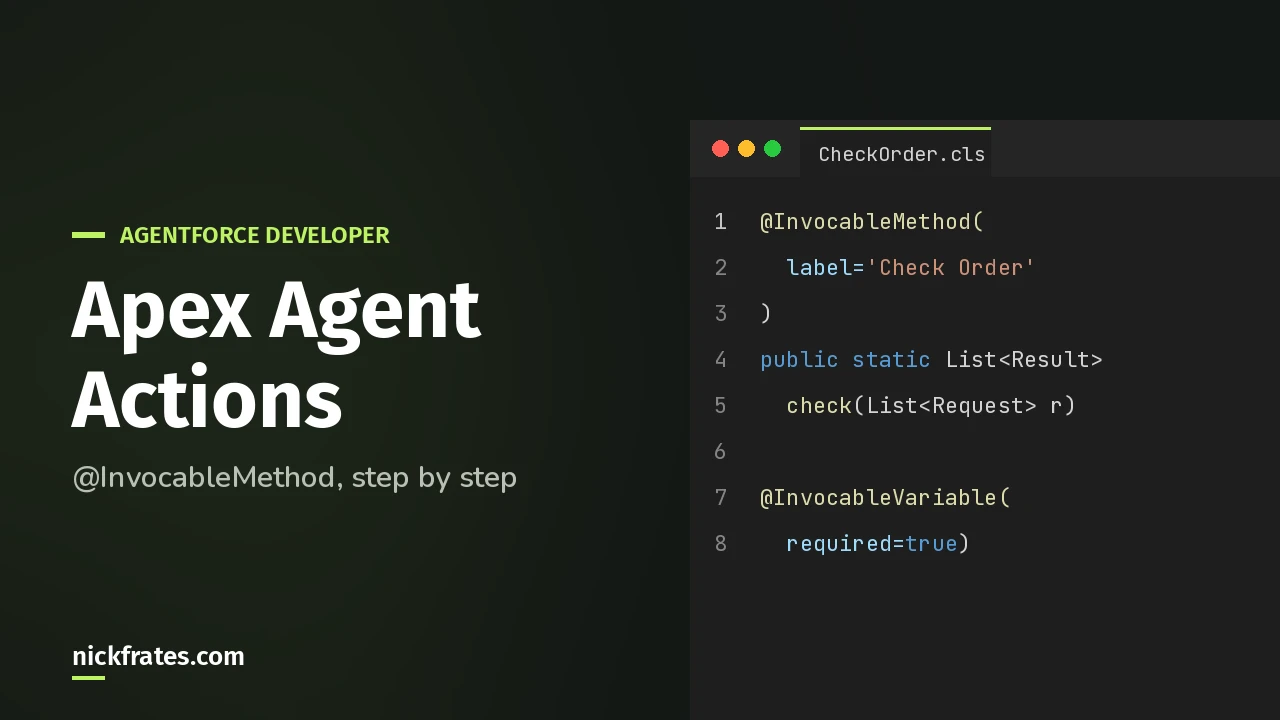
To build an Agentforce action with Apex, annotate a public static method with @InvocableMethod, describe its inputs and outputs with @InvocableVariable, and deploy it. Then create a custom action in Agentforce Builder with Reference Action Type set to Apex.
The part that’s easy to underestimate is the text. The labels and descriptions you write in the code are what the agent reads to decide when to run your action. So this post spends as much time on words as on code.
Quick vocabulary: a subagent is a job area inside an agent, with its own instructions and actions. The exam guide still calls it a topic.
When should I use Apex instead of a flow?
When the logic is hard to build with clicks. The Agentforce Developer Guide says custom actions can use Apex, flows, or prompt templates.
Salesforce’s own complex query example is a good picture of when Apex wins. It turns a customer question with multiple parts into a SOQL query built on the fly. (Try doing that cleanly in a flow.)
What does the Apex need to look like?
Here’s the sample straight from the Agentforce Developer Guide. It takes a name and returns a greeting.
The Apex Developer Guide sets the rules this sample follows:
- The method is
staticandpublicorglobal, in an outer class. - Only one method per class can have
@InvocableMethod. - There’s at most one input parameter, and it’s a list. That’s why the sample takes
List<InputParameters>. - A custom input or output class needs at least one
@InvocableVariable.
Why a list when the agent sends one value? Salesforce’s example code says it plainly: Agentforce always passes inputs as a list, even for a single call.
The Apex guide also says inputs and outputs must match in size and order. The i-th output goes with the i-th input.
Why do the labels and descriptions matter so much?
Because they become the action. Salesforce’s example says the description is very important, since the agent uses it to decide whether to run the action. Its code comments add that each @InvocableVariable description tells the agent what that field means.
And the Trailhead unit shows the descriptions getting copied straight into the action’s inputs and outputs. Set required=true on an input, and Require input to execute action comes pre-checked.
So write them like you’re explaining the field to a new coworker. “The name of the person to greet” beats “name”.
How do I turn the class into an agent action?
Deploy the class first. Then follow the Trailhead steps in Agentforce Builder:
- From the App Launcher, open Agentforce Studio and pick your agent. Click New Version if the current one is committed.
- Open the subagent. Under Actions Available For Reasoning, click Select action, then Create a custom action.
- Add an Action Name and Description.
- Set Reference Action Type to Apex and Reference Action Category to Invocable Method.
- Pick your method in Reference Action and click Create and Open.
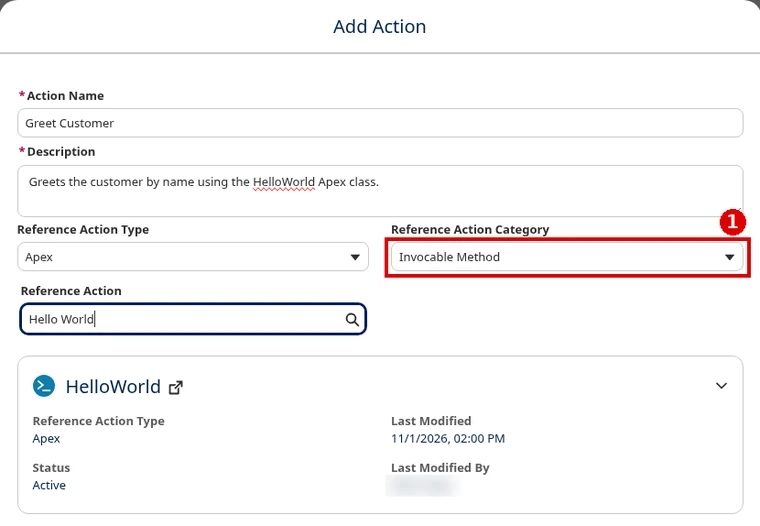
Check the inputs and outputs it pulled in. For each output the customer should see, check Show in conversation. Then save, commit the version, and activate.
Why isn’t my agent calling the action?
Salesforce’s example calls out two reasons.
The subagent never told it to. The example says the subagent must explicitly instruct the agent to call an action, otherwise the agent may ignore it. Name the action in the subagent’s instructions and say when to run it.
The agent user can’t run the class. The example says the agent user needs permissions for the data and the Apex class. Without them, the agent isn’t allowed to run any special code. In the example, you open the Apex class, click Security, and add the Einstein Agent User profile.
Then test on the Preview tab. Trailhead has you check which action the agent picked.
Agentforce Specialist Cert Lab
Practice custom actions for the exam
Get scenario questions on choosing and configuring agent actions, each answer explained, plus hands-on tasks you do in your own org.
Start the Agentforce Specialist Cert Lab for $9.99 →Is this on the Agentforce Specialist exam?
Yes, at the config level. The exam guide has an AI Agents objective on selecting and configuring standard and custom actions. But it also says you’re not expected to know Apex itself.
So for the exam, know when an Apex action fits and how it’s configured. For the job, know the code too.
Building flows instead? See use a flow as an Agentforce action. For the bigger picture, there’s Agentforce subagents and actions and the Salesforce certification study guides.
Agentforce Specialist Cert Lab
Get exam-ready on agent actions
Work through exam-style questions on Apex, flow and prompt actions, each answer explained.
Start the Agentforce Specialist Cert Lab for $9.99 →One last tip: before you blame your code, re-read your descriptions. The agent decides from those words, so that’s the first place to look.
Hope this helps!
Best,
Nick


