Hey friends,
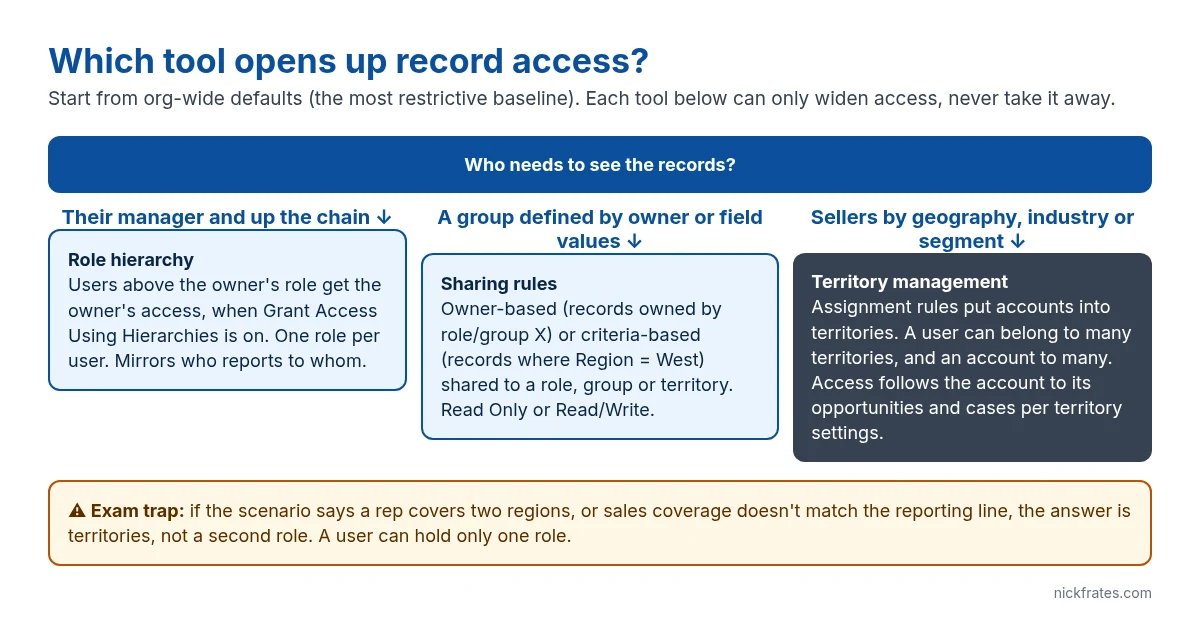
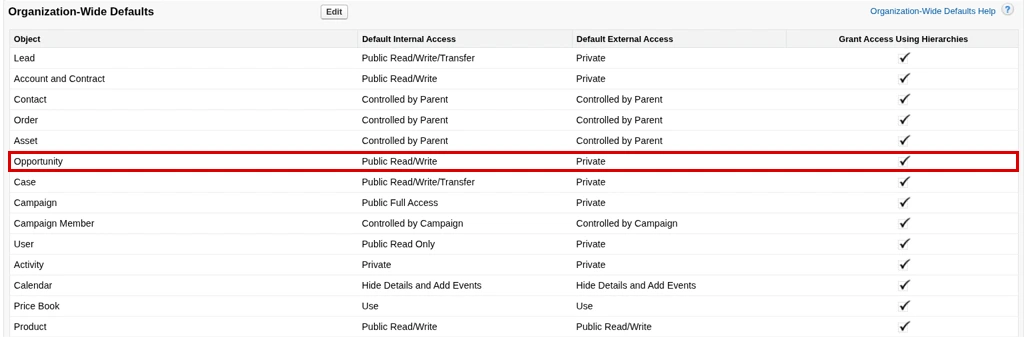
All three of these open up access to records, and all three start from the same place: your org-wide defaults, the most restrictive baseline for each object. None of them can take access away. The real question is which shape of access you need: up the reporting line, to a defined group, or across a sales coverage model that doesn’t match the org chart.
Role hierarchy: access follows the reporting line
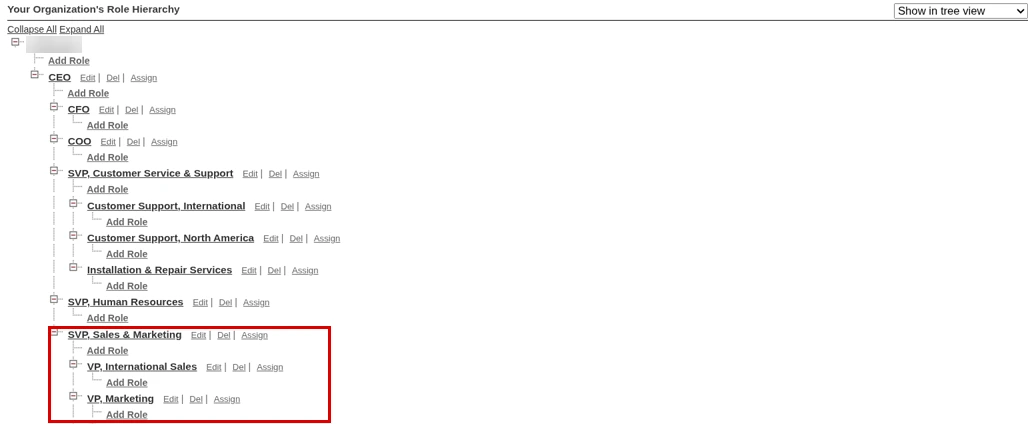
Each user has one role. Users higher in the hierarchy get the same access as the record owners below them, as long as Grant Access Using Hierarchies is on for that object (it’s always on for standard objects; you can turn it off for custom objects). The hierarchy mirrors who reports to whom, not job titles.
Sharing rules: access to a defined group
A sharing rule picks a set of records and shares them with a public group, role, role and subordinates, or territory, at Read Only or Read/Write. There are two kinds:
- Owner-based: records owned by users in role or group X are shared with Y. Example: everything owned by the West sales team is visible to West support.
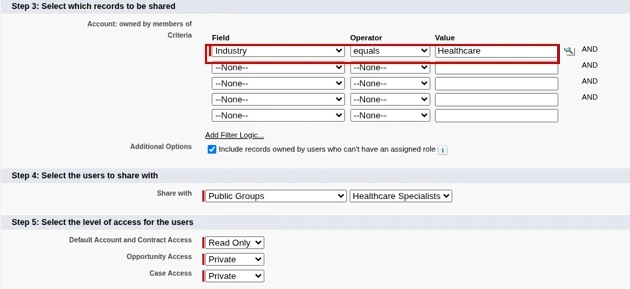
- Criteria-based: records where a field matches are shared. Example: accounts where Industry = Healthcare are shared with the Healthcare Specialists group.
Territory management: access by sales coverage
Enterprise Territory Management groups accounts into territories using assignment rules (for example, Billing State = CA). Users are assigned to territories, and here’s the key difference from roles: a user can be in many territories, and an account can be in many territories. Access to the account’s opportunities and cases follows the access levels set on each territory (the defaults come from your territory settings).
Use it when coverage doesn’t match reporting. A rep who reports to the East manager but also covers Healthcare accounts nationally is a territory problem. Trying to solve it with roles means inventing fake roles; with sharing rules it means a rule per exception.
Side by side
| Role hierarchy | Sharing rules | Territory management | |
|---|---|---|---|
| Grants access to | Records owned by users below you | A defined set of records | Accounts in your territories, plus their opportunities and cases |
| Per user | Exactly one role | Through groups and roles | Many territories |
| Based on | Reporting line | Owner or field criteria | Account assignment rules |
| Best for | Managers seeing their team’s work | Cross-team exceptions | Sales coverage by region, industry or segment |
Exam traps
- “A rep needs access to accounts in two regions” points to territories, not a second role.
- Sharing rules can’t restrict. If OWD is Public Read/Write, there’s nothing for a sharing rule to open.
- None of these grant object permissions. A user without Read on Account from their profile or permission sets sees no accounts, whatever their role or territory.
For the object-level side of this, see Roles vs Profiles vs Permission Sets.
Cert Lab by Nick Frates
Sharing scenarios, exam style
The Platform Administrator II Cert Lab ($9.99) walks through security and sharing scenarios like these, with exam-style questions for every section.
See the Platform Administrator II Cert Lab – $9.99 →FAQ
Is Territory Management on the Admin exam? It’s named in the Platform Administrator II exam guide, under Security and Access and Cloud Applications, and it’s a common topic for Sales Cloud consultants. For the Admin exam, focus on org-wide defaults, roles and sharing rules.
Do territories replace the role hierarchy? No. They run alongside it. Users still have a role, and territories add access on top.
Can a sharing rule share with a territory? Yes. Territories and territories and subordinates are both options as the target of a sharing rule when territory management is enabled.
Hope this helps!
Best,
Nick


