Hey friends,
Flows run under the same per-transaction governor limits as Apex: 100 SOQL queries, 150 DML statements, 10,000 records processed by DML and 10,000 milliseconds of CPU time per transaction. Go over any of them and Salesforce rolls back the entire transaction, even if the element that failed has a fault path.
Below are both limit tables from Salesforce Help in one place, what actually counts against each limit, and the patterns that keep a flow under them.
Per-transaction limits
These are the limits that break flows in practice. From Salesforce Help, Per-Transaction Flow Limits:
| Limit | Value | What counts toward it in Flow |
|---|---|---|
| SOQL queries issued | 100 | Every Get Records run, plus Update Records and Delete Records runs that use filter conditions |
| Records retrieved by SOQL | 50,000 | Rows returned by those same elements |
| DML statements issued | 150 | Every Create Records, Update Records and Delete Records run |
| Records processed by DML | 10,000 | Total rows created, updated or deleted |
| CPU time | 10,000 ms | All logic in the transaction, including other automation on the same records |
| Duplicate updates in one batch | 12 | The same record updated repeatedly in one batch |
Two details from the same page matter a lot: an autolaunched flow shares the limits of whatever launched it, and a screen flow starts a new transaction each time the user clicks Next.
Per-org limits
From Flow Limits per Org, for Enterprise, Unlimited, Performance and Developer Editions:
| Limit | Value |
|---|---|
| Versions per flow | 50 |
| Active flows per flow type | 2,000 |
| Total flows per flow type | 4,000 |
| Schedule-triggered flow interviews per 24 hours | 250,000 or 200 per user license, whichever is greater |
| Total heap size per flow interview | 215 MB |
| Elements run per flow | No limit since API version 57.0 (it was 2,000 before) |
Essentials and Professional Editions allow only 5 active and 5 total flows per flow type.
The pattern that breaks most flows: data elements inside a loop
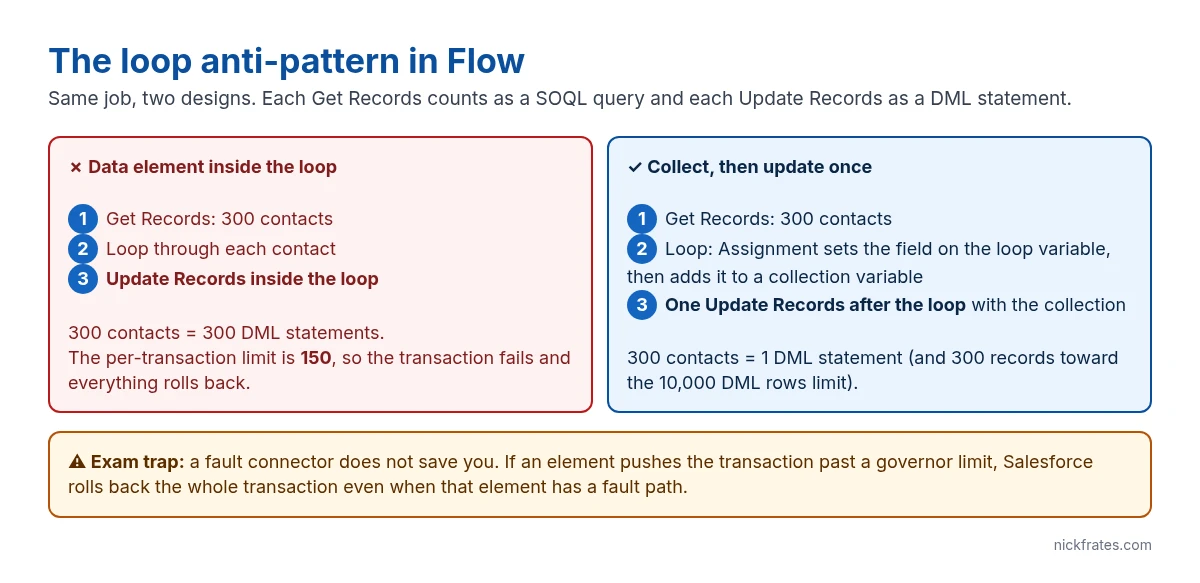
A loop over 300 contacts with an Update Records inside it issues 300 DML statements. The limit is 150, so the flow fails at record 151 and every change rolls back. Move the update out of the loop:
- Inside the loop, use an Assignment to set the field on the loop variable.
- In the same Assignment, add the loop variable to a record collection variable.
- After the loop ends, run one Update Records on the collection.
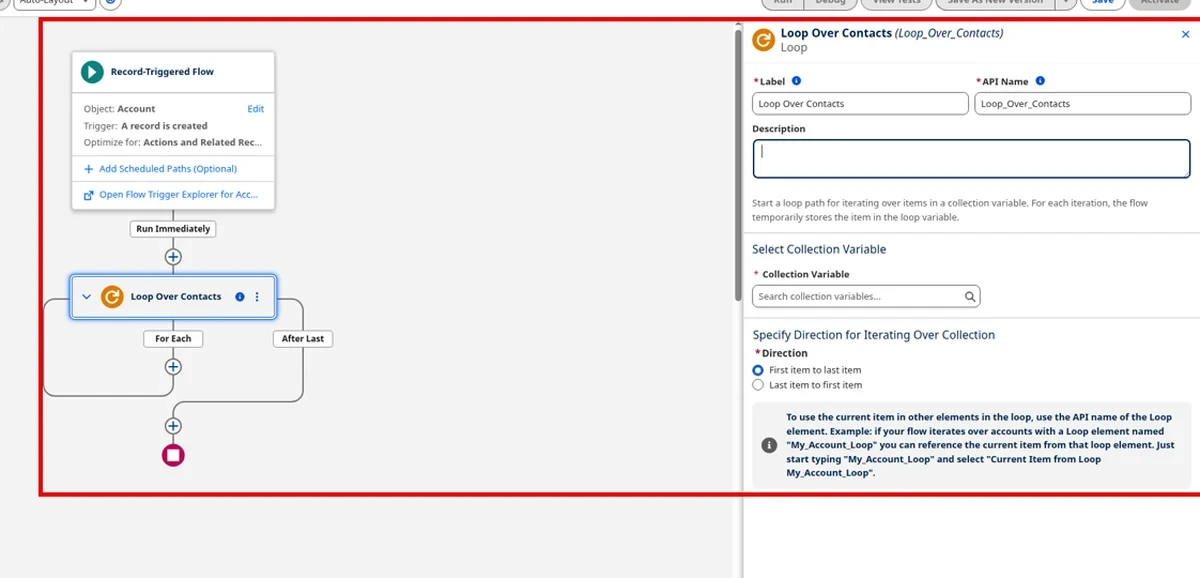
The same rule applies to Get Records. If you need related data for each record in a loop, query it once before the loop and match it up inside, or rethink whether you need the loop at all.
Workarounds for each limit
| Problem | Fix |
|---|---|
| Too many SOQL queries | Query once outside loops. Use a before-save record-triggered flow for same-record field updates, since it doesn’t need an Update Records element at all. |
| Too many DML statements | Collect records and save once. Combine several record-triggered flows on the same object where they update the same records. |
| CPU time exceeded | Use entry conditions so the flow only runs when it needs to. Move non-urgent work to an asynchronous path or a scheduled path, which runs in its own transaction. |
| Over 10,000 records to process | Use a schedule-triggered flow, which processes records in batches, or hand the job to Batch Apex. |
| Hitting limits because of other automation | Remember the whole transaction shares one budget: triggers, other flows and validation run together. Debug the whole transaction, not just your flow. |
Cert Lab by Nick Frates
Flow limits show up as Platform Administrator II scenarios
The Platform Administrator II Cert Lab ($9.99) covers automation troubleshooting, limits and deployment with exam-style questions.
See the Platform Administrator II Cert Lab – $9.99 →Exam traps
- “Add a fault path to handle the limit error.” A fault path doesn’t stop a governor limit rollback. The whole transaction rolls back.
- Before-save vs after-save. Updating fields on the record that triggered the flow belongs in a before-save flow. It’s faster and uses no DML.
- Screen flows and limits. Each Next click starts a new transaction, so a long screen flow doesn’t build up one huge transaction.
- Wait and pause elements. When a paused interview resumes, it runs in a new transaction batched with other resumed interviews.
FAQ
Is there still a 2,000 element limit? No. It was removed in API version 57.0.
Do flows and Apex share limits? Yes, when they run in the same transaction. An autolaunched flow called from Apex uses the same budget as that Apex.
How do I see how close a flow is to the limits? Run it in Debug in Flow Builder, or check the debug log, which shows the SOQL and DML counts used.
For a hands-on build of the loop pattern, see looping in Salesforce Flow. For Apex numbers, see the governor limits cheat sheet.
Hope this helps!
Best,
Nick


