Hey friends,
Use Flow first, and write Apex when the object carries heavy automation, large record volumes or deep cascades of updates, or when you need something Flow can't do, such as transaction control or a trigger on undelete. In between, keep Flow as the orchestrator and call Apex for the hard part. That's Salesforce's own guidance in its Record-Triggered Automation decision guide: pick the tool by how much automation an object already carries, not by whether an admin or a developer is building it. I read that guide and the Salesforce blog post that explains it in full on October 28, 2026, and everything below comes from them unless I say it's my opinion.
This post is about record-triggered automation, where the Apex vs Flow question comes up most in my experience. For how to build well once you've chosen, see my Flow best practices and Apex trigger best practices posts.
Quick answer: which tool for which job
These are Salesforce's own best-fit calls for common use cases:
| If you need to | Use | Why Salesforce says so |
|---|---|---|
| Simple to moderately complex logic, including updates to related records | Flow | Declarative, so it's approachable to admins and developers |
| Send emails or outbound messages on a record change | Flow | Easy and highly scalable |
| Run something at a future date, like 3 days before close date | Flow | Scheduled paths handle scheduling, cancellation and rescheduling when the data changes |
| Moderately complex logic inside a simple process | Flow plus Apex | Flow orchestrates, and Invocable Apex handles the complex part |
| Process thousands of records efficiently | Apex | Rich platform APIs and raw speed |
| Complex data processing | Apex | Map and Set data structures that Flow doesn't have natively |
| Savepoints, rollbacks or partial commits | Apex | Flow has no access to Database.savepoint or Database.rollback |
| Validation across many fields with several field-level messages | Apex | The addError() method can add multiple field-specific errors |
How to decide: automation density
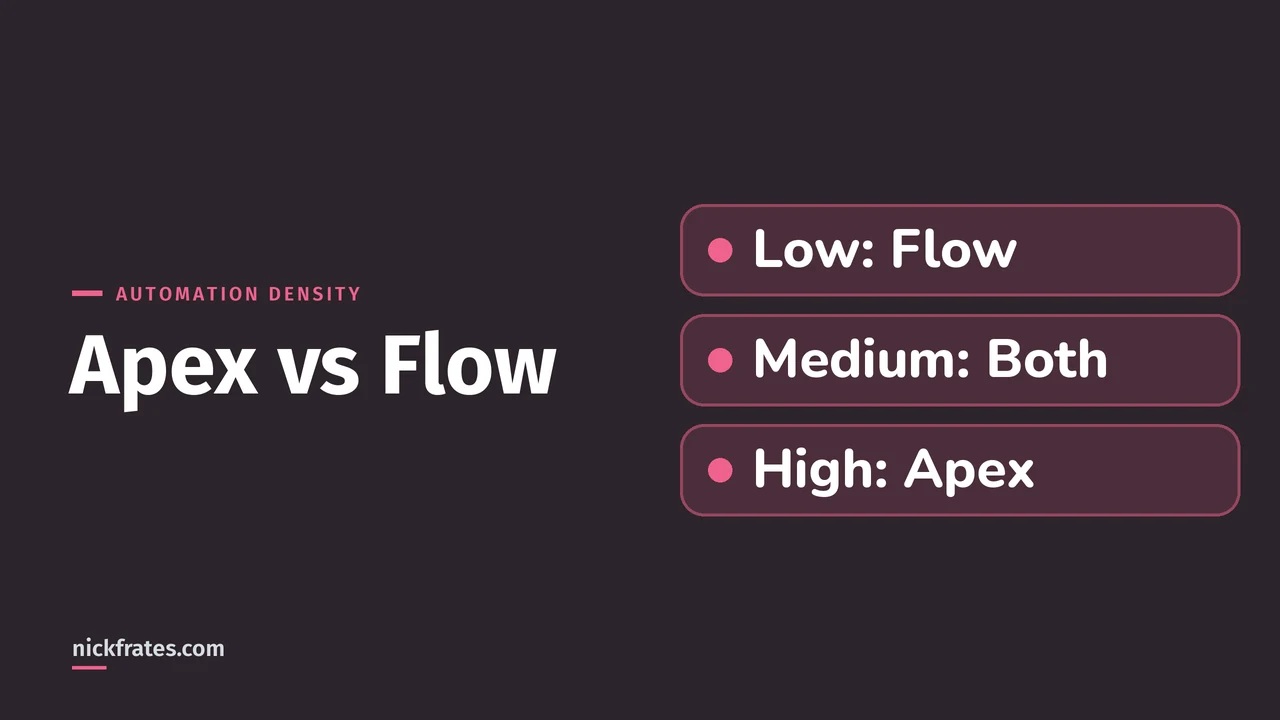
Flow and Apex can both query records, run conditional logic, assign variables and do DML. The guide says that overlap does not make them interchangeable: the question isn't whether a task can be done, but what it costs you in performance, scale and upkeep later. Its test is automation density, the load on one object, measured in three ways:
- Automation quantity: how many flows, trigger actions and other automations run during one DML event.
- Record volume: how many records arrive per transaction, especially from API loads and batch jobs.
- Dependency sprawl: how many downstream updates one save causes, such as case to account to contact to a custom rollup.
Then the guide's matrix maps the density to a tool:
| Density | What it looks like | Use |
|---|---|---|
| Low | Fewer than 15 automations. User edits or small API loads of 1 to 200 records. 0 to 1 downstream updates. | Record-triggered Flow |
| Medium | 15 to 30 automations. Moderate batches that need careful bulkification. 2 to 4 downstream updates, with recursion risk. | Flow plus Invocable Apex |
| High | More than 30 automations. Bulk API loads of 2,000 to 10,000+ records. 5 or more downstream updates, with loop risk. | Apex trigger with a metadata framework |
The guide says to weigh all three dimensions together and think about the object's future, so treat these numbers as a heuristic, not a score. To measure your own object, count the active record-triggered flows (fast field updates, actions and related records, and run asynchronously) and check for an Apex trigger on the same object, as the blog post suggests. To see dependency sprawl, save one record and read the debug log's execution tree: if it is dozens of branches deep, or the same object appears again and again, sprawl is high.
What Flow does better, and what Apex does better
From the guide's capability comparison:
- Flow wins on speed and visibility. Admins can build and change it faster than code can be written, tested and deployed, and Flow Trigger Explorer shows every flow on an object in one place.
- Flow has safeguards built in. It includes auto-bulkification and automatic retries. In Apex you code bulkification yourself, for example by avoiding SOQL inside loops, and retries need custom logic.
- Flow owns scheduled paths. An Apex trigger can't natively schedule a record-specific event that cancels itself when the record changes.
- Apex wins on bulk performance and data structures. It runs closer to the platform's core services, gives you Map, Set and loops, and has a standard library, such as BusinessHours and Crypto, that declarative tools don't have.
- Apex wins on control. It has savepoints and rollbacks, caching with static variables and Platform Cache to avoid repeated queries, and the addError() method for flexible messages.
- Only Apex covers undelete. Record-triggered flows don't currently support the after-undelete context, so if you must run automation when a record leaves the Recycle Bin, you need a trigger.
The middle path: Flow calling Apex
You don't have to pick one for the whole process. The guide's hybrid pattern keeps a record-triggered flow as the orchestration layer, which owns the entry criteria and the order of steps, and moves the hard part into Invocable Apex. Its example is an SLA calculation on cases: business hours and holidays aren't natively available in Flow, so an Apex class with an @InvocableMethod does the math and the flow calls it.
The trade-offs, from the same guide:
- Invocable actions only work in after-save flows, so you can't use this pattern for same-record field updates. Do those with a before-save flow or a before-context trigger.
- Crossing from Flow into Apex has a small cost. For most medium-density objects it's negligible, but for extreme volume a pure Apex framework is faster.
The same guard in both tools
Both tools can run only when a field actually changed, which is the guide's recommended way to prevent recursion. In a flow, you set that in the entry criteria with the $Record and $Record__Prior variables:
$Record.Amount != $Record__Prior.AmountIn Apex you compare Trigger.new with Trigger.oldMap, which the Apex Developer Guide says is available in update and delete triggers:
This trigger is only an illustration of the check. On a real object with a lot of automation, the guide recommends one trigger per object that dispatches to small classes through a metadata-driven framework.
Rules that apply whichever tool you pick
- One entry point per object. Use one mechanism as the way into automation for each object, and try not to mix Flow and Apex triggers on it.
- Use before-save for same-record updates. Both fast field updates in Flow and before-context triggers avoid a second save and a repeat of the save order.
- Write precise entry conditions. The guide says the biggest performance gains come from before-save flows and entry conditions that exclude irrelevant changes. One mega-flow versus several flows makes little difference by itself.
- Be careful with asynchronous work. Flow's asynchronous path and queueable jobs from Apex both add error-handling complexity and can hit governor limits.
- Plan a bypass. The guide recommends custom permissions so data loads, integrations and admin fixes can skip automation without code changes.
If an object already has both, the guide calls that a tolerated state, not a goal. For low density, refactor the triggers into flows. For medium density, split mega-flows and use Apex only where needed, for example for undelete. For high density, favor Apex triggers. For how flow types differ, see Salesforce Flow types explained.
Cert Lab by Nick Frates
Will your exam ask this?
The Platform Developer I exam tests declarative versus programmatic choices and using Flow and Apex together. The Platform Developer Cert Lab has lessons, practice questions and flashcards for every exam section.
Start the Platform Developer Cert Lab, $9.99 →Mistakes when choosing between Apex and Flow
- Choosing by job title. The old rule of thumb was admins use Flow and developers use Apex. The decision guide moved past it and looks at the object instead.
- Writing Apex for a simple, low-density object. You're taking on code upkeep that Flow would have saved you.
- Building one monster flow. The blog post says a single huge flow on an object still signals complexity and should ideally be broken up or converted to Apex.
- Splitting one object's logic across both tools with no plan. That's how order of execution and debugging turn into guesswork.
- Running a Flow-only design on a high-volume integration object. The guide says even a few flows on objects with high-volume integrations can lead to CPU timeouts.
FAQ
Should I use Apex or Flow?
Use Flow first for low-density automation. Move to Flow plus Invocable Apex as complexity grows, and to Apex triggers for objects with high automation density, per Salesforce's decision guide.
Is Flow replacing Apex?
No. Salesforce's guide describes Record-Triggered Flow and Apex triggers as two complementary pillars. Flow is the preferred choice for low density, and Apex is better suited to high density and complex logic.
Can Flow do everything Apex can do?
No. Flow has no savepoints or rollbacks, no native Map and Set structures, no after-undelete trigger support and no access to some Apex library features, according to the guide.
Is Apex faster than Flow?
For high-volume and complex processing, yes: the guide recommends Apex for bulk performance and notes Flow has an elevated risk of hitting governor limits there. For same-record updates, a before-save flow is the most performant declarative option.
Can I use Flow and Apex on the same object?
Yes, but be deliberate. Salesforce recommends one entry point per object, and the hybrid pattern, where a flow calls Invocable Apex, is its recommended way to combine them.
What is automation density?
It's the load on one object from automation quantity, record volume and dependency sprawl, and Salesforce uses it to decide between Flow, a hybrid, and Apex triggers.
When must I use Apex instead of Flow?
When you need transaction control, complex data structures, high-volume bulk processing, multi-field validation with several messages, or automation on undelete. These come from the decision guide's best-fit table and its hybrid limitations.
Do Salesforce admins need to learn Apex?
Not to build most automation, since Flow is the preferred tool for low-density objects. It still helps to know when a problem has outgrown Flow, so you can hand it to a developer.
Where to go next
- Salesforce Flow best practices: how to build scalable flows once you've chosen Flow.
- Apex trigger best practices: context variables, bulkification and one trigger per object.
- Salesforce Flow types explained: the flow types behind these decisions.
- Is there a Salesforce Flow certification?: which exams and badges prove Flow skills.
- App Builder vs Platform Developer I and Admin vs Platform Developer I: which credential fits your role.
Hope this helps!
Best,
Nick