Hey friends,
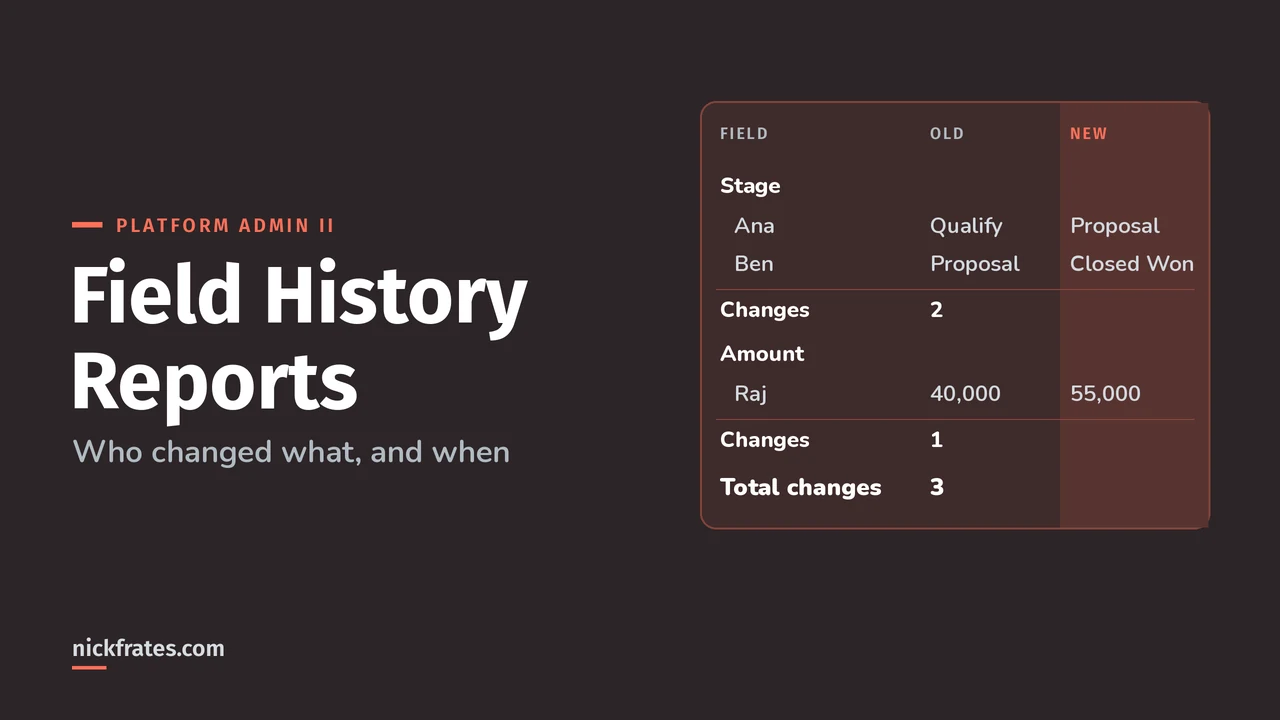
To report on field history in Salesforce, turn on Field History Tracking for the fields you care about, then build a report from that object's history report type, like Account History or Opportunity Field History. Each row is one change, with the field, the old value, the new value, who edited it and when.
It sounds simple, and it mostly is. The traps are in what the report can't show you. Facts below are from the Field History Tracking Overview and Opportunity History pages in Salesforce Help. If you haven't set up tracking yet, start with my Field History Tracking setup guide.
Which history report type should you use?
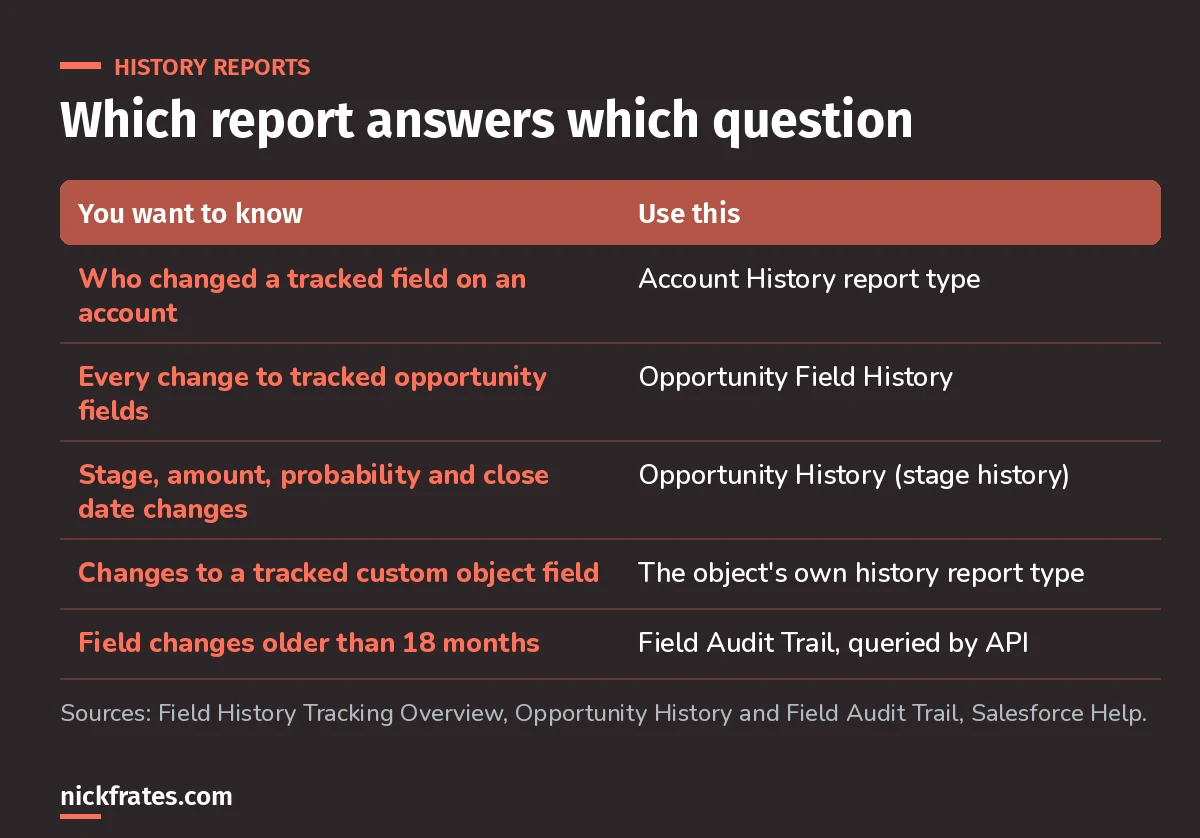
Pick the report type from the question you're trying to answer.
Behind the scenes, history lives in objects named AccountHistory, OpportunityFieldHistory or MyObject__History for a custom object. The report types sit on top of those.
How do you build a field history report?
- Confirm tracking is on for the field. Only tracked fields appear, and only changes made after you turned tracking on.
- For a custom object, make sure Allow Reports is checked on the object so its history report type shows up.
- Create a report and choose the history report type, for example Account History.
- Add columns for the field name, old value, new value, who edited it and the edit date.
- Filter on the field you care about and a date range, then group by field or by user.
Help notes you can group or filter a field history report to show specific tracked fields, users or time periods, and that this works for custom objects defined as detail objects too. Older blog posts say detail objects can't be reported on, so trust the current Help page.
Why I care about this stuff: certs changed my career. I used Focus on Force on the way to 17 Salesforce certifications, and the thing that worked best was rapid-fire practice tests, again and again, until the wrong answers stopped surprising me. Cert Lab is my version of that loop, with up-to-date links and screenshots. A cert teaches you what matters fast, and it gets you interviews and raises.
Cert Lab by Nick Frates
Let the Platform Administrator II Cert Lab test you to success
Scenario questions on reporting, auditing and the rest of the Admin II exam, with every option explained and linked to the Help page behind it.
Start the Platform Administrator II Cert Lab for $9.99 →What's the difference between Opportunity History and Opportunity Field History?
This one shows up in real orgs and on the exam. Opportunities have two separate history lists:
| Opportunity Field History | Opportunity History (Stage History) | |
|---|---|---|
| What it tracks | The opportunity fields your admin selected | Amount, Probability, Stage and Close Date |
| Who picks the fields | The admin | Nobody, it's fixed |
| Needs Field History Tracking | Yes | No |
| Retention | Same as other field history | Not automatically deleted |
Changes to Amount and Quantity are tracked even when they come from changes to the opportunity's products or schedules. If you want month-end snapshots of those four fields over time, look at the Opportunity Trends report instead.
What can't a history report show?
- Anything before tracking started. There's no backfill.
- Long text values. For long text fields over 255 characters, you only see that it changed.
- Old history. Without Field Audit Trail, history is kept for up to 18 months in the app. Use Data Loader or the
queryAll()API for history that's 18 to 24 months old. - Turned-off custom objects. If you disable tracking on a custom object, you can no longer report on its field history. Standard objects keep history up to the date you turned it off.
- Changes the user couldn't make. If automation changes a field the current user can't edit, that change isn't recorded on most objects.
Common mistakes I see
- Expecting history from day one. Turn tracking on before the business needs the report, not after.
- Tracking formula fields. You can't. Track the input fields instead.
- Reading a trigger rewrite as a user mistake. If a trigger changes a value right after a user saves, you'll see two rows: the user's change and the trigger's change.
- Sorting by timestamp alone. Two edits in the same second share a timestamp and can look out of order.
- Forgetting access. Users need Read on the object and the tracked fields to see the history.
What if you need history beyond 18 months?
That's Field Audit Trail territory. It keeps up to 200 fields per object until you delete them, but you query it through the API instead of building a normal report. I compare both in Field Audit Trail vs standard field history.
FAQ
Why is my history report empty?
Tracking is probably off for that field, or it was turned on after the changes you're looking for.
Can I create a custom report type on a history object?
Use the history report type Salesforce provides for the object. For a custom object, check Allow Reports so it appears.
Does Opportunity History need field history tracking?
No. Stage History tracks Amount, Probability, Stage and Close Date automatically, and you can't change which fields it tracks.
Where should you go next?
- Salesforce Field History Tracking: setup and limits.
- Platform Administrator II practice questions.
- The Platform Administrator II study guide for the full exam map.
Cert Lab by Nick Frates
Let the Platform Administrator II Cert Lab test you to success
Lessons, flashcards, section quizzes and four 60-question practice exams for all seven Platform Administrator II sections, every answer explained.
Start the Platform Administrator II Cert Lab for $9.99 →Hope this helps!
Best,
Nick