Hey friends,
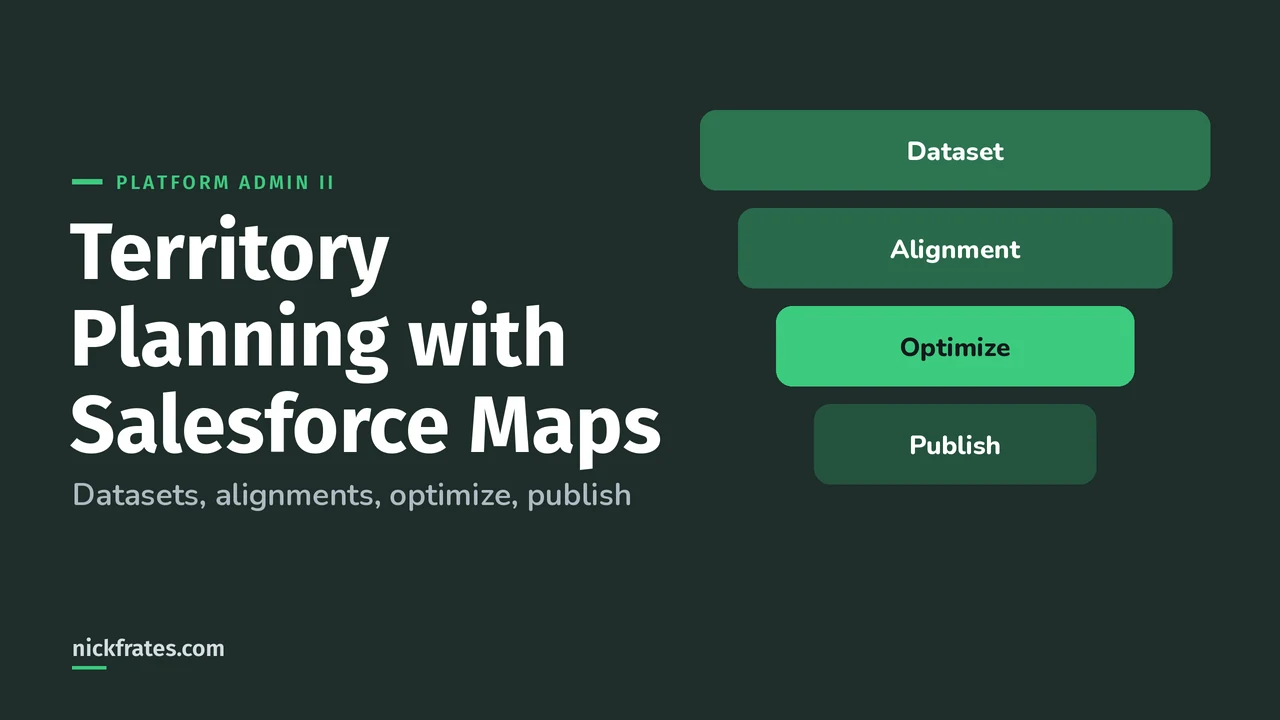
Territory Planning with Salesforce Maps is a design tool: you load account data into a dataset, draw and balance territories on a map in an alignment, then publish the result to Sales Territories, Salesforce Maps, Field Service or other places. Sales Territories (Enterprise Territory Management) is where territories actually grant record access. Territory Planning is where you figure out what those territories should be.
For Platform Administrator II, you need to know that difference more than every button. The exam's Cloud Applications section (11%) covers Territory Management and the products that extend the core platform. Facts here come from the Territory Planning pages in Salesforce Help and the Territory Planning Trailhead module.
Territory Planning vs Sales Territories: what's the difference?
| Territory Planning (Salesforce Maps) | Sales Territories (ETM) | |
|---|---|---|
| Job | Design and balance territories on a map | Run territories: access, assignment, forecasting |
| Where you work | Alignments built from datasets | Territory models, types and hierarchy in Setup |
| Effect on users | None until you publish | Grants record access once the model is active |
| Needs | Salesforce Maps plus Territory Planning access | Sales Territories enabled in the org |
They work together. Publishing to Sales Territories creates the model, territories, assignment rules and primary territory user assignments. You can also go the other way and import an existing model into Territory Planning. If you're new to the Sales Territories side, start with Salesforce Help's Sales Territories overview.
What are the building blocks?
- Dataset: the records you plan with. Build it from reports run on custom report types, SOQL queries or Sales Planning segments, using live data or a copy. Help recommends live data so plans reflect current records (Help).
- Unit: a single record you assign, like an account. When you create a dataset from reports, you map the unit assignment field (for example Owner ID), the unit name, and latitude and longitude (Help).
- Alignment: a visual version of your territory hierarchy, built from a dataset. This is the proposed model (Help).
- Area: a territory inside an alignment, with a name, parent, owner and color.
A detail I like: a copied dataset is a snapshot, so your numbers don't shift mid-planning. If you copy, refresh the sources on a schedule.
How does a planning cycle work?
- Prepare. Install Salesforce Maps, give planners access, and designate an OAuth user who runs data processing and optimizations on Salesforce Maps servers.
- Build a dataset from reports or SOQL. Each record needs latitude and longitude values to land on the map.
- Create an alignment from the dataset, from scratch or by importing a Sales Territories model.
- Adjust and optimize. Reassign areas, add territories and run optimization.
- Review and approve. Share comments or a PDF with leadership. Approval processes can require sign-off before anyone publishes.
- Publish to the destination you need.
Nothing touches production assignments until you publish, and for Sales Territories, until the model is activated. That's the whole point: you can try ten versions safely.
One thing that helped me most on the way to 17 Salesforce certifications: rapid-fire practice tests. I loved Focus on Force, and I learned fastest when I tested myself over and over and read why each answer was right or wrong. That's the whole idea behind Cert Lab, with up-to-date links and screenshots in the explanations. Certs got me a credential, interviews and raises, and they made me learn the parts of Salesforce that matter.
Cert Lab by Nick Frates
Let the Platform Administrator II Cert Lab test you to success
Scenario questions on territories, forecasting and the rest of the Admin II exam, with every option explained and linked to the Help page behind it.
Start the Platform Administrator II Cert Lab for $9.99 →How does optimization work?
From the Trailhead unit, you pick the attribute to balance on, like annual revenue, and a distance method: As the Crow Flies (straight lines) or Drive Time Network (real roads and drive times). Then you choose one, two or all three priorities:
- Balance: spread the attribute evenly across areas.
- Continuity: move as few units as possible.
- Compactness: keep units close together to cut drive time.
You can also build calculated attributes with a formula, for example weighting revenue from one customer type higher, and optimize on that (Help).
Where can you publish an alignment?
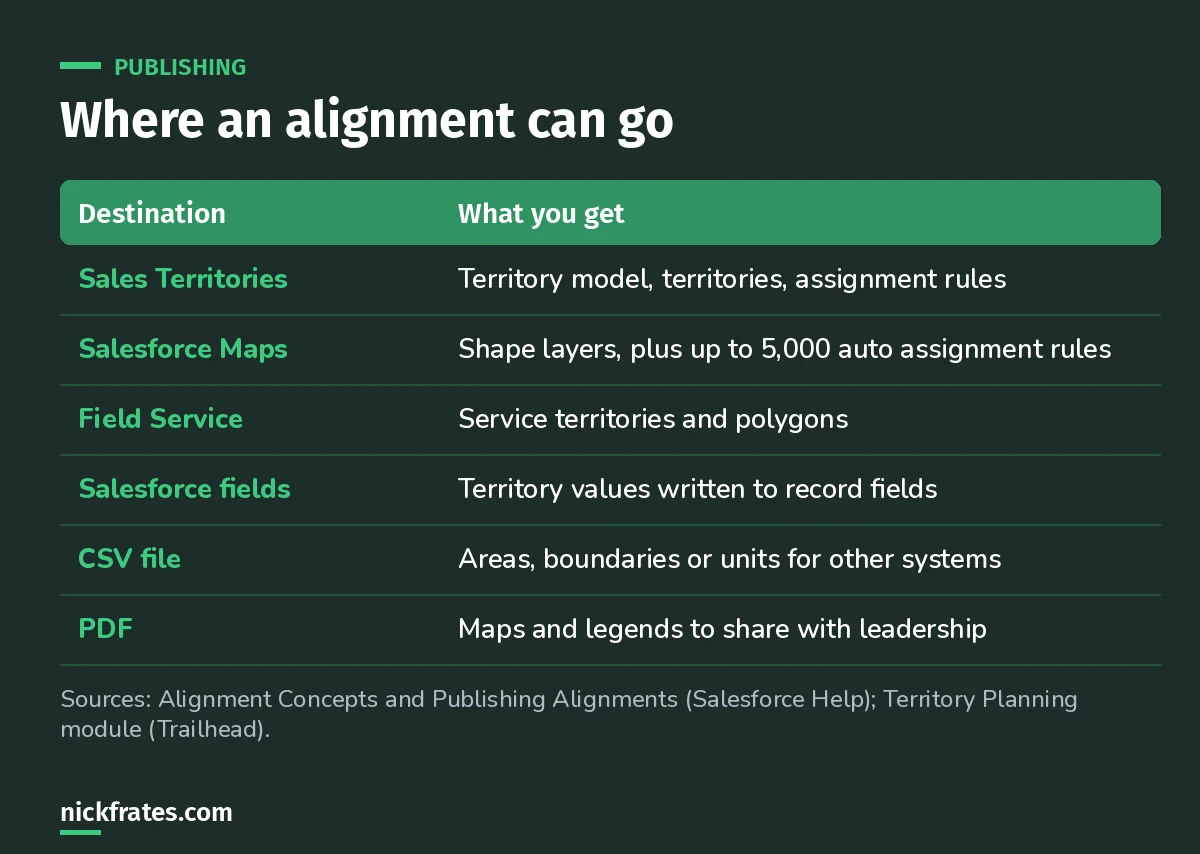
Sales Territories is the one that changes record access.
When you publish to Sales Territories, you choose a scope (the whole alignment or just your current focus), a level, a method (new territories, overwrite all, or overwrite matching names), the model, parent territory, territory type and the assignment rule field. Help says the most common US combination is Billing Zip with starts with (Help).
What trips people up?
- Publishing isn't activating. If the model isn't active, activate it. If territories have rules, run them. Sales Territories also doesn't change record ownership, it grants access (Help article).
- Rule size limits. If a territory has enough rule values to hit the 10,000-character limit, you choose to skip its rules, simplify them or publish it as child territories.
- Assignment rules are additive. Removing or updating a rule in Territory Planning doesn't remove accounts that already matched it.
- Permission sets. Creating datasets and alignments takes the Sales Planning Ops Analyst, Query for Datapipelines User for Sales Planning, and SF Maps Territory Planning for Sales Planning permission sets.
What should you know for the exam?
At exam depth, keep it simple: Territory Planning designs and balances territories on a map, Sales Territories enforces them. If a scenario asks how to grant reps access to accounts in their territory, the answer is Sales Territories. If it asks how to redraw territories so workloads are fair before the new fiscal year, that's Territory Planning.
FAQ
Is Territory Planning part of Salesforce Maps?
Yes. Help says to confirm Salesforce Maps is installed and users have access to it and to Territory Planning before you start.
Does publishing an alignment change account owners?
Publishing to Sales Territories doesn't change account, case or opportunity ownership. It can grant access once the model is active and rules run. Publishing to Salesforce fields writes territory values to the fields you choose.
Can I start from my existing territory model?
Yes. You can import a Sales Territories model and its assigned users to create an alignment.
Where should you go next?
- Platform Administrator II vs Administrator.
- Platform Administrator II practice questions.
- The Platform Administrator II study guide for the full exam map.
Cert Lab by Nick Frates
Let the Platform Administrator II Cert Lab test you to success
Lessons, flashcards, section quizzes and four 60-question practice exams for all seven Platform Administrator II sections, every answer explained.
Start the Platform Administrator II Cert Lab for $9.99 →Hope this helps!
Best,
Nick


