Hey friends,
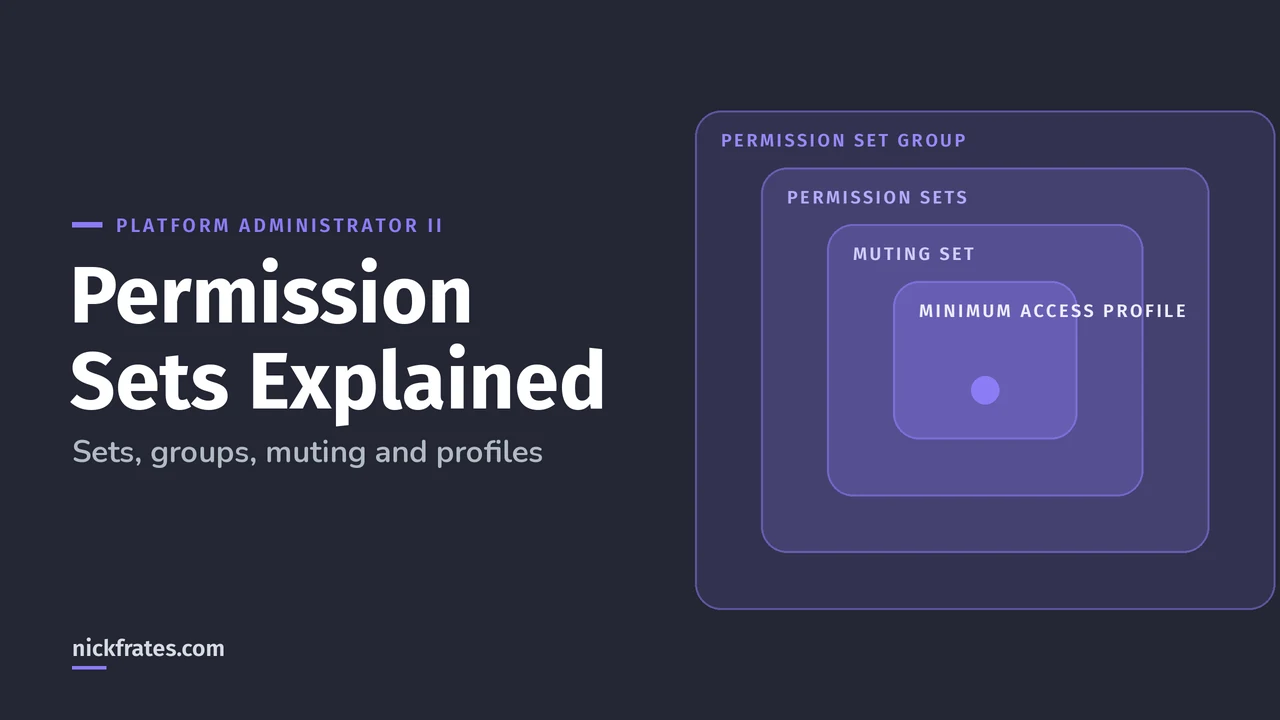
A Salesforce permission set is a collection of permissions you assign to users on top of their profile, and a permission set group bundles several permission sets for one persona. Each user has exactly one profile but can have many permission sets and groups, and Salesforce recommends permission sets as the main way to manage access.
That's straight from Salesforce Help's permission sets overview. If you're still giving access through dozens of profiles, this post shows the cleaner model and how to get there.
What is a permission set in Salesforce?
A permission set grants access to objects, fields, apps, Apex classes and user permissions without touching the profile. Permissions only add up. If something is off in the profile but on in a permission set, the user has it.
Salesforce's own example: several users need to delete and transfer leads. Instead of cloning a profile, you create one permission set for that task and assign it to those users, whatever their profile.
What is a permission set group?
A permission set group is a bundle of permission sets that matches a persona, like "Sales Manager". The best-practice guidelines say to build small task-based permission sets, then reuse them across groups. A user with two personas just gets two groups.
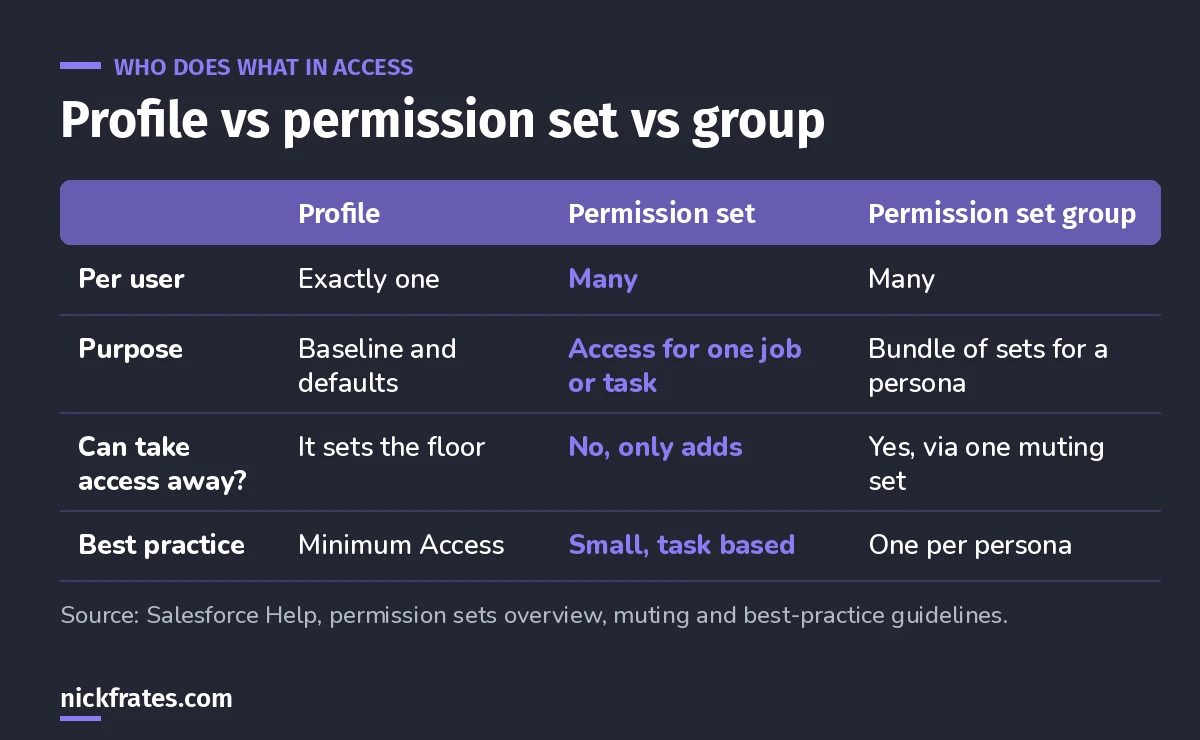
Profiles set the floor, permission sets add, groups bundle.
How does a muting permission set work?
A muting permission set turns off selected permissions inside one permission set group. Per Salesforce Help, each group can have at most one muting permission set, and muting only affects that group.
That last part trips people up. If a user gets the same permission another way (their profile, a separate permission set or another group), they still have it. Muting doesn't remove access globally.
Example from Help: a Sales Staff Users group includes a permission set with Delete on Accounts and Opportunities. Another group needs that same set intact. So you mute Delete in Sales Staff Users only, instead of building a near-copy of the permission set.
Permission sets vs profiles: what still belongs on the profile?
Profiles still exist and every user needs one, but they should be thin. The guidelines recommend the Minimum Access - Salesforce profile (or a clone) as the baseline, with app and system permissions configured in permission sets. Settings like the default app and default record types stay on the profile.
Here's why I care about this. Certs have opened real doors for me: interviews, a new job, raises and the chance to work in new parts of Salesforce. I studied with Focus on Force early on and learned fastest from rapid-fire practice tests, so that's what I built Cert Lab around, with current links and screenshots. One honest caveat: hiring managers still want experience. Use the cert to get in the room, and bring stories of what you've done.
Cert Lab by Nick Frates
Let the Platform Administrator II Cert Lab test you to success
Security and Access is 20% of the exam. Practice scenario questions on profiles, permission sets, groups and muting, with every answer explained.
Start the Platform Administrator II Cert Lab for $9.99 →How to move access off profiles, step by step
- List personas, like Sales Rep, Sales Manager, Support Agent.
- Break each persona into tasks: manage leads, approve discounts, export reports.
- Create one permission set per task. Name them clearly so anyone can tell what's inside.
- Bundle sets into a group per persona. Add a muting set only where a persona needs slightly less.
- Move users to Minimum Access (or a clone) plus their groups. Test in a sandbox first.
- Use expiration dates on assignments for short projects, so temporary access cleans itself up.
Two settings make this easier, both named in the guidelines: Field-Level Security for Permission Sets During Field Creation, and Permission Set and Permission Set Group Assignments with Expiration Dates. This is classic Platform Administrator II material: the exam guide asks you to compare custom profiles, permission sets and delegated administration.
Common permission set mistakes
- One giant permission set per department. You lose reuse. Keep sets small and task based.
- Expecting muting to remove access everywhere. It only mutes inside its own group.
- Forgetting licenses. A user needs a user license or permission set license that supports the permission.
- Cloning profiles for every exception. That's the mess permission sets exist to fix.
FAQ
Can a permission set remove access?
No. Permission sets only add access. To take a permission away inside a permission set group, use a muting permission set.
How many profiles can a user have?
Exactly one. Depending on the edition, a user can have many permission sets and permission set groups.
How many muting permission sets can a group have?
One per permission set group.
Are profiles going away?
Every user still needs a profile. The recommended pattern is a minimal profile plus permission sets and groups.
Where should you go next?
Cert Lab by Nick Frates
Let the Platform Administrator II Cert Lab test you to success
Lessons, flashcards, section quizzes and four 60-question practice exams for all seven Platform Administrator II sections, every answer explained.
Start the Platform Administrator II Cert Lab for $9.99 →Hope this helps!
Best,
Nick


