Hey friends,
If you're already a business analyst and you're new to Salesforce, you don't need to learn the whole platform. Learn six things first: the data model, the security model, what's possible without code, reports, sandboxes, and the release cycle. Those cover most of the questions you'll face in your first projects.
Your elicitation, process mapping and requirements skills transfer directly. What changes is knowing what the platform does out of the box, so you can tell a stakeholder "that's a setting" instead of "that's a project."
1. The data model: objects, fields, records
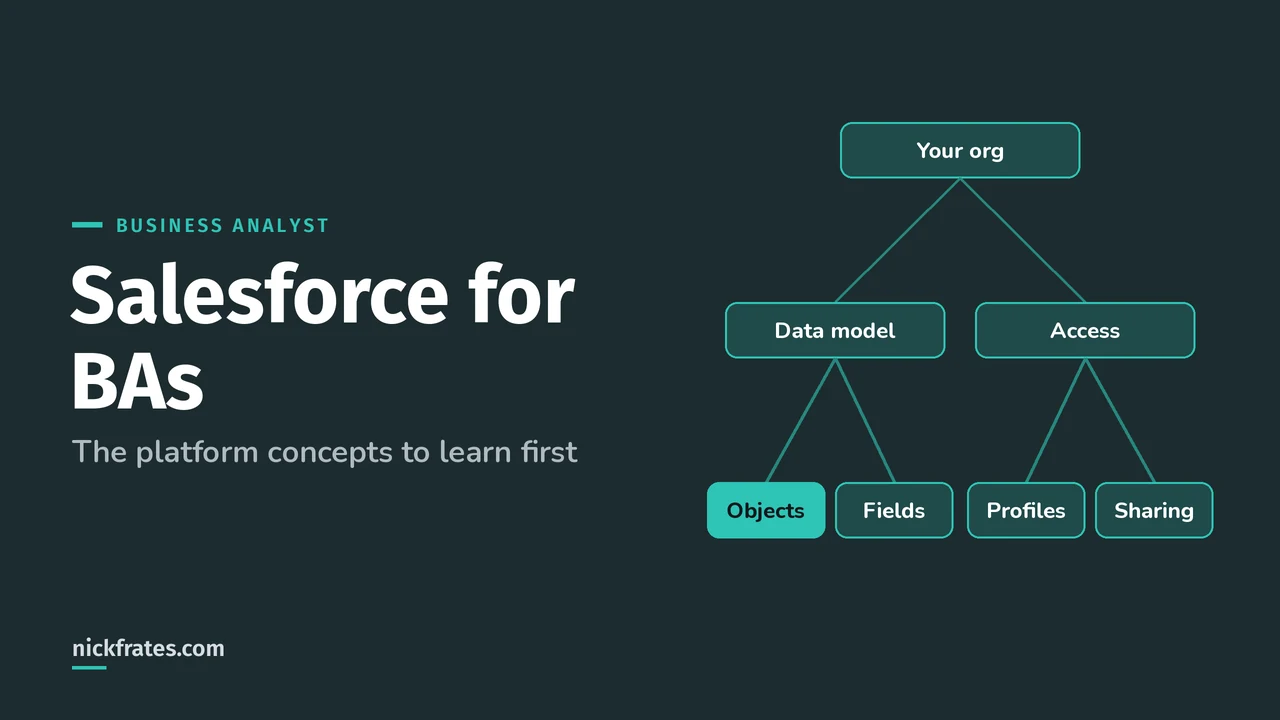
Salesforce stores data in objects (think tables), fields (columns) and records (rows). Trailhead's Data Modeling module uses exactly that spreadsheet comparison. Standard objects like Account, Contact, Lead, Opportunity and Case come with the platform. Custom objects hold anything else, like a Property or an Offer.
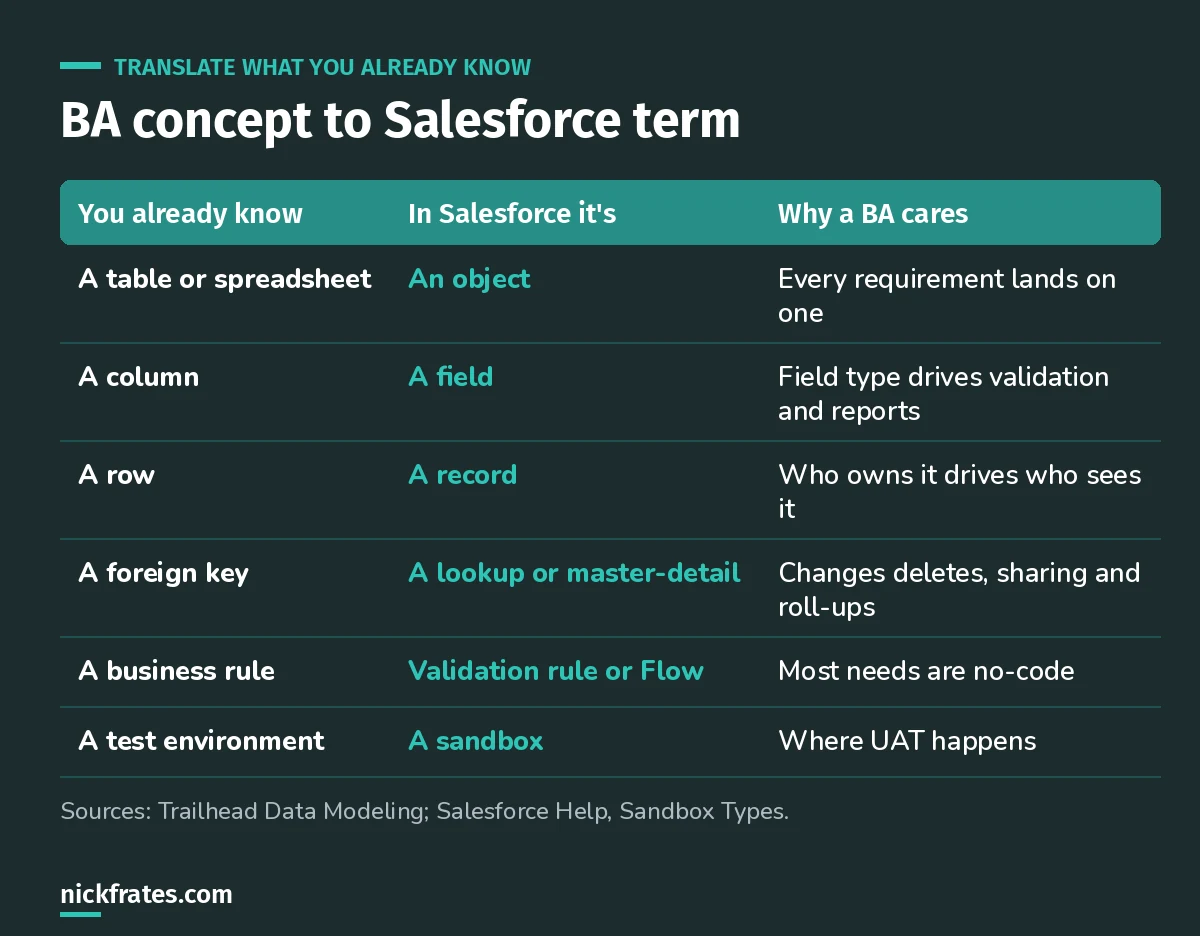
Most of your vocabulary already exists. It just has new names.
Relationships matter more than people expect. Salesforce has two main kinds: lookup and master-detail (Trailhead). Master-detail ties the child tightly to the parent, so deleting the parent deletes the children and the child inherits the parent's sharing. When you write a requirement like "each offer belongs to a property," that choice is hiding inside it. My lookup vs master-detail post goes deeper.
2. The security model: who sees what
Salesforce controls access at four levels: the whole org, objects, fields and individual records (Trailhead Data Security). The settings work at the API level too, so they apply no matter how someone gets to the data.
Why a BA needs this: "managers should see their team's deals but not other teams'" is a sharing requirement. Catch it during discovery and you save weeks of rework. Ask every stakeholder group what they should see, edit and never see. I cover the layers in my Salesforce security model post.
3. What's possible without code
Salesforce calls building without code declarative development (Trailhead). Validation rules, Flow, page layouts, Dynamic Forms, approval processes and reports are all point-and-click. A huge share of business requirements can be met this way.
My rule of thumb: before you write a requirement that implies custom code, ask an admin "can Flow do this?" Usually yes. The BA exam guide is clear that you're not expected to design technical solutions, but knowing the options lets you recommend instead of just collect.
A bit about how I study. Focus on Force was my favorite resource on the way to 17 Salesforce certs. But what actually made things stick was taking practice tests rapid-fire, again and again. That's the loop Cert Lab is built on: quick questions, explanations with current links and screenshots, then go again.
Cert Lab by Nick Frates
Let the Business Analyst Cert Lab test you to success
Fast scenario questions that make you practice the BA side of Salesforce projects: discovery, stakeholders, process maps, requirements, user stories and UAT. Every answer explained.
Start the Business Analyst Cert Lab for $9.99 →4. Reports and dashboards
Stakeholders love asking for reports, and Salesforce reports are built on report types that decide which objects and records you can include. When a stakeholder says "I want to see X," check the data actually exists in fields first. If it doesn't, the reporting need becomes a data requirement. My reports and dashboards guide covers the basics.
5. Sandboxes and where UAT happens
A sandbox is a copy of production used for building and testing. Salesforce Help lists four types (Sandbox Types):
| Sandbox | What it copies | Good for |
|---|---|---|
| Developer | Configuration (metadata) only | Building and unit testing |
| Developer Pro | Metadata, larger data sets | Development, QA, training |
| Partial Copy | Metadata plus a sample of data from a template | UAT, integration testing, training |
| Full | A full replica, all data and metadata | Staging, performance and load testing |
As a BA you'll mostly live in Partial Copy or Full sandboxes during UAT. Ask early which one the project uses, and whether it has realistic test data.
6. The release cycle
Salesforce ships three major releases a year: Spring, Summer and Winter. Features appear in sandboxes before production, so you can test them first. Trailhead's release readiness module has you look up the sandbox and production dates for your instance. Put them on the project calendar. A new release can change a screen your users were just trained on.
A 30-day plan for a BA new to Salesforce
- Week 1: sign up for a free Developer Edition org and click through Sales and Service apps as a user.
- Week 2: build a tiny custom object with two fields, a lookup and a validation rule.
- Week 3: build a report and a dashboard on that data, then share it with a test user who has less access.
- Week 4: write five user stories for a change to your mini app, with acceptance criteria, and test them yourself.
If you want a structured exam goal along the way, the Platform Foundations exam covers the platform basics, and the Business Analyst certification covers the BA craft on Salesforce.
FAQ
Do I need the admin certification as a BA?
No. It helps, but the Business Analyst exam has no prerequisite. Platform Foundations is a lighter way to prove platform basics.
Which Salesforce skills does Trailhead say a BA needs?
A basic understanding of automation, collaboration, data management, reports and dashboards, CRM, the platform, sales and marketing, and AgentExchange.
Where should you go next?
Cert Lab by Nick Frates
Let the Business Analyst Cert Lab test you to success
Lessons, flashcards, a quiz for each of the six exam sections and full practice exams, every answer explained.
Start the Business Analyst Cert Lab for $9.99 →Hope this helps!
Best,
Nick


