Hey friends,
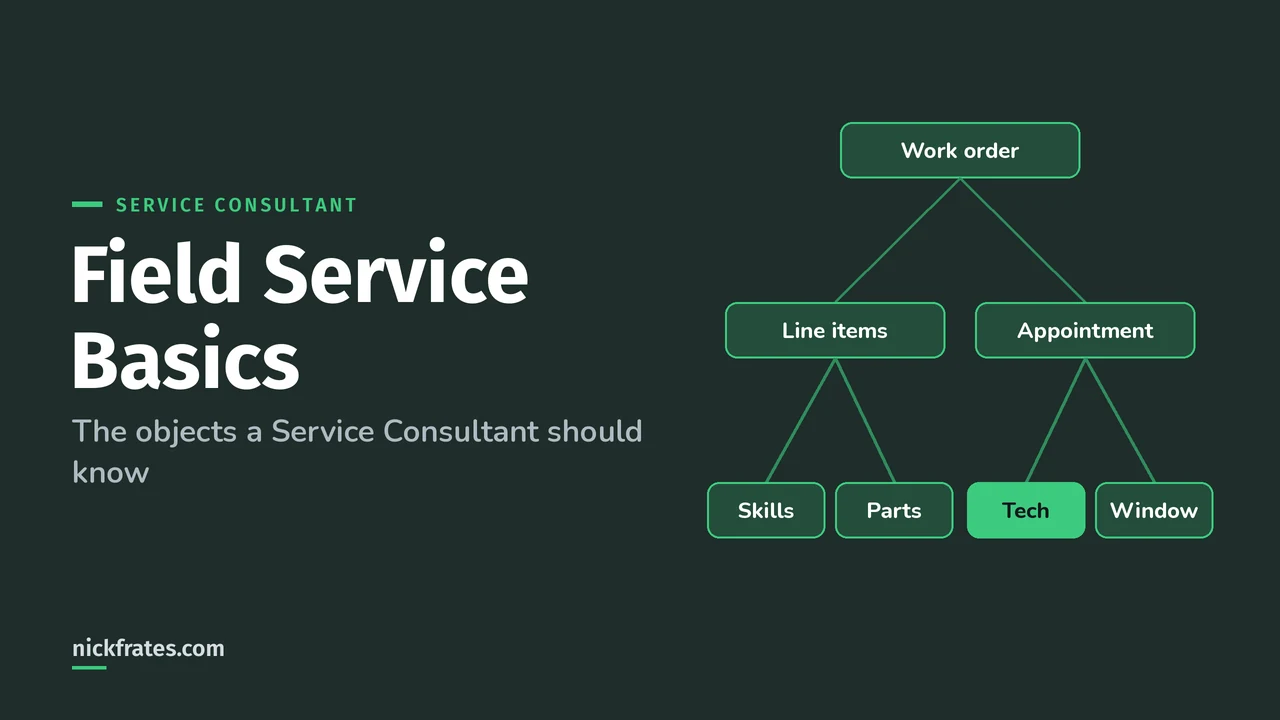
Salesforce Field Service, now called Agentforce Field Service and Operations, is the part of Service Cloud for work done on site: a work order says what needs doing, a service appointment says when and where, a service resource is the technician or crew who goes, and scheduling policies pick the best person for the job. Mobile workers then run the job from the offline-friendly Field Service mobile app.
As a Service Consultant you won't always build Field Service yourself, but you need to know when a case should turn into a field visit and what that means for the data model. Everything below comes from Salesforce Help, starting with the Agentforce Field Service and Operations overview.
What is Salesforce Field Service?
Field Service is a field service hub inside Salesforce for managing work orders, scheduling and your mobile workforce. Salesforce renamed it Agentforce Field Service and Operations, but the docs and the app still say "Field Service" in places, so expect both names.
It comes in three layers:
- Core features. Standard objects like work orders and service appointments, available once Field Service is enabled.
- The managed package. Guided Setup, the dispatcher scheduling console, the scheduling optimizer, and scheduling policies.
- The mobile app for iOS and Android. Workers update work orders, track parts, collect customer signatures and contact dispatchers, even offline.
Core features, the managed package and the mobile app are available in Enterprise, Unlimited and Developer Editions.
What are the core Field Service objects?
Six records do most of the work. Definitions are from the Field Service Key Concepts and Glossary:
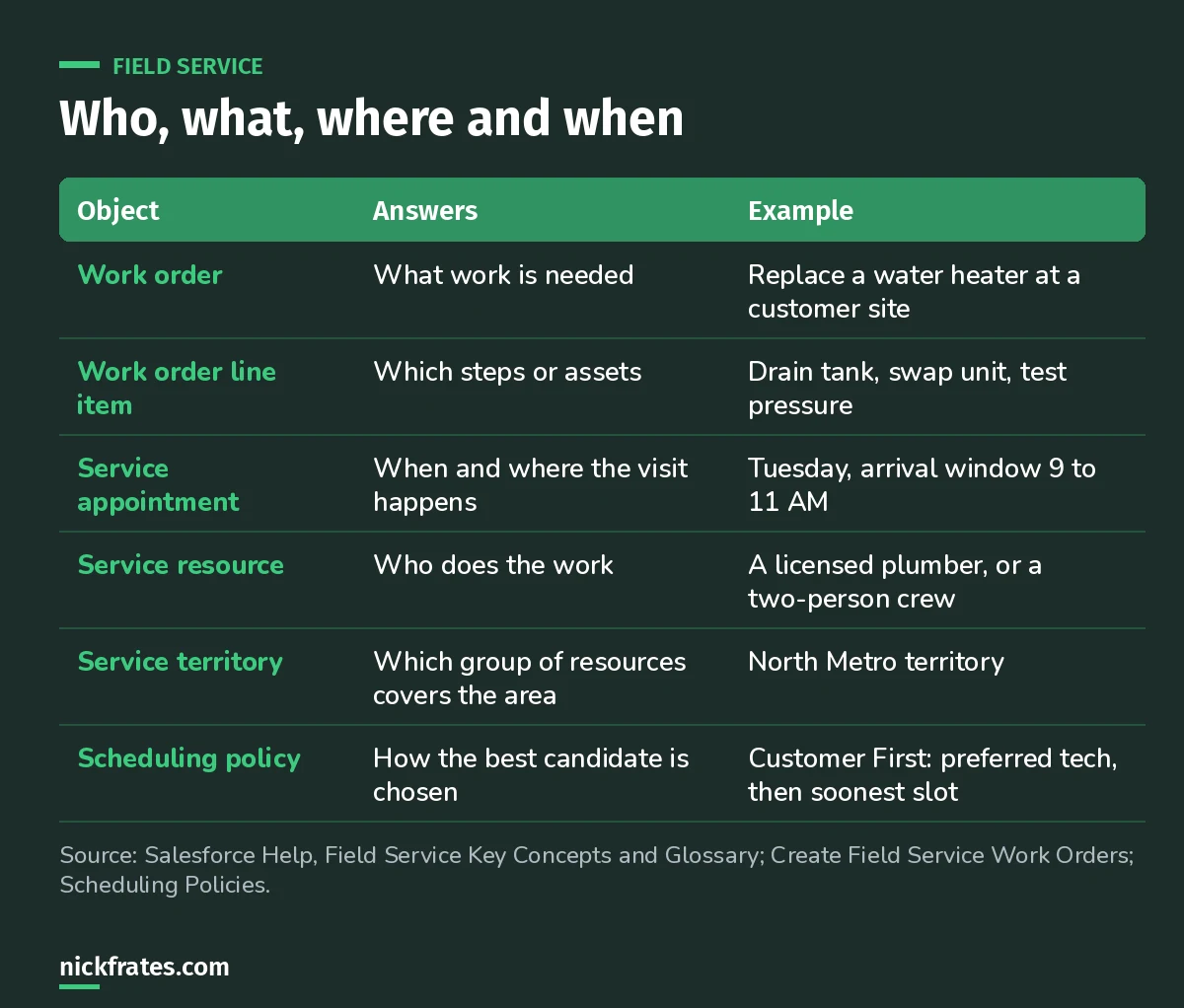
If you remember one thing: work order is what, appointment is when and where, resource is who.
- Work order: a request for field service work. It holds the work type and the details needed to schedule the appointment.
- Work order line items: the subtasks or assets on a work order. Each can be completed one by one and have its own appointment, work type, skills and products.
- Service appointment: the scheduling and assignment details of a visit, on site or remote, with or without an arrival window.
- Service resource: the mobile worker, also called a technician, who does assigned jobs based on availability. A crew is a team of resources scheduled together.
- Service territory: the most basic grouping of resources, by region, product line or customer type. Territories can form a hierarchy.
- Asset: an item a customer bought and installed. When an asset needs service under a maintenance plan, a work order is generated automatically.
How do work orders and work types fit together?
A work type is a template that pre-fills a work order with things like duration, crew size, required skills, required products, a service report template and attached knowledge articles. It can also auto-create the service appointment (Create Field Service Work Orders).
A few details that come up in design conversations:
- The work order's address flows down to its service appointments and line items.
- Work orders can have child work orders for complex jobs.
- Work orders and line items can each have multiple service appointments.
- Pick a price book on the work order if you want line items tied to products and pricing.
A quick note on how I study. Seventeen Salesforce certifications in, the single biggest thing that sped me up was taking practice tests early and often instead of rereading. Focus on Force was my go-to, and the rapid-fire tests were where the learning happened, because each miss pointed me at a gap. Cert Lab is built on that loop, with every explanation linked to current Salesforce docs.
Cert Lab by Nick Frates
Let the Service Consultant Cert Lab test you to success
Scenario questions on case management, channels, Omni-Channel and the rest of the exam, with an explanation for every option.
Start the Agentforce Service Consultant Cert Lab for $9.99 →How does Field Service scheduling work?
Scheduling policies define the rules and priorities for assigning appointments to resources. Each policy has work rules, which filter out resources who can't do the job, and service objectives, which you weight to rank the ones who can (Field Service Scheduling Policies).
Field Service ships four standard policies you can customize:
| Policy | When to use it |
|---|---|
| Customer First | Default customer-friendly scheduling: the customer's preferred employee first, then the soonest slot, then less travel. |
| High Intensity | High-volume periods like a storm, when worker productivity beats customer preferences. |
| Soft Boundaries | Same as Customer First, but resources can be shared across territories. |
| Emergency | Dispatching emergency appointments with the Emergency Chatter action. |
The Service Resource Availability, Earliest Start Permitted and Due Date work rules are mandatory in every policy. On top of policies, optimization can run globally, for one day in a territory, for one worker's day, or as a reshuffle to fit a high-priority job.
Who uses Field Service day to day?
- Call center reps take inbound calls, create work orders and book appointments from the service console.
- Dispatchers watch appointments by territory in the dispatch console and handle exceptions.
- Mobile workers do the job and update progress in the mobile app.
- Admins manage settings and permissions. Field Service has permission set licenses for dispatchers, scheduling and mobile.
Worked example: from case to field visit
A customer calls: their commercial freezer is warming up. Here's how I'd design the flow:
- The rep creates a case, sees the freezer asset on the account and checks the entitlement.
- Remote troubleshooting fails, so the rep creates a work order from the case using a "Refrigeration repair" work type. Duration, required skill and parts fill in automatically.
- The work type auto-creates a service appointment. The rep offers the customer an arrival window.
- The Customer First policy finds a certified technician in the right territory with the right skill.
- The technician completes the job in the mobile app, captures a signature, and the customer gets a service report.
What mistakes should you avoid?
- Mixing up work orders and appointments. The work order is the job; the appointment is the visit. One job can need several visits.
- Skipping work types. Without them, every rep types duration and skills by hand and scheduling quality drops.
- Recommending Field Service for remote-only support. If nobody goes on site, cases and Omni-Channel usually cover it.
- Forgetting the edition. Field Service needs Enterprise, Unlimited or Developer Edition.
- Ignoring the mandatory work rules when customizing a scheduling policy.
FAQ
Is Field Service the same as Field Service Lightning?
It's the same product line. Salesforce currently calls it Agentforce Field Service and Operations, and still uses "Field Service" in many places.
What's the difference between a work order and a service appointment?
A work order describes the work to be done. A service appointment holds when and where a visit happens and who is assigned.
Which editions include Field Service?
Salesforce Help lists Enterprise, Unlimited and Developer Editions for the core features, managed package and mobile app.
Is Field Service on the Agentforce Service Consultant exam?
It isn't named as its own section in the exam guide. It helps with solution design and case management scenarios, where knowing when a case needs a field visit matters.
Where should you go next?
- The Agentforce Service Consultant study guide covers every exam section with weights.
- Omni-Channel routing explained for routing work inside the contact center.
- Service Cloud telephony integration for the phone side of the contact center.
Cert Lab by Nick Frates
Practice the whole Service Consultant exam
Short quizzes for each of the eight exam sections plus full practice exams, every answer explained with links to current Salesforce docs.
Start the Agentforce Service Consultant Cert Lab for $9.99 →Hope this helps!
Best,
Nick


