Hey friends,
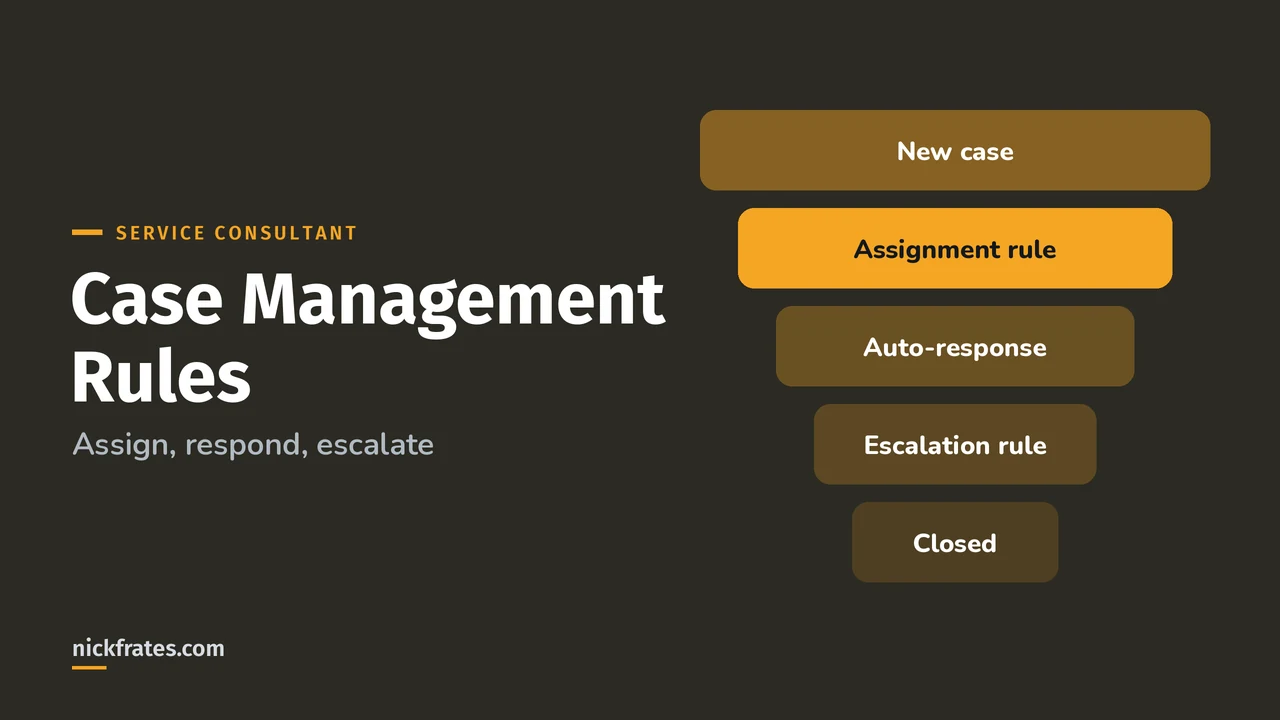
Salesforce case management runs on three rules: assignment rules decide who owns a new case, auto-response rules email the customer a confirmation, and escalation rules reassign or alert when a case stays open too long. Each rule checks its entries in order and acts on the first one that matches.
Get those three right and most of your case process runs itself. This post covers how each rule works, the limits that trip people up, and a worked example. Facts come from Salesforce Help, starting with Automate Cases with Rules. Case Management is 13% of the Agentforce Service Consultant exam, and "build and utilize case processing (routing, auto-response, queues)" is listed as a core skill.
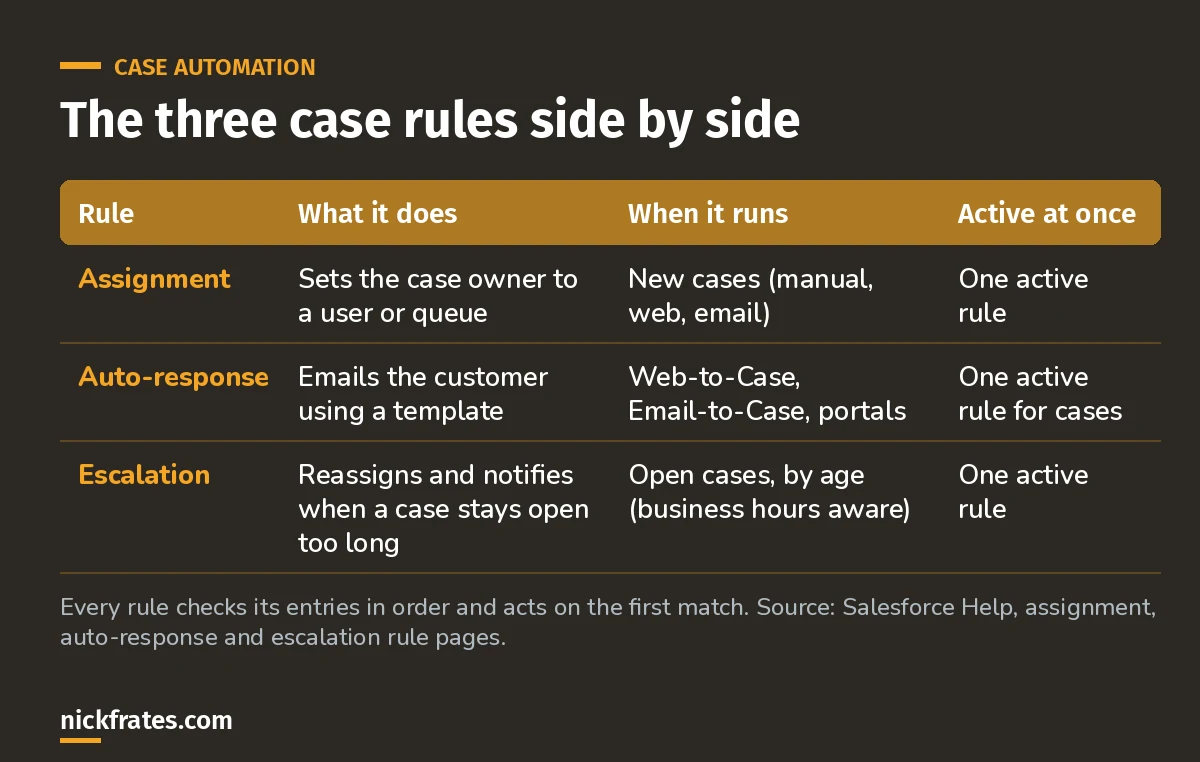
The one-active-rule limit is why you build many entries inside one rule, not many rules.
How do case assignment rules work?
A case assignment rule is a list of numbered entries. Salesforce checks them in order, assigns the case at the first match, and stops. If nothing matches, the case goes to the default case owner set on the Support Settings page (Create Assignment Rules).
Each entry has:
- Order: 1, 2, 3 and so on. Put your most specific entries first.
- Criteria: up to 25 filter criteria, or a formula that returns true.
- Assign to: a user or a queue.
- Do Not Reassign Owner: keeps the current owner when the case is updated.
- Email template: notifies the new owner. If the owner is a queue, the email goes to the queue email address and queue members.
- Predefined case teams: adds a case team when the entry matches.
Salesforce's own tip: make the last entry a catch-all with no criteria, so nothing falls through to the default owner by accident.
How do case auto-response rules work?
An auto-response rule sends the customer an email template when a case comes in through Web-to-Case, Email-to-Case or a portal. Like assignment rules, it stops at the first matching entry. If no entry matches, Salesforce uses the default template from your Web-to-Case settings (Create Auto-Response Rules).
Details worth knowing:
- You can create as many rules as you like, but only one case auto-response rule can be active at a time.
- The From address must be a verified organization-wide email address or the address on your user record, and it must be different from your Email-to-Case routing addresses.
- For Email-to-Case, Send response to all recipients replies to everyone on the To and Cc lines of the original email.
- Emails sent by case auto-response rules don't count toward the daily outbound email limit.
A bit about how I study. Focus on Force was my favorite resource on the way to 17 Salesforce certs. I started the traditional way, reading the study guide first and testing second, but rapid-fire practice tests are what actually made things stick. That's the loop Cert Lab is built on: quick questions, then explanations with current links and screenshots, then go again.
Cert Lab by Nick Frates
Let the Service Consultant Cert Lab test you to success
Scenario questions on assignment, auto-response, escalation, entitlements and the full case lifecycle, with an explanation for every option.
Start the Service Consultant Cert Lab for $9.99 →How do case escalation rules work?
An escalation rule watches open cases and, when one passes an age you set, reassigns it and sends notifications. Only one escalation rule can be active at a time (Set Up Escalation Rules).
- Rule entries are checked in order; the first match decides how the case escalates.
- Each entry can have up to five escalation actions, so you can escalate in stages over time.
- Age Over is set in hours, plus either 0 or 30 minutes. For example, 1 hour 30 minutes.
- Each action can reassign the case to a user or queue and notify the new owner, the current owner or other people.
- Entries can respect business hours, so a case opened Friday night doesn't escalate over the weekend.
What does this look like for a real support team?
Say you run support for a software company with a Tier 1 queue, a Spanish-speaking queue and a Premium queue. Here's how I'd set it up:
| Rule | Entry | Result |
|---|---|---|
| Assignment | 1. Account support level equals Premium | Premium queue |
| Assignment | 2. Case language equals Spanish | Spanish queue |
| Assignment | 3. No criteria (catch-all) | Tier 1 queue |
| Auto-response | 1. Origin equals Web, Priority equals High | "We're on it" template with a faster response promise |
| Auto-response | 2. No criteria | Standard confirmation template |
| Escalation | 1. Priority equals High, age over 2 hours | Reassign to the Tier 2 queue, notify the team lead |
Notice the order in the assignment rule. If the catch-all were first, every case would land in Tier 1.
Where do entitlements and milestones fit?
Escalation rules are the simple timer. When customers have contracted service levels, the exam expects you to know entitlements and milestones: entitlements confirm a customer is eligible for support, and milestones represent the required support steps your team must complete, like a first response, each tracked against a time limit. The exam guide calls out entitlements, milestones, assets, business hours and SLAs by name under Case Management.
What mistakes should you avoid?
- Creating a second rule instead of a new entry. Only one rule of each type is active, so a new rule quietly replaces the old one when you activate it.
- Broad entries first. The first match wins. Specific entries go at the top.
- No catch-all. Unmatched cases fall to the default case owner, often an admin who never checks.
- Using the Email-to-Case address as the auto-response From address. Salesforce requires them to be different.
- Escalating on calendar hours. Use business hours unless you really staff nights and weekends.
FAQ
Can I have more than one active case assignment rule?
No. You can create several, but you mark one as the active rule for cases created manually, from the web and from email.
What happens if no assignment rule entry matches?
The case is assigned to the default case owner you set on the Support Settings page. That's why a catch-all last entry is a good habit.
What's the difference between an auto-response rule and a workflow email alert?
Auto-response rules are built for confirming new web, email and portal cases to the customer and stop at the first match. Salesforce Help has a comparison table on the auto-response rules page.
Do escalation rules replace entitlements?
No. Escalation rules are a simple age-based timer. Entitlements and milestones model contracted service levels with multiple steps.
Where should you go next?
- The Agentforce Service Consultant study guide covers all eight exam sections.
- Sales and Service apps cheat sheet for the admin-level case basics.
- Salesforce flow types explained for automation beyond the built-in rules.
If you learn best by testing yourself, the Agentforce Service Consultant Cert Lab is built for that: short quizzes, then explanations for every option.
Cert Lab by Nick Frates
Let the Agentforce Service Consultant Cert Lab test you to success
Lessons, flashcards, a quiz for each of the eight exam sections and full practice exams, every answer explained.
Start the Service Consultant Cert Lab for $9.99 →Hope this helps!
Best,
Nick


