Hey friends,
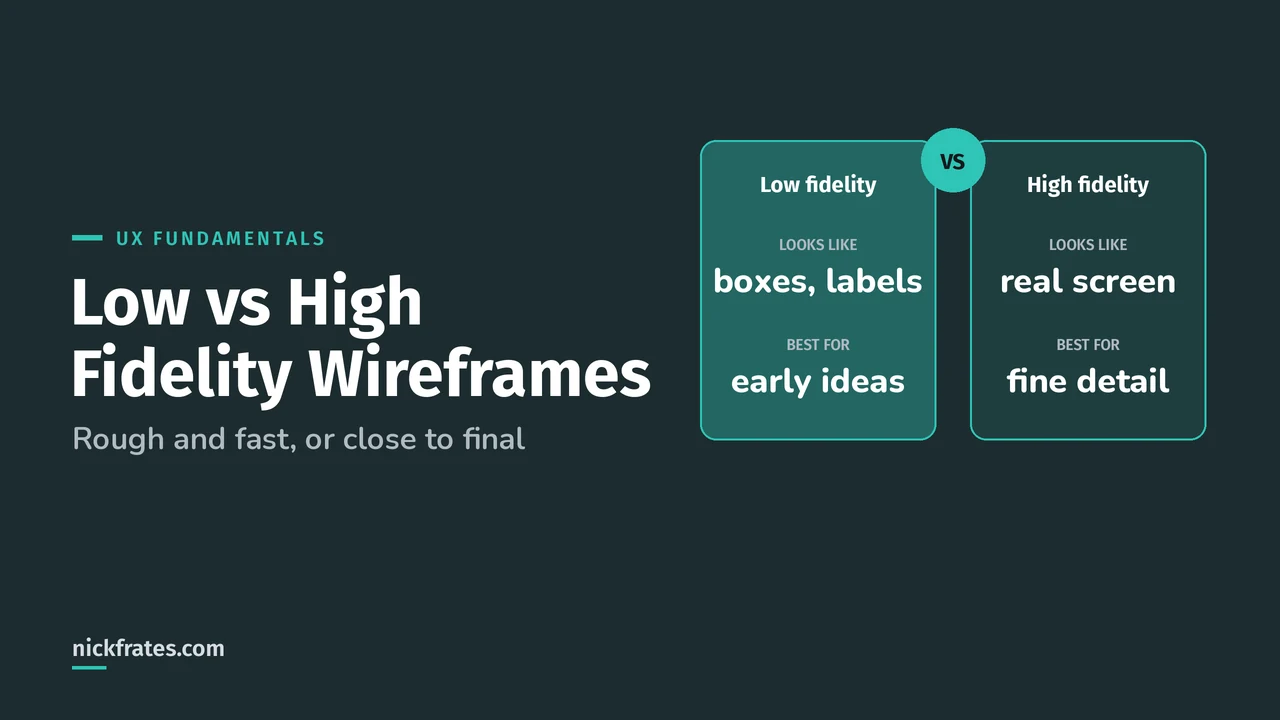
A low-fidelity wireframe is a quick, rough layout, often black and white boxes with labels, that shows structure and priority. A high-fidelity wireframe looks much closer to the final screen, with realistic content, spacing and hierarchy. Use low fidelity early, when you're exploring ideas and want fast, cheap changes. Use high fidelity later, when you need to test details such as hierarchy, legibility and interactions.
Fidelity matters for the Salesforce Platform UX Designer exam, too. UX Fundamentals asks you to pick the right UX method for a scenario, and prototyping shows up again in Testing. Here's how to tell the options apart and choose.
What is a wireframe?
NN/g, the Nielsen Norman Group, defines a wireframe in its UX deliverables glossary as a skeletal outline of a design layout that represents structure and functionality before visual design is considered. Think of it as the blueprint: where things go, not how they look.
What's the difference between a wireframe, a mockup and a prototype?
| Deliverable | What it is | Typical fidelity |
|---|---|---|
| Wireframe | A skeletal outline of the layout, structure and functionality | Low, though it can be made more detailed |
| Mockup | A static, high-fidelity simulation of a proposed UI, with colors and imagery | High |
| Prototype | An early version of a design used to test and validate ideas, interactions and functionality | Low or high, static or clickable |
So the words aren't opposites. A wireframe is a layout, a mockup is a polished picture, and a prototype is something you test. A prototype can be built from wireframes.
What does fidelity mean?
NN/g says fidelity is how closely something matches the look and feel of the final system. It varies in three areas, and you can mix them. A paper sketch can have realistic content, and a polished screen can have dummy text.
| Area | Lower fidelity | Higher fidelity |
|---|---|---|
| Interactivity | Links and menus don't work; a person plays the computer | Many or all links and menus are clickable |
| Visuals | Black-and-white sketch or wireframe, stand-in graphics | Graphics, spacing and layout look like the live system |
| Content | A summary of the content or a stand-in for images | All the content that would appear in the final design |
When should you use a low-fidelity wireframe?
Use it when you're still deciding what the page should even contain. NN/g lists these benefits of low fidelity:
- Less time to prepare, so you spend more time on the design itself
- Easy changes during or between test sessions: sketch a new idea and erase the old one
- Less pressure on users, who can tell it isn't finished and may be more willing to criticize it
- You're less attached to a rough draft, so it's easier to change or throw away
- Stakeholders can see that it's unfinished and expect changes
When should you use a high-fidelity wireframe?
Use it once the structure is settled and you need to test how it actually feels. NN/g notes high fidelity lets you test workflow, specific UI components, page hierarchy, type legibility and engagement. A few more benefits:
- Realistic system response, so there's no awkward wait while someone finds the next page
- Test participants tend to behave as they would with a real system
- The designer can concentrate on observing instead of operating the prototype
What does this look like for a Salesforce case page?
Say a support team wants a new Case record page. Here's how the same idea changes with fidelity:
| Stage | What you'd make | Question it answers |
|---|---|---|
| Low fidelity | Boxes on paper labeled Case header, Key fields, Activity timeline, Knowledge articles | Does this arrangement put what agents need most near the top? |
| Medium fidelity | Same layout in a wireframing tool, with real field names and sample content | Are the right fields and labels there, and in the right order? |
| High fidelity | A clickable version with realistic case data, spacing and components | Can an agent finish a task quickly, and is the hierarchy clear? |
Salesforce's own prep material describes designers building a prototype in a sandbox using SLDS assets such as icons and buttons, which is a very high-fidelity way to prototype. My sandbox types post covers which sandbox to pick, and the Lightning App Builder tutorial shows how pages get assembled.
If you learn best by testing yourself, the Platform User Experience Designer Cert Lab has quick practice questions on UX methods and prototyping, with every option explained.
Which fidelity should you choose?
| Situation | Choose |
|---|---|
| Comparing three layout ideas this week | Low fidelity |
| Getting early stakeholder agreement on what goes on a page | Low fidelity |
| Rapid rounds of feedback and iteration | Low to medium fidelity |
| Testing page hierarchy, legibility or a specific component | High fidelity |
| Checking a full workflow with a realistic system response | High fidelity (interactive) |
Trailhead's UX Designer prep makes the same point for rapid prototyping: keep early prototypes low to mid fidelity, because feedback is fast and high-fidelity work is a poor use of time while ideas are changing.
What mistakes do people make with wireframes?
- Polishing too early. If the layout is wrong, the polish is wasted.
- Showing something very polished to an executive, who may say it looks good and ask to ship it. NN/g warns about this trap.
- Skipping tests because it's only a wireframe. NN/g's advice is to test prototypes, clickable or not, high or low fidelity.
- Mixing up wireframes and mockups. Colors and imagery belong in a mockup, not a wireframe.
- Using made-up content when the test depends on real content.
How does this show up on the exam?
Expect a scenario that asks which prototype or method fits a stage of the project, and why. If the team needs fast feedback on structure, the answer is almost always low or mid fidelity. If it needs to test detail or interaction, it's higher fidelity.
I'll be honest about how I learned this stuff. I loved Focus on Force and used it through 17 Salesforce certifications. Reading the study guide first was slow for me; taking practice tests rapid-fire and studying every wrong answer was fast. So when I built Cert Lab, I built it around that: test yourself quickly, see why each option is right or wrong.
FAQ
What is the difference between low-fidelity and high-fidelity wireframes?
Low-fidelity wireframes are rough layouts, often black and white, that show structure. High-fidelity wireframes are closer to the final screen, with realistic content, visuals and sometimes clickable interactions.
Is a wireframe the same as a mockup?
No. A wireframe is a skeletal outline of a layout, and a mockup is a static high-fidelity simulation that includes colors and imagery.
Is a wireframe the same as a prototype?
No. A prototype is an early version of a design used to test ideas and interactions, and it can be low or high fidelity.
Should I start with low or high fidelity?
Start low. It's quicker to make and easier to change while you're still exploring.
What is mid fidelity?
A step between the two. The layout is still simple, but it uses real field names, labels and sample content.
Where should you go next?
- The Platform UX Designer study guide maps every exam section.
- UX research methods: how to test what you've sketched.
- UX design principles to judge a layout against.
Nick Frates, a senior Salesforce developer with 17 certifications, built the Platform User Experience Designer Cert Lab at nickfrates.com: rapid-fire practice questions for every exam section, each answer explained.
Cert Lab by Nick Frates
Let the Platform User Experience Designer Cert Lab test you to success
Lessons, flashcards, a quiz for each of the six exam sections and full practice exams, every answer explained.
Start the Platform User Experience Designer Cert Lab for $9.99 →Not ready to buy? Try a free lesson and see how fast you learn.
Hope this helps!
Best,
Nick