Hey friends,
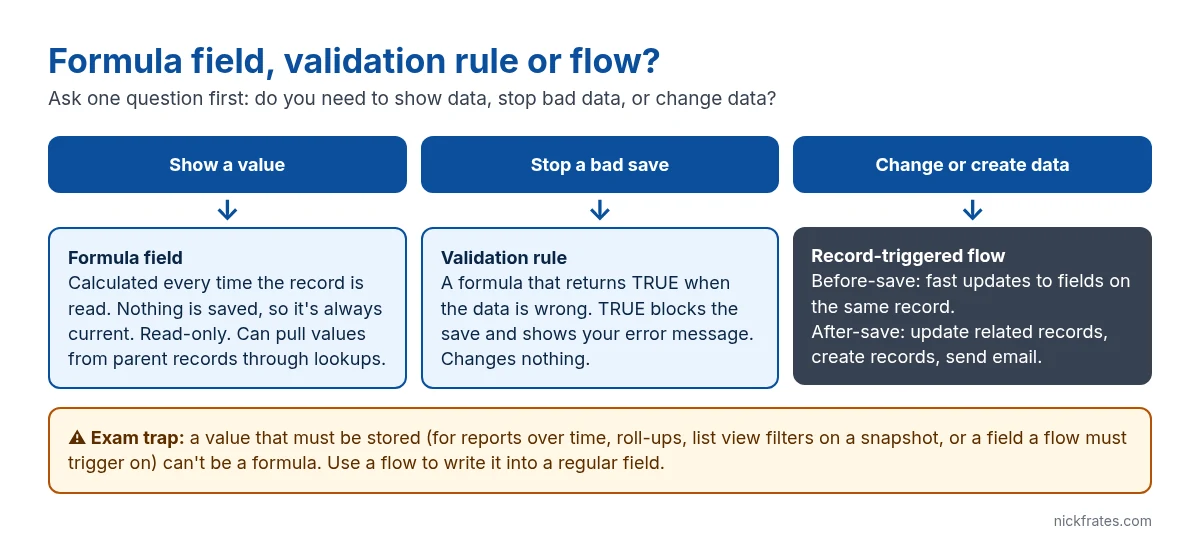
Formula fields, validation rules and flows all use the same formula language, which is why people mix them up. They do three different jobs. A formula field shows a calculated value. A validation rule blocks a bad save. A flow changes data. Pick by asking which of those three you need.
Formula field: show a value
A formula field is calculated every time someone reads the record. Nothing is stored, so it’s always current and can’t be edited. It can reach up to parent records through lookups, like showing the Account’s Industry on a Contact.
Limits that matter: a formula can be up to 3,900 characters and 4,000 bytes when saved, and it can’t exceed 15,000 bytes when compiled (compiled size counts every field and formula it references). Because the value isn’t stored, a flow can’t trigger on a formula changing, and a formula can’t capture a value as it was last month.
Validation rule: stop a bad save
A validation rule is a formula that returns TRUE when the data is wrong. TRUE blocks the save and shows your error message at the top of the page or next to a field. It never changes a value.
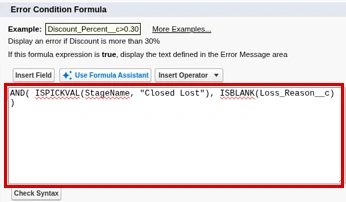
The classic mistake is writing the rule the wrong way round. Write the condition for bad data, not good data.
Record-triggered flow: change or create data
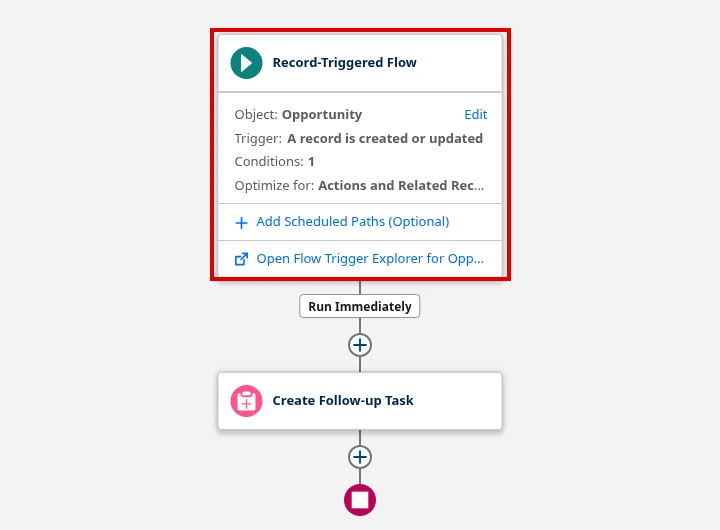
When the job is to set, update or create something, use a record-triggered flow. There are two timings:
- Before-save (Fast Field Updates): updates fields on the record being saved. It runs before the record is written, uses no extra DML and is the fastest option.
- After-save (Actions and Related Records): runs after the save, so it can update related records, create new ones, send email or call actions.
How they interact on save
Order matters for exam questions. On save, before-save flows run first, then Apex before triggers, then validation rules, then the record is saved and after-save flows run. So a before-save flow can fill in a field that a validation rule then checks. Formula fields are recalculated whenever they’re read. See the order of execution.
| Need | Tool | Why not the others |
|---|---|---|
| Show days since last activity | Formula field | Nothing to store or block |
| Require Loss Reason when Closed Lost | Validation rule | A flow can do it with a Custom Error element, but a validation rule is simpler; a formula can’t block |
| Copy the account owner onto a case | Before-save flow | A formula would work for display, but not for assignment, reports over time or triggering |
| Create a task when an opportunity closes | After-save flow | Formulas and validation rules can’t create records |
Cert Lab by Nick Frates
Drill these choices before exam day
The Platform App Builder Cert Lab ($9.99) has lessons and exam-style questions on business logic and process automation, including when to use each tool.
See the Platform App Builder Cert Lab – $9.99 →FAQ
Can a validation rule use a formula field? Yes. It can reference formula fields like any other field.
Should I ever use a flow instead of a formula field? Yes, when the value must be stored: to report on it over time, filter a roll-up summary on it, or trigger automation when it changes.
Do validation rules run on records a flow updates? Yes. Records saved by a flow go through validation rules, which is a common cause of flow fault emails.
Hope this helps!
Best,
Nick


