Hey friends,
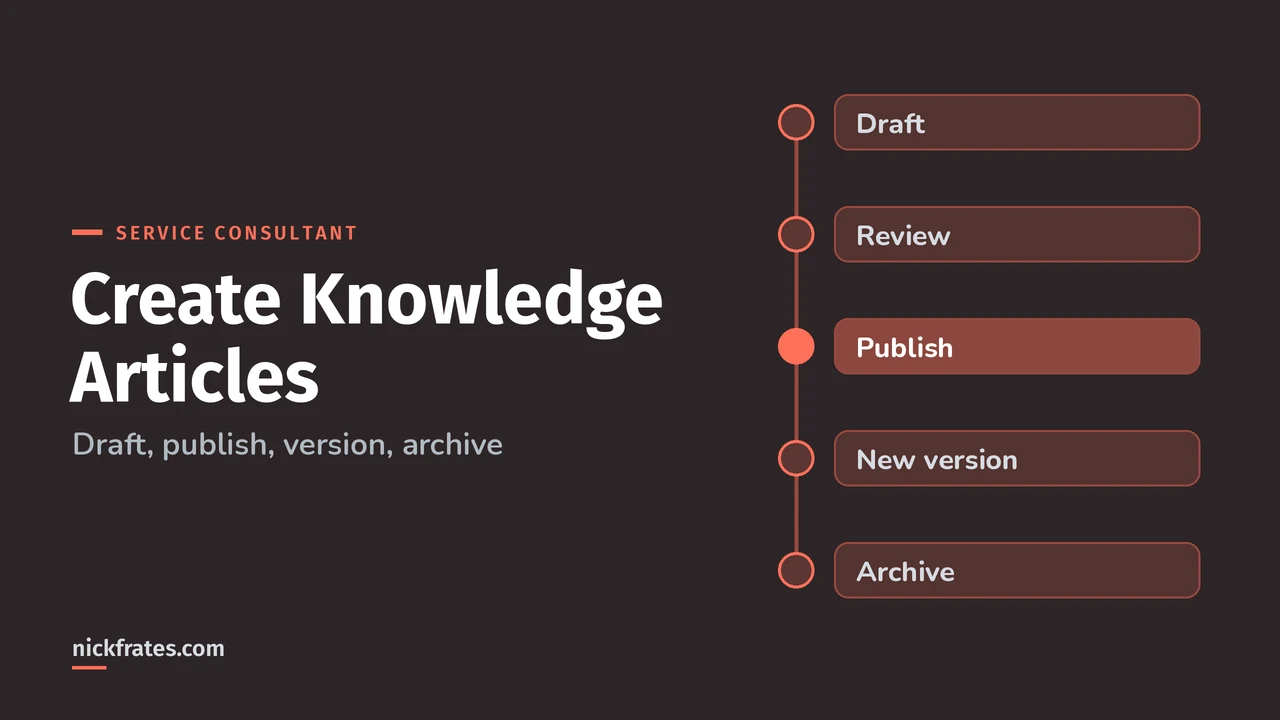
To create a Knowledge article in Salesforce, open the Knowledge tab, click New, pick the record type and language, write the content, assign data categories, then publish it, schedule it, or submit it for approval. To update it later, edit a draft copy so the published version stays live until you republish.
That's the short version. Below is the full walkthrough with the details that trip people up, all from Salesforce Help, starting with Create and Edit Articles. Knowledge Management is 12% of the Agentforce Service Consultant exam, and the article lifecycle is named in that section.
Who can create Knowledge articles?
Anyone who does more than read articles needs the Knowledge User license, which you turn on by checking Knowledge User on the user record in Setup. By default, internal users with Read permission can read published articles (Lightning Knowledge User Access).
In Lightning Knowledge, authoring actions like create, edit, publish and archive come from profile permissions or permission sets. Salesforce's own example is an "Article Manager" permission set that can create, edit, publish and assign articles.
How do you create a Knowledge article step by step?
- Check for duplicates first. Use Check Similar Articles so you update an existing article instead of writing a near-copy.
- Start the article. From the Knowledge tab, click New. Or clone an existing article, or draft one from a case with Einstein Knowledge Creation.
- Choose the record type and language if your org uses more than one.
- Write the content. Use the rich text editor, and insert reusable Knowledge Blocks for content that repeats across articles.
- Apply data categories that match how users browse. Users find an article only through its explicitly applied category, that category's parent or a child of it.
- Finish the workflow. Assign it to someone to edit or review, publish it, or submit it for approval. If you have publish rights and an approval process exists, you'll see both buttons.
How do you publish or schedule a Knowledge article?
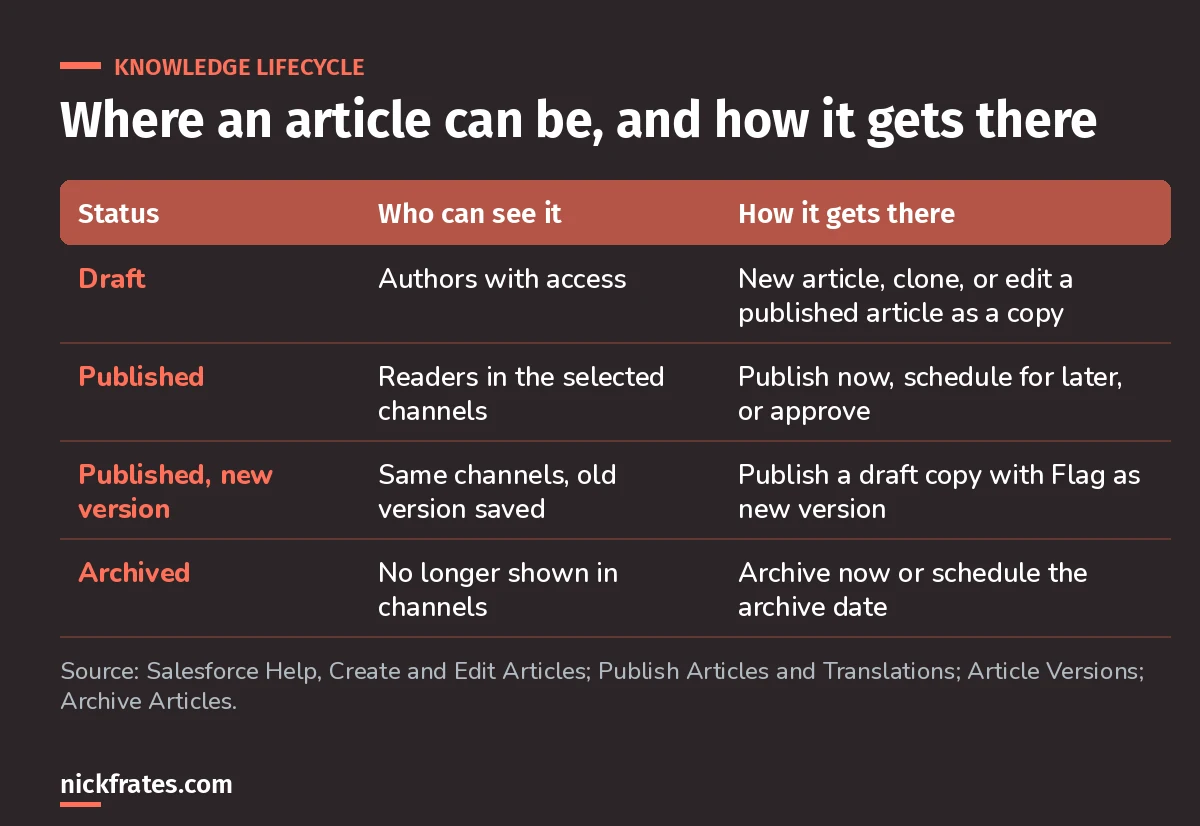
Publishing makes the article visible in every channel you selected, and publishing an article also publishes its translations. You can publish now or schedule a future date and time (Publish Articles and Translations).
- Scheduled publications run in 15-minute intervals, so the exact minute isn't guaranteed.
- A large article in an approval process can be queued for a few minutes, and Last Modified By shows Automated Process.
- In Lightning Experience, there's no Cancel Publication button on a draft article.
The most common mistake is editing the original published article and taking it offline by accident.
A quick note on how I study. Seventeen Salesforce certifications in, the single biggest thing that sped me up was taking practice tests early and often instead of rereading. Focus on Force was my go-to, and the rapid-fire tests were where the learning happened, because each miss pointed me at a gap. Cert Lab is built on that loop, with every explanation linked to current Salesforce docs.
Cert Lab by Nick Frates
Let the Service Consultant Cert Lab test you to success
Scenario questions on the Knowledge lifecycle, data categories, Knowledge-Centered Service and every other exam section, with an explanation for every option.
Start the Agentforce Service Consultant Cert Lab for $9.99 →How do you edit a published article without taking it offline?
Choose to keep the article published and work on a draft copy. When you publish the copy, it replaces the last published version. If you edit the original instead, it disappears from the channels until you republish (Create and Edit Articles).
How do Knowledge article versions work?
Check Flag as new version when you publish, and Salesforce saves the previous version and publishes the new one with the next version number. Readers also see a new-article icon in the channels (Salesforce Knowledge Article Versions).
- If Version 2 is attached to a case and you publish Version 3, the case shows Version 2 (outdated). That keeps a permanent record of what the rep actually used.
- By default, Salesforce stores up to ten versions of an article, plus any versions attached to cases.
- In Lightning Experience, you can delete archived and draft versions only.
- You can restore an older version and republish it, unless a draft already exists.
How do you archive an outdated article?
Archiving removes an obsolete published article from all Knowledge channels. You can archive now or schedule it (Archive Articles and Translations).
- Editing a published article that's scheduled for archiving cancels the archive.
- Archiving in Lightning Experience also permanently deletes the article's published translations.
- You can't archive the primary version while it still has a draft.
Worked example: fixing a wrong article
A rep notices the "Reset your router" article has an old menu path. Customers are reading it on the help center right now. Here's how I'd handle it:
- Edit the article and keep the published version live, working on a draft copy.
- Fix the steps and check the data categories still match how customers browse.
- Publish with Flag as new version, so cases that used the old one show it as outdated.
- Archive the separate "Router reset (old model)" article the rep also found, since that model is gone.
What mistakes should you avoid?
- Editing the original published article and making it vanish from the help center.
- Skipping Check Similar Articles and creating duplicates.
- Too many data categories. Pick the ones users would naturally browse.
- Forgetting the Knowledge User license and wondering why an author can only read.
- Archiving in Lightning without realizing it deletes the published translations.
FAQ
What permission do I need to create Knowledge articles?
The Knowledge User license on your user record, plus profile or permission set permissions for the authoring actions you need, like create, edit and publish.
Can I schedule a Knowledge article to publish later?
Yes. You can publish now or pick a future date and time. Scheduled publishing runs in 15-minute intervals.
How many versions of an article does Salesforce keep?
By default, up to ten versions, plus any versions attached to cases.
What happens to cases when I publish a new version?
The version attached to the case is marked outdated, so you can always see what content the rep used.
Where should you go next?
- The Agentforce Service Consultant study guide covers every exam section with weights.
- Service Cloud Trailhead for the official Lightning Knowledge trail.
- Omni-Channel routing explained for routing the cases these articles help resolve.
Cert Lab by Nick Frates
Practice the whole Service Consultant exam
Short quizzes for each of the eight exam sections plus full practice exams, every answer explained with links to current Salesforce docs.
Start the Agentforce Service Consultant Cert Lab for $9.99 →Hope this helps!
Best,
Nick


