Hey friends,
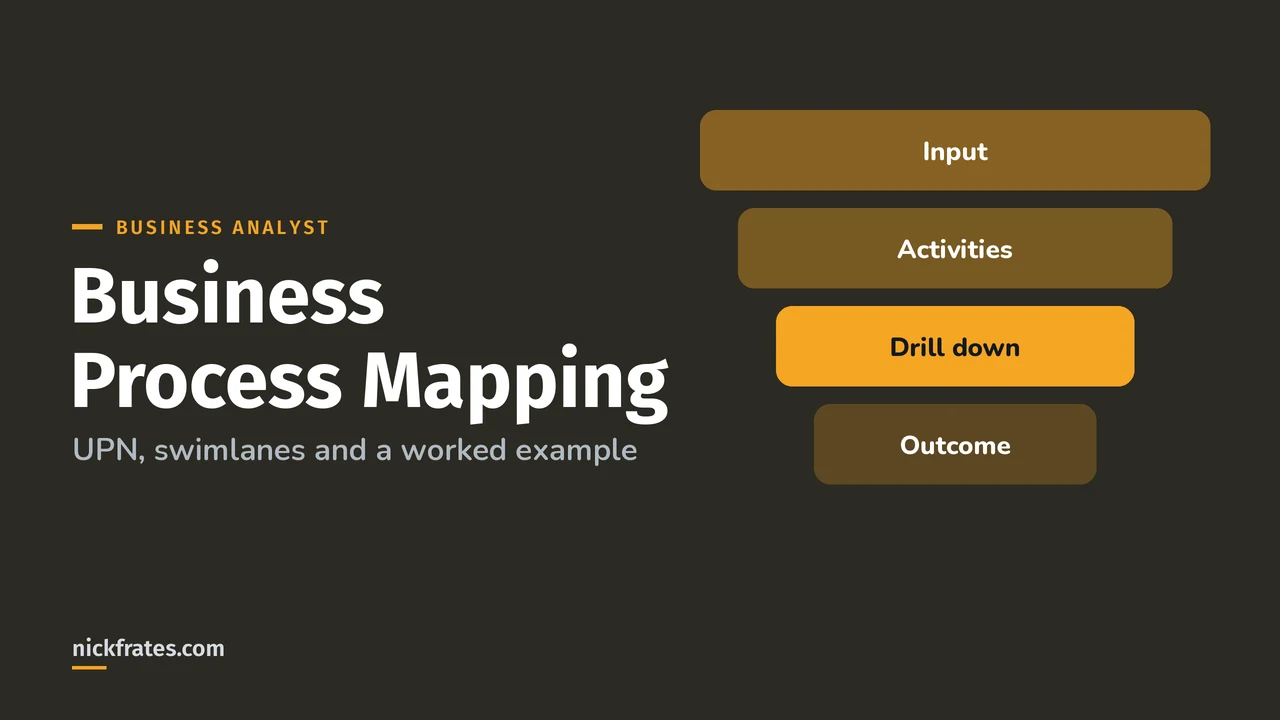
Business process mapping for Salesforce means drawing who does what, when and why, from a clear input to a clear outcome, before anyone touches Setup. Salesforce's own Trailhead content teaches Universal Process Notation (UPN) for this: small diagrams of 8 to 10 activity boxes that drill down into more detail.
It's also 12% of the Business Analyst exam: define the scope of a complex process, break it into steps, document it to find requirements, and keep it in a version-controlled repository.
Why map the process before building?
Trailhead's process mapping module names the two big wins: it makes the process easier to communicate across teams, and it shows where the flaws and improvements are. In my experience it also stops the classic mistake of automating a broken process.
One mindset shift from Create a Business Process Map: think in terms of input and outcome, not screens. "Lead to Revenue" starts with a lead qualified by marketing and ends with revenue booked into accounts receivable. Salesforce is only part of that journey.
UPN vs swimlane flowcharts
Swimlane flowcharts put each role in a horizontal lane and draw the steps across them. They're familiar and fine for a small process. The trouble starts when the process grows: lanes multiply, arrows cross, and nobody can read it on one screen.
UPN fixes that with a few rules. Trailhead says a UPN map is tighter, with fewer symbols, less ambiguous, and read left to right (Understand UPN). Instead of lanes, the who sits inside each activity box.
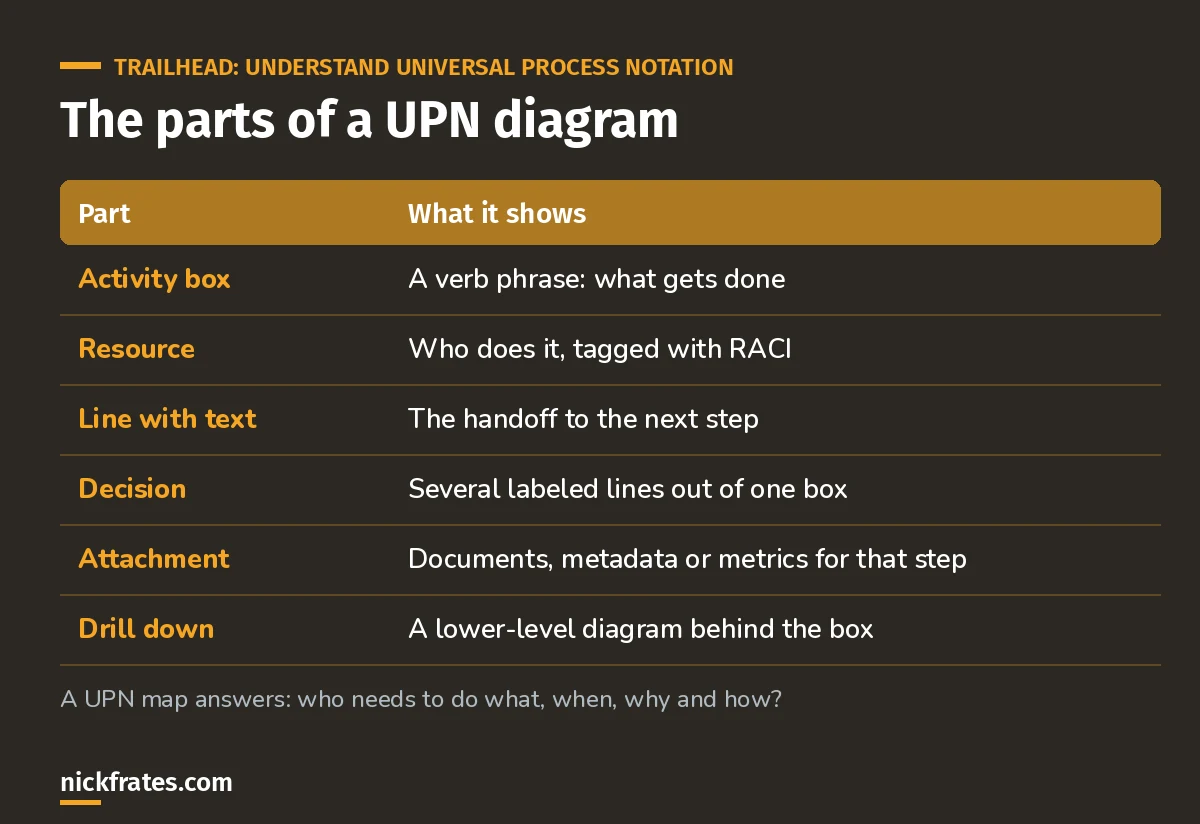
Six parts. That's the whole notation.
And the 5 principles of UPN from Trailhead:
- No more than 8 to 10 activity boxes on a screen.
- Drill down from an activity box to a lower level for detail.
- Attach supporting information to an activity box.
- Control view and edit with access rights.
- Keep version control and change history at the diagram level.
| Swimlane flowchart | UPN | |
|---|---|---|
| Who does it | A lane per role | Inside each box (with RACI) |
| Big processes | One huge diagram | A hierarchy of small diagrams |
| Decisions | Diamond symbols | Labeled lines out of a box |
| Best for | Quick sketches, small processes | Projects, audits, anything that grows |
A worked Salesforce example: Lead to Opportunity
Say a sales VP complains that good leads go cold. Here's how I'd map it. Input: a new lead. Outcome: an opportunity qualified by sales. That scope came straight from the Trailhead examples, and agreeing on it first saves a lot of arguing later.
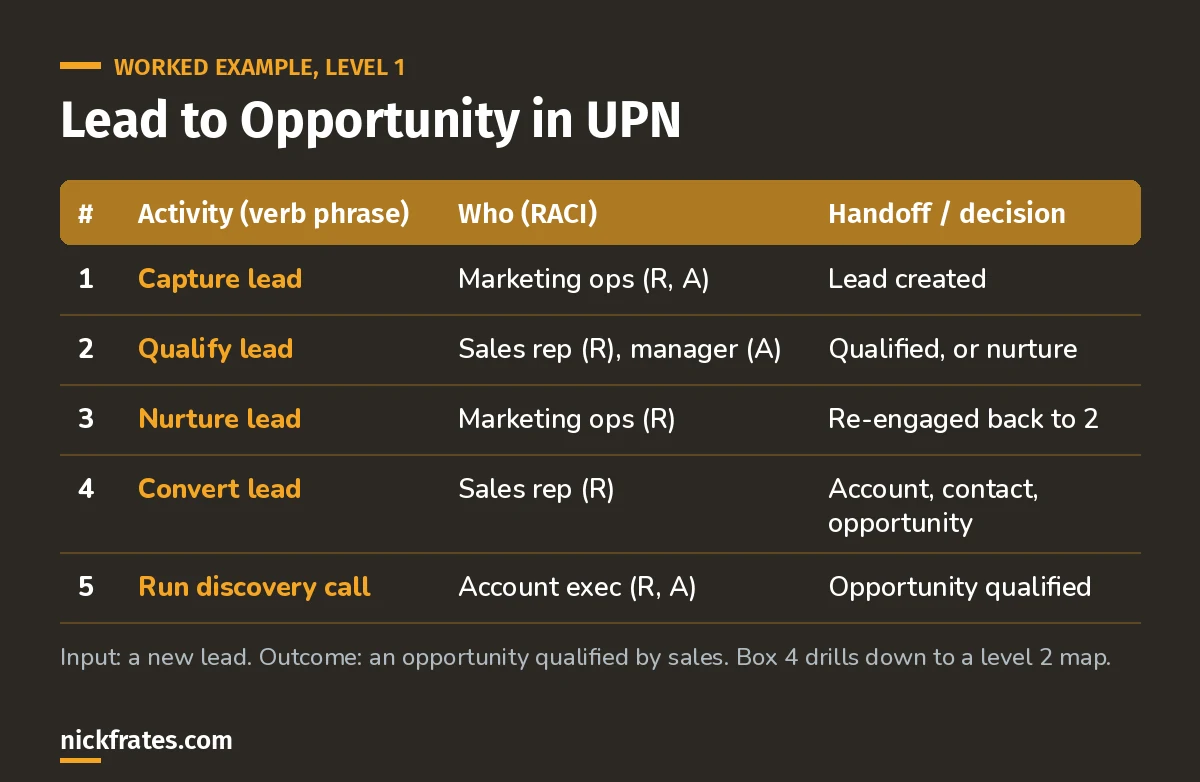
Five boxes at level 1. The detail lives one level down.
Now the analysis. On projects like this, box 2 is usually where the problem hides: nobody agrees what "qualified" means, so leads sit. That finding turns into requirements, like a required qualification field, a lead status path and a report on leads untouched for 3 days.
Trailhead's in-practice unit does the same thing at a bigger scale for Ursa Major Solar: a level 1 Lead to Revenue map where most boxes drill down to their own diagrams.
Here's why I care about practice questions so much. I earned 17 Salesforce certifications, and Focus on Force was a big part of that. Then I found I learned fastest by taking practice tests fast and often instead of rereading. Cert Lab is my version of that: fast testing, with explanations that link to current Salesforce docs and screenshots.
Cert Lab by Nick Frates
Let the Business Analyst Cert Lab test you to success
Scenario questions on scoping processes, UPN, current vs future state and turning maps into requirements, every answer explained so the reasoning sticks.
Start the Business Analyst Cert Lab for $9.99 →How to run a process mapping workshop
- Agree the input and outcome first. Write them at the left and right of the board.
- Map the current state as it really is, not as the policy says. Ask the people who do the work.
- Keep each diagram to 8 to 10 boxes. If it grows, drill down.
- Tag the who with RACI on every box.
- Mark pain points as you go, then design the future state as a new version.
Common mistakes
- Mapping the Salesforce screens instead of the business process.
- One giant diagram nobody can read.
- Skipping the current state and jumping to the solution.
- Keeping the map in someone's laptop instead of a shared, versioned place.
FAQ
Is UPN required for the Business Analyst exam?
The guide doesn't name a notation, but the recommended Trailhead modules teach UPN, so know its parts and principles.
What's SIPOC?
Suppliers, Inputs, Process, Outputs and Customers. Trailhead suggests it for scoping a complex process before a detailed map.
Where should you go next?
- Salesforce Business Analyst study guide
- Salesforce user stories guide
- Business Analyst practice questions
Cert Lab by Nick Frates
Let the Business Analyst Cert Lab test you to success
Lessons, flashcards, a quiz for each of the six exam sections and full practice exams, every answer explained.
Start the Business Analyst Cert Lab for $9.99 →Hope this helps!
Best,
Nick