How to Quickly Document Your Flows

Happy Saturday!

This week's tip dives into the technical side of Salesforce, but the payoff is worth it: you’ll learn how to create detailed Salesforce Flow documentation quickly and efficiently with tools like ChatGPT or Claude AI.

This method also allows you to upload flows to these AI tools for insights on improving performance, debugging, or re-architecting them for optimal functionality.

Why This Matters:

  • Save Time: Skip manually documenting complex flows.
  • Enhance Understanding: Get clear explanations of flows you’re unfamiliar with.
  • Improve Quality: Use AI to identify inefficiencies and suggest improvements.
  • Delight Clients: Generate professional documentation with ease.

Getting Started:

Here’s what you need to set up before using AI for flow documentation:

  1. Visual Studio Code: Install and configure it as your development environment.
  2. Salesforce CLI: This tool lets you connect to your Salesforce org and retrieve metadata.
  3. Node.js (optional): A runtime needed for Salesforce CLI and other tools.

 

Step-by-Step Workflow:

Install Tools:

Create a Project and Authenticate with Your Org:

  • Use the VS Code Command Palette (Ctrl+Shift+P or Cmd+Shift+P)
  • Create a new Project (name it anything you like)
  • Open the Command Palette again (Ctrl+Shift+P or Cmd+Shift+P)
  • Select “Authorize an Org” and log in to the Salesforce environment containing your flows.


Retrieve Flow Metadata:

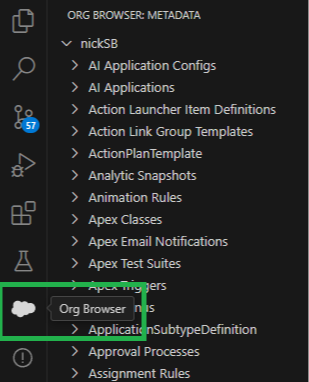
  • In VS Code, click the cloud icon labeled “Org Browser.”
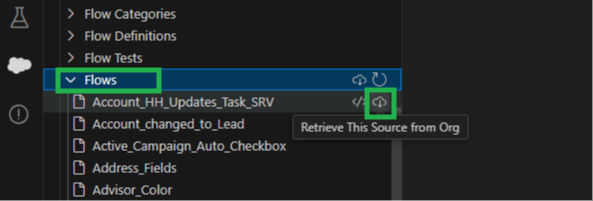
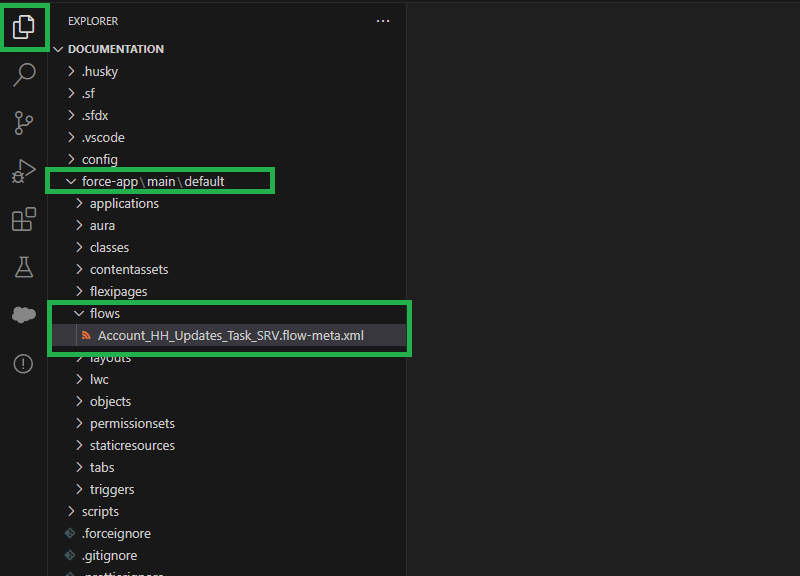
  • Scroll to “Flows” and download the metadata for the flows you want to document.


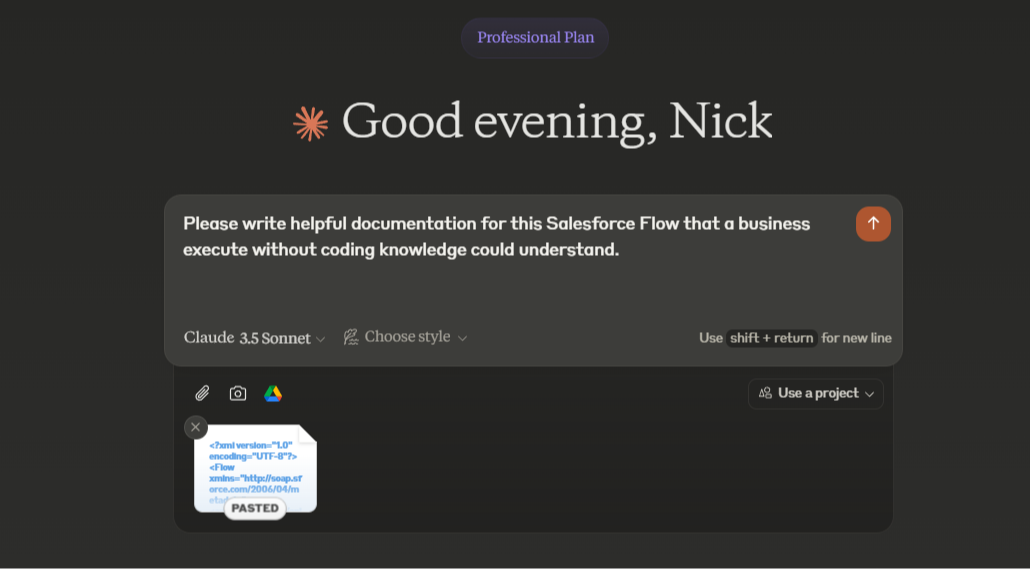
Generate Documentation:

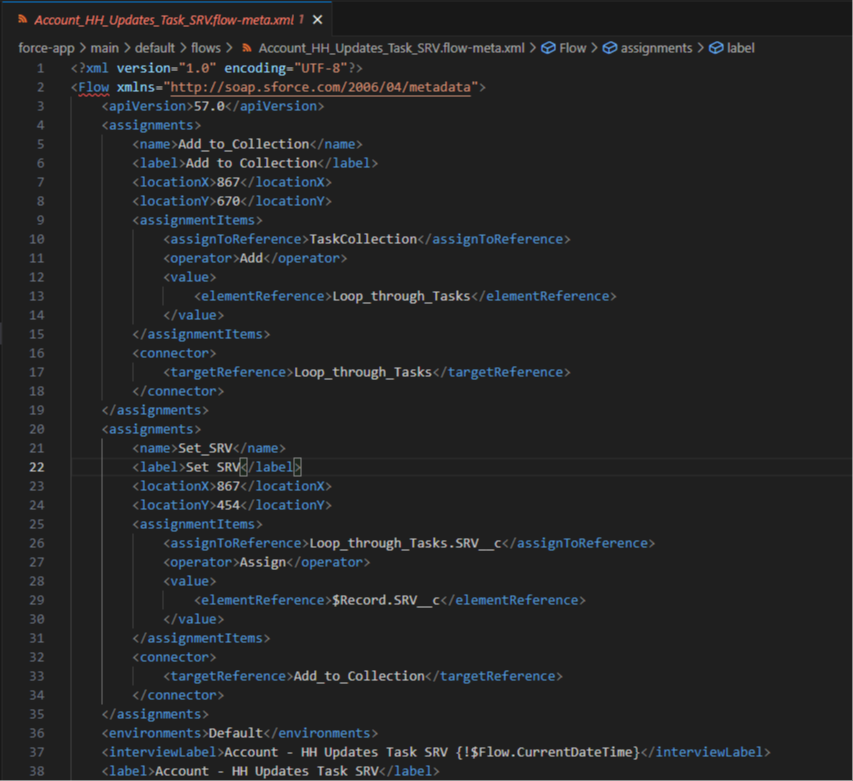
  • Open the retrieved flow’s XML file in VS Code
           
           
  • Copy its contents and paste them into ChatGPT or Claude AI.


You can ask the AI to:

  • Summarize the flow.
  • Suggest improvements.
  • Diagnose potential bugs.
           

And that's it! The AI will output new documentation (or answer your other questions) just as requested.

You can also ask questions like

  • How might you improve this flow?
  • On a scale of 1-10 how well in this flow built?
  • What are the strengths and weaknesses of this flow? 

In conclusion, this is a powerful time saving approach to creating flow documentation

And this method can double as an AI mentor for your flow building skills!

Hope it helps.


Best,

Nick