Hey friends,
Picture this. Your agent gives a loyal customer a resort credit. Then the customer politely asks for five more. And the agent says yes.
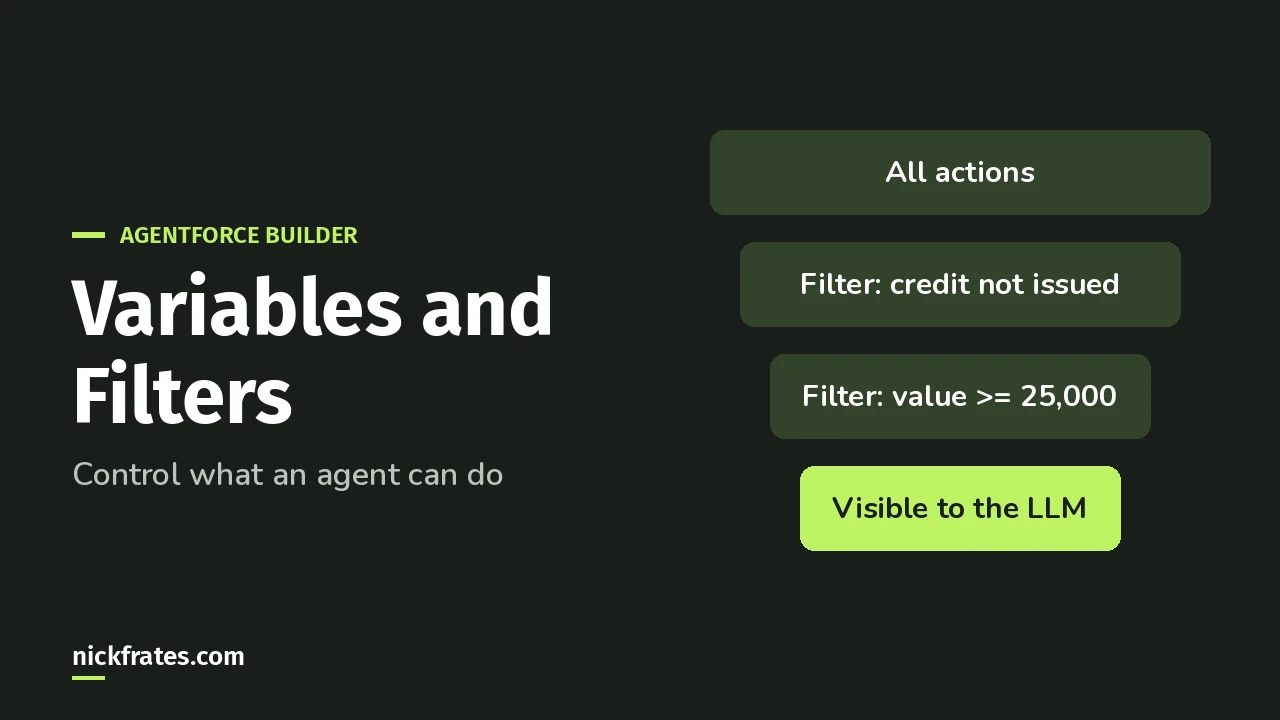
Agentforce variables and filters stop that. A variable remembers something across the conversation, like “a credit was already issued.” A filter hides an action from the AI until your conditions are true, so the AI can’t use it at all.
I’ll walk through Salesforce’s own example from Trailhead, with real screenshots from the builder.
Why aren’t instructions enough?
Because instructions aren’t deterministic (they don’t produce the same result every time). You can write “only issue one credit”, and the LLM (the large language model behind the agent) will usually follow it.
Trailhead puts it plainly: instructions leave agents “vulnerable to LLM mistakes (or extra-convincing customers).”
A filter works differently. If the conditions aren’t met, the LLM never even sees the action. Nothing to talk it into.
How do I set this up in Agentforce Builder?
Here’s the Trailhead scenario: issue a resort credit only to customers with a lifetime value of $25,000 or more, and only once per session (one conversation).
First, create the variable. In the Explorer, click Variables, then New, then Create Custom Variable. Name it isCreditIssued, make it a Boolean, add a description, and set the default value to False.
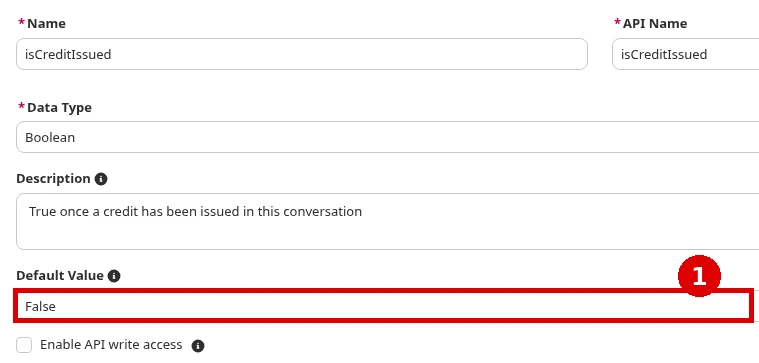
Booleans default to False anyway. Trailhead sets it explicitly so the next person reading your agent understands the logic (a small kindness to your coworkers).
Then, filter the action. In the subagent, go to Actions Available for Reasoning, expand the credit action and click Add filter. Build the condition: available when isCreditIssued == False, and LifetimeValue >= 25000.
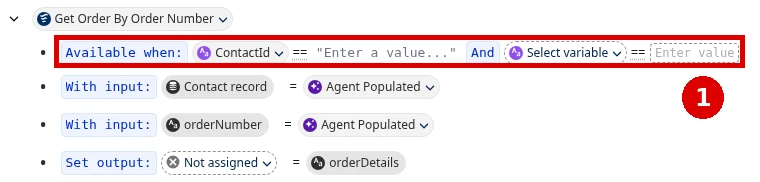
(The screenshot shows the same filter row on a different action, so you can see where it lives.)
Finally, flip the variable. Add a follow-up action to the credit action: Set a variable, isCreditIssued, True. Save.
Now the first credit hides the action for the rest of the session.
One honest limit: this variable resets to False every session. Trailhead says that in a real production agent you’d use something stricter, like a flow that checks whether the customer already got a credit.
Agentforce Specialist Cert Lab
This is a named exam objective
The Agentforce Specialist exam asks you to manage deterministic behavior with filters, variables and template expressions. Practice it with explained answers.
Start the Agentforce Specialist Cert Lab for $9.99 →How do I read an “available when” clause?
In Script View, a filter is one line of Agent Script. Here’s the example from Trailhead’s quiz:
Read it left to right. The action is sent to the LLM only when the customer is verified and the office is open. If either is False, the agent doesn’t know the action exists.
To use a variable in reasoning instructions instead, the Agent Script reference says to wrap it like this: {!@variables.your_variable}.
What’s the difference between custom and linked variables?
The reference describes two kinds:
| Custom variable | Linked variable | |
|---|---|---|
| Value comes from | A default, then the agent can change it (if mutable) | A source, such as an action’s output or the messaging session |
| Default value | Allowed | Not allowed |
| Can the agent set it? | Yes, when it’s mutable | No |
| Types | string, number, boolean, object, date, lists | string, number, boolean, date (no object or list) |
Here’s the reference’s own custom variable example:
Two details trip people up. Boolean values are case-sensitive, so it’s True or False, not true. And leave off mutable if a value should never change.
Every subagent in the agent can read your variables. That’s what makes them useful for rules that span the whole conversation.
Where do I go next?
Variables and filters are one of the exam guide’s AI Agents objectives, and AI Agents is 35% of the exam.
If you’re building alongside this, the Agentforce Builder walkthrough covers Preview and activation, and Agentforce instructions best practices covers the part that stays in plain language. The certification study guides compare every cert.
Agentforce Specialist Cert Lab
Get exam-ready
Practice every Agentforce Specialist section with explained answers before you book.
Start the Agentforce Specialist Cert Lab for $9.99 →What’s the first rule you’d lock down with a filter? Let me know!
Hope this helps!
Best,
Nick


