Hey friends,
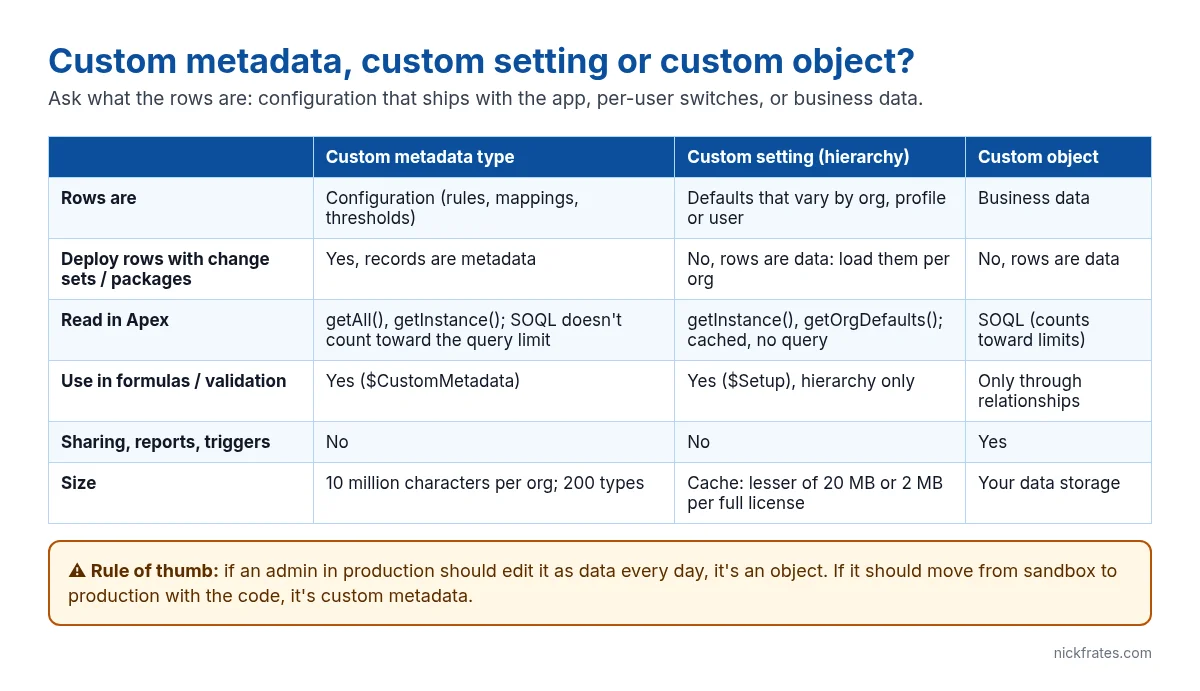
All three let you store rows of custom data, so they look interchangeable. They aren’t. The real question is what kind of rows they are: configuration that should move with your code, defaults that vary by user or profile, or business data people create every day. Pick wrong and you end up re-entering settings by hand after every deployment, or burning SOQL queries on values that never change.
Custom metadata types: configuration that deploys
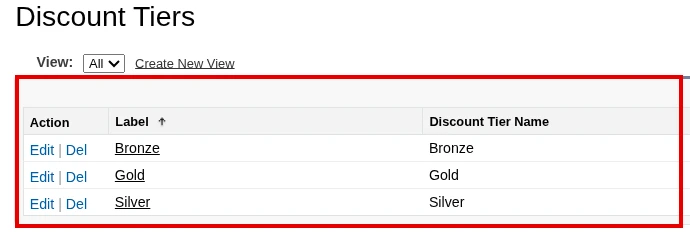
A custom metadata type looks like an object (it ends in __mdt), but its records are metadata. That means records travel in change sets, packages and source control with the code that uses them. Use it for anything that should be identical in sandbox and production: discount tiers, field mappings, routing rules, feature switches, integration endpoints (without secrets).
Reading it in Apex doesn’t use a SOQL query when you use the built-in methods, and even SOQL against custom metadata doesn’t count toward the per-transaction query limit:
You can also use it in formulas and validation rules, so the threshold lives in one place:
Limits worth knowing: 200 custom metadata types per org (plus up to 150 more from certified managed packages), 100 fields per type and 10 million characters of custom metadata per org (Custom Metadata Allocations and Usage Calculations).
Custom settings: per-user and per-profile defaults
Custom settings come in two flavours. Hierarchy settings are the useful one today: one org default that you can override per profile and per user. Apex reads the most specific value for the running user with no query:
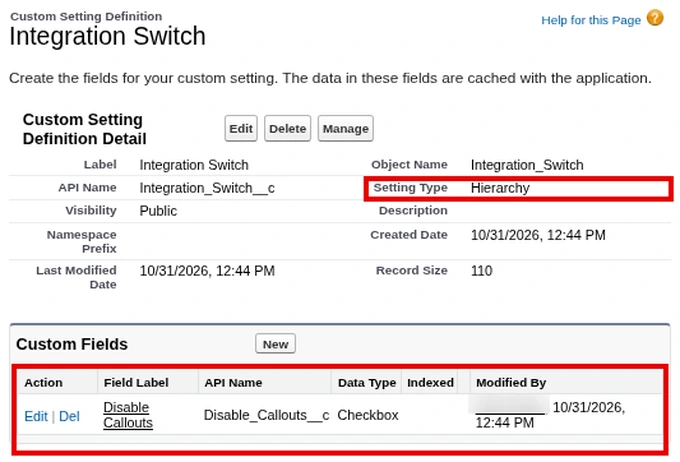
That makes hierarchy settings ideal for kill switches like “skip triggers for the integration user” or “turn off validation during a data load”. Formulas and validation rules can read them through $Setup.
List custom settings are legacy. Salesforce itself recommends custom metadata types instead, because list setting records can’t be migrated with packages or the Metadata API (Create Custom Settings). Custom settings data is cached; the org’s cache is the lesser of 20 MB or 2 MB per full-featured user license (knowledge article 000383546).
The catch with both kinds: custom setting rows are data. Deploy the setting definition and the values don’t come with it, so you have to load or re-enter them in every org.
Custom objects: when it’s business data
If users create rows as part of their daily work, need to report on them, share them by role, run triggers or flows on them, or there could be thousands, it’s a custom object. The trade-off is that every read is a SOQL query that counts toward limits, and the rows don’t deploy.
Cert Lab by Nick Frates
Practise data modelling scenarios
The Data Architect Cert Lab ($9.99) covers custom metadata, large data volumes, data modelling and migration with scenario questions and full explanations.
See the Data Architect Cert Lab – $9.99 →Decide in three questions
- Should the rows be the same in every org and move with deployments? Custom metadata type.
- Does the value change by user or profile, especially as a switch for automation? Hierarchy custom setting.
- Do users create the rows, report on them or need sharing and automation? Custom object.
Migrating old list custom settings? Recreate them as custom metadata types, copy the values (the Salesforce CLI can load records from a CSV), update the Apex to use getAll(), then retire the setting.
FAQ
Can Apex update custom metadata records?
Not with normal DML. You deploy changes through the Metadata API, including Metadata.Operations.enqueueDeployment from Apex. That’s by design: it’s configuration, not data.
Do custom metadata queries count toward SOQL limits?
No. SOQL queries on custom metadata types aren’t counted against the per-transaction query limit, though long text area fields in the query do count.
Are custom metadata records visible to every user?
Read access can be controlled through profiles and permission sets, and types can be protected in managed packages.
Can I use custom metadata in a flow?
Yes. Use Get Records on the __mdt type; in flows those queries do count toward per-transaction limits.
Hope this helps!
Best,
Nick


