Hey friends,
To register for the Salesforce Platform Administrator exam, log in to Trailhead Academy, find the exam under Certifications, click Register Now, choose Online or a testing center, verify your legal name, then schedule and pay on Pearson. Salesforce moved exam registration from Webassessor to Trailhead Academy and Pearson in July 2025.
Below is every step from the official Salesforce Help article, plus the three things to check before you start so you don’t lose a booking.
Before you start: three checks
- A Trailblazer login and a Trailhead Academy account. You need both to see Register Now.
- Your legal name. It must exactly match the government ID you’ll show on exam day, and it can’t be changed once scheduling is complete. If it’s wrong, request a legal name change in Trailhead Academy first.
- Online or onsite. Online needs a quiet room, one monitor, a webcam and a stable connection. The rules are in Salesforce Admin Exam Rules.
Register step by step
These steps follow Schedule an Online-Proctored Salesforce Certification Exam:
- Go to Trailhead Academy. At the top, click Certifications, then Find a Certification.
- Filter by Product, Role or Level, and open the Platform Administrator tile to see its exam detail page.
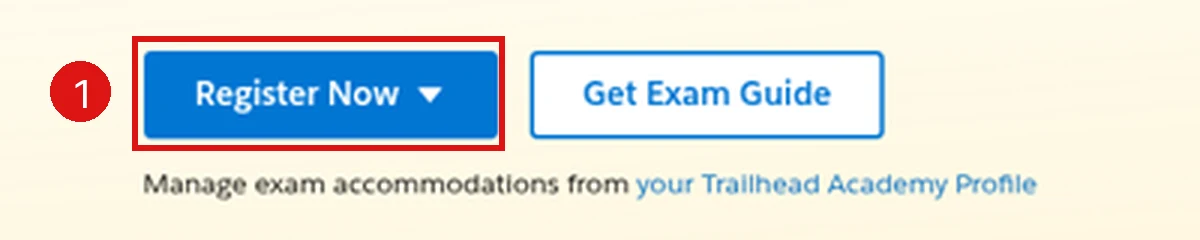
- Click Register Now and choose Online (or the onsite option for a test center).
- Verify your legal name, then click Schedule Now.
- You’re sent to Pearson, the exam delivery provider. Click Next.
- Pick the exam language (English or Japanese), accept the policies and click Agree.
- Pick the proctor’s language, confirm your time zone, then choose a date and start time and click Book this appointment.
- Check the cart (exam, language, date, time) and click Proceed to Checkout.
- Enter payment and billing details, plus any voucher or promo code, then click Next.
- Review the confirmation, including the billing address for your invoice, and click Agree and proceed.
- For an online exam, click Run a system test on the same device you’ll use on exam day.
One time zone trap: if you pick a time zone that differs from where you are, the appointment follows the time zone you selected. Double-check it before booking.
Reschedule, cancel or fix a booking
- Wrong time zone. Open a Salesforce Help case within 8 hours of registering. After that window, it can’t be corrected (Reschedule and Cancellation Policy).
- Reschedule or cancel. In Trailhead Academy, open the exam under Upcoming and click Modify Registration, which opens Pearson. Online exams are free to change at least 24 hours before the start; test-center exams more than 48 hours before. Card refunds take up to seven business days (Reschedule and Cancellation Policy).
- Missed it. A no-show is charged the full fee, and a voucher is forfeited, unless you contacted Salesforce Help before the start time.
If your voucher won’t apply
Salesforce Help gives a short checklist: check the expiry date in the voucher email, make sure you picked the right exam (vouchers are exam-specific), and confirm it hasn’t already been used (each code is single-use). If it’s valid and still fails, open a support case with the code and the exam name (Salesforce Help).
Accommodations
To request accommodations, go to your Trailhead Academy account, scroll to the bottom, and under Accommodations use Request Accommodations to open a case. Do this before you book.
When to book
Booking a date is a good motivator, but book when your practice scores are steady, not when you start studying. Retakes are paid and limited to three per release cycle (Retake Policy). The 6-week study plan and the admin practice test help you pick a realistic date. Note that the exam now includes an Agentforce section; see The New Agentforce Section on the Admin Exam.
Cert Lab by Nick Frates
Booked your date?
All 8 Platform Administrator exam sections with lessons, practice questions that explain every option, and flashcards. Free, no card, no trial.
Start the free Admin Cert Lab →FAQ
Where do I register for the Salesforce Admin exam?
In Trailhead Academy, which hands you to Pearson to schedule and pay.
Can I still register through Webassessor?
No. Registration moved to Trailhead Academy and Pearson, with registration data available in the new experience from July 21, 2025.
Can I change my name after booking?
No. Your legal name can’t be changed once scheduling is complete, so fix it in Trailhead Academy before you register.
Can I use a voucher?
Yes. Enter the voucher or promo code at Pearson checkout; vouchers are exam-specific and single-use.
Can I reschedule my Salesforce exam?
Yes, free, from Modify Registration in Trailhead Academy, at least 24 hours before an online exam or more than 48 hours before a test-center exam.
Can I take the exam in a language other than English?
This scheduling flow offers English or Japanese.
Hope this helps!
Best,
Nick


