Hey friends,
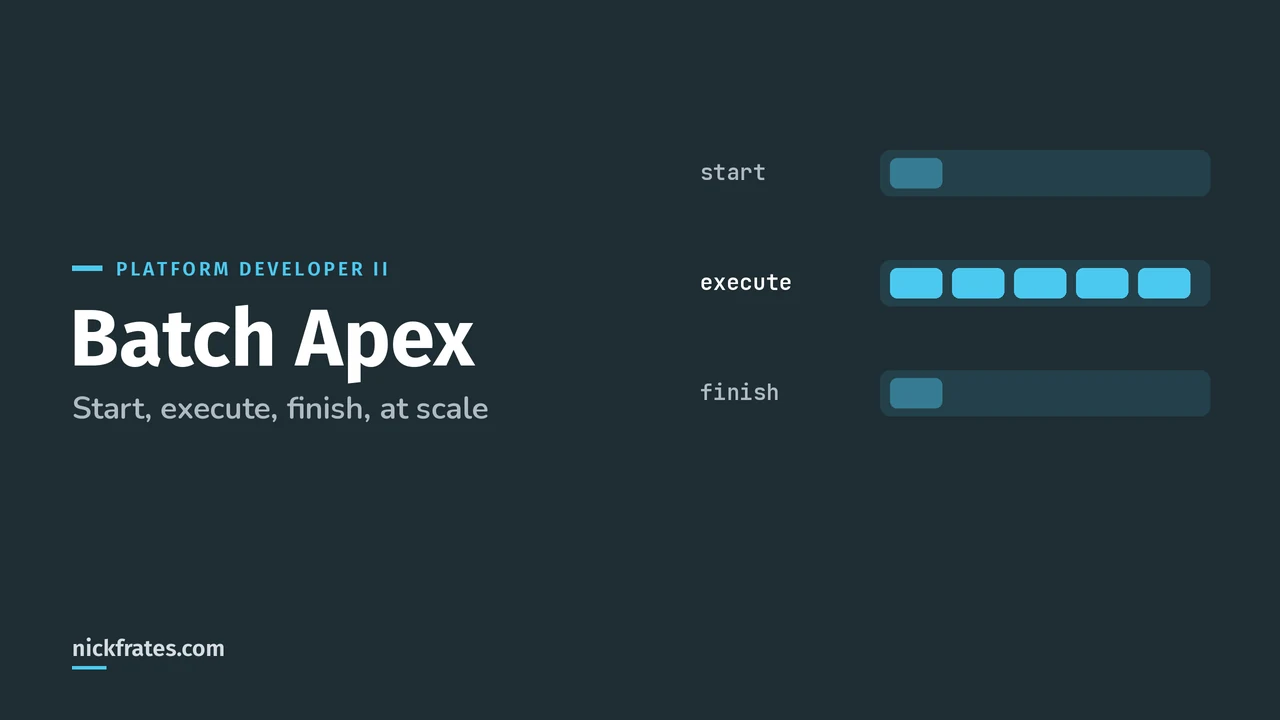
Batch Apex is an Apex class that implements the Database.Batchable interface so Salesforce can process a large record set in chunks: start collects the records, execute runs once per chunk (200 records by default) in its own transaction, and finish runs once at the end.
Every chunk gets fresh governor limits, which is why batch is the go-to tool for nightly cleanups, archiving and mass updates. All the facts here come from the Apex Developer Guide pages Batch Apex and Use Batch Apex. It's also core material for the Platform Developer II exam, under Process Automation, Logic, and Integration and Performance.
What is the Batch Apex syntax?
A batch class implements three methods. Here's a complete one that closes stale open cases. Notice the class is public, because every Batchable method must be public or global.
| Method | Runs | What goes in it |
|---|---|---|
| start | Once, at the beginning | Return a Database.QueryLocator or an Iterable with the records to process |
| execute | Once per chunk | The real work on that chunk of records, in its own transaction |
| finish | Once, at the end | Post-processing: a summary email, logging, or starting the next job |
How do you run a batch job?
Call Database.executeBatch. It returns the ID of the AsyncApexJob record, which you can query for progress or pass to System.abortJob. Run it from Anonymous Apex in the Developer Console or VS Code to try it out:
The second argument is the scope (batch size). Lower it when each record needs a lot of work, like callouts or complex DML. With a QueryLocator the max is 2,000. With an Iterable there's no upper limit, but other limits will catch you. Salesforce says the optimal scope size is a factor of 2,000, like 100, 200 or 400.
To watch or stop a job, go to Setup, type Apex Jobs in Quick Find, and open Apex Jobs.
Is each batch its own transaction?
Yes. A job with 1,000 records and the default scope runs as five transactions of 200. Governor limits reset for each one, and if the second chunk fails, the first chunk's updates stay committed. Nothing rolls back across chunks.
That's the most tested idea in this topic. If a scenario needs all-or-nothing across the whole data set, batch alone doesn't give you that. Track failures (a stateful counter or an error log object) and handle them in finish.
Also: the order batches run in isn't guaranteed. Don't write logic that assumes chunk 1 finishes before chunk 2.
What are the Batch Apex limits?
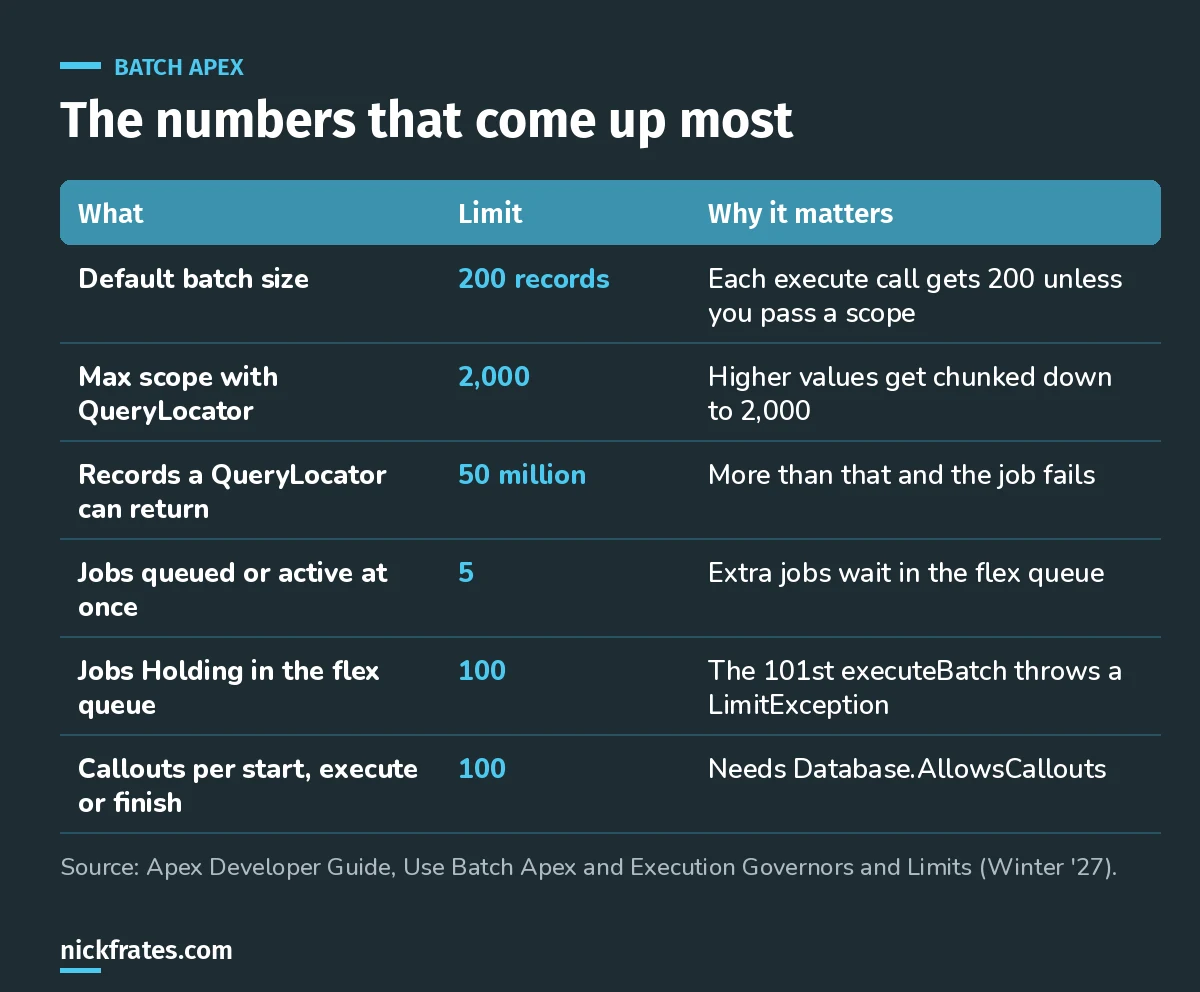
The handful of batch numbers worth memorizing.
- Up to 5 batch jobs can be queued or active at once. Extra submissions sit in the Apex flex queue with status Holding, up to 100 jobs. You can reorder Holding jobs in Setup (Apex Flex Queue) or with
System.FlexQueuemethods. - Only one batch job's start method runs at a time in an org.
- A QueryLocator can return up to 50 million records. Past that, the job fails immediately.
- Async method executions per 24 hours: 250,000 or 200 times your user licenses, whichever is greater, shared by batch, Queueable, scheduled Apex and future methods. Start, execute and finish each count.
- You can't call a future method from a batch class. The limits page lists future calls as 0 in batch context.
- Each of start, execute and finish can make up to 100 callouts, but only if the class implements
Database.AllowsCallouts.
For the full table, see Execution Governors and Limits.
Cert Lab by Nick Frates
Let the Platform Developer II Cert Lab test you to success
Scenario questions on Batch Apex, Queueable, triggers and large data volumes, with an explanation for every option.
Start the Platform Developer II Cert Lab for $9.99 →Not ready to buy? Try a free lesson and see how fast you learn.
What do the batch job statuses mean?
| Status | Meaning |
|---|---|
| Holding | Submitted and waiting in the flex queue |
| Queued | Waiting to run |
| Preparing | start is running |
| Processing | execute chunks are running |
| Completed | Finished, with or without failures |
| Aborted | Stopped by a user |
| Failed | System failure |
How do you test Batch Apex?
Wrap Database.executeBatch in Test.startTest() and Test.stopTest(). When stopTest runs, the async job runs synchronously, so your asserts after it see the results. A test can only run one execute, so insert no more records than your scope (200 by default).
One catch in this example: a case inserted in the test has today's LastModifiedDate, so the 90-day filter skips it. In real tests, pass the query or cutoff date into the constructor so the test can control it. My Apex test class guide covers test data patterns.
How do you chain batch jobs?
Call Database.executeBatch (or System.scheduleBatch) from the finish method. The next job starts after the current one finishes, which gives you strict sequential order, like archive first, then delete. Salesforce suggests chaining over fixed-interval schedules when processing times vary, and Queueable Apex when you don't need batch-style chunking.
Related reads: Database.Stateful to keep totals across chunks, QueryLocator vs Iterable for the start method, and how to schedule Batch Apex.
What Batch Apex mistakes should you avoid?
- Starting batch jobs from a trigger without a guard. A data load can fire it many times and blow through the 5-active and 100-Holding limits.
- Relationship subqueries in the QueryLocator. Salesforce says they force a slower, non-chunking implementation. Query child records inside execute instead.
- Expecting static variables to survive between chunks. They reset. Only instance variables survive, and only with Database.Stateful.
- Callouts without Database.AllowsCallouts. Add the interface to the class definition.
- Assuming a failed chunk rolls back the job. Earlier chunks stay committed.
- Non-idempotent callouts. Salesforce notes a chunk can be rolled back and rerun after maintenance downtime, so callouts must be safe to retry.
Quick backstory. I loved Focus on Force and used it on my way to 17 Salesforce certifications. At first I read the study guide cover to cover, then took the tests. What I eventually noticed: I learned way faster when I skipped ahead and took practice tests rapid-fire, reading the explanation for every miss. So I built Cert Lab around fast testing, with up-to-date doc links in every explanation. It's designed to test you to success.
FAQ
What is the default batch size in Batch Apex?
200 records per execute call. Pass a second argument to Database.executeBatch to change it, up to 2,000 with a QueryLocator.
How many batch jobs can run at once?
Five can be queued or active. Up to 100 more can wait in the Apex flex queue with Holding status.
Batch Apex or Queueable Apex?
Batch when you need to chunk a big record set with fresh limits per chunk. Queueable for a single async job, chaining and complex types. My asynchronous Apex guide compares all four async tools.
Can Batch Apex make callouts?
Yes, if the class implements Database.AllowsCallouts. Each of start, execute and finish can make up to 100 callouts.
Where should you go next?
- The Platform Developer II study guide maps every exam section.
- Platform Developer II practice questions to test yourself.
- Apex trigger best practices if your batch runs alongside triggers.
Nick Frates, a senior Salesforce developer with 17 certifications, built the Platform Developer II Cert Lab at nickfrates.com: rapid-fire practice questions for every exam section, each answer explained.
Cert Lab by Nick Frates
Let the Platform Developer II Cert Lab test you to success
Lessons, flashcards, a quiz for each of the five exam sections and full practice exams, every answer explained.
Start the Platform Developer II Cert Lab for $9.99 →Not ready to buy? Try a free lesson and see how fast you learn.
Hope this helps!
Best,
Nick