Hey friends,
Salesforce opportunity management comes down to three layers: the Stage picklist lists every stage, a sales process picks which stages a team uses, and a record type assigns that sales process to the right users. Path then sits on top and guides reps through each stage with key fields and tips.
Get those layers right and one org can support very different sales teams. This post covers how each piece works, a worked design example and the mistakes I see most. Sources are Salesforce Help (Managing Multiple Business Processes and Guide Users with Path) and Trailhead. Designing sales processes for Leads and Opportunities is also an objective on the Agentforce Sales Consultant exam.
What is an opportunity in Salesforce?
An opportunity represents a potential sale. You create one for an existing account or by converting a qualified lead (Trailhead). As the deal progresses it moves through stages, and Salesforce adds a probability based on the stage you pick, which reps can change if it isn't accurate.
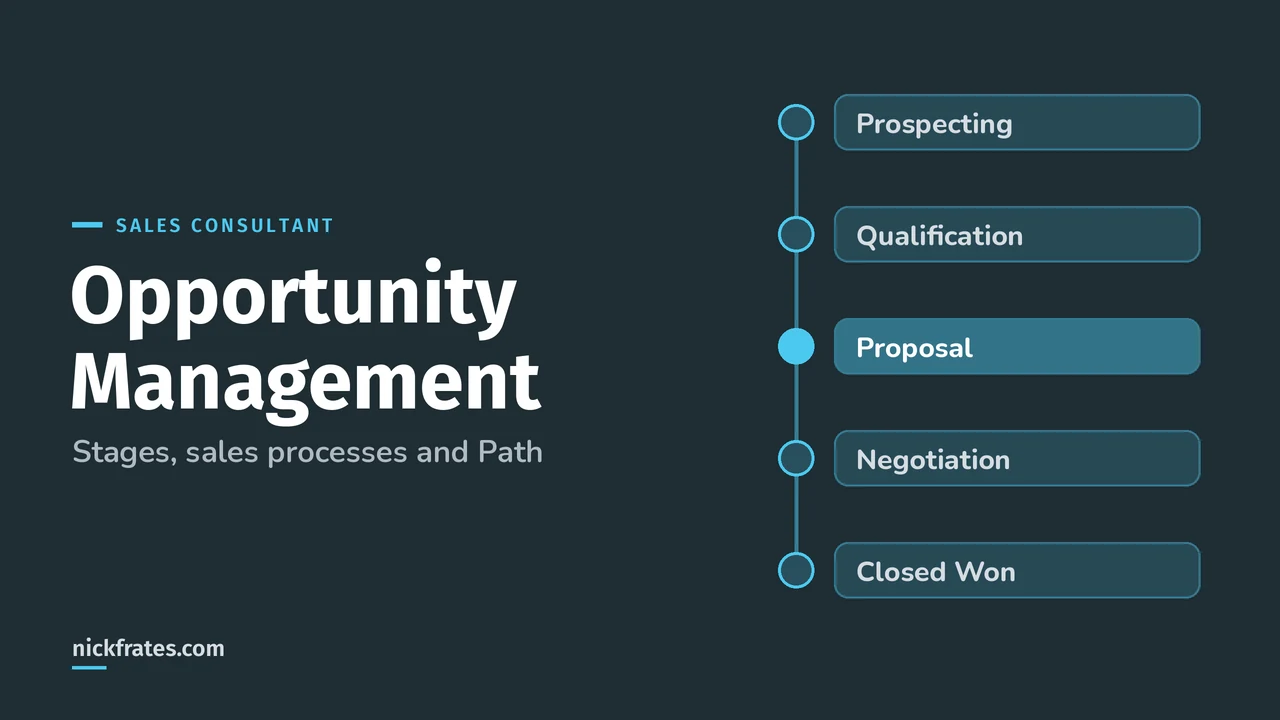
Trailhead's example stages: Prospecting, Qualification/Needs Identification, Proposal/Price Quote, Negotiation/Review, Closed/Won and Closed/Lost. Your company's stages will differ, and that's the point of sales processes.
How do sales processes and record types work?
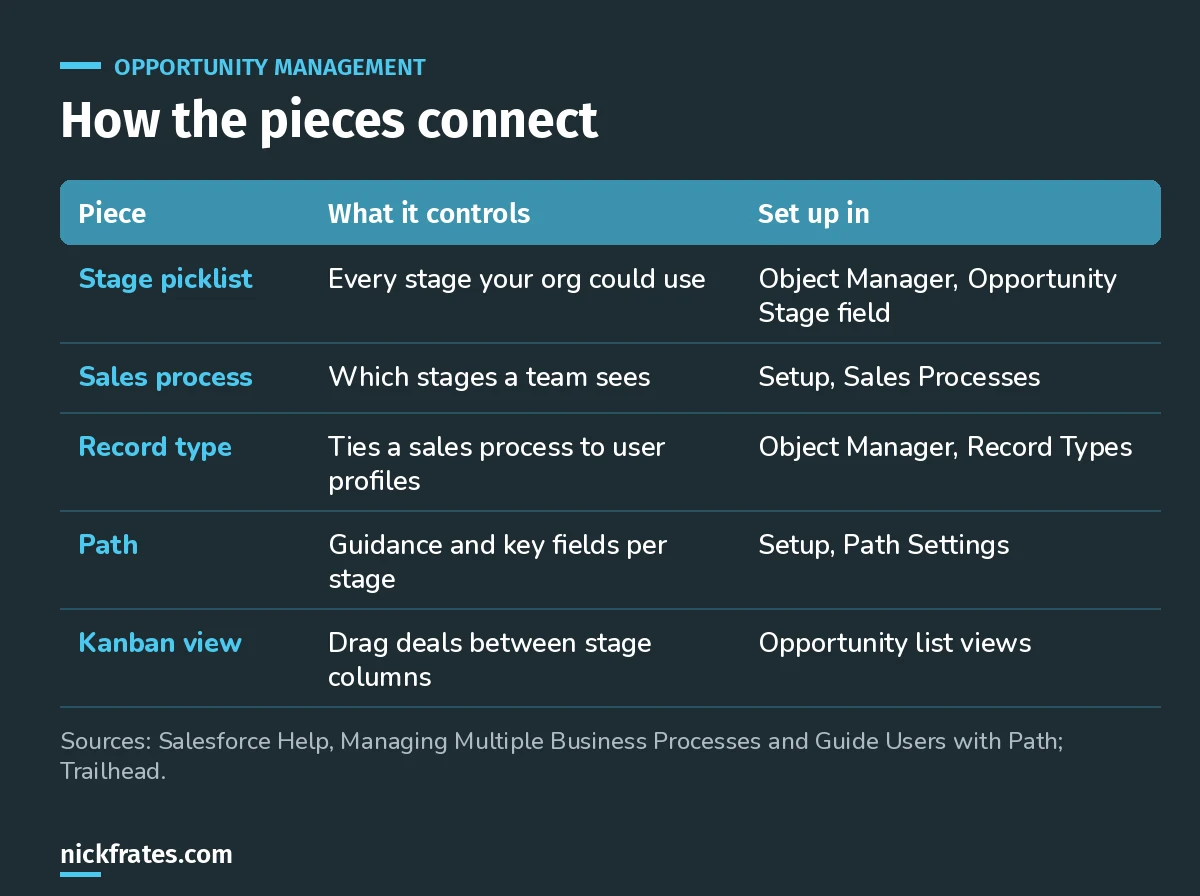
Stages, sales processes and record types stack. Path sits on top.
A sales process includes some or all of the values in the opportunity Stage picklist. After you create one, you assign it to a record type, and the record type decides which user profiles get it. Multiple business processes need Enterprise, Performance, Unlimited or Developer Edition, and the Customize Application permission.
The same pattern exists elsewhere: lead processes use Lead Status, support processes use case Status. Once you understand one, you understand them all.
What does Path add?
Path shows reps where a record is in the process and what to do next. For each step you can set up to five key fields and up to 1,000 characters of guidance (Trailhead). Reps click Mark Status as Complete to move forward, or jump to a different step if a deal skips ahead or slips back.
- Create one path for each combination of object, picklist and record type.
- Turn on confetti for chosen steps, like Closed Won, to celebrate wins.
- Administering Path needs Modify All Data or Customize Application.
- Path works on Lightning record pages in the Salesforce mobile app too.
I'll be honest about how I learned this stuff. I loved Focus on Force and used it through 17 Salesforce certifications. Reading the study guide first was slow for me; taking practice tests rapid-fire and studying every wrong answer was fast. So when I built Cert Lab, I built it around that: test yourself quickly, see why each option is right or wrong, with up-to-date links and screenshots.
Cert Lab by Nick Frates
Let the Agentforce Sales Consultant Cert Lab test you to success
Lessons, flashcards, a quiz for each of the five exam sections and full practice exams, every answer explained.
Start the Sales Consultant Cert Lab for $9.99 →How do reps work deals day to day?
Besides the record page, reps use the Kanban view. By default the opportunity Kanban is organized by Stage, one column per stage, and reps drag a card to move a deal forward. Show charts adds Pipeline by Account and Pipeline by Stage summaries.
Contact roles record who's involved in each deal: the contact, their role (like Influencer) and whether they're the primary contact.
Worked example: two sales teams, one org
A company has a new-business team and a renewals team. New business needs discovery and proposal stages. Renewals skip straight to review and negotiation. Here's how I'd design it:
| Piece | New business | Renewals |
|---|---|---|
| Stages used | Prospecting, Qualification, Proposal, Negotiation, Closed Won/Lost | Renewal Review, Negotiation, Closed Won/Lost |
| Sales process | New Business | Renewal |
| Record type | New Business (new-business profiles) | Renewal (account management profiles) |
| Path guidance | Discovery questions, proposal checklist | Usage review, price change rules |
| Key fields | Budget, decision date, competitor | Contract end date, current amount |
One Stage picklist holds every value. Each team only sees its own stages, and reports still roll up across both.
What mistakes should you avoid?
- A sales process without a record type. It does nothing until a record type uses it.
- Too many stages. If reps can't tell two stages apart, merge them.
- Path with no guidance. The value is the key fields and tips, not the colored bar.
- Ignoring probability. It defaults from the stage, so stage design affects forecasts.
- Skipping contact roles. Without them you lose who actually influences the deal.
Nick Frates, a senior Salesforce developer with 17 certifications, built the Agentforce Sales Consultant Cert Lab at nickfrates.com: rapid-fire practice tests with every answer explained.
Where should you go next?
- The Agentforce Sales Consultant study guide.
- How to calculate opportunity win rate in Salesforce.
- Salesforce lead capture with Web-to-Lead, the step before opportunities.
- What a Sales Cloud consultant does.
Cert Lab by Nick Frates
Let the Agentforce Sales Consultant Cert Lab test you to success
Lessons, flashcards, a quiz for each of the five exam sections and full practice exams, every answer explained.
Start the Sales Consultant Cert Lab for $9.99 →Hope this helps!
Best,
Nick


