Hey friends,
Salesforce splits Apex documentation into two guides. The Apex Developer Guide explains how Apex works: writing, running, debugging, testing and deploying it. The Apex Reference Guide lists every built-in class and method, with its exact signature. Open the Developer Guide when you need to understand something, and the Reference Guide when you need to look something up. Most confusion with the docs comes from looking in the wrong one.
Everything below is based on Salesforce's own documentation pages, checked on October 28, 2026. I describe how the guides are organized and what each page type contains, so you can find answers faster. I don't describe how the website looks, because Salesforce changes that more often than the content.
Which guide should you open?
| Your question | Open this | Why |
|---|---|---|
| How do I write a trigger? | Developer Guide | Its Getting Started chapter includes a class and trigger tutorial, and the rest covers concepts and best practices. |
| What are the exact parameters of Database.insert? | Reference Guide | It lists each method's signature, parameters and return value. |
| How many SOQL queries can I run? | Developer Guide, Execution Governors and Limits | The limits tables live there. |
| What does the String class offer? | Reference Guide, String class | Each class has its own page. |
| Why did this code behave differently in an older org? | Apex Versioned Behavior Changes | It lists major behavior changes by API version. |
| How do I get started? | Developer Guide, Getting Started with Apex | It includes a step-by-step Quick Start. |
One trap: the split is recent. Salesforce says that in Summer '21 and later, Apex reference content moved out of the Developer Guide into the separate Reference Guide, and in API version 51.0 and earlier it sat in the Developer Guide's "Apex Language Reference" section. Older blog posts and forum answers may send you to a section that no longer exists. If a link points to the old section, search the Reference Guide instead.
What is inside the Apex Developer Guide
The guide's home page groups everything into these parts:
- Apex Release Notes: a pointer to the Salesforce Release Notes for the latest Apex changes.
- Getting Started with Apex: the development lifecycle, which org and tools to use, and a tutorial that creates a class and a trigger and deploys them.
- Writing Apex: the language itself, with classes, data types, variables and if-else logic, and how Apex works with data on the platform.
- Running Apex: the ways to run code, calling external SOAP and REST services, and how Apex runs in atomic transactions (all of the work in a transaction succeeds or none of it is saved).
- Debugging, Testing, and Deploying Apex: using the Developer Console and debug logs, unit testing, and packages.
- Apex Reference: a pointer to the separate Reference Guide.
- Appendices.
Step: on the guide's home page, the left panel has a Search box (1) and a version dropdown (2), set to Winter '27 (API version 68.0). Under them is the contents tree, with the same parts as the list above.
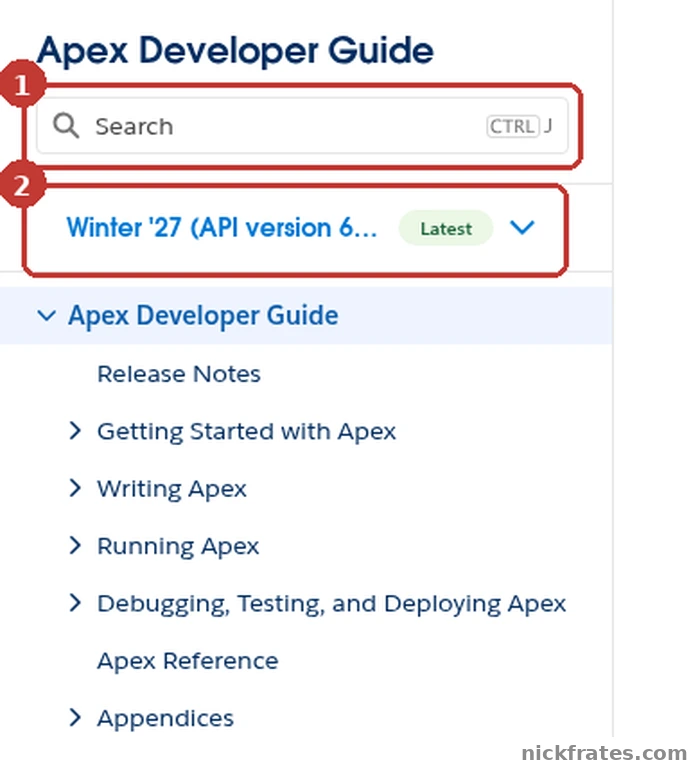
developer.salesforce.com > Apex Developer Guide, left panel.
If you are brand new, read Getting Started and do the Quick Start in a free Developer Edition org. Then run some snippets from my Apex code examples post and look up each class in the Reference Guide.
How to read a Reference Guide page
The Reference Guide groups classes by namespace, which is just a folder of related classes. The System namespace holds the core ones: String, List, Map, Set, Database, Limits, Test, Assert, Http and JSON, among many more. Other namespaces cover specific areas, such as Schema for object metadata and Messaging for email.
Open any class page, for example String, and you will find the same layout:
- A one-line description and the namespace the class belongs to.
- A Usage section with rules that apply to the whole class.
- A list of every method with a one-line summary. The list is long, so use your browser's find to jump to the name you need.
- A section per method with its Signature (the exact way you call it), its Parameters and its Return Value, plus usage notes and sometimes an example.
Step: open a class page, for example Apex Reference Guide > System Namespace > String Class. At the top you get the one-line description (1) and the Namespace (2), here System, followed by the Usage section.
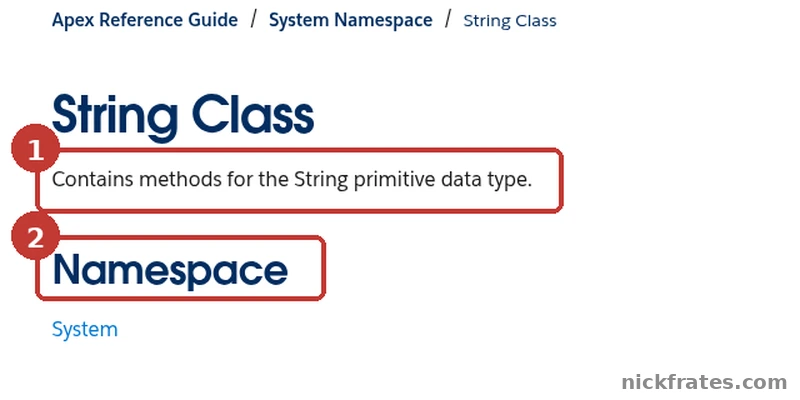
Apex Reference Guide > System Namespace > String Class.
The usage notes are where the traps are. These come from the String page:
equals()compares case-sensitively, but the==operator compares strings case-insensitively. The page says so in the notes for equals.abbreviate(maxWidth)throws a run-time exception if maxWidth is less than four.substring(startIndex, endIndex)is zero-based and stops at endIndex minus 1, so the character at endIndex is not included.
If you only read the one-line summaries, you miss all three.
Why the API version changes the answer
Every Apex class and trigger is saved with a Salesforce API version, and Salesforce documents some behavior as changing at a specific version. You will see wording like "in API version 51.0 and later." For example, the Apex security and sharing chapter says that in API version 67.0 and later, Apex runs in user context by default and classes with no sharing keyword run in with sharing mode, while in 66.0 and earlier system mode is the default.
Salesforce's Apex Code Versions page gives three guidelines: use the latest available API version, use versions released in the past three years if you can't, and keep your code on as few versions as possible, ideally one. The non-exhaustive list of changes is on the Apex Versioned Behavior Changes page. New classes and methods are available to code saved at any API version, with the exception of the ConnectApi namespace, which follows the versions its documentation lists.
Step: the guide has its own version dropdown (1) in the left panel. Open it to see the documentation releases, from Winter '27 (API version 68.0) through Summer '26 (67.0), Spring '26 (66.0) and older ones.
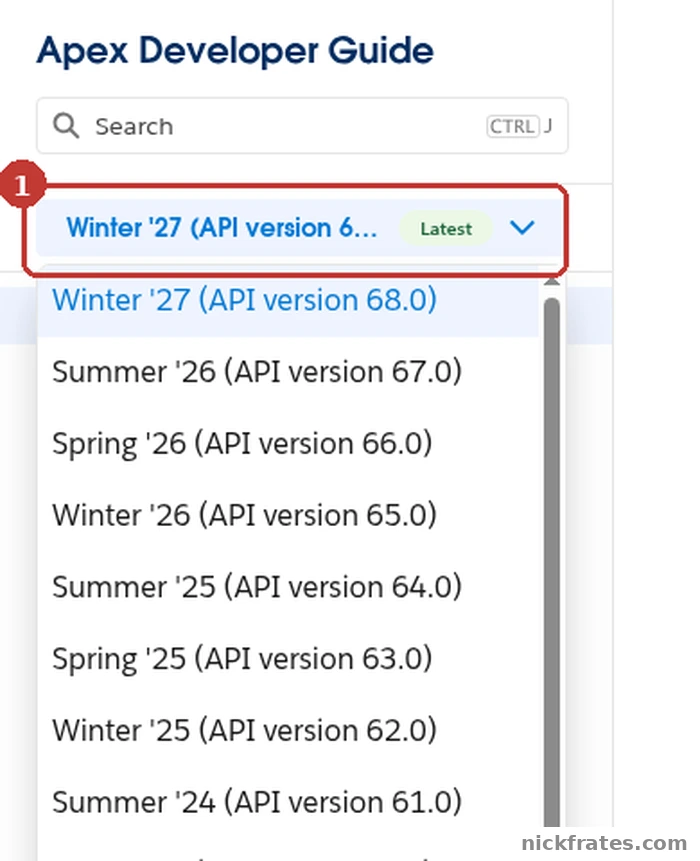
Apex Developer Guide, version dropdown in the left panel.
Five pages worth bookmarking
- Execution Governors and Limits: the per-transaction caps, such as 100 synchronous SOQL queries and 150 DML statements. I summarize them in my Apex code examples post.
- Common Bulk Trigger Idioms: how to use sets and maps so a trigger handles many records at once.
- Apex Security and Sharing Model: sharing keywords, object and field permissions, and class security.
- Apex Versioned Behavior Changes: what changed and when.
- The System namespace: the classes you will use every day.
Cert Lab by Nick Frates
Learning Apex for the exam?
The Platform Developer Cert Lab has lessons weighted like the exam, practice questions that explain every option, flashcards and timed practice exams, so you can see which Apex topics you still need to work on.
Start the Cert Lab, $9.99 →Frequently asked questions
What is the Apex Developer Guide?
It is Salesforce's guide to the Apex language and development process. It covers getting started, writing, running, debugging, testing and deploying Apex.
What is the difference between the Apex Developer Guide and the Apex Reference Guide?
The Developer Guide explains how Apex works. The Reference Guide lists the built-in classes, interfaces, enums, exceptions and DML statements, grouped by namespace, with each method's signature. Reference content moved to its own guide in Summer '21.
Where do I find the Apex governor limits?
On the Execution Governors and Limits page in the Apex Developer Guide. It has separate tables for per-transaction limits, platform limits and size limits.
Which API version should my Apex use?
Salesforce recommends the latest available version. If you can't use it yet, use a version released in the past three years, and keep your code on as few versions as possible.
How do I find a method in the Apex Reference Guide?
Open its namespace and then its class page, such as System and String. Each class page lists all its methods, so you can use your browser's find to jump to the method name.
Do Apex methods exist in every API version?
Mostly. Salesforce says new Apex classes and methods are available to code saved at any API version, except the ConnectApi namespace, which is limited to the versions its documentation lists.
Hope this helps!
Best,
Nick