Sometimes you need to calculate percentages in a Salesforce report.
For example, how many opportunities did Bob Apples, the salesperson, close this week as a percentage of all the opportunities he had?
This specific metric is called the win rate, and it can come up in various ways.
Another example: How many accounts did Bob Apples meet with this year as a percentage of all his accounts?
This metric might be called the meeting rate. In fact, I created a report for a client with this exact request earlier this week.
Let me show you how to build this type of report in case you need it in the future. If you're newer to reporting, my Salesforce reports and dashboards guide covers the basics first.
We'll build a report to track the Opportunity Win Rate.
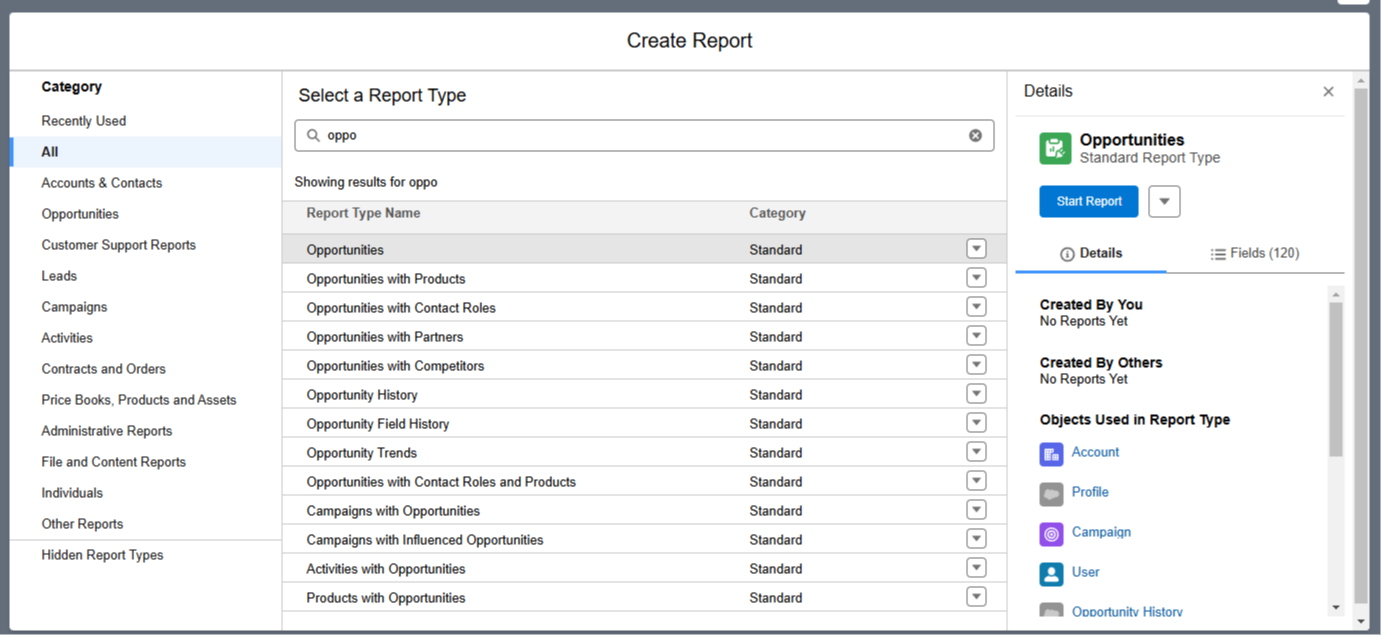
Step 1:Create the report using the Opportunity object
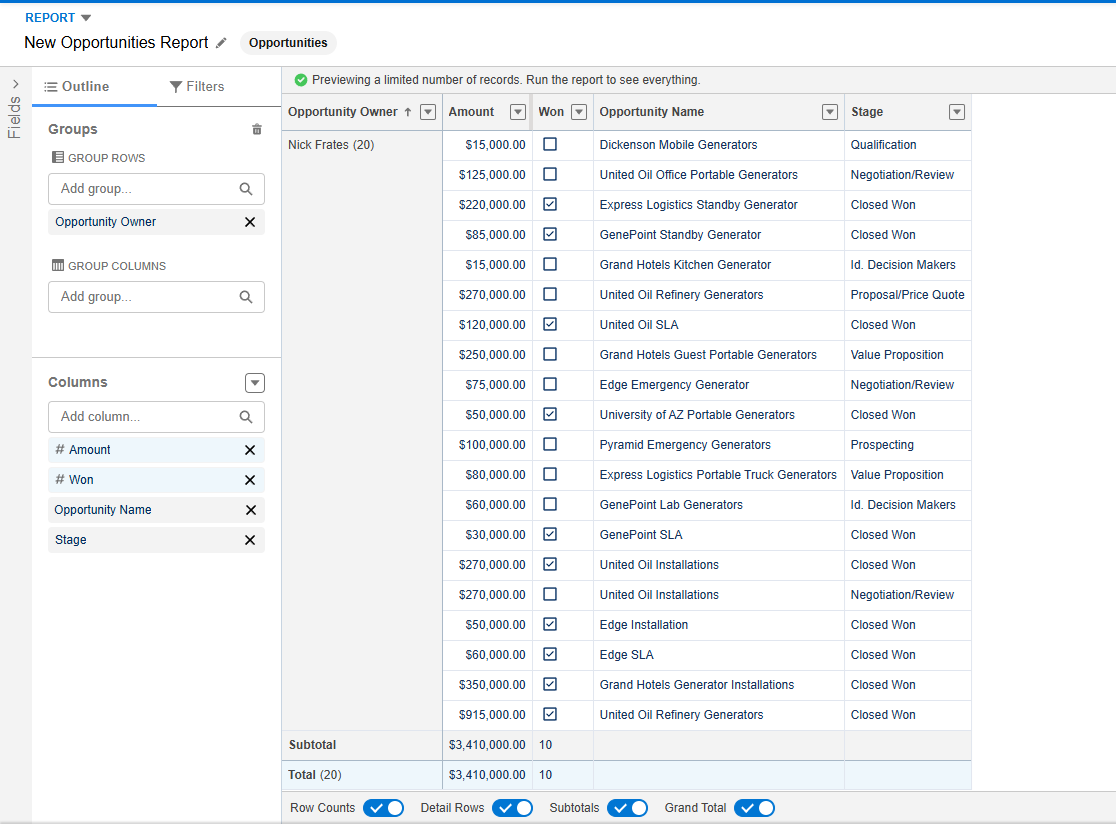
Step 2:Add these fields to the report:
Opportunity Owner
Amount
Won
Opportunity Name
Stage
Make sure to group the rows by Opportunity Owner.
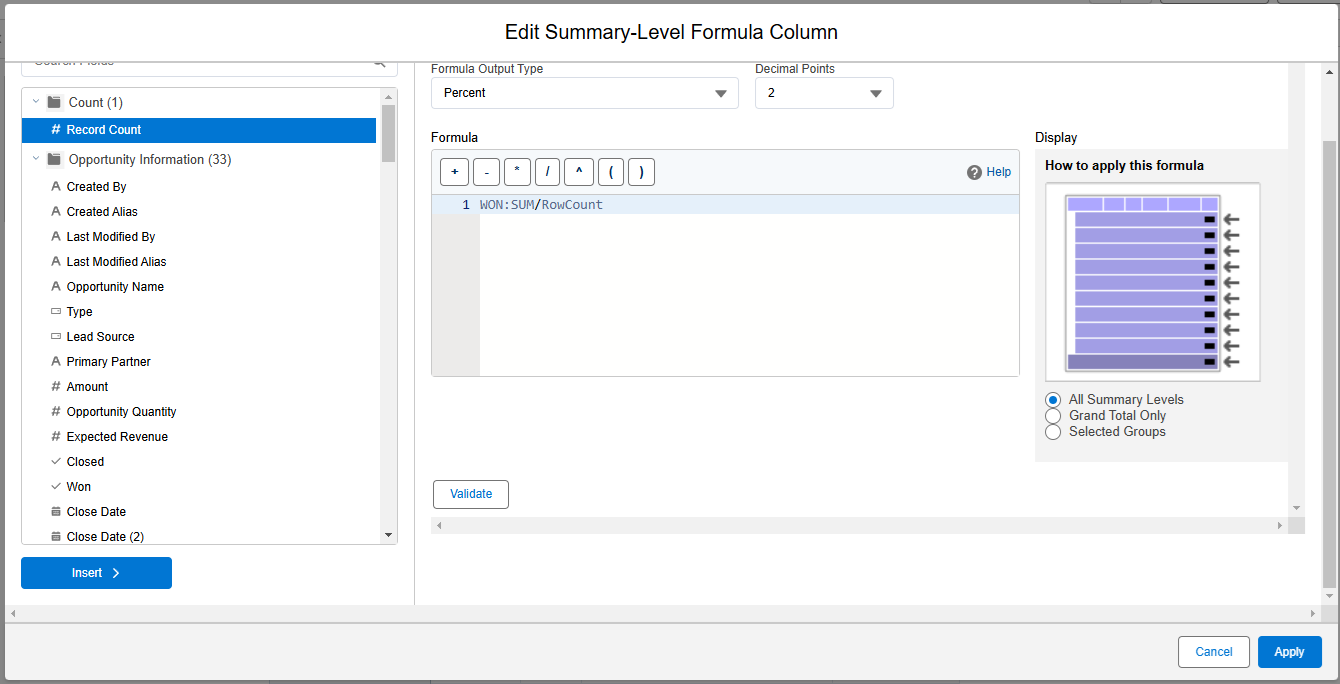
Step 3: Add a custom summary formula to the report that is visible at all summary levels. Use this formula: WON:SUM / RowCount
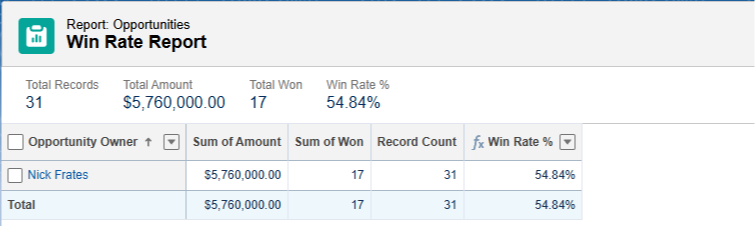
Step 4: Save your report with the name "Win Rate Report" and then run it. Toggle OFF detail rows to easily see the Win Rate at a glance.
You're done! You've now created a report that shows the number of won opportunities as a percentage of all opportunities in the report.
If there are multiple opportunity owners, you'll see the win rate for each of them.
For the Opportunity object, Salesforce conveniently provides a "Won" checkbox indicating whether the opportunity is closed or not.
In some scenarios, you'll need to create your own checkbox—such as a formula field that returns true—to represent the scenario you're reporting on.