🌱 Spring '25

The Spring '25 release is one month away!

Major dates for the release are:

  • February 7th
  • February 14th

You can check your specific environment's release schedule on the Salesforce Status site.

As always, the release notes are available ahead of time. I read through them and thought I'd share some of the cool stuff that's coming out.

There's some exciting additions. Let's dive in!

General

Sort List Views by Multiple Columns

To see your data in a more intuitive way and to make your list views more actionable, you can now sort list views on object home pages by up to five columns.

Organize Your Data with Multi-Column Sorting for Related Lists

To organize and understand your data better, sort related lists by up to five columns. Quickly identify patterns and trends so that you can make informed decisions. Previously, you could sort a related list by only a single column.

Brand the Welcome Email for Internal Users

For more control of branding and user experience, customize the welcome email that internal users, such as employees and contractors, receive when they first access your Salesforce org.

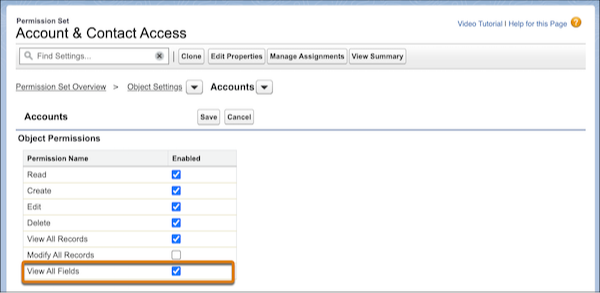
Allow Users to View All Fields for a Specified Object

It’s easier to manage permissions for users who require broad data access. Assign the object-level View All Fields permission, which grants assignees access to all fields and field data for a specific object.


Flows

Create Flows with a New Streamlined Creation Experience

We reorganized the flow creation window to help you create the automation you need quickly and more efficiently. Flows are separated into four main categories, and you can filter and search to find the automation you need.

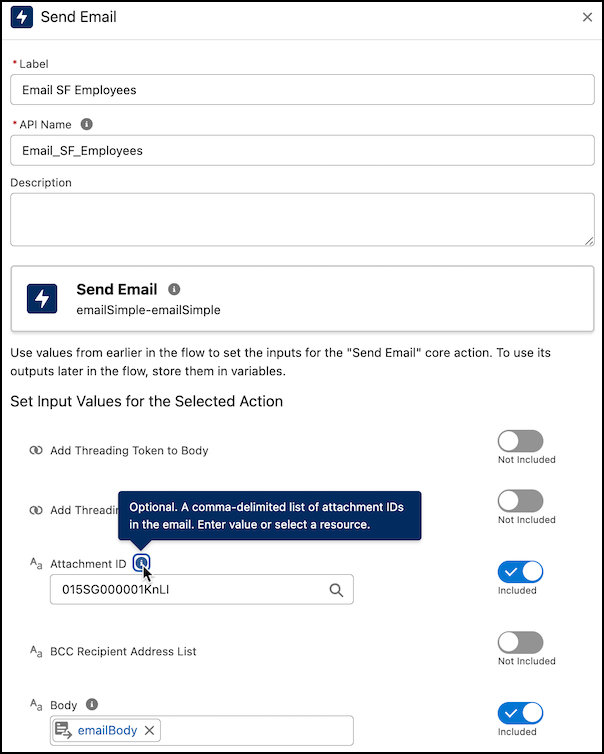
Send Emails with Attachments in Flow Builder

Enhance your Flow Builder emails by sharing documents or files with your recipients by using Send Email action. To attach a file, provide the ID of a file to the Send Email action. The maximum size of the email created, including attachments, is 35 MB.


Undo, Redo, and Save As with Keyboard Shortcuts

Increase your productivity with new keyboard shortcuts for undo, redo, and save as in the Flow Builder.

Create Responsive Screens with Automatically Triggered Screen Actions (Beta)

You can now run autolaunched flows automatically in the background when the input values associated with screen actions change. Previously, the only way to trigger a screen action was with the click of a button by using the Action Button component. The output can be displayed on the same screen, so your users can see the results of their actions on the same screen without clicking any buttons.

Guide Users Through Screen Flows with Built-In Visual Progress Indicators

Visually guide your users through the stages of your screen flows by using the built-in progress indicator—no more writing custom code to create your own. Your users see which stage they’re on and how many stages remain.

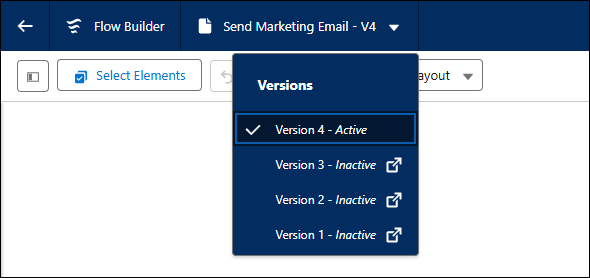
Access Flow Versions in Flow Builder 

Quickly manage different versions of a flow and view the status of each version in Flow Builder. To see a flow’s versions, click the flow’s name in the Flow Builder navigation header. Clicking on a different version opens that version in Flow Builder in a new browser tab.


And that's a wrap!

I'd encourage you to take a quick glance through the notes yourself.

There's way more than can be covered by a single email, and you might find some goodies I missed!

Have a great week :)