Hey friends,
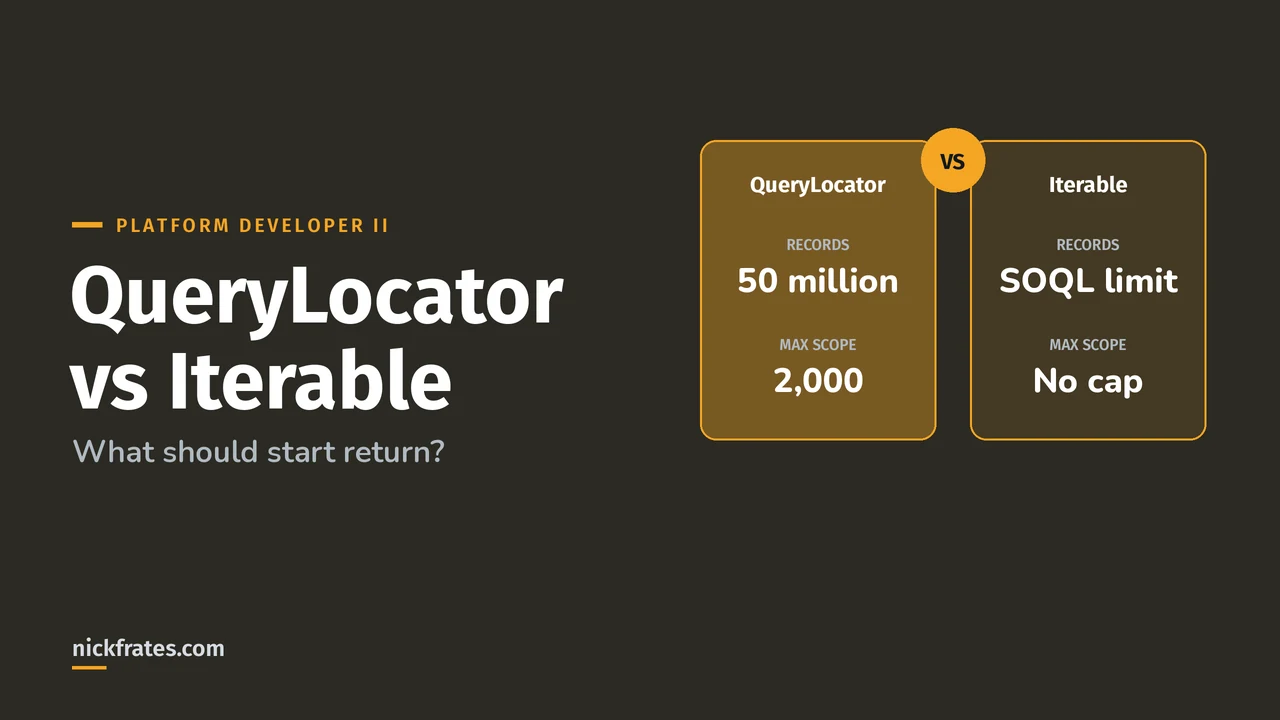
Return a Database.QueryLocator from your Batch Apex start method when the records come from one simple SOQL query, because it bypasses the total query rows limit and can return up to 50 million records. Return an Iterable when you need custom logic to build the scope, knowing the normal SOQL row limit still applies.
Both facts come from Use Batch Apex in the Apex Developer Guide. This choice is a classic large-data-volume scenario in the Performance section of the Platform Developer II exam.
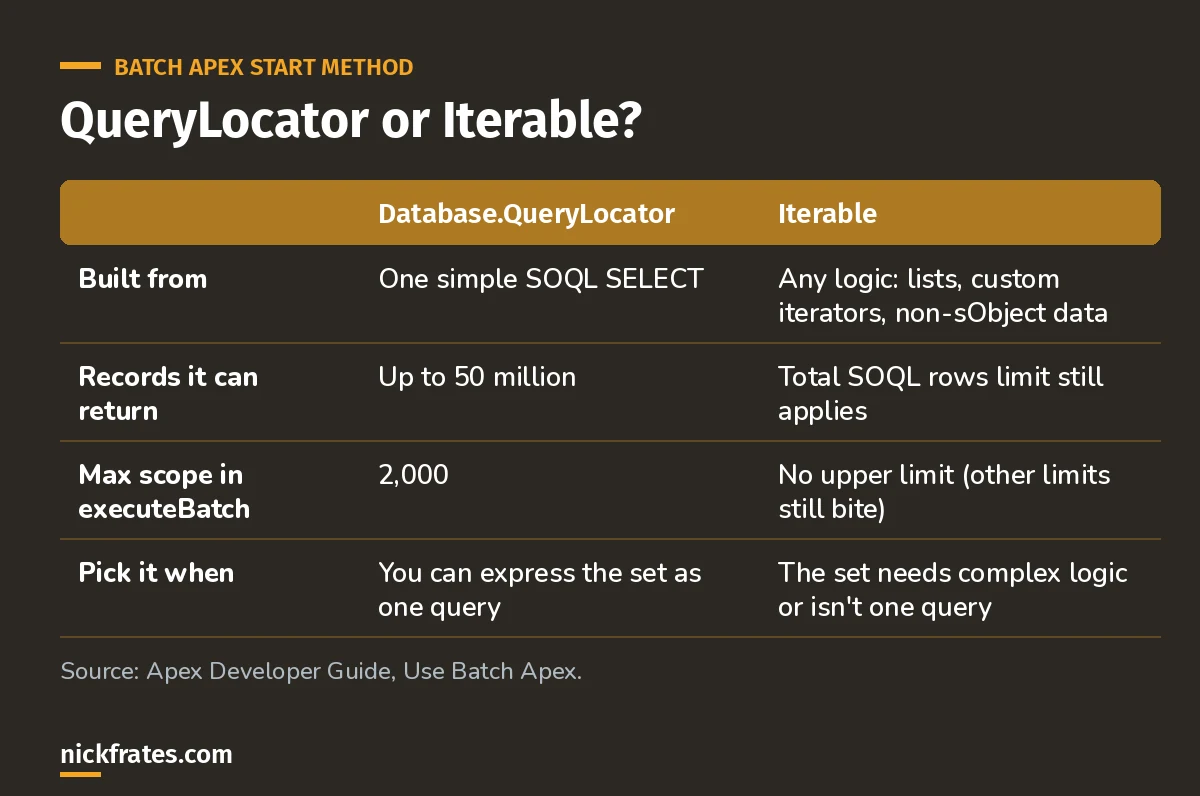
Default to QueryLocator. Reach for Iterable only when one query can't describe the set.
How does Database.QueryLocator work?
Build it with Database.getQueryLocator and a query string or inline SOQL. Salesforce's own example is a job over every account in the org, up to 50 million records.
More than 50 million records and the job fails immediately. Query locator results are kept for 2 days.
How does an Iterable start method work?
Declare start as returning Iterable<T>. You can return a list you built with any logic, or a custom class that implements Iterable. The batch class can also use a non-sObject type parameter, which is how you batch over things that aren't records.
The catch: with an Iterable, the governor limit on total records retrieved by SOQL queries is still enforced, and the limits page puts that at 50,000. Fine for thousands of records, a dead end for millions.
Cert Lab by Nick Frates
Let the Platform Developer II Cert Lab test you to success
Large data volume scenarios, query tuning and async choices, with explanations for every answer.
Start the Platform Developer II Cert Lab for $9.99 →Not ready to buy? Try a free lesson and see how fast you learn.
Does the choice change the batch size?
Yes. With a QueryLocator, the scope you pass to Database.executeBatch maxes out at 2,000, and bigger values get chunked down to 2,000. With an Iterable there's no upper limit, though a huge scope will run into other limits. Either way the default is 200, and Salesforce says the optimal scope is a factor of 2,000, like 100, 200 or 400.
What performance tips apply to both?
- Avoid relationship subqueries in the QueryLocator. Salesforce says
SELECT Id, (SELECT Id FROM Contacts) FROM Accountswitches the job to a slower, non-chunking implementation. Query the children inside execute. - Need record locks? FOR UPDATE isn't applicable in the start query. Select just the Id there and requery with FOR UPDATE in execute.
- Filter in the query, not in execute. Fewer rows means fewer chunks and fewer async executions.
- Excluding deleted rows? Salesforce's samples add
isDeleted = falseto skip records in the Recycle Bin.
How does this show up on the exam?
Expect a scenario like: a nightly job must update 8 million records based on one filter. Answer: Batch Apex with a QueryLocator. A twist: the records come from three unrelated sources and total 30,000. That's where an Iterable is fine. If the twist says 3 million, the Iterable would hit the row limit, so go back to a QueryLocator (or rethink the query).
I'll be honest about how I learned this stuff. I loved Focus on Force and used it through 17 Salesforce certifications. Reading the study guide first was slow for me; taking practice tests rapid-fire and studying every wrong answer was fast. So when I built Cert Lab, I built it around that: test yourself quickly, see why each option is right or wrong.
FAQ
What is the difference between QueryLocator and Iterable in Salesforce?
QueryLocator is one SOQL query that can return up to 50 million records with a max scope of 2,000. Iterable lets you build the scope with any logic, but the total SOQL rows limit still applies.
Can an Iterable return more than 50,000 records?
Not from SOQL. The governor limit on total records retrieved by SOQL queries is still enforced for an Iterable.
What is the max batch size with a QueryLocator?
2,000 records per execute. The default is 200.
Can Batch Apex process non-sObject data?
Yes. The execute method accepts a list of parameterized types, so an Iterable can return your own objects.
Where should you go next?
- Batch Apex: syntax, examples and limits.
- Database.Stateful for keeping totals across chunks.
- SOQL relationship queries for the subqueries you'll move into execute.
Nick Frates, a senior Salesforce developer with 17 certifications, built the Platform Developer II Cert Lab at nickfrates.com: rapid-fire practice questions for every exam section, each answer explained.
Cert Lab by Nick Frates
Let the Platform Developer II Cert Lab test you to success
Lessons, flashcards, a quiz for each of the five exam sections and full practice exams, every answer explained.
Start the Platform Developer II Cert Lab for $9.99 →Not ready to buy? Try a free lesson and see how fast you learn.
Hope this helps!
Best,
Nick