Hey friends,
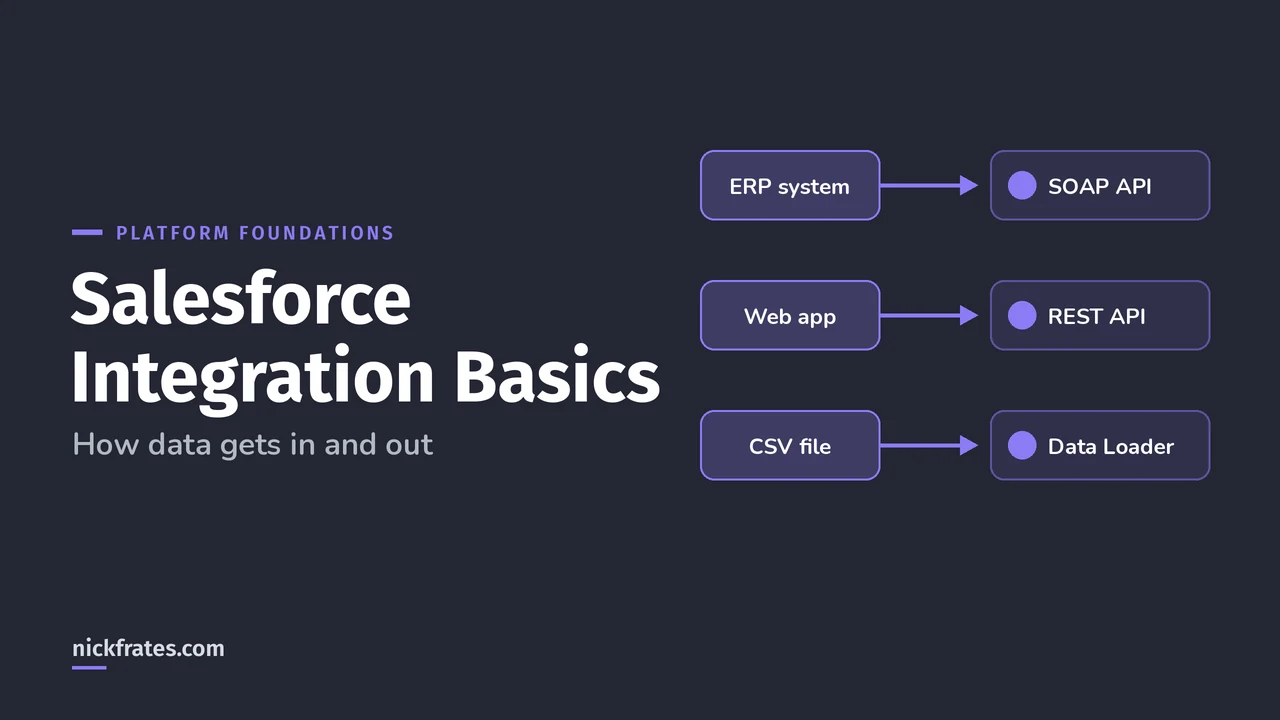
Salesforce integration means connecting Salesforce to other systems so data moves between them without copy and paste. Beginners only need four ideas: APIs let software talk to Salesforce, AgentExchange apps give you prebuilt connectors, import tools load files, and MuleSoft connects many systems at scale.
You don't need to write code to understand any of this, and the beginner Salesforce exam only tests it at the concept level. Here's the plain-English version.
What is an API?
Trailhead's Platform Basics module puts it nicely: an API (application programming interface) lets different pieces of software connect and exchange information. Think of the ports on your laptop. You don't need to know how USB-C works to plug in your phone.
The part that makes Salesforce special: all your data and metadata is API enabled. When you create a custom field, the platform gives it an API name automatically, and that's how other systems find it.
Which Salesforce APIs should beginners know?
Salesforce takes an API-first approach, building a robust API for a feature before its user interface (API Basics). Four data APIs cover most work with records:
| API | Best for | Format |
|---|---|---|
| REST API | Web and mobile apps; create, read, update and delete records | JSON or XML |
| SOAP API | Server-to-server integrations, like an ERP or finance system | XML (WSDL contract) |
| Bulk API | Loading or querying lots of data at once, asynchronously | CSV, JSON or XML |
| Pub/Sub API | Reacting to data changes and events in real time | Binary stream |
API access needs the API Enabled permission and an edition that includes it, such as Enterprise, Unlimited, Developer or Performance (Professional needs an add-on). Salesforce also caps how many calls an org can make, which protects everyone in the multitenant cloud.
How do you pick the right integration option?
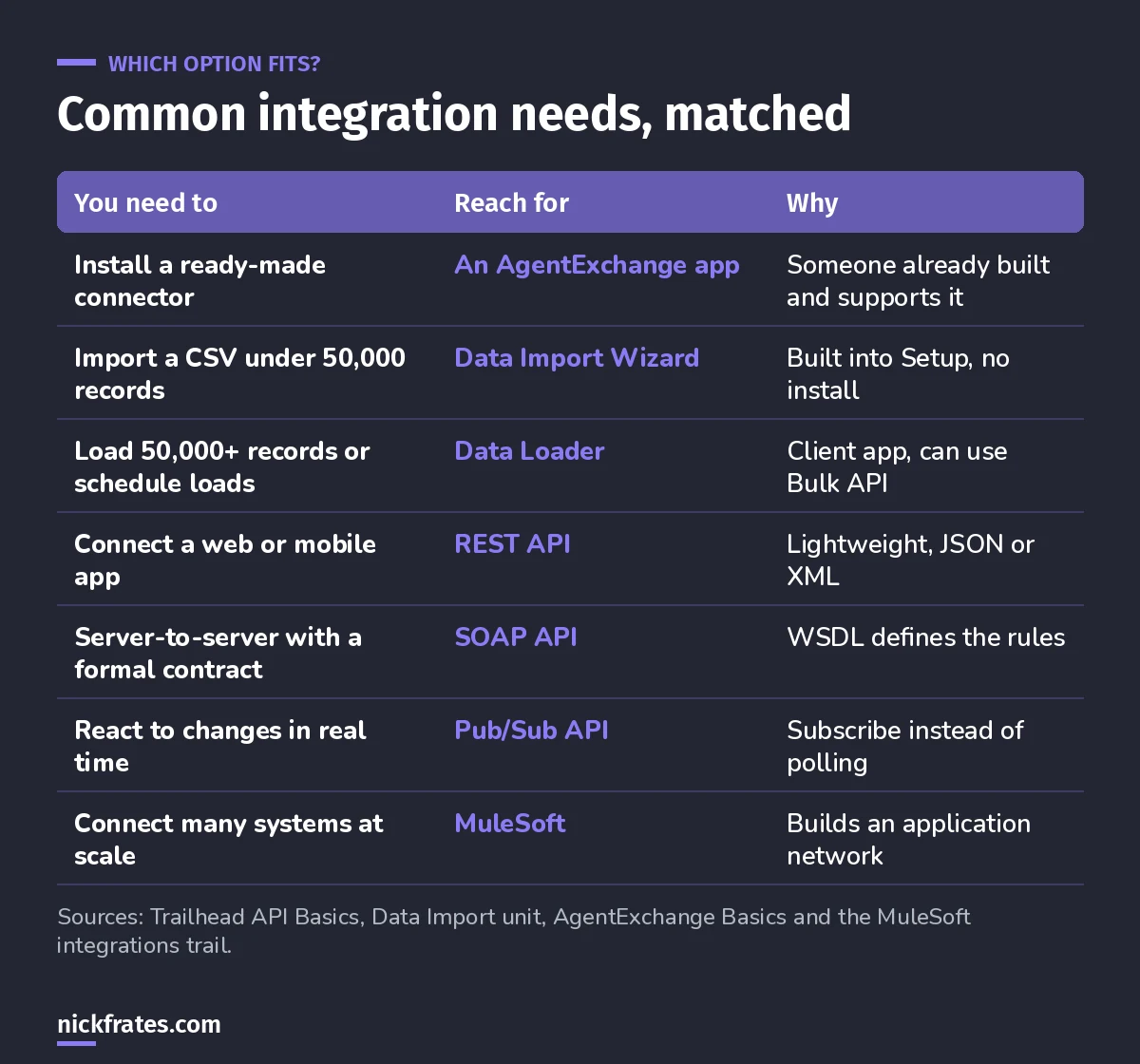
Start at the top of the table. Code comes last.
My rule of thumb from real projects: check for an existing app first, use a built-in tool second, and only build a custom API integration when neither fits.
I'll be honest about how I learned this stuff. Focus on Force was my go-to through 17 Salesforce certs. Reading first was slow for me. Taking practice tests rapid-fire and studying every wrong answer was fast. So when I built Cert Lab, I built it around fast testing, with current links and screenshots in every explanation. The cert itself is worth it: a credential, more interviews and a clear map of what matters.
Cert Lab by Nick Frates
Let the Platform Foundations Cert Lab test you to success
Scenario questions on the ecosystem, data model and tools, each with an explanation, so "which option would you use?" questions stop feeling like guesses.
Start the Platform Foundations Cert Lab for $9.99 →What is AgentExchange and how does it help integration?
AgentExchange, formerly AppExchange, is the official Salesforce marketplace for apps, agents and components. Trailhead points out that if there's a third-party product you want to connect, there's a good chance a solution is already listed, and thousands of them are free (AgentExchange Basics).
Solutions install as packages. Managed packages can be upgraded automatically by the provider and don't count against your app, tab and object limits. Unmanaged packages let you change the code but count against limits (Trailhead). Either way, test in a sandbox or Developer Edition org before production.
What about importing data from files?
Not every integration is live. Often you just need to load a spreadsheet. Trailhead's Import Data unit compares the two built-in options:
- Data Import Wizard: in Setup, for fewer than 50,000 records, common standard objects and custom objects, when you don't need automation.
- Data Loader: a client app for 50,000 records and up, unsupported objects and scheduled loads like nightly imports. It uses SOAP API by default and can switch to Bulk API for speed.
Where does MuleSoft fit?
MuleSoft is Salesforce's integration platform for when you have lots of systems to connect, not just one or two. Trailhead's Build Great APIs and Integrations with MuleSoft trail sums up the idea: connect your apps, data and devices with an application network. It starts with the same API Basics module mentioned above, then moves on to API-led connectivity.
As a beginner, you just need to know when it comes up: a company with many systems that all need to share data, where building and maintaining separate custom connections would get messy.
Is integration on the Platform Foundations exam?
Only at a concept level, mostly in the Salesforce Ecosystem section. From the official Platform Foundations exam guide: 40 multiple-choice questions (plus up to five unscored), 70 minutes, a 62% passing score, $75 to register and free retakes. Sections and weights:
| Exam section | Weight |
|---|---|
| Salesforce Ecosystem | 32% |
| Navigation | 28% |
| Data Model | 25% |
| Reports & Dashboards | 15% |
What integration mistakes do beginners make?
- Building before searching. Check AgentExchange first.
- Testing in production. Use a sandbox or playground for every install and load.
- Using the wizard for huge files. Over 50,000 records, switch to Data Loader.
- Ignoring API limits. A chatty integration can use up your org's daily calls.
- Building one-off connections for everything. When many systems need the same data, that's a sign to look at an integration platform like MuleSoft.
FAQ
Do I need to code to integrate Salesforce?
Not always. AgentExchange apps, the Data Import Wizard and Data Loader need no code. Custom API integrations usually do.
What's the difference between REST and SOAP API?
REST is lightweight and great for web and mobile apps. SOAP uses a formal WSDL contract and suits server-to-server integrations. Most SOAP functionality is also available through REST.
Where can I study the rest of the Platform Foundations exam?
My Platform Foundations study guide lists every objective, and you can try a free lesson to see the question style.
Where should you go next?
- Platform Foundations practice questions to test yourself.
- Salesforce data modeling to understand what you're integrating.
- Salesforce duplicate rules before your first big import.
Studying for something else too? All my labs are on the Cert Lab page, and the Administrator lab is free.
Cert Lab by Nick Frates
Let the Platform Foundations Cert Lab test you to success
Fast quizzes for all four exam sections, full practice exams and an explanation for every answer, so you walk in knowing you're ready.
Start the Platform Foundations Cert Lab for $9.99 →Hope this helps!
Best,
Nick


