Hey friends,
To set up chat in Service Cloud in 2026, you set up Enhanced Chat in three stages: give reps a messaging permission set, prepare the org with Omni-Channel, an Omni-Channel flow and the messaging console, then run the quick start flow to create a channel and deployment. Enhanced Chat is the new name for Messaging for In-App and Web.
If you're still on Legacy Chat, this isn't optional: Legacy Chat was retired on February 14, 2026 (Replace Legacy Chat with Enhanced Chat). Interaction channels are 13% of the Agentforce Service Consultant exam, and the guide names Embedded Chat, Messaging in App and Web, and bots as contact models you should be able to recommend.
What is Messaging in Service Cloud?
Messaging brings customer conversations from your website, mobile app and messaging apps into one place, the Service Console. Trailhead lists Facebook Messenger, WhatsApp, SMS, LINE and Enhanced Chat as messaging channels, and you can create one channel per account or number you own, for example one SMS channel per phone number (Trailhead: Learn About Messaging).
Quick naming note: Service Cloud is now called Agentforce Service, and Messaging for In-App and Web is now Enhanced Chat. You'll see both old and new names in docs.
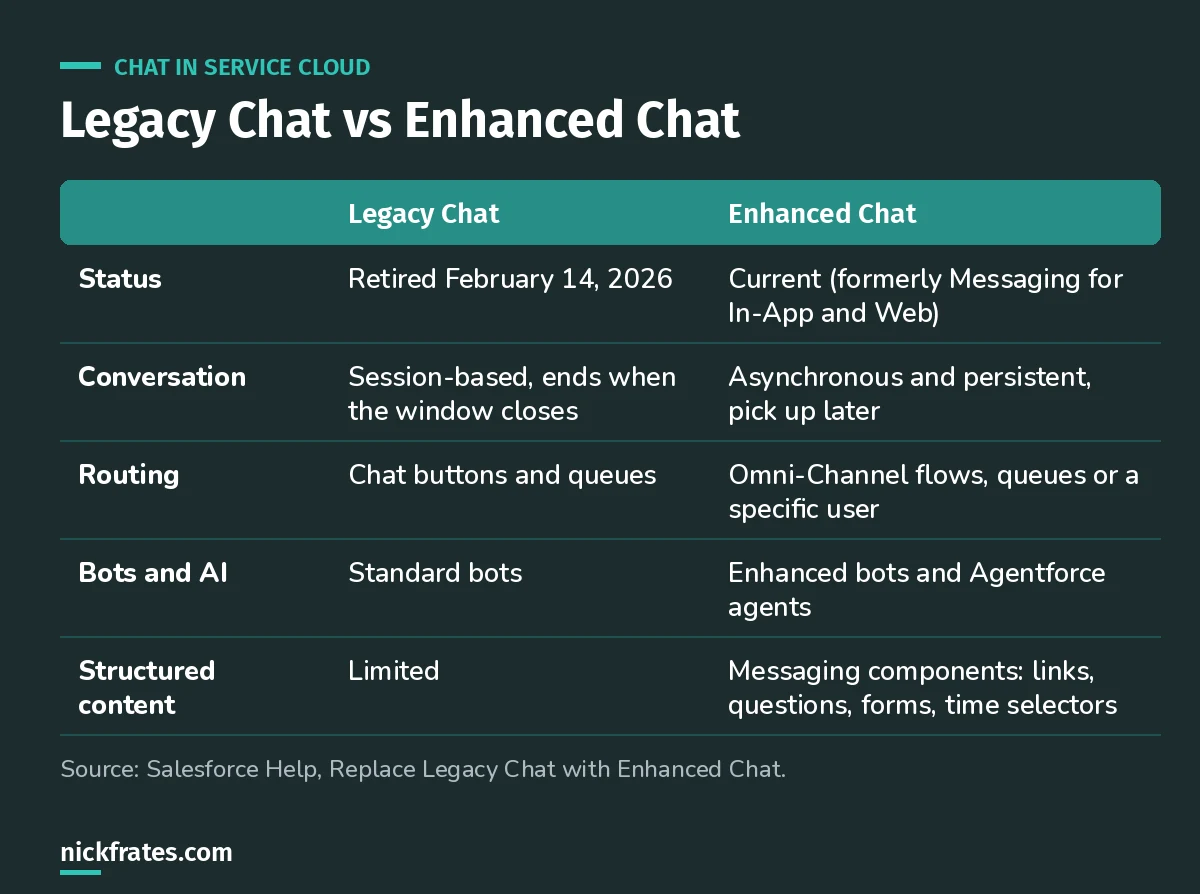
The big change: conversations no longer die when the customer closes the window.
How do you set up Enhanced Chat?
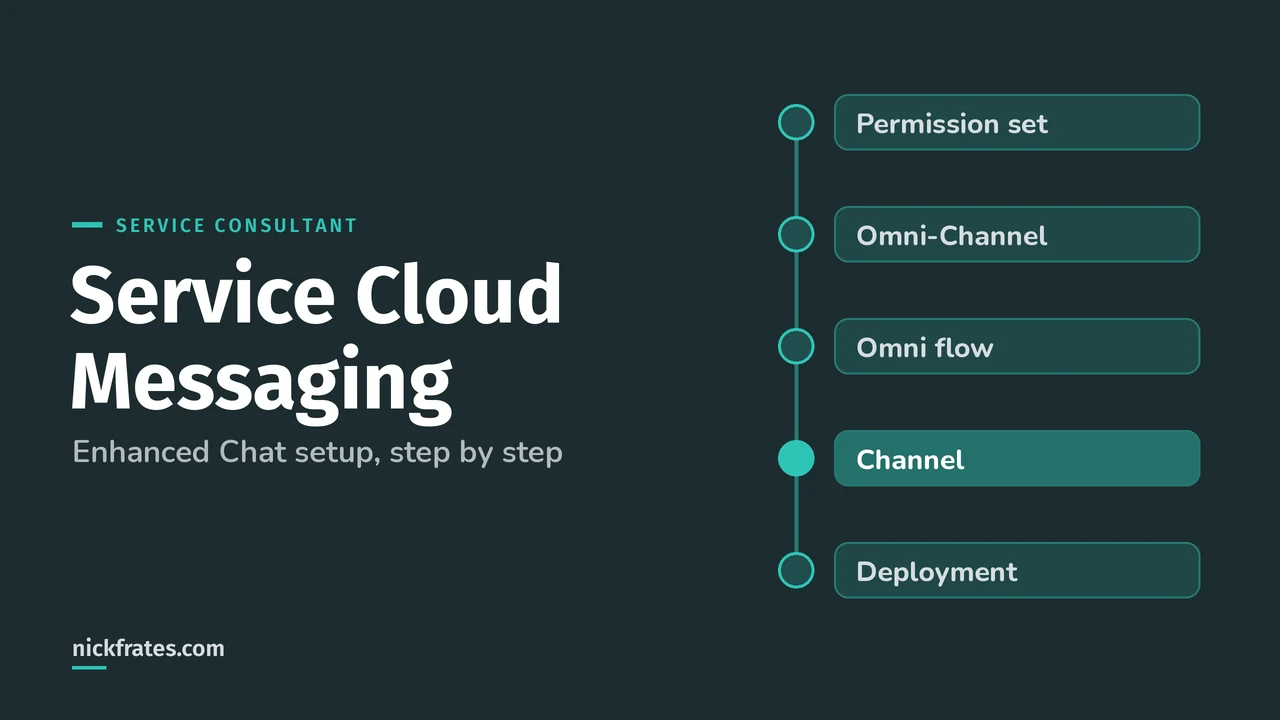
Salesforce recommends three stages, in order, because later steps depend on earlier ones (Quickly Set Up Enhanced Chat). Test in a sandbox before production.
Stage 1: Prepare your users.
- Create and assign a permission set that lets service reps message with customers.
- Whoever does the setup needs Customize Application and Modify Metadata Through Metadata API Functions.
Stage 2: Prepare your org.
- Set up Omni-Channel so messaging sessions can be routed to reps.
- Create an Omni-Channel flow that routes messaging sessions.
- Add messaging to the Service Console so reps can see conversations.
Stage 3: Create a channel and a deployment.
- Use the quick start flow to create a basic Enhanced Chat channel and deployment.
- Add the deployment to your website or app, then preview your branding and settings.
- Enhanced Chat v2 is now the default for new orgs that turn on chat.
Quick backstory. I loved Focus on Force and used it on my way to 17 Salesforce certifications. At first I bought the study guide and read it cover to cover, then took the tests. What I eventually noticed: I learned way faster when I skipped ahead and took practice tests rapid-fire, reading the explanation for every miss. So I built Cert Lab around fast testing, with up-to-date Help links and screenshots in every explanation. It's designed to test you to success.
Cert Lab by Nick Frates
Let the Service Consultant Cert Lab test you to success
Scenario questions on channels, Enhanced Chat, messaging, routing and AI agents, each with an explanation, so channel-picking questions stop feeling like guesses.
Start the Service Consultant Cert Lab for $9.99 →How should you route messaging conversations?
Trailhead's enhanced messaging upgrade unit lists three options for enhanced channels:
| Routing option | Use it when | Limit |
|---|---|---|
| Queue and routing configuration | Basic routing to a team | Can't route to an enhanced bot or AI agent |
| Omni-Channel flow | You need logic, skills, bots or AI agents | More to build and test |
| User-based routing | Every message on a channel goes to one person | Doesn't scale past a tiny team |
I default to an Omni-Channel flow. Even if today it just sends everything to a queue, you can add an Agentforce agent or skills later without rebuilding the channel.
What should reps see in the console?
- Enhanced Conversation component on the Messaging Session Lightning record page. The older Conversation component can't be used with enhanced channels.
- Send a Message global action on the publisher layout, so reps can message opted-in customers from any page.
- Messaging components reps can send: an enhanced link, a question with clickable options, or a time selector for appointments.
- Sensitive data rules that block or mask patterns like credit card numbers in conversations.
Help also notes reps can message a supervisor privately, transfer a session or mark it inactive when a customer goes quiet (Messaging introduction).
What do customers get with Enhanced Chat?
- Conversations that persist across sessions and devices.
- An estimated wait time and auto-responses when a conversation starts, a rep joins or it ends.
- Read and delivery receipts, emoji and file attachments from reps.
- Business hours that hide the chat window when nobody's working.
- Enhanced bots or an Agentforce Service agent to handle the routine questions first.
What mistakes should you avoid?
- Skipping Stage 2. Without Omni-Channel and a flow, the channel has nowhere to send conversations.
- Keeping a standard bot. Standard bots can't be used in enhanced channels. Clone it as an enhanced bot or build an agent.
- Leaving the old Conversation component on the page. Reps won't see enhanced features.
- Assuming chat still ends on close. Enhanced Chat is asynchronous by default. If you need the old synchronous behavior, Salesforce documents how to configure it.
- Setting up in production first. Salesforce explicitly recommends testing in a sandbox.
FAQ
Is Messaging for In-App and Web the same as Enhanced Chat?
Yes. Salesforce began renaming Messaging for In-App and Web to Enhanced Chat in June 2025.
When was Legacy Chat retired?
February 14, 2026. Salesforce's guidance is to switch to Enhanced Chat and use the Chat Transition Readiness Report to plan.
Can Enhanced Chat route to an Agentforce agent?
Yes, through an Omni-Channel flow. A basic queue and routing configuration can't route to an AI agent.
Does this setup apply to WhatsApp and SMS?
No. The three-stage Enhanced Chat setup covers Enhanced In-App Chat and Enhanced Web Chat. WhatsApp, SMS and other messaging channels have their own setup.
Where should you go next?
- The Agentforce Service Consultant study guide covers all eight exam sections.
- Sales and Service apps cheat sheet for the console basics.
- Agentforce topics and actions before you put an AI agent on the channel.
Cert Lab by Nick Frates
Let the Agentforce Service Consultant Cert Lab test you to success
Lessons, flashcards, a quiz for each of the eight exam sections and full practice exams, every answer explained.
Start the Service Consultant Cert Lab for $9.99 →Hope this helps!
Best,
Nick


