Hey friends,
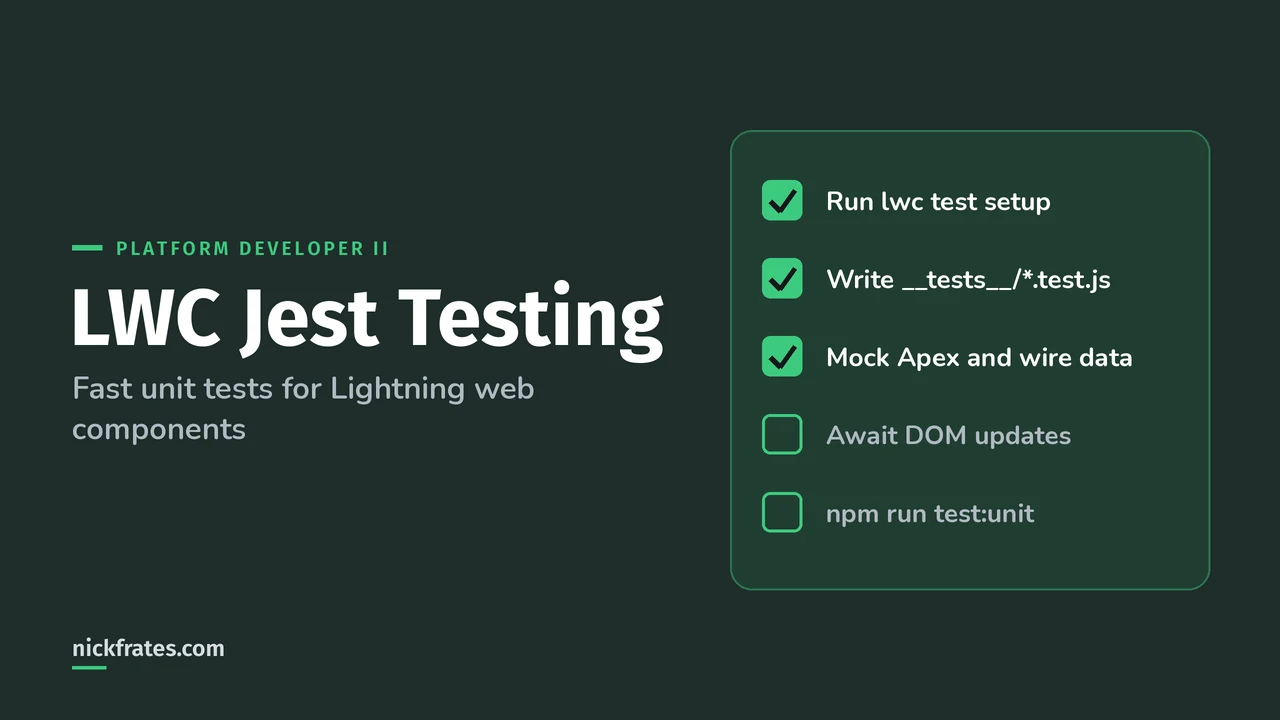
To test a Lightning web component with Jest, run sf force lightning lwc test setup in your Salesforce DX project, write a .test.js file in the component's __tests__ folder that creates the component with createElement, and run npm run test:unit. Jest tests run locally, not in a browser or an org, so they're fast.
Sources: the Lightning Web Components Developer Guide pages Test Lightning Web Components, Install sfdx-lwc-jest, Write Jest Tests and Write Jest Tests for Wire Service. The Platform Developer II exam guide says candidates can test Lightning web components using Jest.
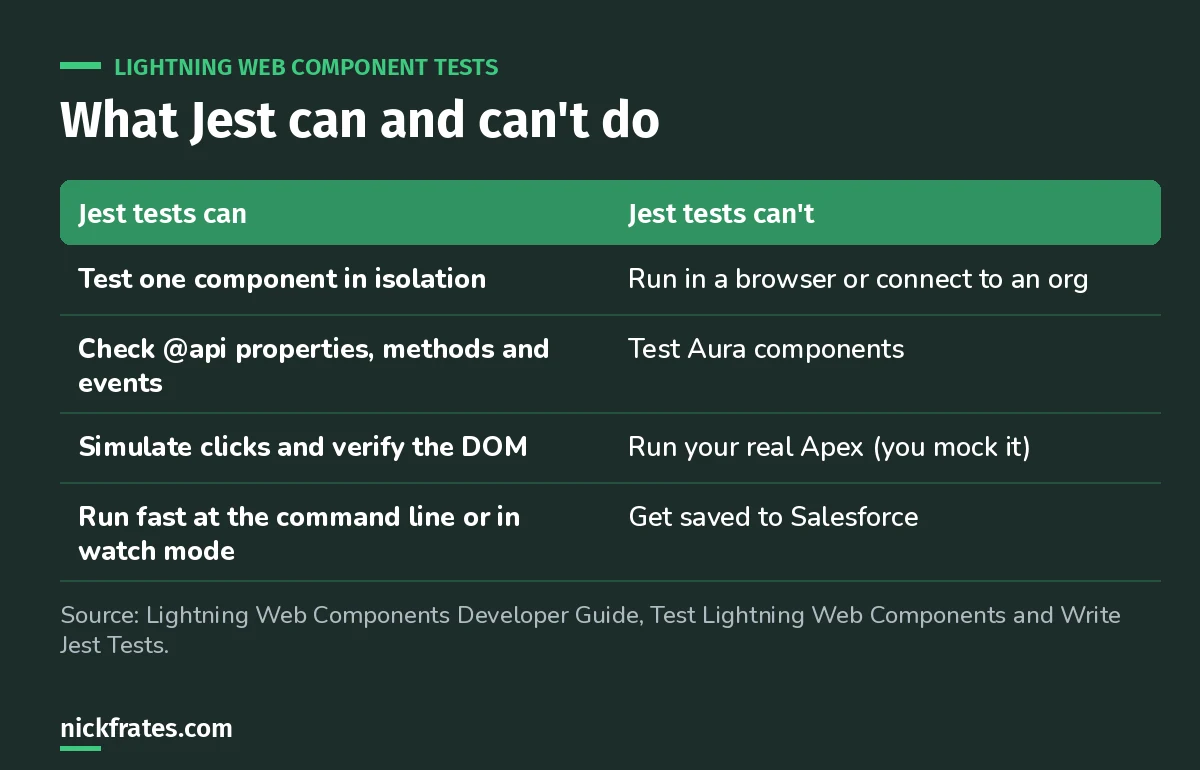
Jest is a unit test runner for LWC only. Aura has its own testing story.
How do you install Jest for LWC?
Install Node.js (Salesforce recommends the LTS release), which brings npm. Then, from the top folder of each DX project:
That creates the config files and installs @salesforce/sfdx-lwc-jest. If you can't use the CLI, run npm install and npm install @salesforce/sfdx-lwc-jest --save-dev. The package.json scripts include test:unit, test:unit:watch, test:unit:debug and test:unit:coverage.
Add **/__tests__/** to .forceignore so tests are never deployed. The setup command does this for you.
What does a basic Jest test look like?
Create the file with sf force lightning lwc test create -f force-app/main/default/lwc/hello/hello.js, or by hand in hello/__tests__/hello.test.js. This is the pattern from Salesforce's lwc-recipes:
- createElement is only available in tests. It builds the component so you can append it to the DOM.
- describe groups tests. Salesforce recommends a top-level describe named after the component.
- afterEach resets the DOM. All tests in a file share one jsdom instance, so clean up or tests leak into each other.
- shadowRoot is how you reach the component's rendered markup.
Why does my test fail after I change a property?
Because the DOM updates asynchronously. If you set a property after appendChild, return a resolved Promise and put your expect inside .then(), or use async and await. Properties set before appendChild render synchronously.
Cert Lab by Nick Frates
Let the Platform Developer II Cert Lab test you to success
Questions on LWC events, wire vs imperative Apex, Jest, Apex mocks and debugging, with explanations for every option.
Start the Platform Developer II Cert Lab for $9.99 →Not ready to buy? Try a free lesson and see how fast you learn.
How do you mock Apex in Jest?
Imperative Apex calls don't run in Jest, so you mock them. Map @salesforce/apex to a mock folder in jest.config.js, export jest.fn() for each method, then set the result in the test with mockResolvedValue (or mockRejectedValue for the error path). Call jest.clearAllMocks() in afterEach.
How do you test the wire service?
sfdx-lwc-jest gives you three wire adapters to mock: a generic adapter (emits whatever you pass to emit()), a Lightning Data Service adapter, and an Apex wire adapter that includes error status. Put mock JSON in __tests__/data/, import the same adapter the component uses, emit the data, and assert on the DOM.
What LWC Jest mistakes should you avoid?
- No DOM cleanup. The shared jsdom makes later tests pass or fail for the wrong reason.
- Asserting before the re-render. Await a Promise after changing state.
- Expecting real Apex to run. Mock it, including the error path.
- Trying to Jest-test Aura. Jest works only with Lightning web components.
- Deploying __tests__. Keep the .forceignore entry.
Here's why I care about practice questions so much. I earned 17 Salesforce certifications, and Focus on Force was a big part of that. My early approach was study guide first, tests later. Flipping it, taking practice tests fast and often, cut my study time way down. Cert Lab is my version of that: fast testing with explanations that link to current Salesforce docs.
FAQ
Do Jest tests count toward Apex code coverage?
No. Jest tests are local JavaScript tests and aren't saved to Salesforce. Apex coverage comes from Apex test classes. See my Apex test class guide.
Can Jest test Aura components?
No. Jest tests work only with Lightning web components.
What command runs LWC Jest tests?
npm run test:unit, or npm run test:unit:watch for watch mode.
Where do LWC Jest tests live?
In a __tests__ folder inside the component bundle, in files that end in .test.js.
Where should you go next?
- Lightning web components basics if you need a refresher on components.
- Apex design patterns for the Apex side of testable code.
- Platform Developer II practice questions.
Nick Frates, a senior Salesforce developer with 17 certifications, built the Platform Developer II Cert Lab at nickfrates.com: rapid-fire practice questions for every exam section, each answer explained.
Cert Lab by Nick Frates
Let the Platform Developer II Cert Lab test you to success
Lessons, flashcards, a quiz for each of the five exam sections and full practice exams, every answer explained.
Start the Platform Developer II Cert Lab for $9.99 →Not ready to buy? Try a free lesson and see how fast you learn.
Hope this helps!
Best,
Nick