Hey friends,
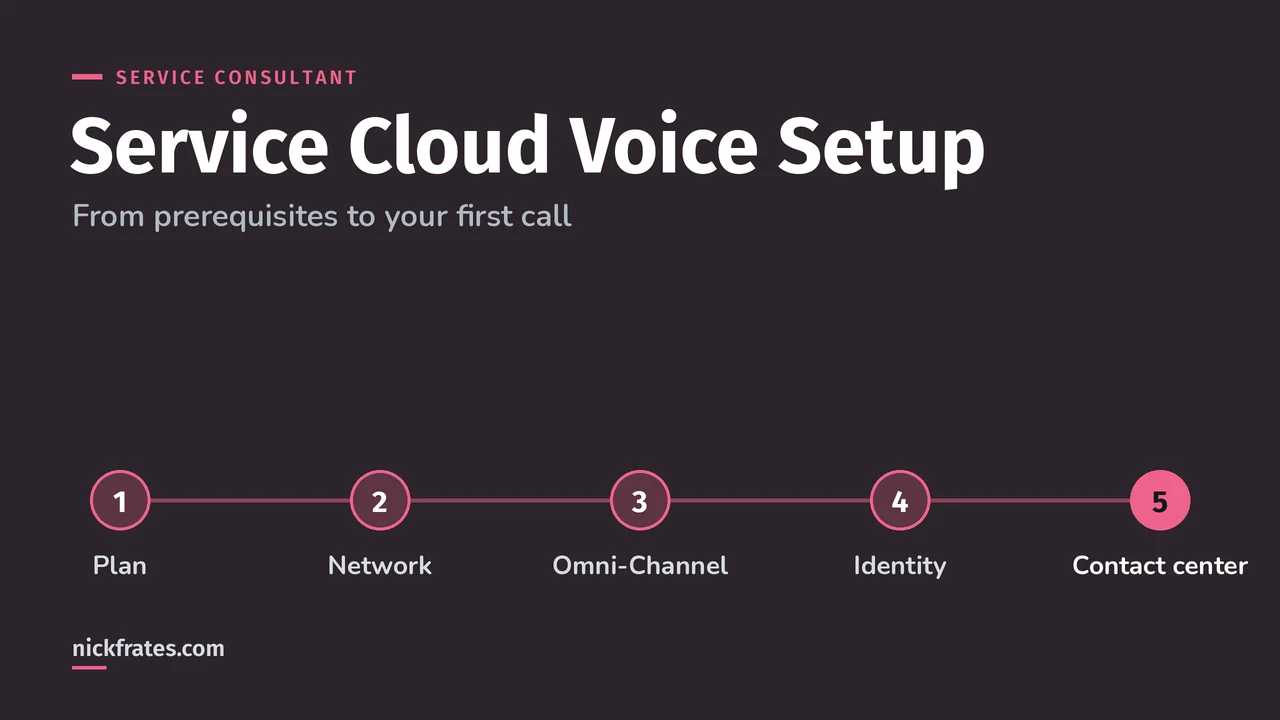
Service Cloud Voice, now called Salesforce Voice with Telephony Providers, puts phone calls inside Salesforce: calls arrive through the Omni-Channel widget next to the customer's record, with transcripts, AI suggestions and supervisor tools built in. To set it up with a partner provider, you complete the prerequisites (Omni-Channel and an identity provider), turn on Voice, install your provider's managed package and create a contact center.
I compared all the phone options, including Open CTI, in Service Cloud telephony integration. This post goes deeper on Voice itself: what it does, how to set it up, how licensing works and the limits to plan around. Everything comes from Salesforce Help, starting with Get to Know Salesforce Voice.
What does Service Cloud Voice do?
Voice gives reps a 360-degree view of each caller and gives supervisors one place to manage calls and digital conversations. Salesforce highlights four areas:
- Rep experience. Calls come through the Omni-Channel widget, so reps can move a customer between web, chat and phone without losing context.
- Supervisor experience. Command Center for Service shows incoming and current calls and conversations, where calls are routed, and lets supervisors move reps between queues.
- AI. Einstein Conversation Intelligence can suggest next best actions from telephony signals, and bots can automate common tasks.
- Architecture. Built on standard Salesforce objects, designed for high-volume, high-availability contact centers.
Is it called Service Cloud Voice or Salesforce Voice?
Both, depending on the page. Service Cloud Voice became Salesforce Voice with Telephony Providers, now part of Partner Contact Center. Salesforce's built-in phone service is Agentforce Contact Center Voice, where Salesforce handles number procurement, interactive voice response (IVR), routing, recording and transcription itself (Offer Native Phone Support with Agentforce Contact Center).
How do you set up Service Cloud Voice?
Start with the prerequisites: the planning checklist, network prep, Omni-Channel and an identity provider. Omni-Channel has to be on before reps can make and receive calls, and the identity provider has to be configured before you turn on Voice (Setup Prerequisites).
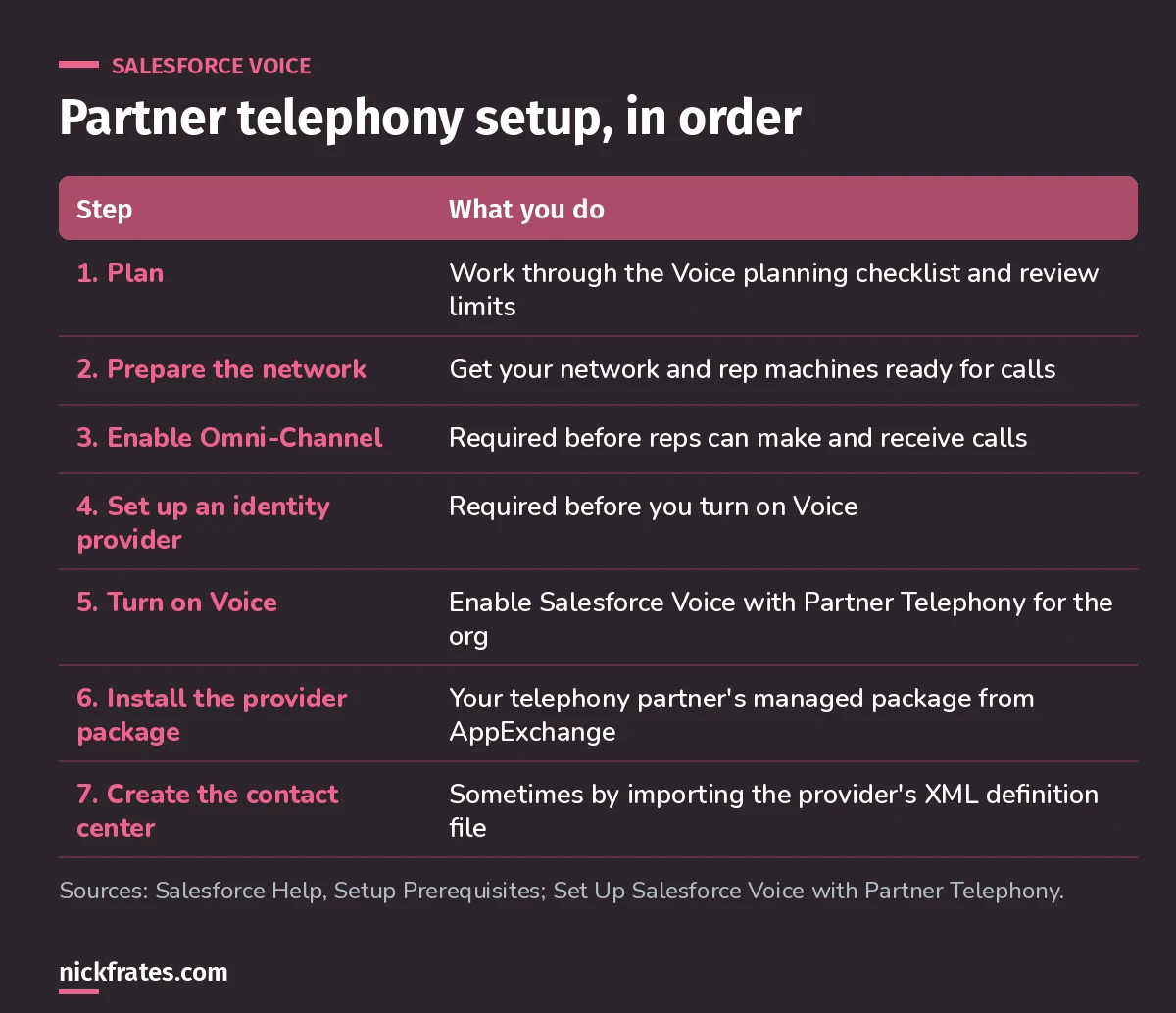
Steps 3 and 4 are the ones people skip, and then the Voice setup page won't cooperate.
For partner telephony, most providers ship a managed package on AppExchange, or give you an installation URL. Depending on the provider, you may need to import an XML contact center definition file. Salesforce provides a sample (Set Up Salesforce Voice with Partner Telephony).
With Amazon Connect, the setup is different: Salesforce creates the AWS account and Amazon Connect instance for you, unless you bring your own instance.
Why I keep pushing practice questions: they work. I've passed 17 Salesforce certifications, and Focus on Force was a big part of the early ones. Reading first and testing later was slow. Testing fast, then reading only what I got wrong, cut my study time way down and made the scenarios feel familiar on exam day. That's exactly how I built Cert Lab.
Cert Lab by Nick Frates
Let the Service Consultant Cert Lab test you to success
Scenario questions on channels, telephony, Omni-Channel and every other exam section, with an explanation for every option.
Start the Agentforce Service Consultant Cert Lab for $9.99 →How is Service Cloud Voice priced and billed?
Voice is an add-on license for Agentforce Service (formerly Service Cloud) and Agentforce Sales (formerly Sales Cloud). How you're billed for telephony depends on the model (Salesforce Voice Limits and Limitations; Choose Your Voice Telephony Model):
| Telephony model | Billing |
|---|---|
| Agentforce Contact Center Voice (native) | A single bill from Salesforce |
| Partner Contact Center Voice (your provider) | Separate bills from Salesforce and your telephony provider |
| Partner Contact Center with Amazon Connect | A single bill from Salesforce, with telephony usage visible in a Salesforce report |
| Amazon Connect, bring your own | Separate bills from Salesforce and Amazon Web Services |
Salesforce doesn't publish one simple Voice price for every case, so talk to a Salesforce rep for actual numbers.
What limits should you plan around?
- Voice is available only in Lightning Experience, and isn't supported on Salesforce Mobile or iPad.
- Telephony is regulated, so check availability in your region with Salesforce.
- Only the owner of a Voice Call Recording record can listen to it. To let supervisors listen, put them above the owner in the role hierarchy.
- If a rep pauses a recording and refreshes the page, recording stops even though the button looks the same.
- Voicemails don't trigger After Conversation Work, and the voicemail tab keeps using rep capacity until the rep closes it.
Worked example: a Voice rollout plan
A 30-rep team already uses Omni-Channel for cases and chat and wants phones in Salesforce with their current provider:
- Confirm the provider supports Partner Contact Center Voice and offers a managed package.
- Run the planning checklist and network prep with IT. Set up the identity provider.
- Turn on Voice, install the package and create the contact center.
- Set up the role hierarchy so supervisors can hear recordings.
- Pilot with a few reps in a sandbox, then roll out by queue.
What mistakes should you avoid?
- Turning on Voice before Omni-Channel and the identity provider. Both are prerequisites.
- Promising iPad or mobile calling. Voice isn't supported there.
- Forgetting recording access. Supervisors need to sit above the recording owner in the role hierarchy.
- Assuming one bill. Partner and bring-your-own models are billed separately by the provider.
- Quoting prices from old blog posts. Voice is an add-on; get current pricing from Salesforce.
FAQ
Is Service Cloud Voice included in Service Cloud?
No. Salesforce lists Voice as an add-on license for Agentforce Service and Agentforce Sales.
What do I need before turning on Voice?
Complete the planning checklist, prepare your network, enable Omni-Channel and configure an identity provider.
Can I keep my current phone provider?
Yes, with Partner Contact Center Voice, if your provider supports it. Most partners provide a managed package.
Does Voice work on the Salesforce mobile app?
No. Salesforce says Voice isn't supported on Salesforce Mobile or iPad, and it's available only in Lightning Experience.
Where should you go next?
- The Agentforce Service Consultant study guide covers every exam section with weights.
- Omni-Channel routing explained, since Voice calls ride on Omni-Channel.
- Service Cloud editions explained for which editions bundle phone support.
Cert Lab by Nick Frates
Practice the whole Service Consultant exam
Short quizzes for each of the eight exam sections plus full practice exams, every answer explained with links to current Salesforce docs.
Start the Agentforce Service Consultant Cert Lab for $9.99 →Hope this helps!
Best,
Nick


