Category: Newsletter

  • John D. Rockefeller and Data

    John D. Rockefeller and Data

    John D. Rockefeller built a monopoly on oil starting in the late 19th century.

    His Standard Oil Company become so powerful and far-reaching that the US Government forced him to dissolve it into 34 separate companies in 1911. 

    Never one to accept a setback, Rockefeller went about running his oil empire as usual, and these separate entities did even better.

    Check out the list of companies that were created AFTER the government broke up his business:

    1. Standard Oil of New Jersey – became Exxon
    2. Standard Oil of New York – became Mobil (eventually merged with Exxon)
    3. Standard Oil of California – became Chevron
    4. Standard Oil of Ohio – became Sohio (later acquired by BP)
    5. Continental Oil Company – became Conoco (later merged with Phillips Petroleum to become ConocoPhillips)
    6. Standard Oil of Indiana – became Amoco (eventually merged with BP)
    7. Atlantic Refining Company – became ARCO (eventually merged with BP)
    8. Chesebrough Manufacturing – became part of Unilever (produced Vaseline)
    9. The Ohio Oil Company – became Marathon Oil
    10. The Prairie Oil & Gas Company – was absorbed into other companies

    Imagine a business so big that it became the foundation for 10 of the largest oil producers in the world, still operating today over 100 years later... 

    And contrary to what the government expected, the breakup actually proved to be extremely profitable for shareholders.

    Here's why:

    • The breakup caused the shares of each of the smaller companies to increase in value, as they were able to operate more independently and take advantage of regional markets.
    • The sum of the parts exceeded the whole: Each of the newly created companies grew rapidly in a burgeoning oil market, benefiting from increased competition and focus.
    • John D. Rockefeller, the largest shareholder, saw his wealth increase. By 1913, just two years after the dissolution, his net worth had grown to nearly $900 million, making him the world's first billionaire. This was largely due to the rising stock prices of the spun-off companies.
    • When the trust was dissolved, shareholders of Standard Oil were granted proportional shares in each of the 34 companies. This means Rockefeller retained significant ownership in all the successors of Standard Oil, and as the companies grew and prospered, so did his wealth.
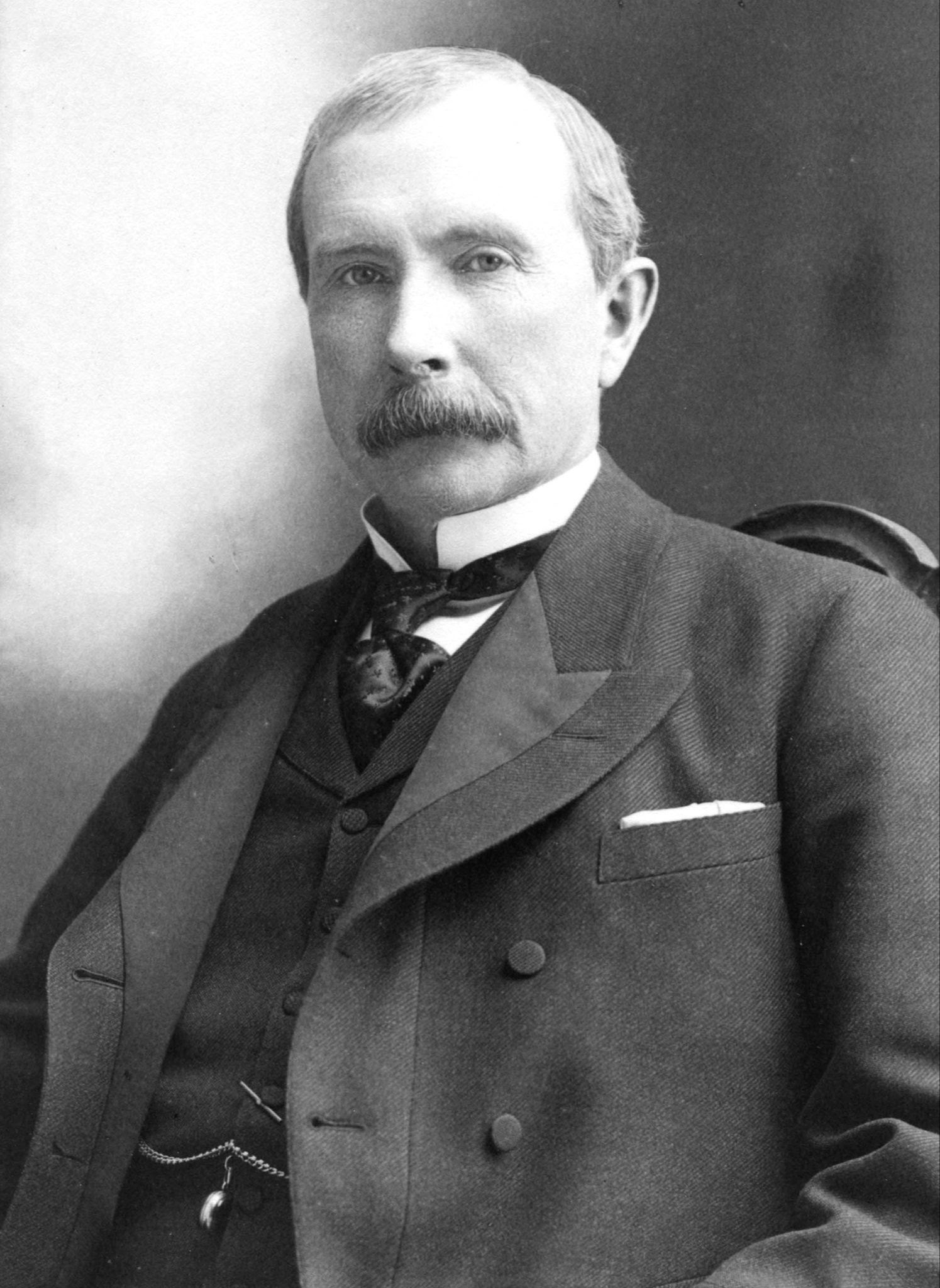
    The original billionaire.


    Cool story, but you might be thinking how on earth is this related to Salesforce?

    This is how: Data is the modern oil.

    Amazon, Netflix, Facebook, Google, Tesla - all the big tech companies - hone their algorithms on oceans of data. 

    Data is valuable.

    And while we're not likely building advanced driving or social media algorithms, the companies we work for still benefit from good clean data.

    So, how clean is your data?

    If you're anything like me, the environments you work in always have room to improve their data quality.

    And one way to do just that is with a simple formula field. 
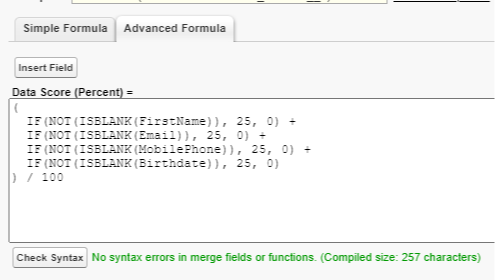
    This formula field checks four separate fields (FirstName, Email, MobilePhone, and BirthDate) on the contact object and assigns a score based on how many are filled in.

    Only one data point filled in gets a score of 25%.

    All four gets a 100%

    We could then run a report on all contacts to check out our data quality score across our entire Salesforce database.

    With this simple field we can use reports to get an average score, a score by contact owner, a score by year, etc etc.

    It's cool!

    What gets measured gets improved, and this helps you measure something important.

    Other methods to improving data quality include:

    • Leveraging duplicate rules
    • Marking more field as required
    • Using conditional field requirements (if an Opportunity is Closed Lost, fill out a reason why)
    • Installing AppExchange products like CloudDingo to auto-merge dupes

    We don't need to drop everything and focus on getting all records to 100% data quality.

    But small changes like this, over time, will add up to big improvements.

    And while your company may not be the next Standard Oil, it will benefit from better, cleaner data.

    So the key takeaways from today are:

    1. Data is valuable but messy (like oil)
    2. Simple formula fields, adjusted for your environment, can help you measure data quality
    3. There are other tools you can leverage too (Dupe rules, AppExchange)
    4. Your company will love you for improving their data quality


    And so, in the words of Forrest Gump, that's all I have to say about that.

    Hope you have a great weekend.


    Best,

    Nick

  • CampApex - Free Coding Practice Site

    CampApex - Free Coding Practice Site

    Happy Saturday!

    This week I was in the midst of being extremely unproductive, bouncing around social media, and playing LinkedIn's new puzzle game called Tango (it's great).

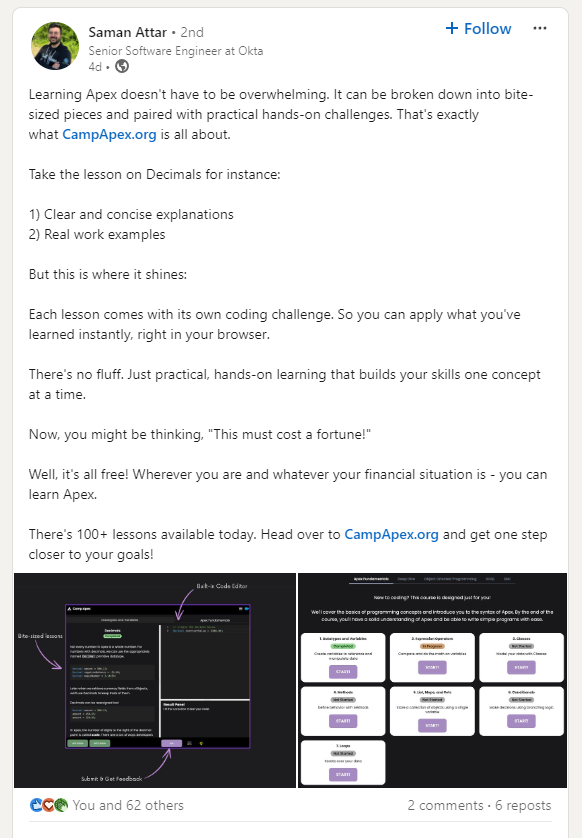
    In the process I came across a post from Saman Attar.


    Saman is a Senior Developer at Okta, and has built a website called Camp Apex with interactive modules that teach you how to write Apex.

    Best part, it's completely free.

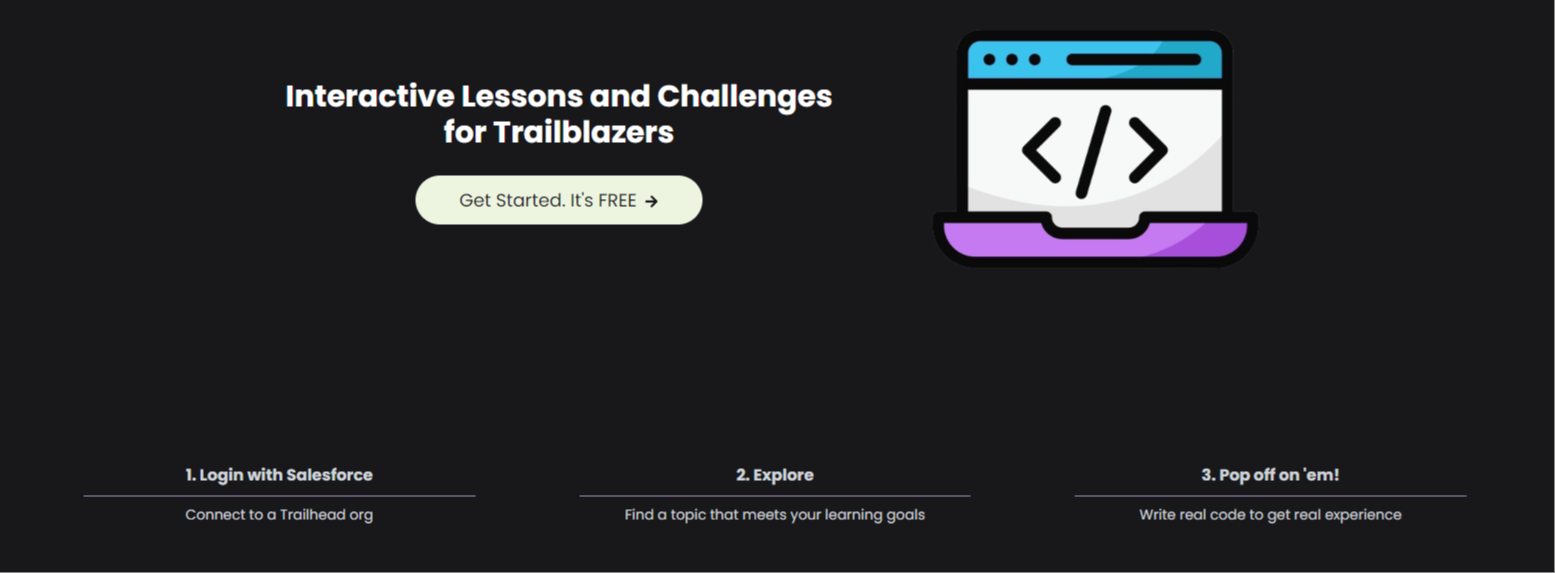
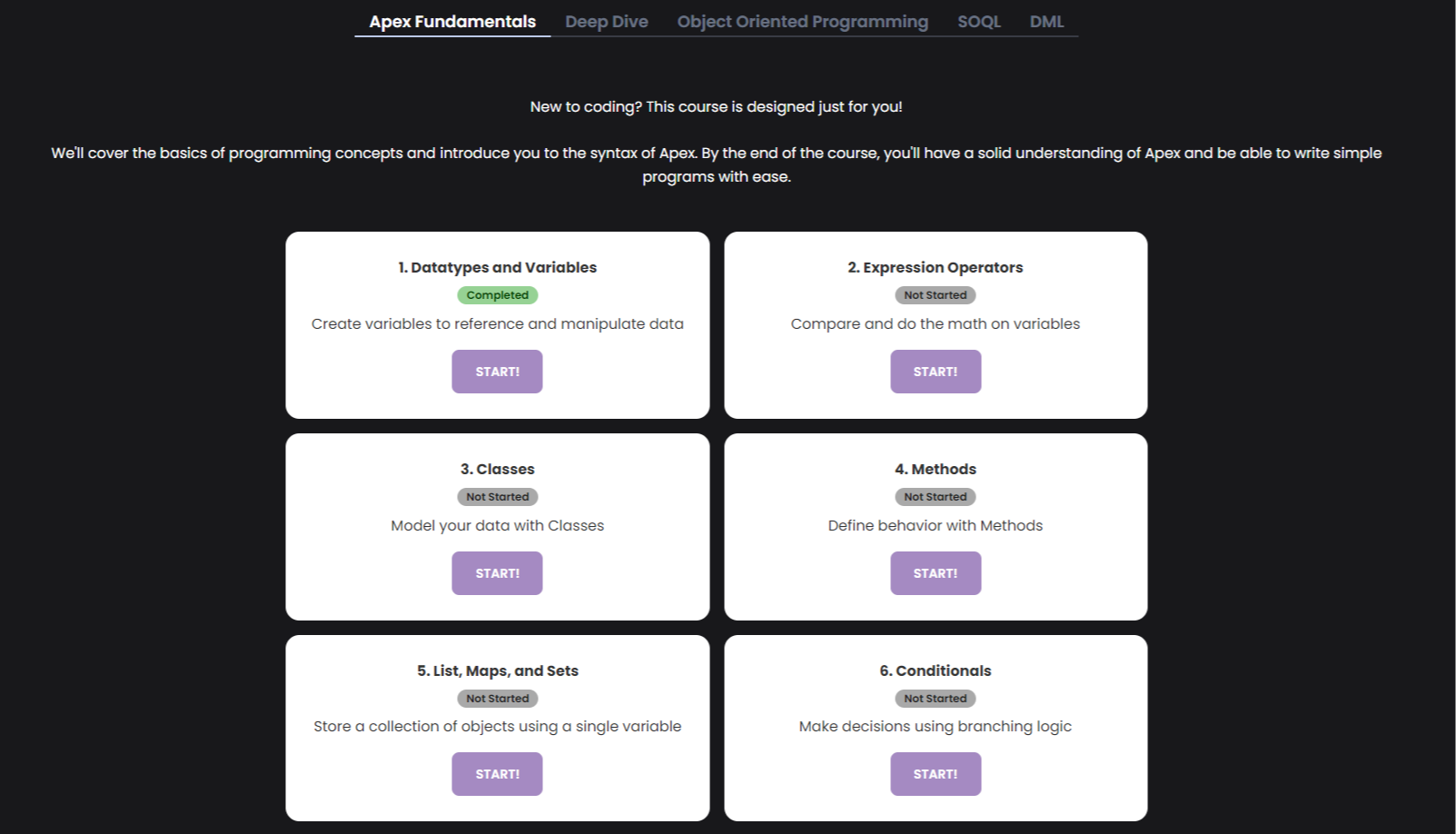
    Simply navigate to Camp Apex, hook up a developer org from Trailhead, and get instant access to over a dozen well designed Apex coding lessons.

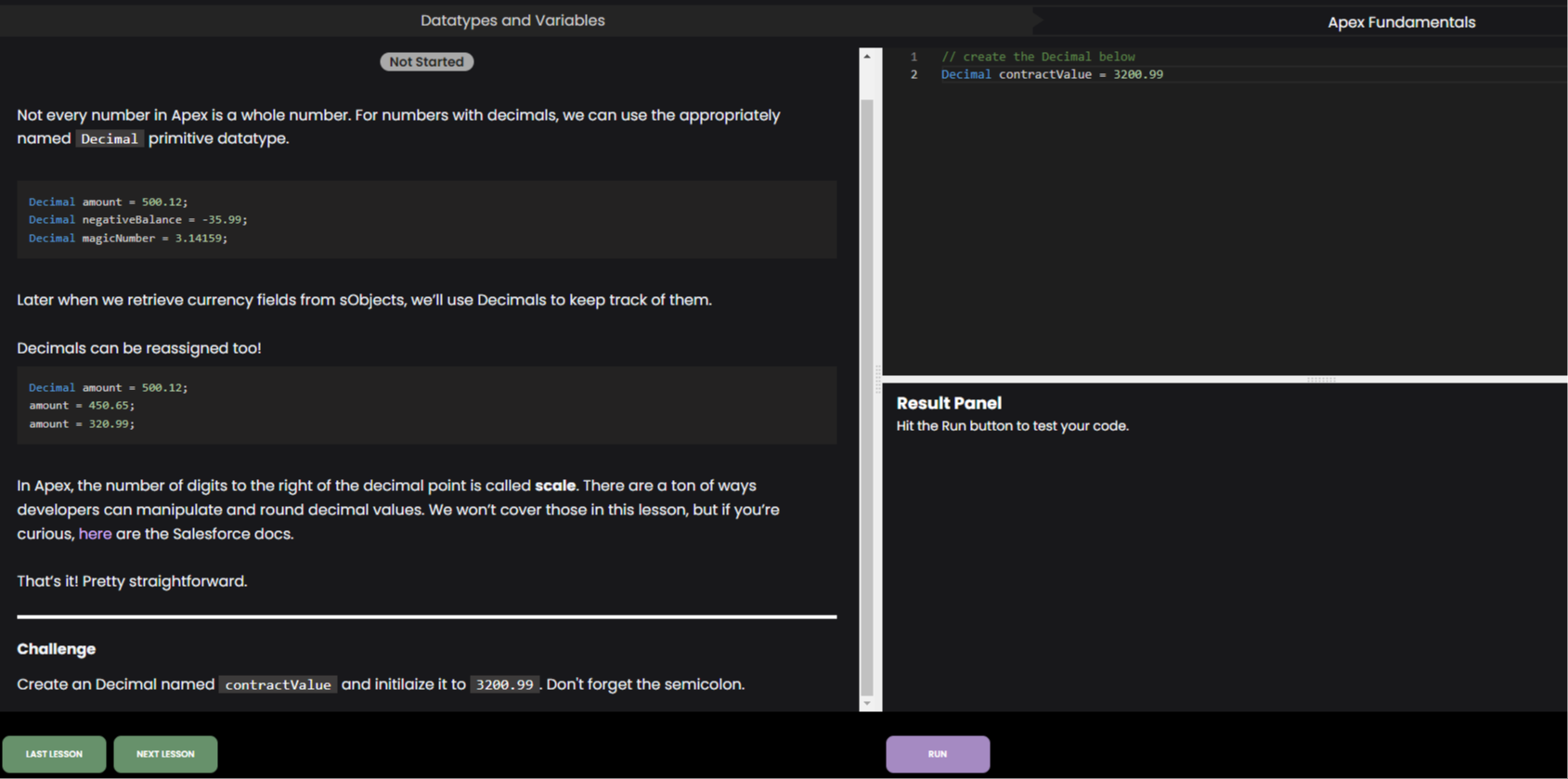
    Each one is it's own module with a series of practice challenges that let you write code in your browser and immediately check if it runs properly or not.

    Maybe you're wondering if learning Apex is worth your time?

    Answer: yes.

    Every Salesforce professional I know who has learned to write Apex has benefited professionally from doing so.

    As a declarative developer / flow builder, learning to code helps you understand key architecture and design principles that set your flows apart.

    As a business analyst, learning to code turns you into a developer's favorite partner because you can bridge the gap between business requirements and technical needs so well.

    As an admin, learning to code opens up career pathways where none existed before.

    And you don't need to be a world-class coder to benefit.

    A little knowledge can go a long way.

    Especially today, with agents like Claude who can write code for you, having just enough Apex knowledge to know what to ask an AI for is crucial.

    So bookmark Camp Apex, and today, tomorrow, or someday in the future - check out some of the easily accessible lessons.

    It'll be both rewarding and fun.


    Best,

    Nick

  • How to Query for a Record Type in Salesforce Flow

    How to Query for a Record Type in Salesforce Flow

    Best Practice: Query for your record types in Salesforce Flows (and Apex)

    What You'll Need:

    • Object Name
    • Record Type Name

    How To Do It:

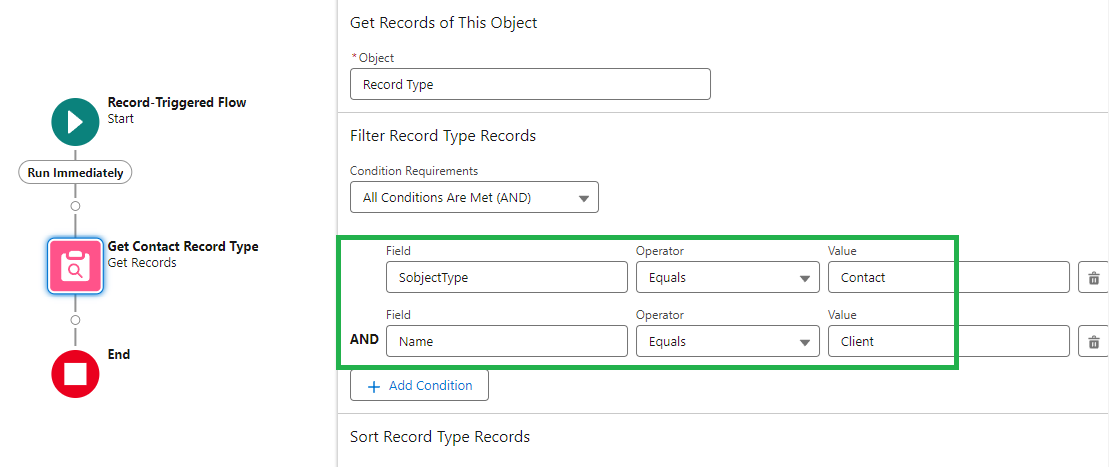
    • Use a Get Records element in your flow on the "Record Type" object.
    • Filter on the SobjectType field
    • Filter on the Name field 

    In the screenshot above you can see we're querying the "Record Type" object.

    We set the SobjectType = Contact, and the Name = Client.

    So this query searches Record Types on the Contact object where the name of the record type is "Client".

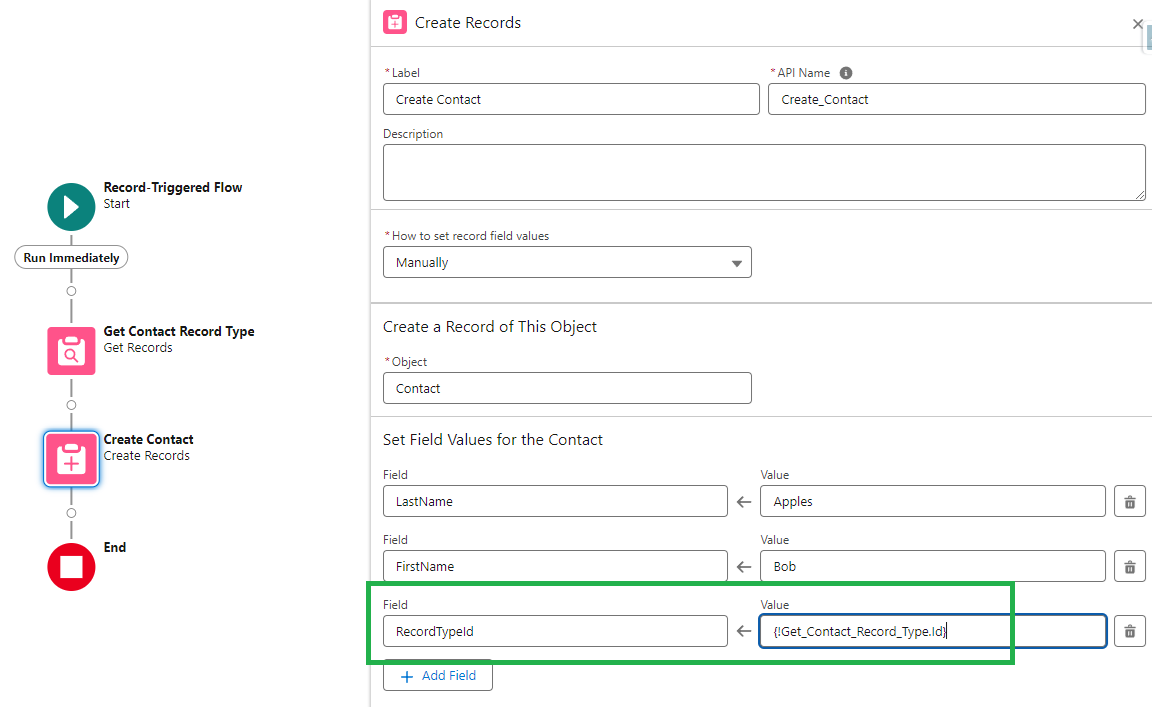
    Then we can use the result of that query to set the RecordTypeId field in a Create or Update record element:

    When It Matters:

    • When creating new record types in lower sandbox environments the RecordTypeId will change as you promote it to higher sandbox environments (and production). This approach helps avoid problems during deployments
    • If a Record Type is used in multiple places in a flow, and then you need to change it later, you'll save yourself time by only having to update one single query rather than reworking multiple create / update elements
    • Knowing this approach is useful in technical interviews when asked about architecture best practices

    And that's a wrap!

  • Winter '25 Release Note Goodies

    Winter '25 Release Note Goodies

    The Winter '25 release is just around the corner!

    Major update windows are scheduled for October 4th, and October 12th.

    As always, I'd highly recommend you take a quick minute to review the latest release notes.

    No need for a long and tedious review session, just skim through and see if anything ignites your curiosity.

    I sat down with some coffee and did just that this morning. Here are a few items that caught my eye.

    Data

    And that's a wrap for this week.

    If you find anything else awesome in the release notes please share it with me!


    Best,

    Nick

  • The Pattern Anti-Pattern Master List

    The Pattern Anti-Pattern Master List

    Super short email!

    I stumbled across an excellent resource this week and wanted to get it on your radar.

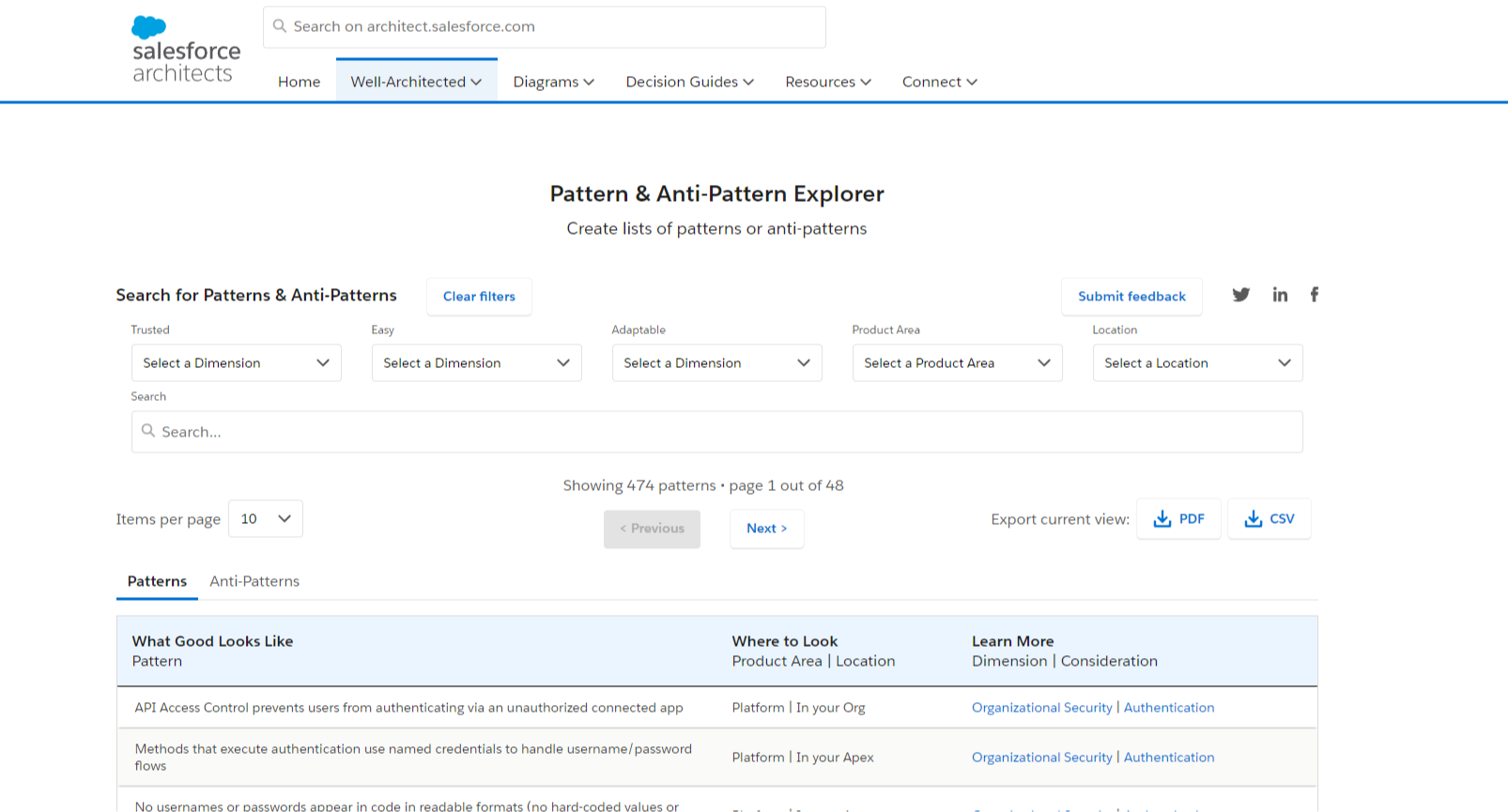
    Salesforce Architects Patterns & Anti-Pattern Explorer

    Salesforce has created a list of recommended design patterns (things to do) and anti-patterns (things to avoid) while building on the platform.

    If you've worked in the ecosystem a while, you likely have your own "rules of thumb" for approaching certain problems.

    That list just got longer!

    The Pattern Explorer above has 474 patterns and 448 anti-patterns for a total of 922 recommendations!

    Now there's no need to memorize this whole list or anything like that.

    Simple browsing through the list once and while to see how you can apply some of the recommendations is more than sufficient.

    And I've already made some surprising finds.

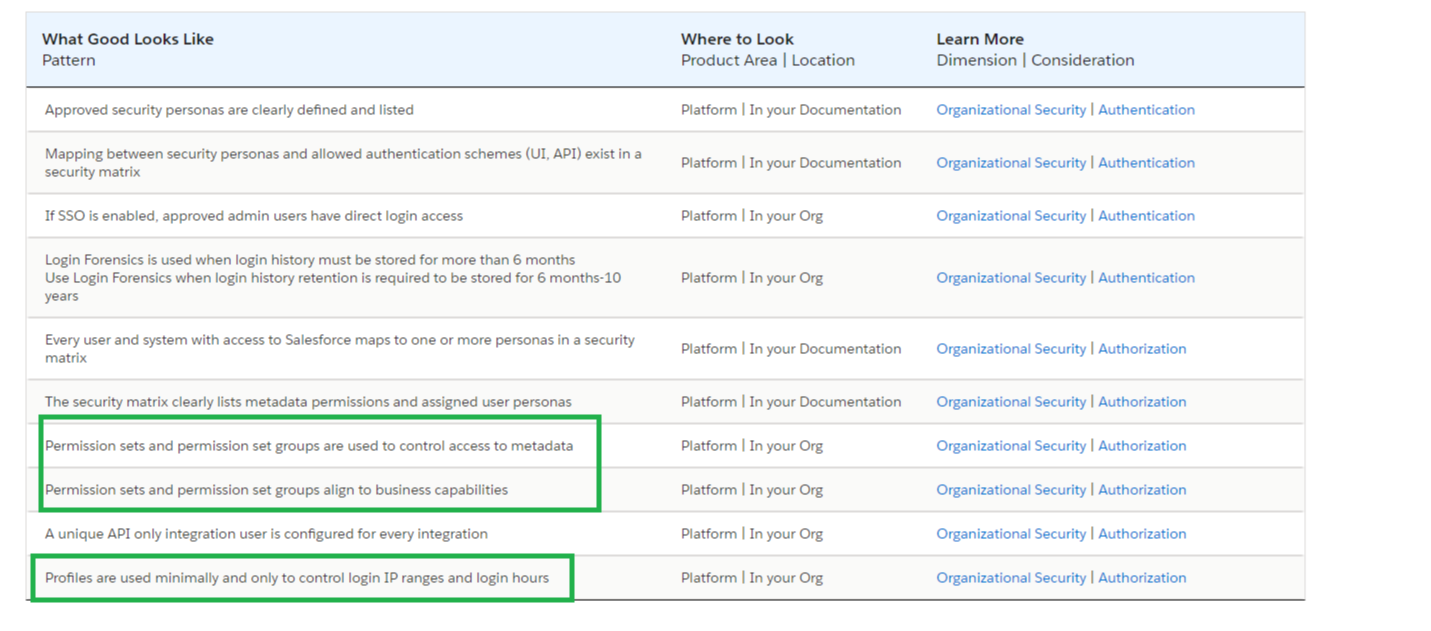
    For example, this resource explicity recommends against heavy use of profiles.

    Instead it suggests using permission sets as the primary way to provide access to key business functionality, with profiles only providing a minor role.

    There's a ton of other goodies in here for those curious enough to check it out.

    • Screen flows consistently use fault connectors to show errors to users
    •  A unique API only integration user is configured for every integration
    • Code wraps all DML, SOQL, callouts, and other critical process steps in `try-catch` blocks
    • Apps have fewer than 10 tabs in the admin-provided default configuration

    I wouldn't go so far as to suggest reading the pattern / anti-pattern list is fun...

    But it will definitely be worth your time the next time you want to make a strong case for building things in Salesforce "the right way" and are getting pushback from stakeholders.

    At any rate, I hope it helps!


    Best,

    Nick

  • The secrets of hyperfocus...

    The secrets of hyperfocus...

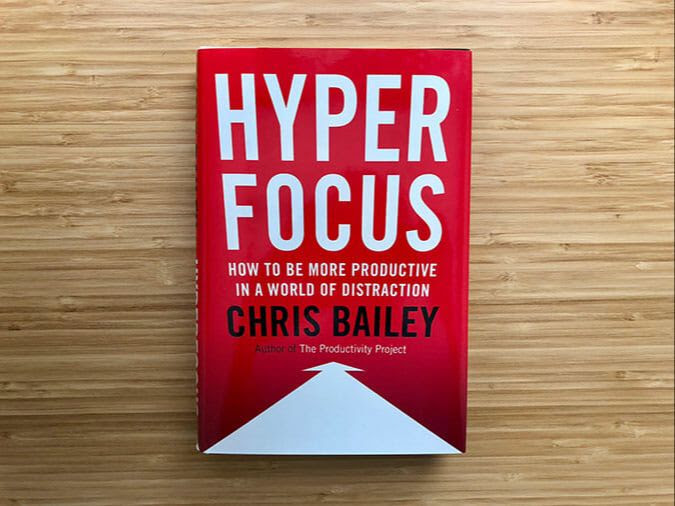
    Hyperfocus.

    That's the name of a book I read this week by Chris Bailey.


    Hyperfocus is the narrowing of our attention to a single task.

    Hyperfocus happens during those deep work sessions where we are completely zoned in on a particular task.

    We enter a flow state where time moves differently. We're able to move through work with ease. It feels as if we've been given superpowers.

    As Salesforce professionals, tapping into hyperfocus can be one of the main ways we create and deliver value.

    We all know hyperfocus isn't always available.

    We can't turn it on and off like a light switch.

    But there are things we can do to invite its presence.

    The book teaches us how to achieve hyperfocus more often.

    One main approach is going at the idea of focus backwards.

    What's the opposite of focus?

    Distraction.

    So, if we don't "perform" distraction, we will have a better chance of becoming focused.

    Major Distractions

    • Smart Phone
    • Email
    • Coworker interruptions
    • Meetings
    • Keeping your to-do list in your head

    Chris offers specific strategies for dealing with each of these distractions in the book.

    The better we get at taming distraction, the more room is available for focus.

    Why?

    Timothy Wilson, a psychologist from the University of Virginia, estimates that our brain receives 11-million bits of information in the form of sensory experience every second.

    While our conscious minds can only process 40 bits of information per second.

    A huge discrepancy. 

    Our attentional space is constantly bombarded, and there's not much we can do to enlarge it.

    We'll never get to 1% of 11 million bits (110,000 bits) of conscious processing power, for example.

    We're stuck with the hardwiring nature gave us.

    Two ways to slightly enlarge our attentional space are:

    • Meditation
    • Sleep

    Both directly enhance our brain's ability to sustain focus - giving us more out of what we've got.

    But we'll never 1000x our attentional space. So we need to subtract and remove distractions to create space for what we do want our attention to be on.

    Which brings us to scatterfocus.

    Scatterfocus is the widening of our attention to everything and at the same time nothing at all.

    In some ways it's the opposite of hyperfocus.

    Scatterfocus happens during those times of routine activity where we're in autopilot mode on a habitual task.

    Think about taking a walk on a familiar trail and letting your mind roam. 

    The quiet rhythm of household chores like folding laundry, doing dishes, or vacuuming. We're half thinking, half witnessing what's being thought.

    Or the brief period while falling asleep where the mind is linking the days events to other ideas and memories, as though without effort a constellation of thought was forming in your mind.

    Chris's insight is that this type of focus - scatterfocus - recharges our ability to hyperfocus.

    So scatterfocus is powerful and useful in its own way.

    The key takeaway is to plan and set up your days to alternate regularly between hyperfocus and scatterfocus so that your brain gets the best of both worlds. 

    It's like a heartbeat. An intense period of focus followed by a brief period of rest.

    The systole and diastole of productivity.

    I loved the concepts in the book and wanted to share them with you.

    And I would definitely recommend reading the book if you're curious to learn more.

    That's a wrap for this week!


    Best,

    Nick

  • How to Schedule a Salesforce Flow Annually

    How to Schedule a Salesforce Flow Annually

    A colleague asked this week, "Can flows be scheduled to run annually? Or do I need an Apex Trigger for that?"

    Good question.

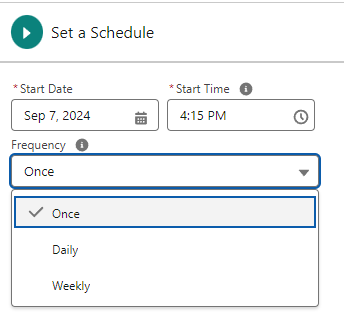
    At first glance, it looks like there is no annual option in a Scheduled Flow.

    But there is a workaround!

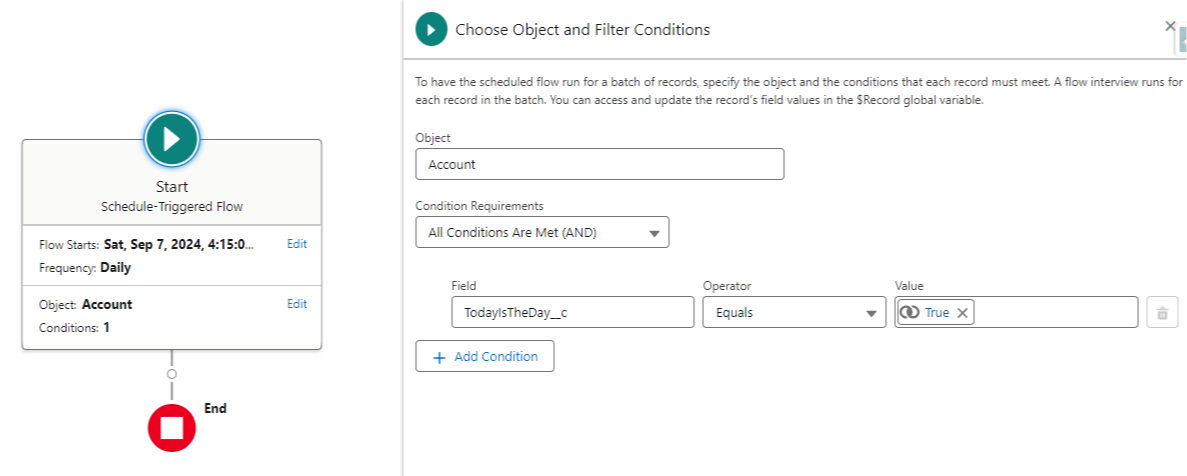
    Pretend we want our Flow to run once a year on Account records.

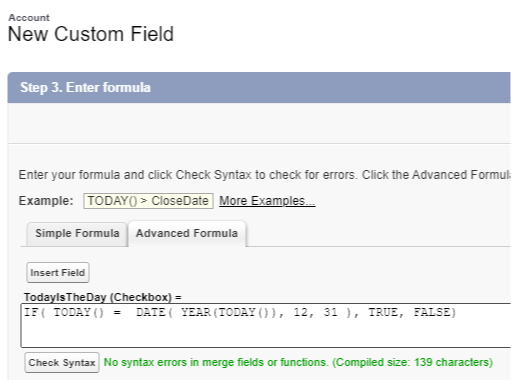
    We can make a formula field on the Account object that returns TRUE when today is the day our Flow should run, and false every other day of the year.

    With this formula created we can use it as a condition in our Scheduled Flow Start element:

    That's it.

    We configure our Flow to run daily and find any records where this formula field is true.

    364 days a year it runs and finds zero records so it does nothing.

    And on the 365th day, it runs and finds all the Accounts we want to perform some logic on, and runs the logic.

    Magic!

    We can of course add in additional entry criteria to better target certain records we're looking to run the Flow on — but the formula field remains the key.

    And that's a wrap for this week.

    Hope this helps you at some point in the future :)


    Best,

    Nick


  • The Power of Feedback

    The Power of Feedback

    Happy Saturday!

    This week, I came across some quotes from Elon Musk about the importance of feedback:


    "I think it's very important to have a feedback loop, where you're constantly thinking about what you've done and how you could be doing it better.

    I think that's the single best piece of advice―constantly think about you could be doing things better and question yourself." ― Elon Musk


    While Musk's opinions can be controversial, his success in pushing technological boundaries is undeniable.

    Watching what his companies do is breathtaking.

    How many people are designing and building rockets that get to orbit and then land on their own (in unison) after falling out of the stratosphere?

    Understanding what's true in the world allows us to operate more effectively.

    This is why I love studying great investors and great engineers.

    Those professions require that we understand reality at a deep level to be successful.

    The leaders in those fields tend to also be world-class at understanding reality.

    Learning a bit about their mental models and thinking processes will pay dividends for us (even if we have no interest in doing what they do).


    "One of the biggest challenges is making sure you have a corrective feedback loop, and then maintaining that corrective feedback loop over time even when people want to tell you exactly what you want to hear..." ― Elon Musk


    As Salesforce professionals, our ability to understand and adapt to user needs is crucial. Effective feedback mechanisms allow us to:

    1. Improve user adoption rates
    2. Enhance system efficiency
    3. Stay aligned with business objectives
    4. Continuously refine our skills

    How can we get more feedback as Salesforce professionals?

    • Build an auto-survey functionality for your end-users into every help desk request, Jira ticket, Asana card, or project task
    • Schedule a task on your calendar to revisit any new feature you've built one month after launch and see if it's really providing value
    • Spend some time each week writing about what you did well and what you could've done differently
    • Actively seek constructive criticism from team leaders and peers 
    • Review the Lightning Usage App regularly
    • Run the Salesforce Optimizer once per quarter 

    "I think it's very important to actively seek out and listen very carefully to negative feedback. This is something people to tend to avoid because it's painful, but I think this is a very common mistake―to not actively seek out and listen to negative feedback."  ― Elon Musk

    Feedback isn't just about personal growth. It's about building better solutions.

    Try a "feedback-first" approach on your next project:

    • Gather input from stakeholders before you start building
    • Use Chatter or Slack to create an open ideas forum
    • Identify roadblocks early
    • Align your solution with real business needs
    • Boost user ownership and adoption

    Early feedback saves time and headaches later.

    So, if you like the idea of continous improvement, this upcoming week I challenge you to implement one new feedback strategy in your Salesforce work.

    I bet it pays off somewhere down the road :)


    Hope this helps!


    Best,

    Nick


  • Perplexed

    Perplexed

    Happy Saturday!

    Have you heard of Perplexity.ai?

    It's an AI search engine. Enter a question, get instant results scraped from the web.

    Maybe one day it'll replace Google.

    Experimenting with it this week, I was once again wondering, where will be in five years?

    AI is changing the landscape faster than any tech I've seen in my (admittedly short) career.

    How can we future-proof ourselves? Is it even possible?

    Jeff Bezos tells the story of how he is frequently asked what's going to change over the next ten years.

    He said it's an interesting question. But a more important question is:

    What's not going to change over the next ten years?

    It's more important because you can build a business strategy around things that are stable in time.

    Investing energy there will continue to payout.

    For Amazon its 1) low prices 2) vast selection and 3) fast delivery.

    It's impossible to think of customers wanting less of those things.

    Amazon can spend time and energy there and continue to grow.

    Jeff Bezos on building a business strategy

    What is stable in time for us as Salesforce professionals?

    AI could be (probably will be) writing formulas, building flows, generating reports, writing code, and drafting customer emails better than all of us.

    One thing that probably won't change though, is human nature.

    Human psychology came to be what it is over thousands of centuries of evolution.

    Our basic wiring is the same today as it was long ago.

    Therefore mastering psychology, and how to apply it in life, will remain useful as long as our basic wiring doesn't change.

    Charlie Munger provides a great list of 25 standard causes of human misjudgement:

    1. Reward and Punishment Superresponse Tendency: People strongly react to incentives and penalties, often more than they realize.
    2. Liking/Loving Tendency: We tend to favor people, products, or ideas we like, sometimes ignoring their flaws.
    3. Disliking/Hating Tendency: We often reject or criticize things we dislike, even if they have merit.
    4. Doubt-Avoidance Tendency: When faced with uncertainty, we often rush to make decisions to avoid doubt.
    5. Inconsistency-Avoidance Tendency: People resist changing their beliefs or habits to avoid seeming inconsistent.
    6. Curiosity Tendency: Humans have a natural desire to explore and understand the unknown.
    7. Kantian Fairness Tendency: We want to act fairly and expect others to do the same, following a "golden rule" approach.
    8. Envy/Jealousy Tendency: People often feel envious or jealous when others have something they want.
    9. Reciprocation Tendency: We feel obligated to return favors or kindnesses given to us.
    10. Influence-from-Mere-Association Tendency: Our opinions are swayed by associating things with positive or negative feelings.
    11. Simple, Pain-Avoiding Psychological Denial: We ignore or deny uncomfortable truths to avoid mental pain.
    12. Excessive Self-Regard Tendency: People often overestimate their abilities and importance.
    13. Overoptimism Tendency: We tend to be overly optimistic about outcomes, underestimating risks.
    14. Deprival-Superreaction Tendency: Losing something feels worse than gaining the same thing, leading to strong reactions.
    15. Social-Proof Tendency: We look to others for cues on how to think and act, especially in uncertain situations.
    16. Contrast-Misreaction Tendency: Our perception is influenced by contrasting things, often leading to skewed judgments.
    17. Stress-Influence Tendency: Stress can cloud our judgment and lead to poor decision-making.
    18. Availability-Misweighing Tendency: We give undue weight to information that is easily recalled or recent.
    19. Use-It-or-Lose-It Tendency: Skills and knowledge deteriorate if not regularly used.
    20. Drug-Misinfluence Tendency: Substances can impair judgment and decision-making.
    21. Senescence-Misinfluence Tendency: Aging can affect mental faculties and decision-making abilities.
    22. Authority-Misinfluence Tendency: We tend to follow authority figures, sometimes without question.
    23. Twaddle Tendency: People often engage in trivial or meaningless talk, which can distract from important issues.
    24. Reason-Respecting Tendency: We are more likely to follow requests or advice if given a reason, even if it's weak.
    25. Lollapalooza Tendency: Multiple biases and tendencies can combine to create a powerful effect on behavior and decisions.

    Assembling psychology-based knowledge like this, and using it checklist-style can let us:

    • Persuade our company to take on a profitable project
    • Negotiate a raise
    • Build an amazing family life
    • Win friends
    • Work more effectively in teams
    • Become a leader

    And more.

    My thinking is that, mastery of human nature will still be valuable 10 years from now.

    I don't see myself thinking ten years from now: "I wish I knew less about how to persuade and be successful interacting with everyone I meet."

    There must be other skills that will AI proof our lives and careers.

    Skills that age in reverse. Skills that exhibit the Lindy Effect.

    So I'll now attempt to crowdsource some knowledge from you...

    Reply to this email and tell me what skill you think will still be valuable in 10 years!


    Best,

    Nick


    P.S. Two weeks ago I wrote about using custom metadata in a Flow.

    Many of you wrote back asking to see an example so I made this 30 min YouTube video on how it works.

    Feel free to check it out :)


  • What a surprise...

    What a surprise...

    Happy Saturday!

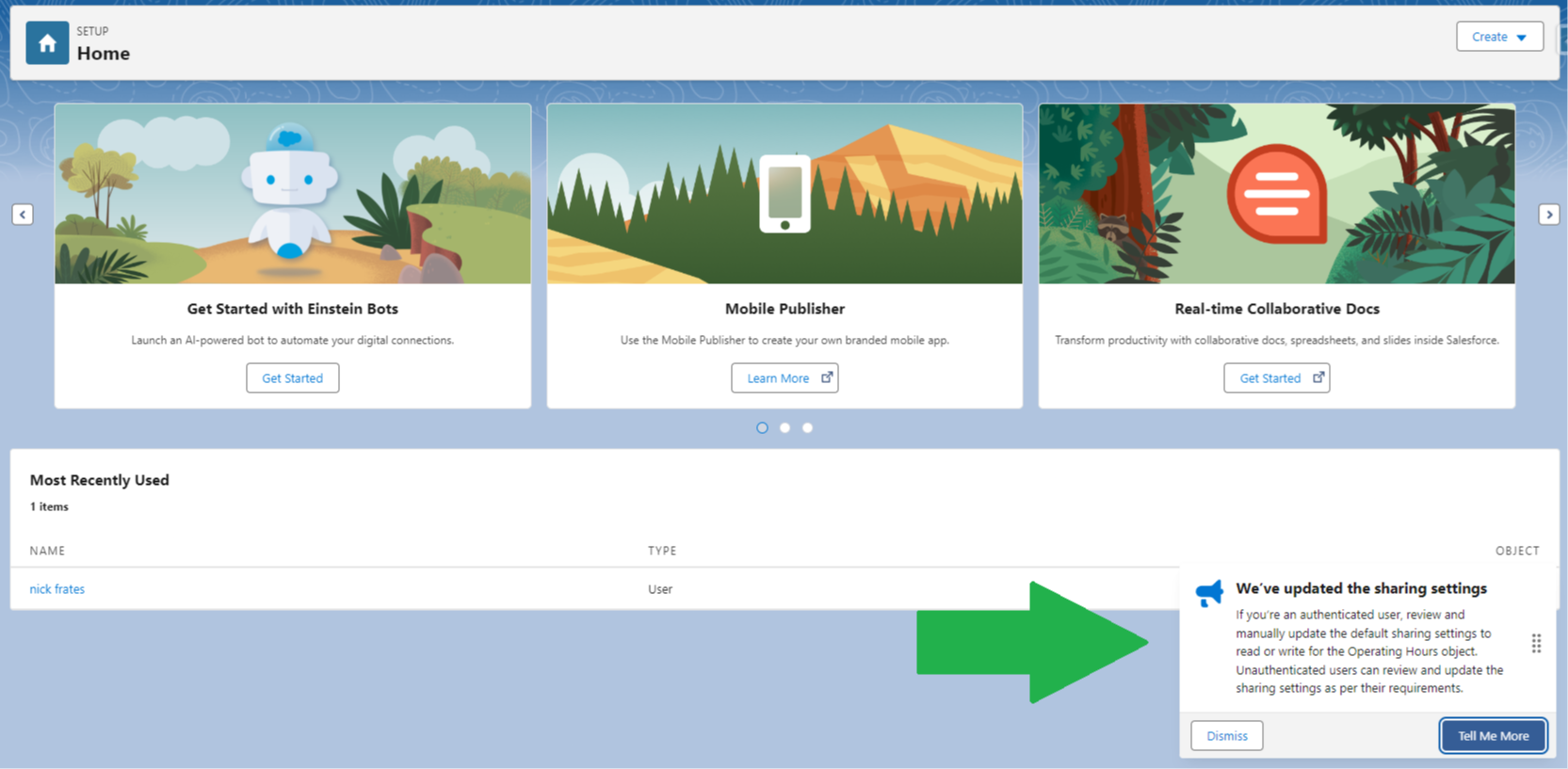
    Have you ever logged into Salesforce and seen those pop-ups that appear in the bottom right corner?
     

    It turns out, as admins, we can build our own (and more).

    Surprise!

    While studying for the Certified UX Designer credential this week I came across this feature, and I'm almost embarassed to say I didn't know it existed:

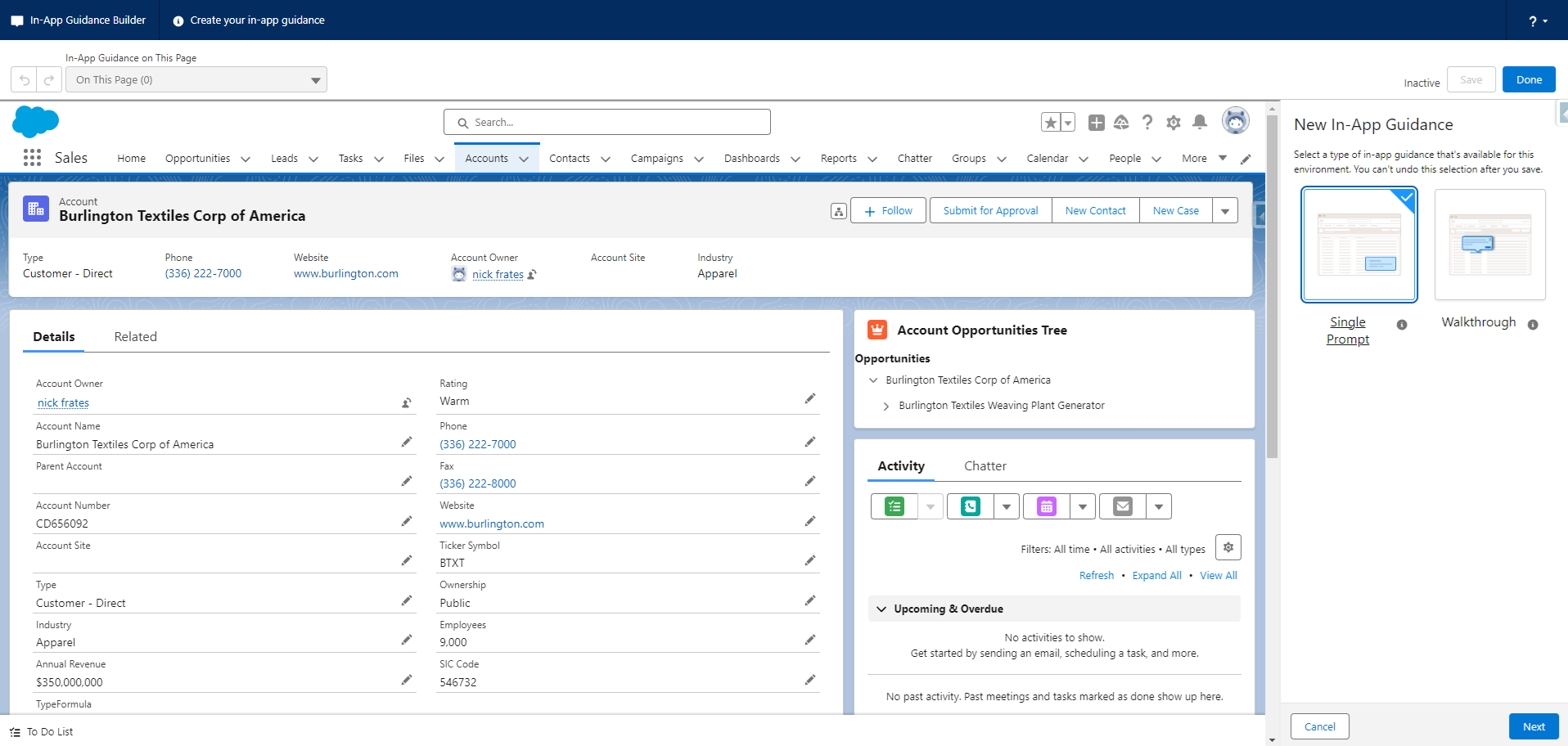
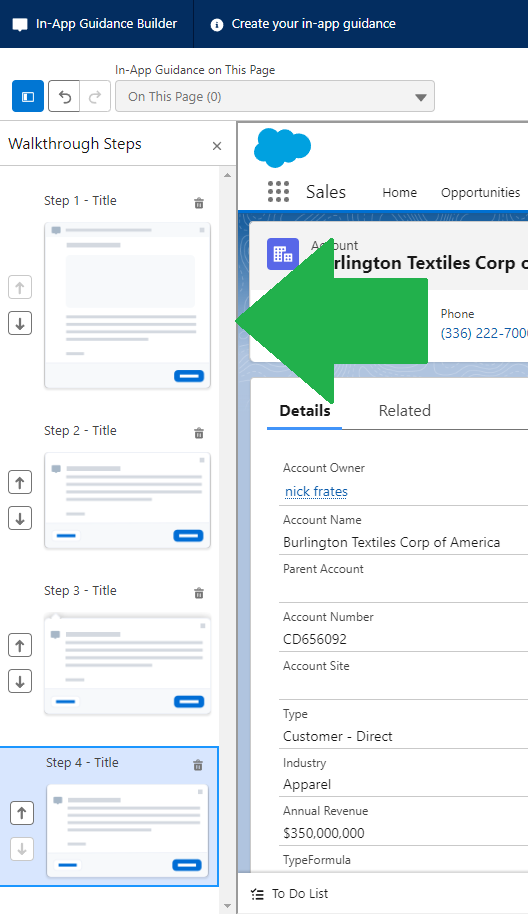
    In-App Guidance Builder

    Just search "In-App Guidance" builder in the setup menu and click on the result to be taken to builder.

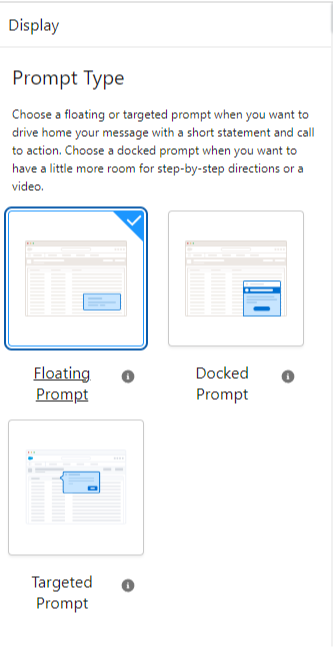
    The builder lets you navigate to most record pages in Salesforce, where you can choose to add a variety of prompts - even stringing them together into custom walkthroughs!

    This tool provides an elegant way to train end users on new (or existing) functionality like screen flows, buttons, specific fields to fill in, and more.

    Awesome stuff.

    And there are a couple other lessons in my "discovery" this week.

    First: If you're new in the Salesforce world, you can provide a lot of value by identifying underutilized features like this.

    I've worked with 80+ clients and I don't recall seeing them built out once.

    Because you're likely to come across these under-used features while studying for certifications, you may know how to add value better than industry veterans in some situations!

    Two: If you've been in the Salesforce world a while, you must keep learning, or you'll miss obviously great features like this.

    If you're standing still, you're being left behind (because of the rate of change).

    I'm the author of a flow course, have 16 certifications, write a weekly newsletter, and have been working with Salesforce since 2017.

    Some people would consider me a "Salesforce expert".

    But that label doesn't mean anything if I miss features that would benefit end users.

    I can think of at least 3 of my clients who would've loved these as part of new user training and I missed the chance. Argh!

    Three: And no matter how long you've been in the industry - studying for certifications is a great way to level up and to stay current.

    Sometimes you'll see others poke fun at the people who blitz out certifications without getting the necessary experience to back up their studied knowledge.

    But it pays to remember that studying for certifications can still be incredibly beneficial, even if you have tons of experience.


    And that's a wrap!


    Thanks for reading :)


    Best,

    Nick