Category: Newsletter

  • How to get your biggest bonus check ever...

    How to get your biggest bonus check ever...

    Reprint of Salesforce Saturday 1/13/24 Newsletter

    Happy Saturday Everyone :)

    The biggest single bonus check I ever received was for $68,000.

    Earlier that year, I had asked for a huge salary increase from my boss and was denied.

    I said, "Well, if I can't have that big a salary, could at least have a percentage of any savings I find in the business?"

    He agreed.

    20% of any savings I found would be added as a bonus to my check.

    In retrospect this turned out to be extremely lucky.

    And that's the first key takeaway from this story.

    Look for ways to add a "commission" or "performance based incentive" to your pay.

    It might take some time, and maybe considering another employer, but having an uncapped upside on a portion of your earnings is a big deal.

    It's a form a leverage. You want to break the "time for money trade" and find a "value for money" trade.

    If you provide more in savings value than you take in cash value, there isn't a limit to how much you can earn.

    You'll be adding profitability with every transaction.

    If you offered to put $350,000 in my pocket right now, on the condition that I have to pay you $68,000 to do it, why wouldn't I make that deal?

    Not only would I make it, I'd hope you could find even more ways to repeat the process!

    So, with my savings arrangement, I had the right incentive.

    I was going to find a lot of savings!

    I remembered that our previous year Salesforce Contract came out to over $500,000.

    If there will be big savings anywhere, I figured I might as well start with the biggest line items I was aware of.

    Turns out, there was a lot of excess billing in our contract.

    We were paying for licenses and services we weren't using.

    I started a list of everything I thought we could get rid of or ways to save money.

    • Move some users from regular licenses to platform licenses
    • Building our own membership website to save on partner community licenses
    • Remove extra line items for API Calls, Data Storage, unused Knowledge Licenses, Premium Support, and other services we simply weren't using

    Next, I reviewed App-Exchange apps and other expenses.

    I found a few apps to remove and added them to the list.

    I reviewed other expenses, one of which were external consultants.

    We were paying a development team to build a custom application which cost a significant amount of money each month (close to $20k).

    Added them to my list.

    I compiled all the changes we could make to reduce our contract, replace the consultants, and use new (cheaper) apps.

    Then for roughly 6 months, I led internal sprints to slowly remove these extra expenses without hurting normal operations.

    It worked!

    And so when the second quarter ended in 2020, my team and I had been able to save over $450,000 - and I got my biggest bonus check by far.

    I took the team out to a 5-star steakhouse, and gave them their own surprise bonus checks based on the extra savings we found.

    It was awesome.

    But the total dollars saved is less important than where I was able to find savings.

    The second key takeaway from this story is that your Salesforce contract probably also has items your company is not even using.

    Find them!

    Every Salesforce System Admin can view their companies Salesforce Contract from inside Salesforce.

    I recommend you review it regularly.

    You only get the option to remove items once a year during your contract renewal.

    Preparing a little bit each month throughout the year will position you perfectly to cut costs when the opportunity arises.

    And if you've set up a deal where you get to capture some of those savings, you could absolutely get your own biggest bonus check too.

    I know it's repeatable, because in my role as a consultant I've reviewed dozens of other contracts and routinely found $100k line items that companies weren't even using.

    Salesforce is so good at selling to C-level executives that there is bound to be unneeded services in almost every contract.

    Capitalize on them! 


    Best,

    Nick

  • Reading is worthwhile...

    Reading is worthwhile...

    Originally sent in the Salesforce Saturday newsletter on 11/11/23

    ***

    Happy Saturday!

    Reading is a powerful mind altering activity.

    It changes the structure of your brain.

    You take the concentrated thoughts of the author, who often spent hours distilling their message, and picture them in your mind, effectively hallucinating in real time as you merge their ideas into your own knowledge base.

    Its active meditation.

    We all know attention spans are shortened by repeatedly watching short form content.

    TikTok, Reels, and YouTube Shorts demand little from us.

    The opposite happens when we engage with long form content like books.

    Our attention lengthens. Our consciousness expands.

    The medium is the message.

    I think more than half the benefit of reading has nothing to do with the content of what you read.

    It comes from practicing how to focus, reflect, and interact with the refined thoughts of others people, which is what happens naturally when you read a book.

    That's liberating.

    It means we don't need to read books off some hyped up "must read" list.

    The best book is the one you like to read.

    You can get the bulk of the benefit of reading from any book you like.

    The rest of the benefits probably do come from the content of the book.

    And on that note, I read two good books recently.

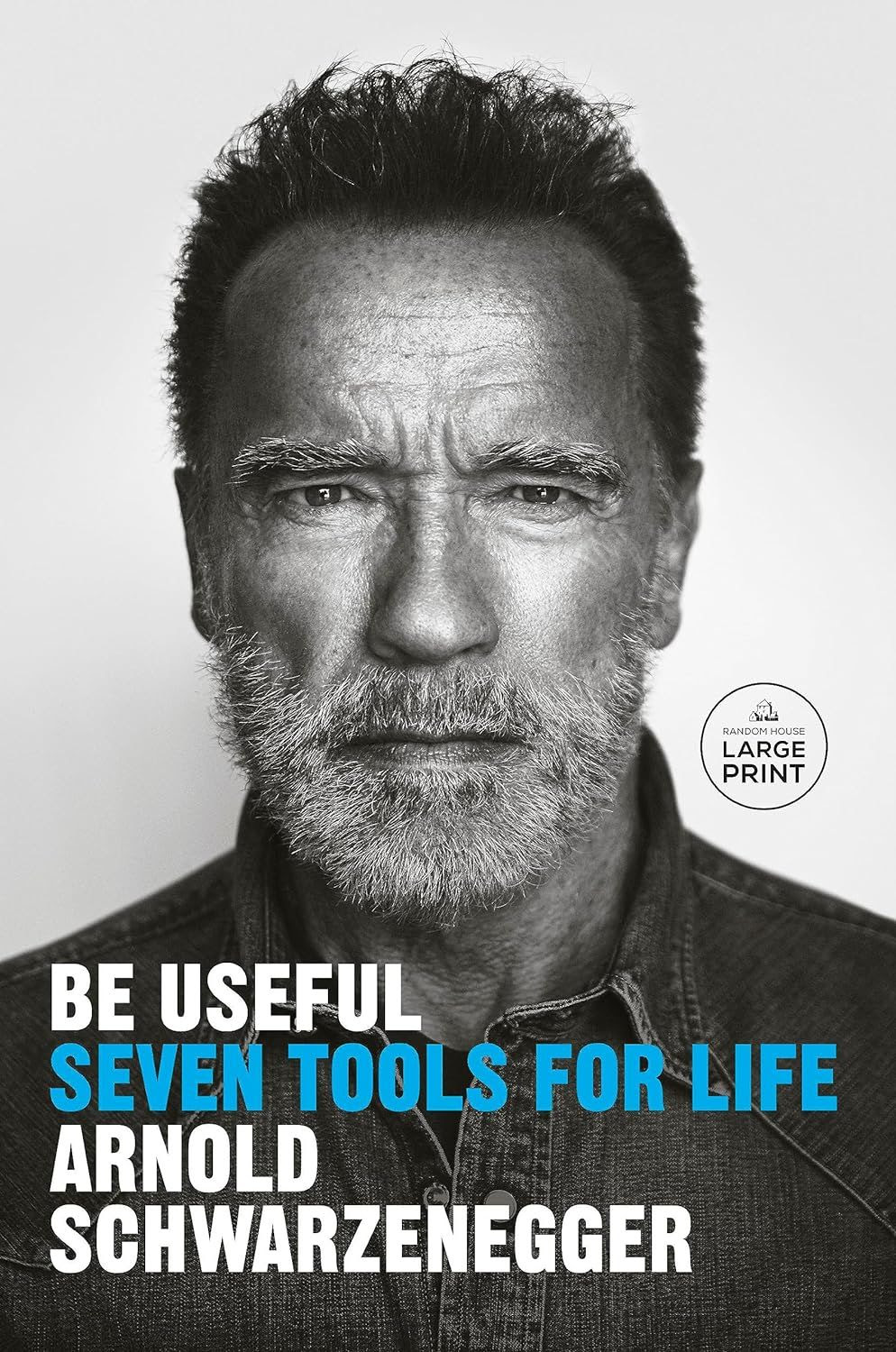
    Be Useful: Seven Tools for Life by Arnold Schwarzenegger

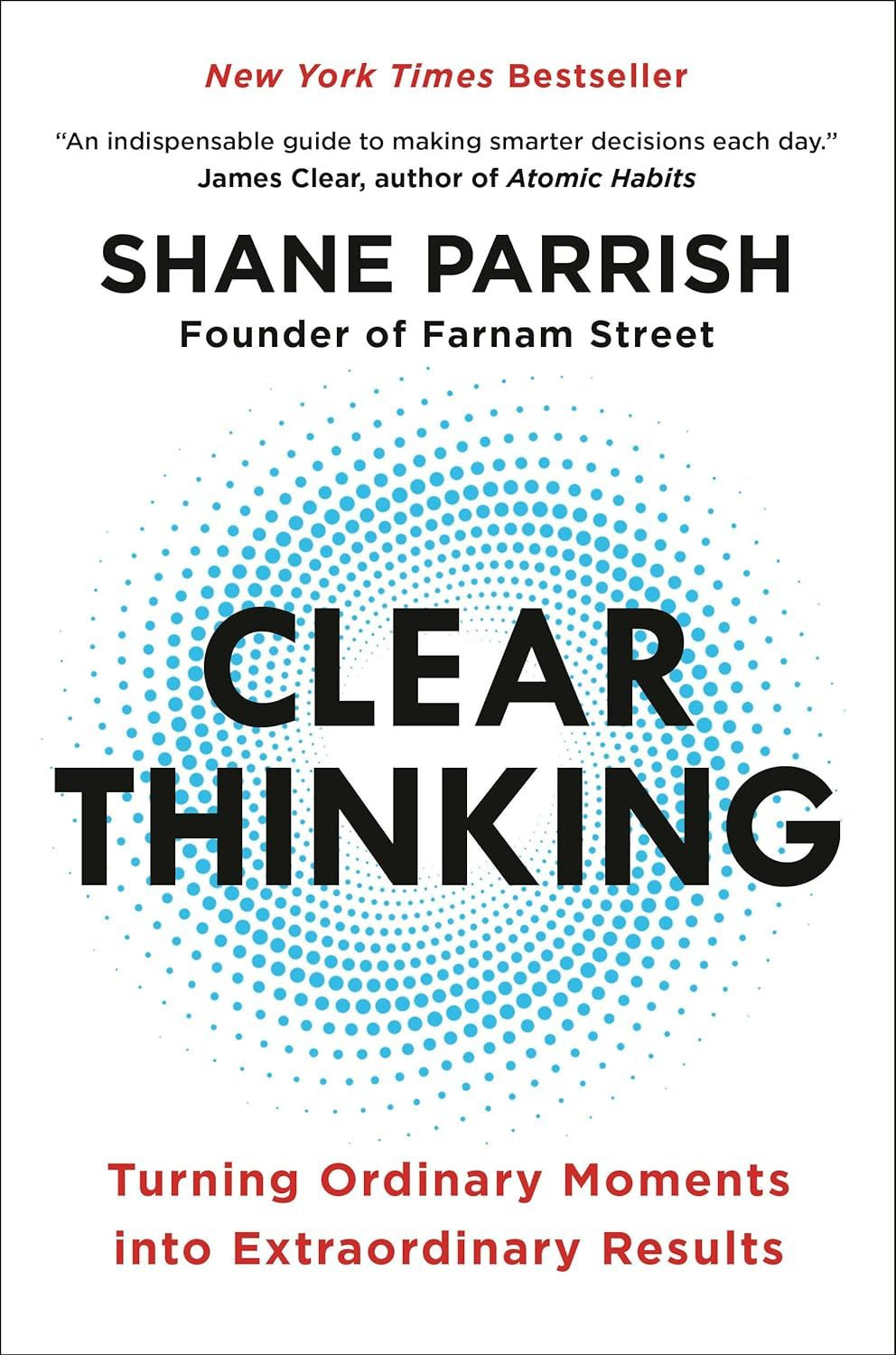
    Clear Thinking by Shane Parrish


    Be Useful Quotes

    "That's the beauty of pain. Not only is it temporary, which means you don't have to deal with it forever, but it also tells you whether you've begun to give enough of yourself in pursuit of your dreams."

    "The picture in my mind [of his completed goal] was so clear you could have put a frame around it and hung it on a wall. This wasn't a fantasy. This was a memory that just hadn't happened yet."


    Clear Thinking Quotes

    "Each moment puts you in a better or worse position to handle the future. It's that positioning that eventually makes life easier or harder."

    "You don't need to be smarter than others to outperform them if you can out position them. Anyone looks like a genius when they're in a good position, and even the smartest person looks like an idiot when they're in a bad one."


    Books are like a conversation with a trusted friend.

    I enjoyed my "conversations" with these two books, and thought a friendly reminder the reading can be fun might be worthwhile for you too.


    Have you read any good books lately?

    Let me know!


    Best,

    Nick

  • Crucial Conversations

    Crucial Conversations

    From Salesforce Saturday newsletter. Originally sent on 11/25/2023

    *****


    Happy Saturday!

    Today we have a short read on approaching tough conversations.

    Communication skills are non-linear.

    Improving your communication skills by 10% could double your income.

    One 10% improvement we can all practice is learning how to have difficult conversations.

    We know the ones.

    The conversations where emotions can run hot.

    Where stakes seem high, and it’s easy to offend another person (or take something personally yourself).

    The conversations we don’t want to have.

    What if handling these difficult conversations became an area of strength for you?

    What would it be like for you to enjoy when these conversations appear, because you get to deliver a masterful performance, almost like a concert pianist?

    A powerful question that’s guided me during difficult conversations recently is:

    How can I be 100% honest and 100% respectful?

    Many times in difficult conversations we think that we have to be honest or respectful but we can’t be both.

    We’re either overly direct, risk damaging a relationship by giving offense, and fail to get our message across.

    Or we stay silent, don’t say anything that could be taken poorly, and keep our most important thoughts and feedback to ourselves.

    Neither strategy is optimal.

    Our brains evolved over time and there are two key regions we have to keep in mind during a difficult conversation.

    The neocortex where we think rationally.

    And the amygdala which responds to threats in the environment.

    By being overly direct in order “to be honest” we trigger the other person’s amygdala.

    They go into fight or flight mode, and literally can’t understand what we’re saying because their neocortex isn’t online.

    And by not saying anything at all, we don’t trigger the other person’s amygdala… but we also prevent sharing feedback their neocortex could use to act more effectively as well as prevent sharing our true selves with them.

    The question helps us solve this challenge.

    How can I be 100% honest and 100% respectful?

    We’re 100% respectful to ensure the other person feels safe and respected.

    This keeps their amygdala from going crazy.

    We’re also 100% honest so that we can speak our real truth, allowing the other person to incorporate our ideas into their thinking going forward (or allow them to change our thinking with a new point of view).

    And rather than coming away from the conversation feeling like we hurt someone’s feelings or didn’t share our true thoughts, we’re able to do both.

    As if by magic, doing this actually makes our relationship with the other person stronger.

    I lifted this question from the book “Crucial Conversations” and would encourage you to check it out if you’re looking for more insight on the topic.

    I found this question and the book itself to be a powerful new way of thinking about having some of the most important conversations in life.

    Hope you find it helpful too.


    Have a great weekend!


    Best,

    Nick

  • Thank you Charlie Munger

    Thank you Charlie Munger


    Hey Everyone,

    A bit of an unusual email today.

    Charlie Munger, the long time partner of Warren Buffett, passed away this week.

    At 99, he lived an amazing life.

    He earned the respect of the people he respected, surrounded himself with friends and family, did everything he could to teach others to be successful, and achieved great wealth.

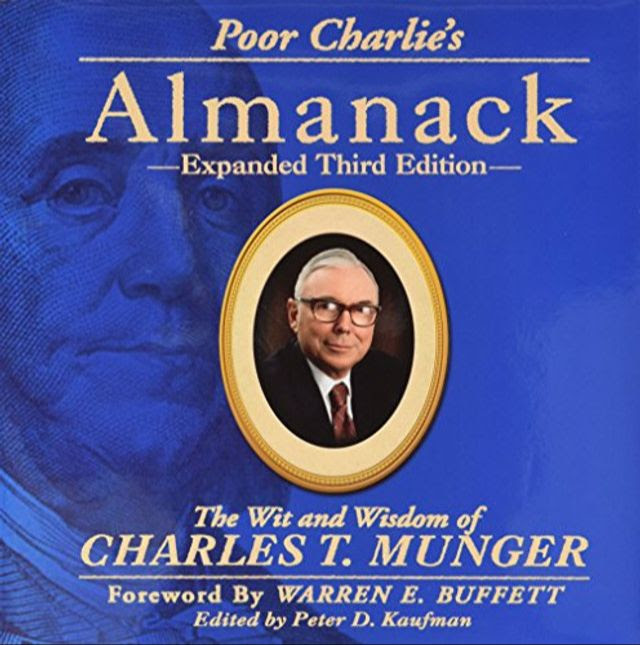
    The book containing a compilation of his public speeches, Poor Charlie's Almanack, has had a profound influence on me.

    I've read it at least 15 times.

    In the spirit of a "thank you" to Charlie for the knowledge he shared with me (and the rest of the world) through the book, I thought I'd share some of my favorite quotes.

    After I got started choosing I found it hard to stop, so feel free to choose one or two, that stick out!

    Charlie Munger Quotes


    "In my whole life, I have known no wise people (over a broad subject matter area) who didn't read all the time---none, zero. You'd be amazed how much Warren reads---and how much I read. My children laugh at me. They think I'm a book with a couple of legs sticking out."


    "I am a biography nut myself. And I think when you're trying to teach the great concepts that work, it helps to tie them into the lives and personalities of the people who developed them. I think you learn economics better if you make Adam Smith your friend. That sounds funny, making friends among the 'eminent dead', but if you go through life making friends with the eminent dead who had the right ideas, I think it will work better for you in life and work better in education. It's way better than just giving the basic concepts."


    "You must know the big ideas in the big disciplines and use them routinely---all of them, not just a few. Most people are trained in one model---economics, for example---and try to solve all problems in one way. You know the old saying: 'To the man with a hammer, the world looks like a nail.' This is a dumb way of handling problems."


    "I think track records are very important. If you start early trying to have a perfect one in some simple thing like honesty, you're well on your way to success in this world."


    "It never ceases to amaze me to see how much territory can be grasped if one merely masters and consistently uses all the obvious and easily learned principles."


    "Spend each day trying to be a little wiser than you were when you woke up. Discharge your duties faithfully and well. Step by step you get ahead, but not necessarily in fast spurts. But you build discipline by preparing for fast spurts.... Slug it out one inch at a time, day by day. At the end of the day---if you live long enough---most people get what they deserve."


    "Invert, always invert. It is in the nature of things, as Jacobi knew, that many hard problems are best solved when they are addressed backwards."


    "Let me use a little inversion now. What will really fail in life? What do we want to avoid? Some answers are easy. For example, sloth and unreliability. If you're unreliable it doesn't matter what your virtues are, you're going to crater immediately. So, faithfully doing what you've engaged to do should be an automatic part of your conduct. Of course you want to avoid sloth and unreliability."


    "Another thing to avoid is extremely intense ideology because it cabbages up one's mind...And if you're young it's particularly easy to drift into intense political ideology and never get out. When you announce that you're a loyal member of some cult-like group and you start shouting out the orthodox ideology, what you're doing is pounding it in, pounding it in. You're ruining your mind, sometimes with startling speed."


    "Just as in an ecosystem, people who narrowly specialize can get terribly good at occupying some little niche. Just as animals flourish in niches, similarly, people who specialize in the business world---and get very good because they specialize---frequently find good economics that they wouldn't get any other way."


    "What are the core ideas that helped me? Well, luckily I had the idea at a very early age that the safest way to try to get what you want is to try to deserve what you want. It's such a simple idea. It's the golden rule. You want to deliver to the world what you would buy if you were on the other end. There is no ethos in my opinion that is better for any lawyer or any other person to have."


    "Another thing that I have found is that intense interest in any subject is indispensable if you're really going to excel in it. I could force myself to be fairly good in a lot of things, but I couldn't excel in anything in which I didn't have an intense interest."


    "Another thing to cope with is that life is very likely to provide terrible blows, unfair blows. Some people recover, and others don't. And there I think the attitude of Epictetus helps guide one to the right reaction. He thought that every mischance in life, however bad, created an opportunity to behave well. He believed every mischance provided an opportunity to learn something useful. And one's duty was not to become immersed in self-pity, but to utilize each terrible blow in constructive fashion."


    "Well, there once was a man who became the most famous composer in the world. But he was utterly miserable most of the time. And one of the reasons was that he always overspent his income. That was Mozart. If Mozart couldn't get by with this kind of asinine conduct, I don't think you should try it."

    ***


    I could keep adding, but I'll stop here.

    Charlie's thinking changed my world view more than any other person, and I thought sharing his wisdom with you might help you too.

    Have a great weekend!


    Best,

    Nick


  • Awesome new tool, the Salesforce Code Builder...

    Awesome new tool, the Salesforce Code Builder...

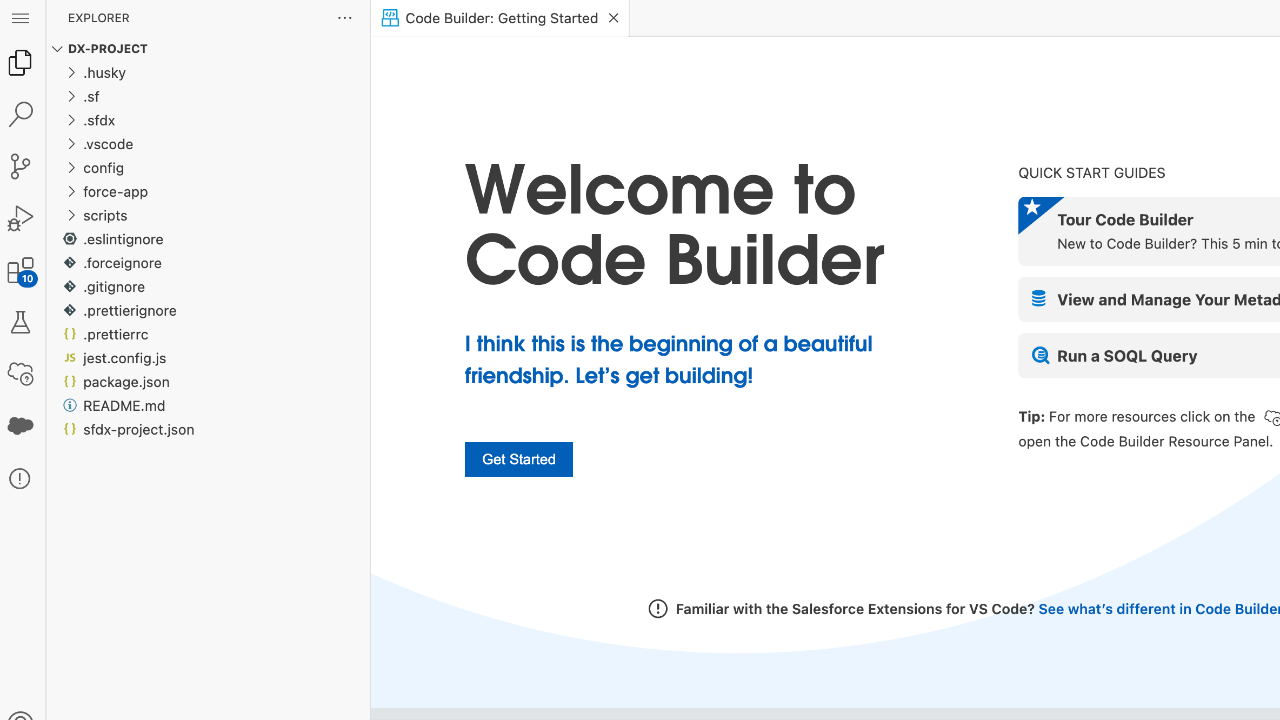
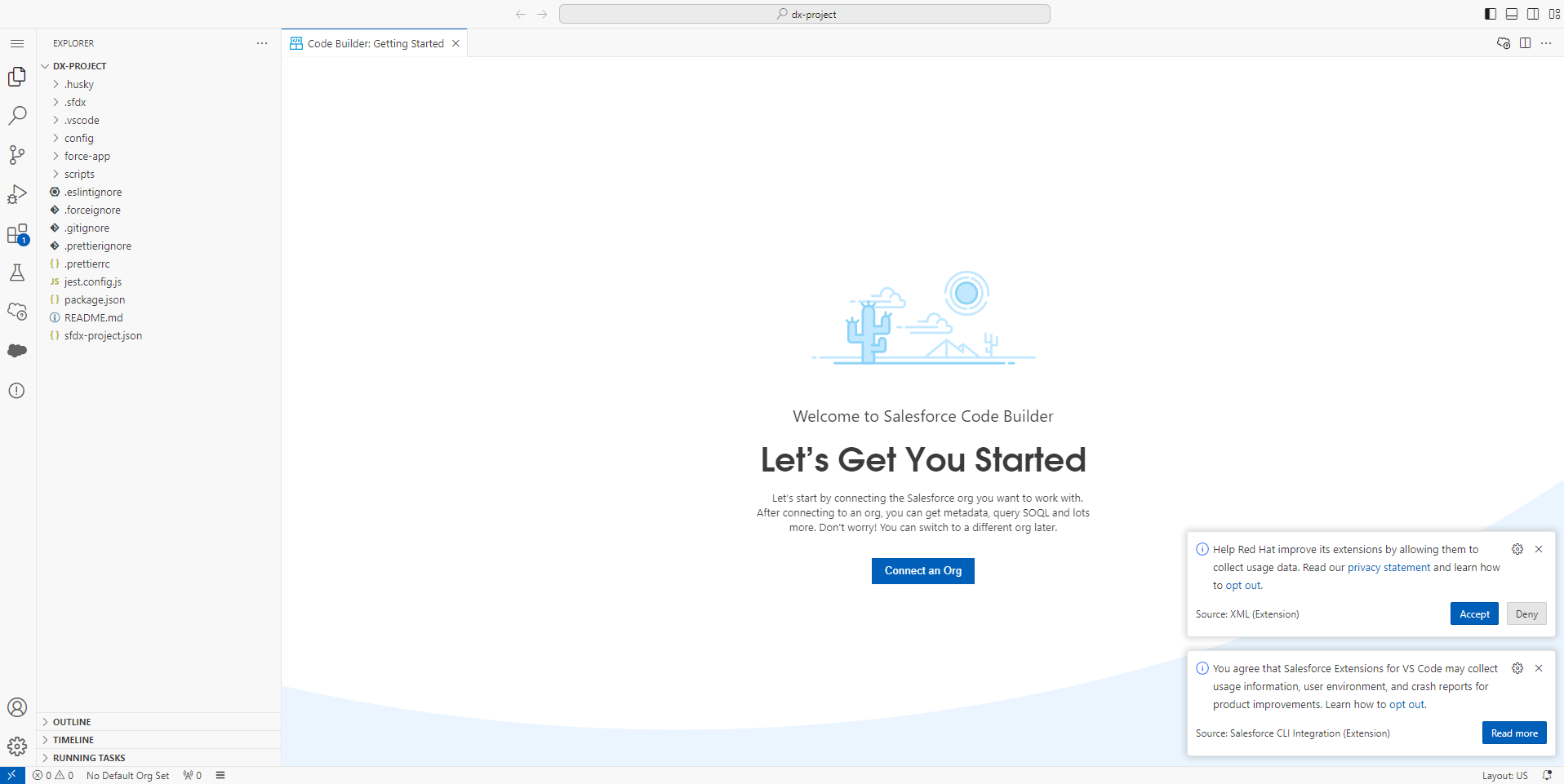
    welcome to salesforce code builder

    Today I want to share with you a powerful new tool on the Salesforce platform.

    Some of you may have seen posts about it already.

    The Salesforce Code Builder.

    In essence, the powerful functionality of VS Code - one of the most popular IDEs - is now available from directly inside Salesforce.

    Let me walk you through the set up so the functionality is simple to understand.

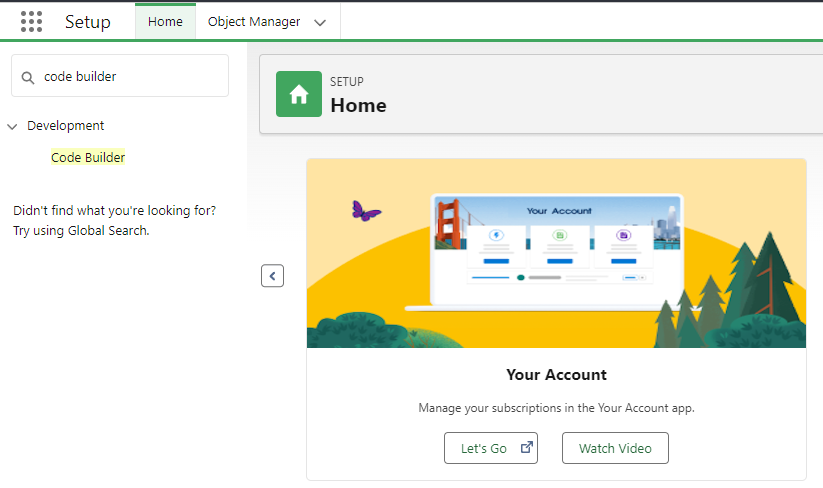
    To get started you'll navigate to the setup menu and search "Code Builder"

    (As of this writing it appear this is only available in production environments).


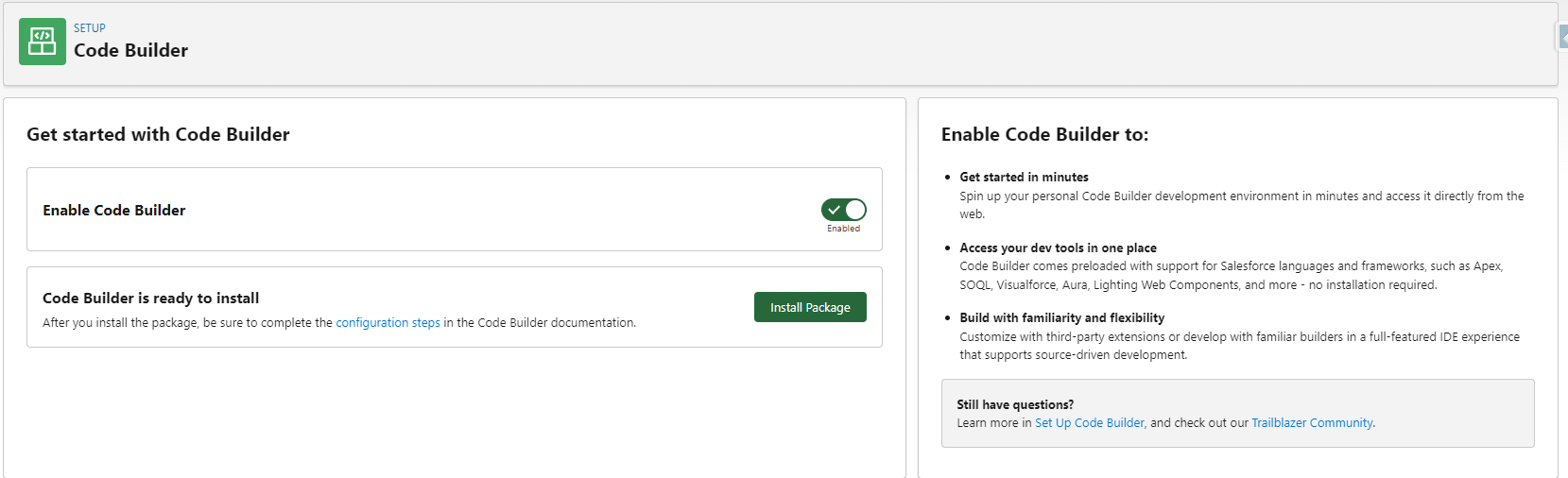
    Then you'll toggle "Enable Code Builder" to be on, and install the Salesforce-provided managed package.

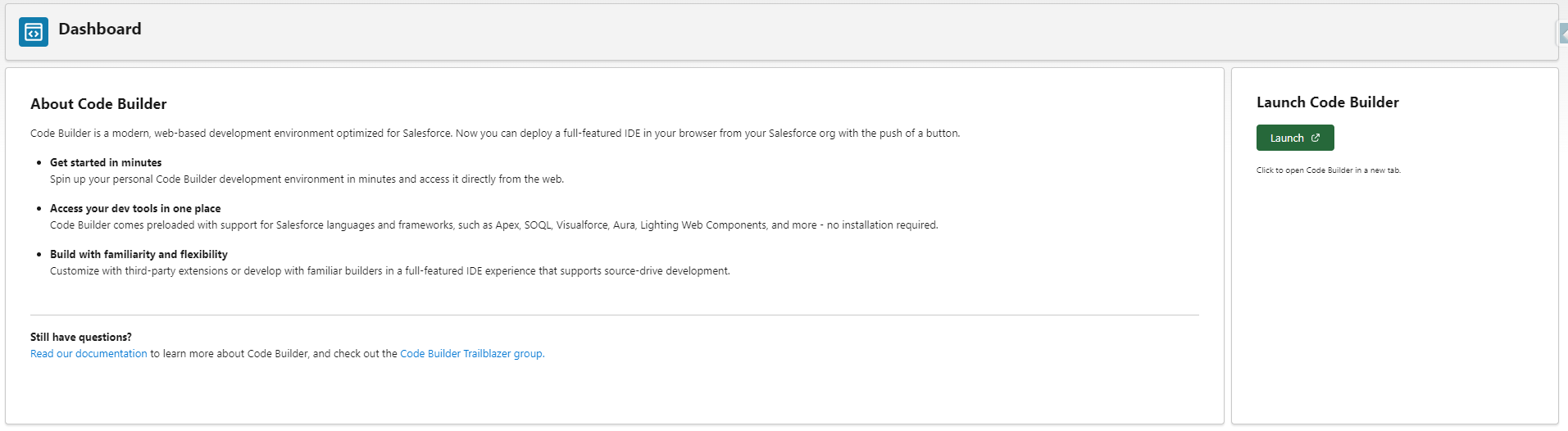
    Click open the Code Builder Dashboard page, and then click the Launch button.

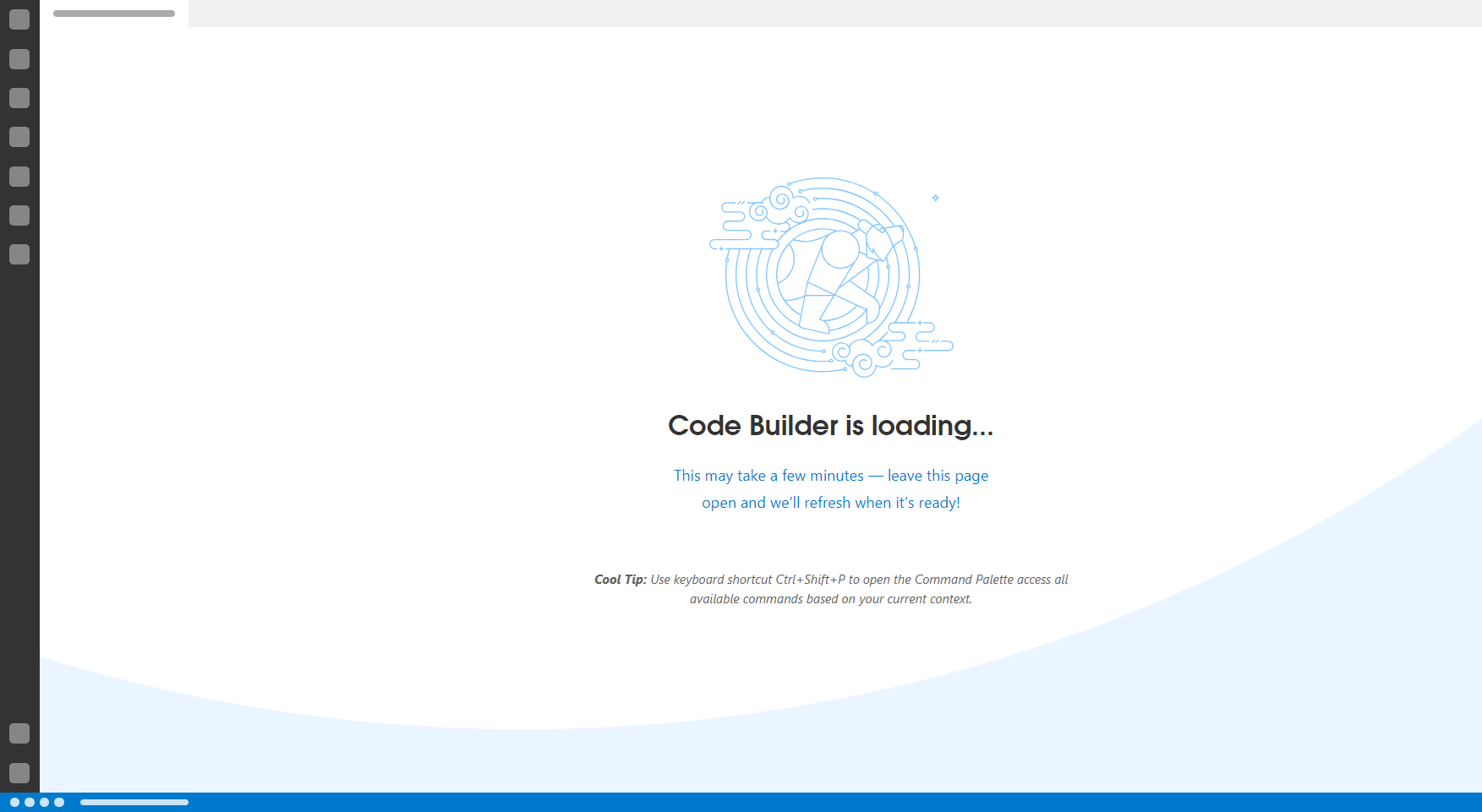
    After clicking Launch you'll see a loading screen:

    Which, once finished, will show you the Salesforce Code Builder!

    So, what can you do Code Builder?

    Think of as a 10x improvement on the developer console.

    "Code Builder comes with everything you need to build applications on the Salesforce Platform, including Salesforce Extensions, the Salesforce CLI, Git integration, and it’s authenticated to your current Salesforce org."

    "Code Builder brings to your browser the same interface, capabilities, and features as VS Code on desktop, and in a way that is completely tailored to Salesforce development.

    For existing users of VS Code, you can switch between either product without missing a beat. Code Builder comes setup for Salesforce development, with great productivity tools like ESLint and Prettier, along with rich code-editing features for all Salesforce languages and programming models."

    Source

    You can write Apex, create LWCs, access Metadata, run SOQL queries, build scratch orgs, deploy changes between environments, and more.

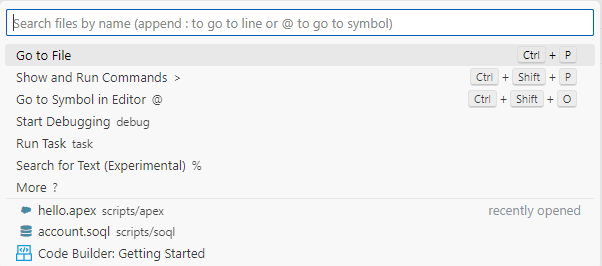
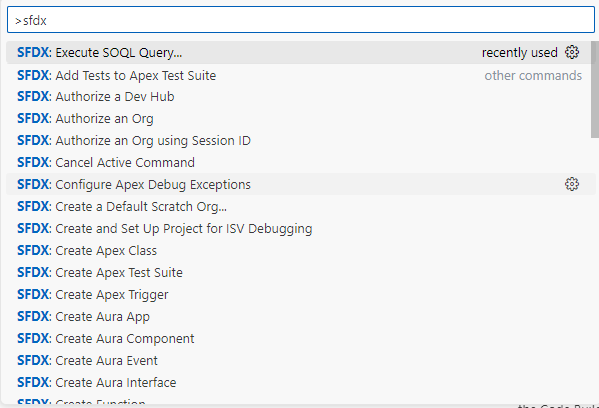
    For example, by clicking the search box at the top you'll see there are different options, one of which is "Show and Run Commands".

    Clicking this brings up a list of commands Code Builder can do for you:

    Personally, I know how to write Apex but am not at all proficient with VS Code.

    I struggled to get things working consistently in VS Code, and so only did a few projects to understand development well enough to pass the development exams.

    I'm thrilled to see a cloud-based IDE like Code Builder, because now I can go deeper down the development rabbit hole.

    This developer tool, and the developer skillset more broadly, is one way I'm planning to stay competitive as a professional in the Salesforce ecosystem in the coming years.

    I'd encourage you to check out the tool when you have some available time, and get started (or continue) on your own developer journey.

    You don't ever need to be a full-fledged developer to benefit from learning the basics!

    I hope you found this helpful. 


  • Creating powerful Salesforce architecture....

    Creating powerful Salesforce architecture....

    Salesforce Anti Patterns

    Hey Everyone!

    Hope you had a great week.

    I read a killer Salesforce book this week about creating powerful Salesforce architecture.

    I thought you might enjoy thinking about these apply to you.

    Book: Salesforce Anti-Patterns by Lars Malmqvist

    Who wrote it?

    The author, Lars Malqvist, is a Salesforce architect with 13 years experience and 29 certifications.

    Most importantly, you can tell in the book he is a seasoned professional.

    He goes through twenty-ish different Salesforce Anti-Patterns that, if you want to be a great Salesforce Architect, you should know.

    Even if you're just starting out, learning what NOT to do when building Salesforce solutions will give you an edge.

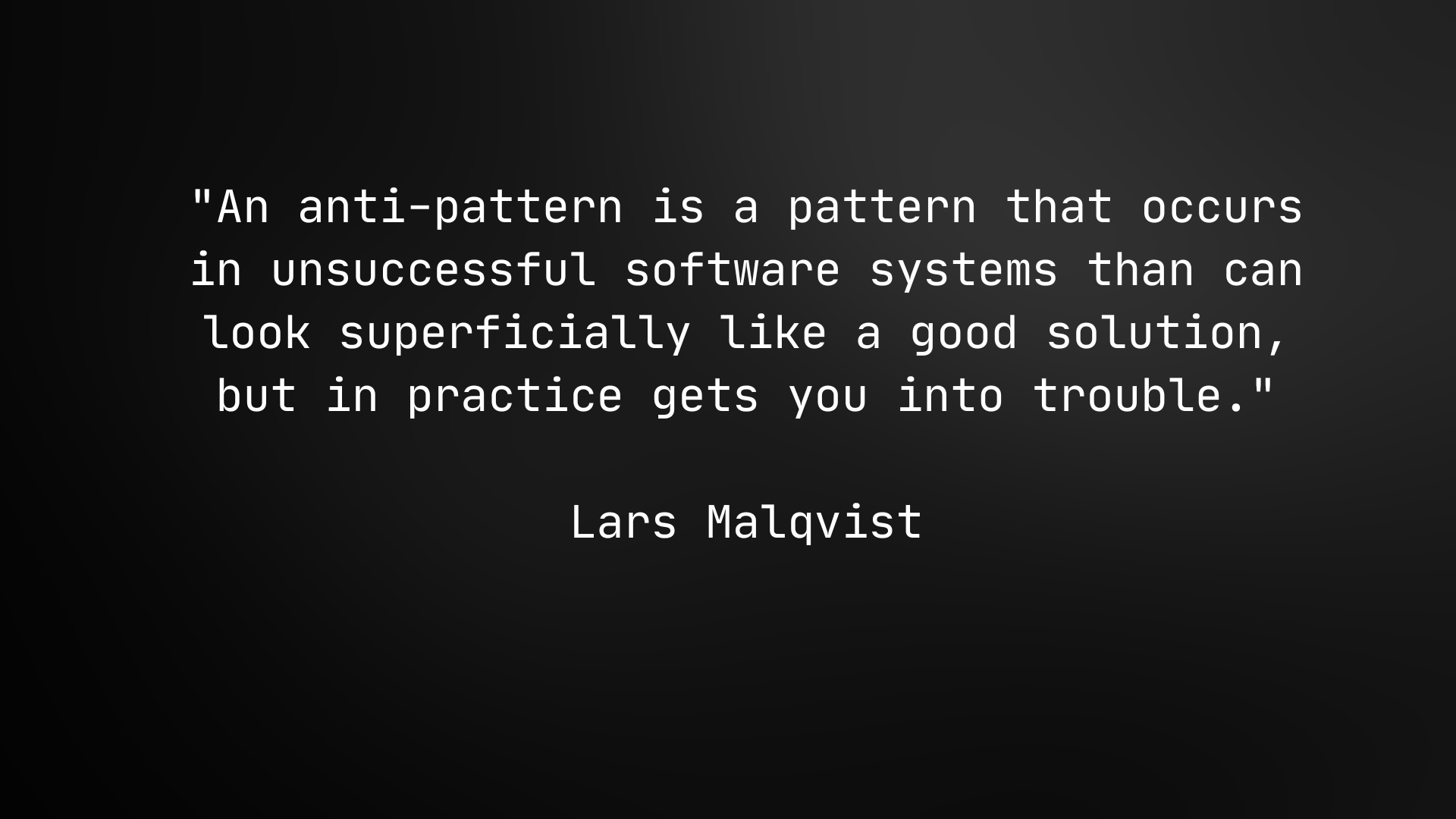
    What is an Anti-Pattern?


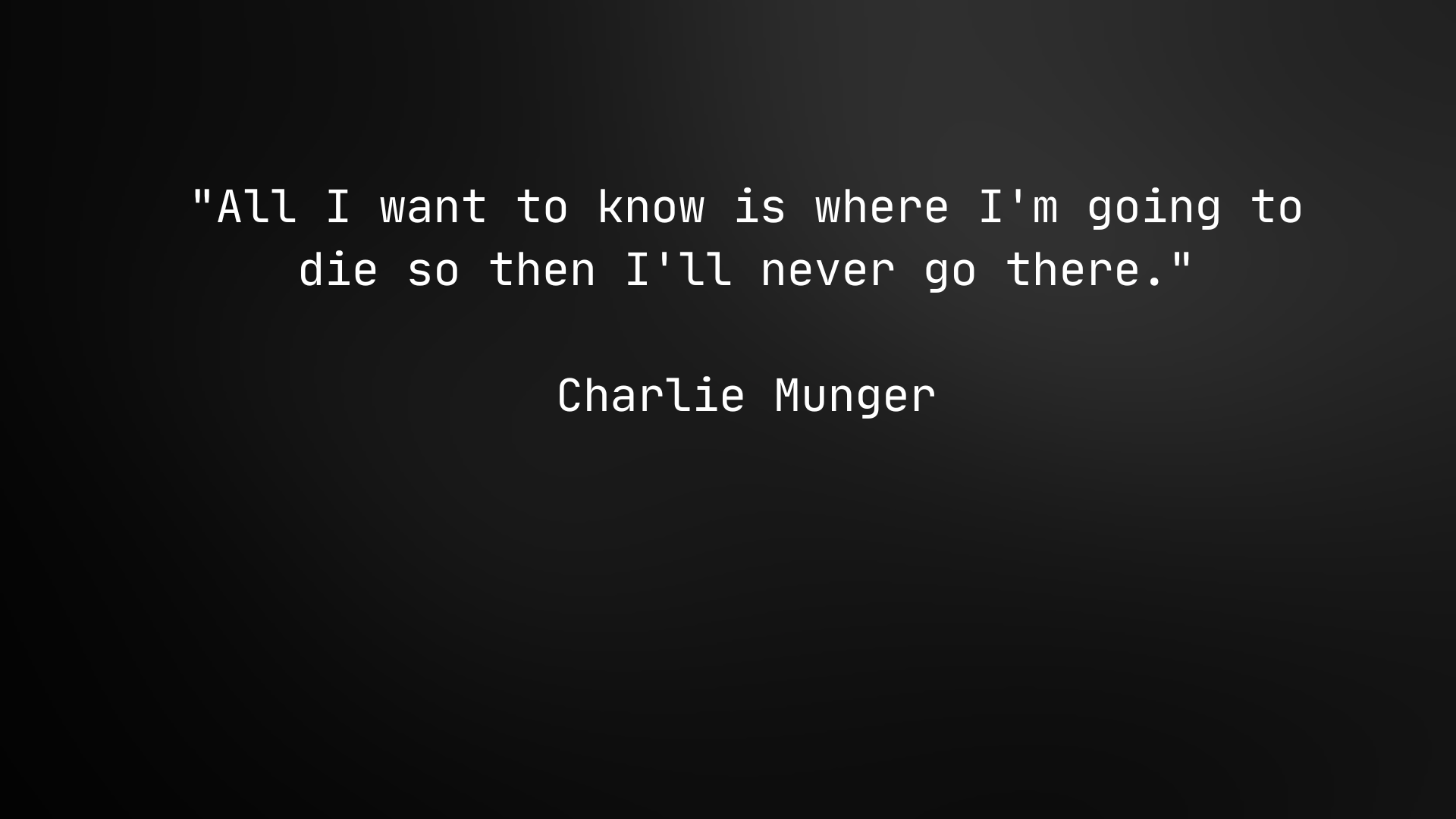
     Charlie Munger has a great quote:


     With anti-patterns, we learn where our Salesforce environment "goes to die" and then we too can "never go there".

    We can invert our way to success. By avoiding the worst mistakes, we're way more likely to get a good outcome.

    5 Surprising Examples

    As I was reading I was surprised to see how many of these are traps I'd fallen into.

    1. The Hero Anti-Pattern

    A team member who is the only person that can fix serious technical issues in an environment.

    Its seductive to be the only one who can fix some thorny automation issue.

    You feel special. 

    But being the only person who can do something in Salesforce doesn't scale for the organization.

    Emphasize roles and process, not individuals, when building the system.

    2. Ignoring the Ecosystem

    Willfully ignoring third-party options in favor of in-house solutions can become an anti-pattern. 

    I had a client who insisted I build him a custom lead round robin.

    I recommended using an AppExchange product called Distribution Engine but was overruled.

    He ignored the ecosystem. 

    It's easy to say, "not my fault", but if I had been more persuasive I could have gotten him a better result.

    A custom solution is often less capable, has a higher Total Cost of Ownership, gets fewer new features, and requires an additional team skillset to maintain.

    In many cases its cheaper, faster, and higher quality to get the 3rd party app.

    3. Licensed-Based Solutioning

    Creating a solution based on a license set you can afford rather than the license set you really need without making the necessary compromises. 

    I once moved about 200 users from a regular Salesforce license to a Community license to save $300,000 in the IT budget.

    I found it increases the amount of custom work, adds complexity, increases long-term maintenance cost, and limits access to new features.

    Strongly consider the long-term effects before designing your solution solely around the cost of licenses.

    4. God Class

    The God class is a single class that contains all or most of the business logic defined for an application. 

    Building one Process Builder to rule them all is something I've done.

    Building one Flow to rule them all is also something I've done.

    This anti-pattern is ineffective because future changes to your "god class" affect every automation you currently have.

    The single flow gets hard to understand.

    Versioning the flow if multiple people need to work on it gets difficult.

    And troubleshooting/rolling back issues because time intensive.

    Balance the Single-Responsibility Principle with your need to group similar functionality together.

    5. Big Bang Release

    The big bang release anti-pattern places the release of all functionalities in a single event at the end of a long-running project.

    Go as small as you can with your development cycles.

    Release early, release often. 

    Get feedback and iterate.

    The longer you wait to deploy, the riskier it gets.

    That's a wrap!

    I would definitely encourage you to include anti-patterns on your Salesforce learning journey (when you think you can fit it in).

    They are a high-leverage way to create powerful Salesforce architectures that don't fail.


  • The Big Picture: Flow Architecture and You

    The Big Picture: Flow Architecture and You


    Today we’re going to spend some time talking about Flow Architecture. I was asked this week by one of my students:


    “I noticed we are making a few flows per object so far and I was wondering since workflow rules, process builders are being migrated to flow builder and there are several that get made over time, what is a best practice to have how many flows working per object in Salesforce?”


    This is an excellent question. If you’ve ever wondered about this yourself, then you have the makings of a great Salesforce Architect.


    In short, it’s still a topic of open debate. Some in the industry think you should only have one record-triggered flow per object. 


    I’m currently of the opposite view. 


    I’ve read a few books about Software Architecture and one common framework mentioned across these books are the five SOLID architectural principles for Object-Oriented Programming. (You can read the wiki here).


    Those principles are as follows:


    1. Single Responsibility Principle
    2. Open-Closed Principle
    3. Lishkov Substitution Principle
    4. Interface Segregation Principle
    5. Dependency Inversion Principle


    The one I want to focus on today is the Single-Responsibility principle.


    To quote Robert C Martin (who wrote "the book" on Clean Architecture):


    “In the context of the Single Responsibility Principle (SRP) we define a responsibility to be “a reason for change.” If you can think of more than one motive for changing a class, then that class has more than one responsibility.“


    More generally: “THERE SHOULD NEVER BE MORE THAN ONE REASON FOR A CLASS TO CHANGE.”


    Now Robert Martin is talking about classes (which are coding structures). In this context we’ll substitute the word “class” for Flow. Flows are simply code in visual form. Restated, his quotes read:


    “In the context of the Single Responsibility Principle (SRP) we define a responsibility to be “a reason for change.” If you can think of more than one motive for changing a flow, then that flow has more than one responsibility.“


    “THERE SHOULD NEVER BE MORE THAN ONE REASON FOR A FLOW TO CHANGE.”


    Why would this be a good design principle?


    Let’s invert the problem and think about what happens in the extreme opposite case - one flow per object.


    With one flow per object, every piece of automation for an object must live in the same flow. If you want to add or change a business process, you now must risk introducing a bug to every other business process running on the same object.


    This is a maintenance nightmare. It significantly lengthens development time for existing Admins. And onboarding new team members is more difficult (because they need to understand a large flow in order to make changes).


    A step removed from that extreme case would be one record triggered flow with numerous subflows. Again, I think this is an inferior option for two reasons:

    1. Numerous subflows introduce maintenance and version control problems
    2. Salesforce provides us a way to manage order of execution in flow (whereas before it did not)

    One problem of calling numerous subflows inside one record-triggered flow is that it’s still a maintenance challenge. 


    To effectively make changes you’ll need to toggle between several different flows to evaluate order of execution, and possibly update several flows at once in order to make a desired change.


    Additionally, version control becomes a serious problem. Let’s say two Admins are working on separate flows. Admin 1 builds a new flow, deploys it, and adds it as a subflow to the one big record triggered flow.


    A day later, Admin 2 builds a new flow, deploys it, and also adds it as a subflow to the one big record triggered flow.


    The following day, users report that changes made by Admin 1 are causing bugs, and so the flow needs to be temporarily deactivated. To take this action, Admin 1 must revert their changes by:

    1. Creating a new flow version to include Admin 2’s work and not their own work

      OR

    2. Revert to a previous flow version without Admin 1 or Admin 2’s work 


    Ick. That decision can be managed when the changes are recent. But what happens when bugs are reported several days, weeks, or months later? 


    How is the decision handled when several other flow versions have been created in the interim? It just feels messy.


    The Single Responsibility Principle simplifies all of this by separating each flow so that it’s responsible for one thing, and one thing only. We can activate, deactivate, and alter a flow in isolation from all the other flows. This is no minor benefit.


    But how do we manage the execution order? The solution is in two new tools provided by Salesforce. 


    • Flow Trigger Explorer
    • Trigger Order


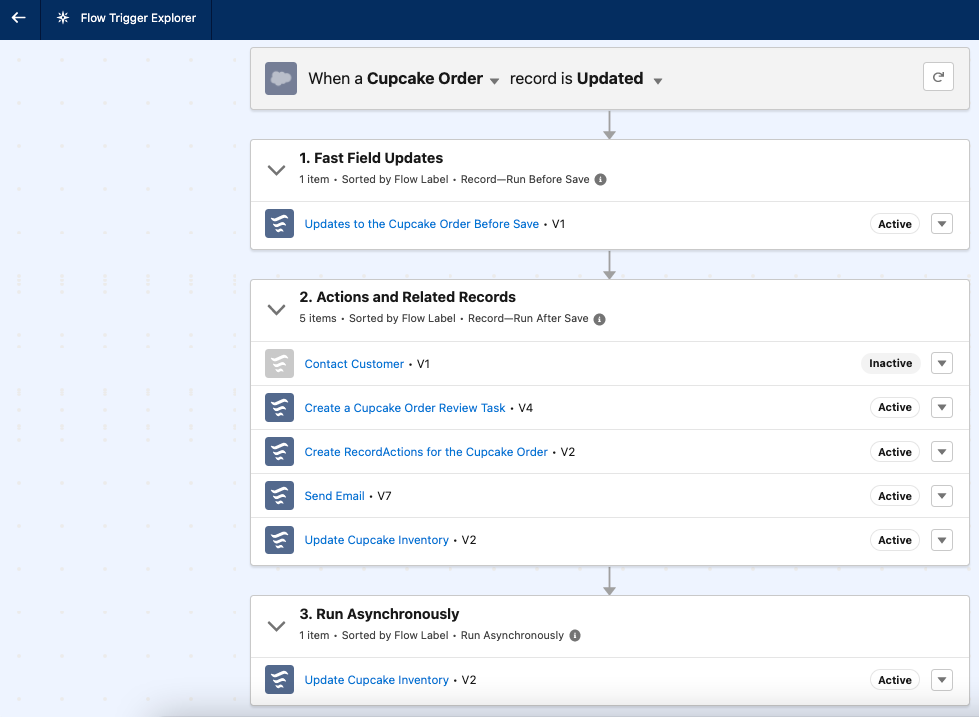
    Flow Trigger Explorer lets us view all the flows running on a specific object, and shows us in what order and context the flow is running.


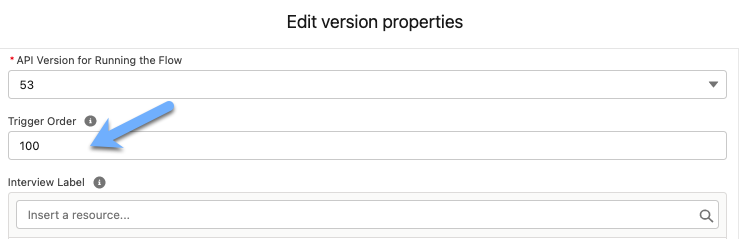
    Flow Trigger order lets us specify in which sequence flows should run.


    These are powerful tools that alleviate all the headaches described above. Now, we can create one single flow per business process and - if needed - specify which order to run it in. 


    Neat.


    When it comes to Process Builder or Workflow rule migration how do the principles in this discussion apply?


    My take is that for the purposes of migrating off Process Builder it can make sense to group everything in one flow. I would argue that if you can take the time to break it out into separate flows that it's worth the effort. 


    Over time if the flow is too complex or requires way too many changes then breaking it apart into separate flows will be worthwhile. Each process builder migration will be a judgment call for the Salesforce Admin or Dev doing the migration.


    And that's it!


    Today we covered:


    • The five SOLID Architecture Principles
    • How to Apply the Single Responsibility Principle to Flows
    • Understood the benefits the SRP brings
    • Discussed the benefits of using Flow Trigger Explorer and Execution Order
    • Applied these concepts to Process Builder migration


    PS - I found this article for Salesforce Architects and Takeaway #5 supports my line of thinking:

    https://architect.salesforce.com/design/decision-guides/trigger-automation/

    See you again next week!


  • The Day You Started Writing Better Emails

    The Day You Started Writing Better Emails


    Hope you had a great week :)


    This week's actionable tips center on writing emails.

    An old mentor of mine once said: “If you improve your communication skills by 10%, you will double your income”.


    At first I didn’t believe him. As I’ve gained more experience, though, I’ve come to see the wisdom in what he said.


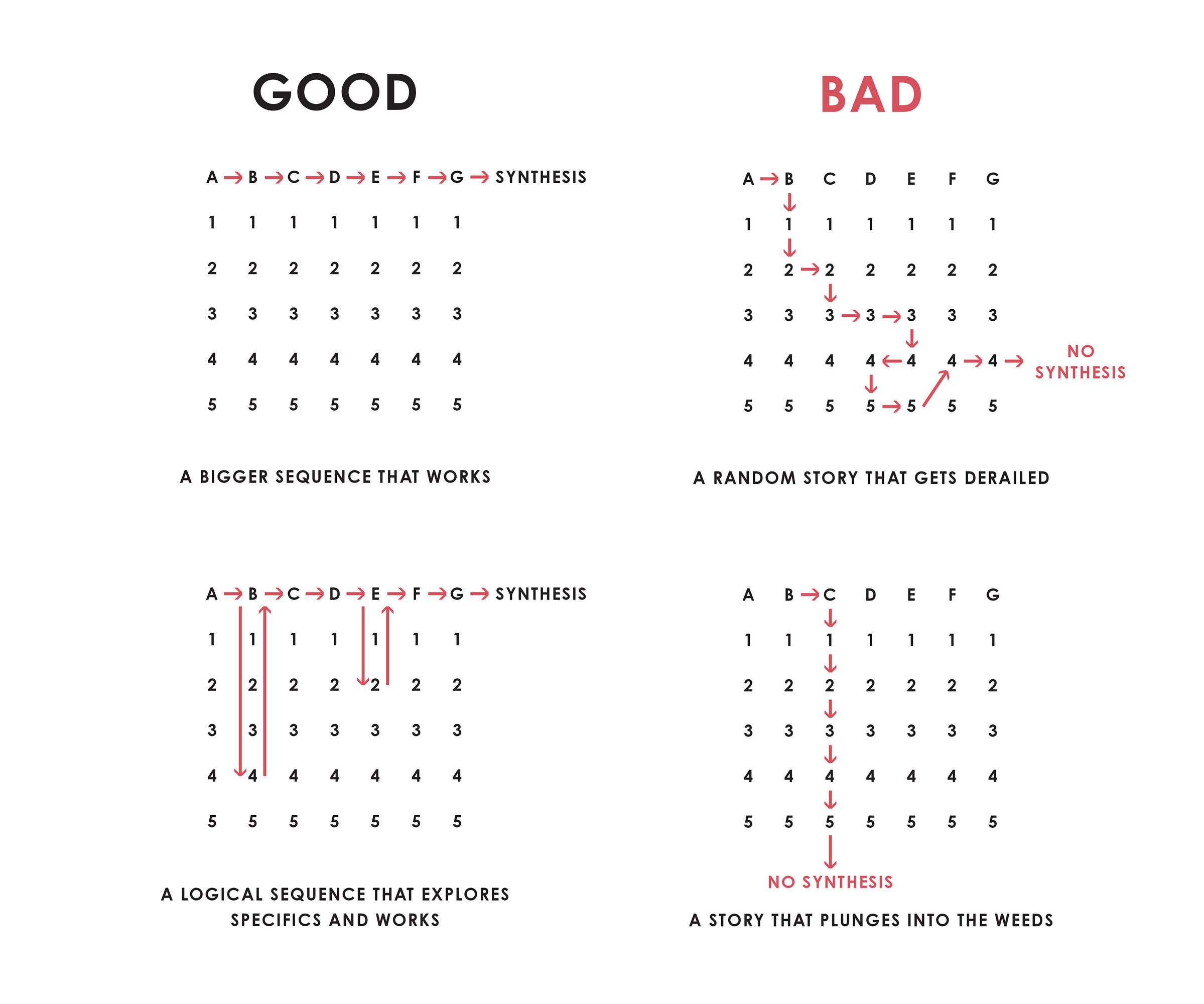
    Check out the diagram below 👇🏻


    This comes from Ray Dalio’s book
    Principles: Life and Work (one of my all time favorites). 


    There are four images showing four communication styles. The letters represent topic summaries, and the numbers represent details.


    The number one mistake I see is in emails to
    overwhelm the recipient with information. 


    The same thing happens in conversations (sometimes people do this when they get nervous).


    Using the diagram above, they try to cram as many of the letters and numbers into their message as possible. Stop doing this!


    Your first job as a writer is to make the message easy to understand. 


    Human brains have limited glucose. We don’t want to spend it deciphering a poorly thought out message.


    Ray Dalio’s diagram gives two “good” frameworks for you to work with.

    1. Give high level topic summaries that add up to a whole picture
    2. Give high level topic summaries, while exploring specific details, that add up to a whole picture


    Three other principles you can apply are:
     

    • Scannable - Make it easy for the reader to jump ahead
      • Bullets and sub bullets help group ideas together
      • Bold words attract attention and help summarize

    • Subtraction - Emails are like sculpting. You start with a big rock and keep chiseling off pieces until there is nothing left to remove
      • Pat yourself on the back every time you get an email down to one simple sentence

    • Sequence - Ensure the order of your topics, and any specifics, are well connected. 

     
    There are certainly more good writing principles and resources out there.

    Here is a link to one of my favorites: The Day You Became A Better Writer  (I borrowed the title!)

    That's it! 

    Today we covered:

    • My mentor said: “If you improve your communication skills by 10%, you will double your income”
    • Reviewed Ray Dalio's communication diagram
    • Understood our first job as a writers is to make the message easy to understand
    • Covered three principles to make emails easier to read

    See you again next week!