Hey friends,
For PD1, you need to know that a Lightning web component is an HTML file and a JavaScript file (plus optional CSS) built on web standards, that data flows down through public @api properties and up through custom events, and that @wire pulls Salesforce data reactively. Aura components still work, and Aura can contain LWC, but not the other way around.
User Interface is 25% of the PD1 exam, including "use cases and best practices for Lightning Web Components, including the framework, benefits, and events". This follows Trailhead's Lightning Web Components Basics module.
What's in a component
At minimum, a folder with an HTML file and a JavaScript file that share the component's name. Salesforce compiles them and handles the boilerplate.
The HTML lives inside a <template> tag. A CSS file with the same name applies only to that component, because LWC uses Shadow DOM to keep components separate from the rest of the page.
LWC vs Aura
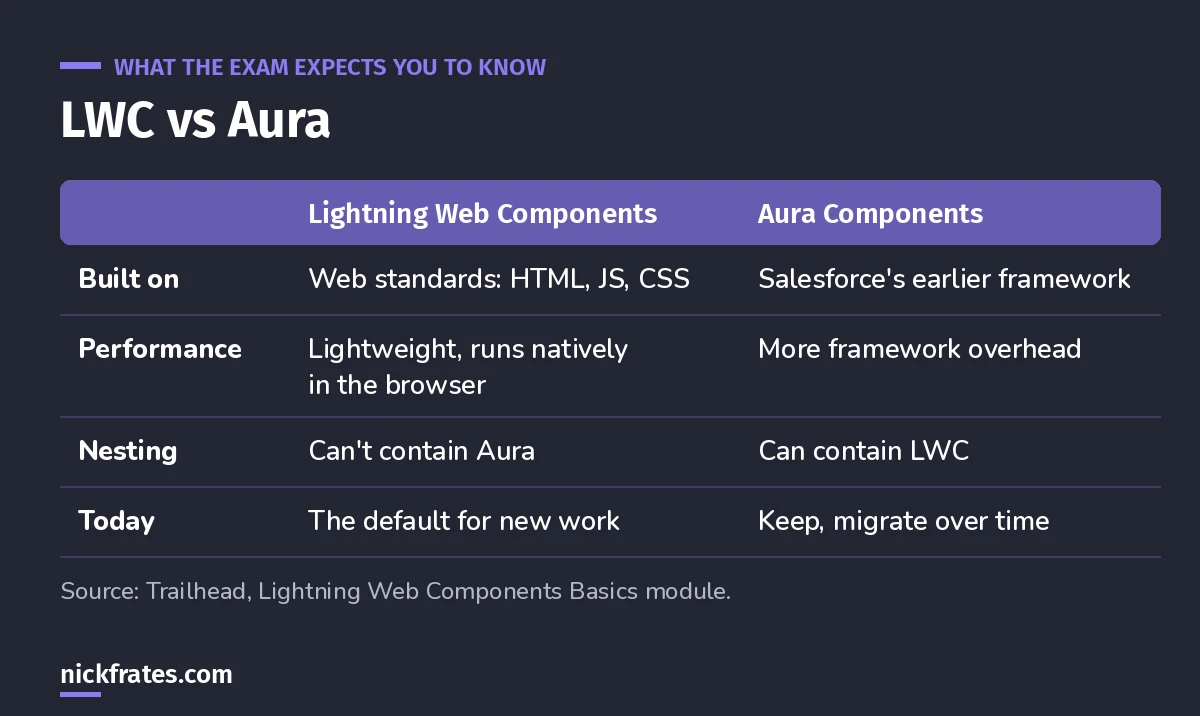
You can use both in one org.
Trailhead is clear that you don't have to throw Aura away. You'll likely migrate over time. The nesting rule is the classic exam question: Aura components can contain Lightning web components, but not vice versa.
Properties down, events up
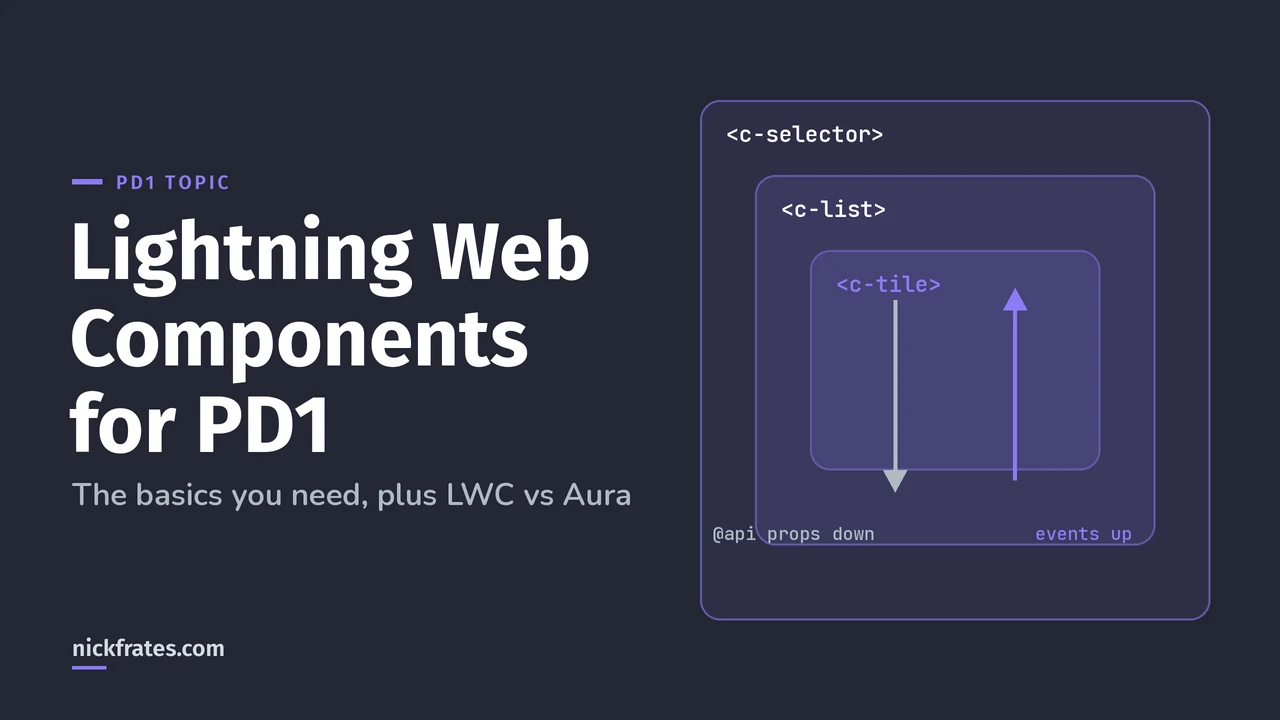
Trailhead's events unit builds a bike selector: a selector contains a list, which contains tiles. The pattern:
- Down: a parent passes data to a child through a public property decorated with
@api, likeproduct-id={selectedProductId}. - Up: a child fires a
CustomEventand the parent listens with anonhandler, likeontileclick={handleTileClick}. - Trailhead recommends passing events up through the hierarchy so parents can respond, then passing properties down to the components that need them.
Exam pattern: "How should a child tell its parent that a record was selected?" A custom event. "How should the parent give the child a record Id?" An @api property.
Cert Lab by Nick Frates
Practice the User Interface section
The Platform Developer Cert Lab covers LWC, Apex in components, Visualforce and UI security with practice questions that explain every option.
Start the PD1 Cert Lab, $9.99 →Getting Salesforce data
Lightning web components use the reactive wire service, built on Lightning Data Service, through the @wire decorator. Trailhead's data unit shows the pattern:
You can also call Apex from a component, which PD1 covers under "implement Apex to work with various types of page components". Make that Apex respect the user's access, as in my DML and with sharing post.
Styling: SLDS
Components in Lightning Experience and the Salesforce mobile app can use the Salesforce Lightning Design System classes, like slds-text-heading_small, with no imports, so they match the rest of the UI.
Keep studying
- My 8-week PD1 study plan: LWC is week 6.
- JavaScript Developer certification guide, if you want to go deeper.
- How to pass PD1 on your first try.
Cert Lab by Nick Frates
Get the Platform Developer Cert Lab
Lessons, practice questions and flashcards for every PD1 exam section.
Start the PD1 Cert Lab, $9.99 →Hope this helps!
Best,
Nick