Hey friends,
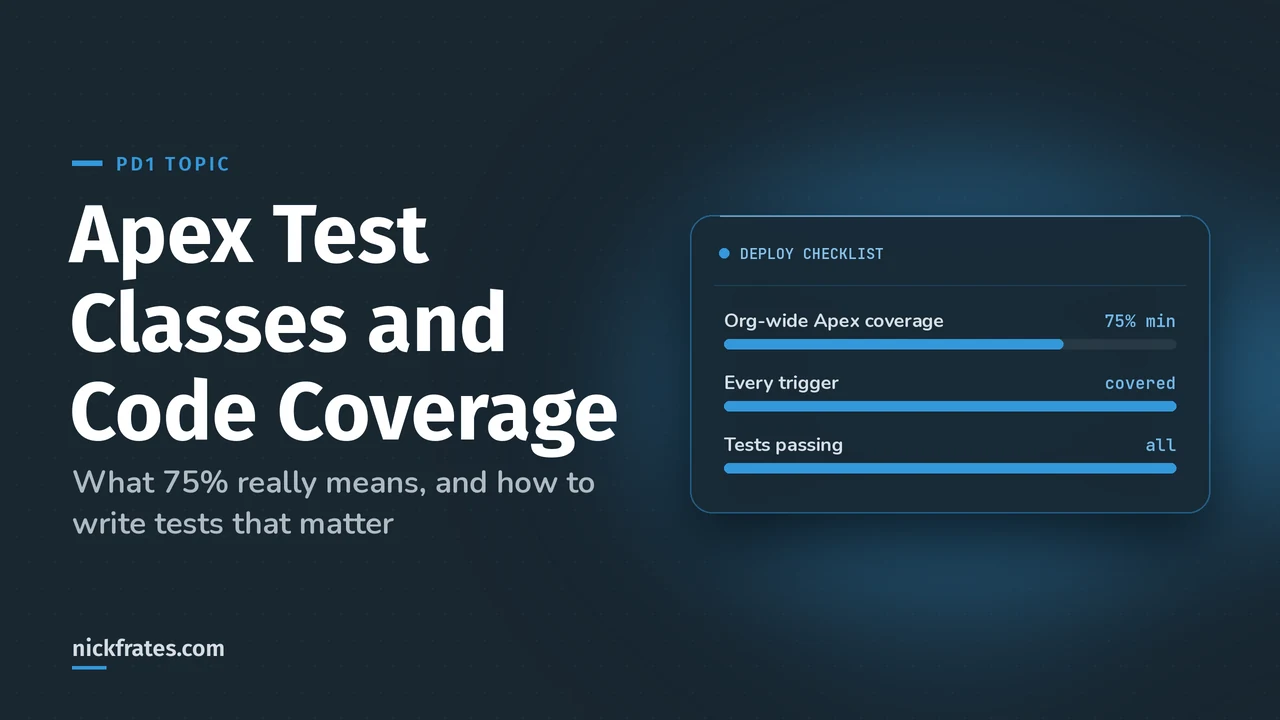
To deploy Apex to production, at least 75% of your Apex code must be covered by tests, every trigger needs some coverage, and all tests must pass. But coverage only proves lines ran. A good test creates its own data, runs the code once, and asserts the result, including the bulk case and the failure case.
Testing is 20% of the Platform Developer I exam, and the guide asks you to write tests for triggers, controllers, classes and flows "using various sources of test data". The facts here come from Trailhead's Apex Testing module.
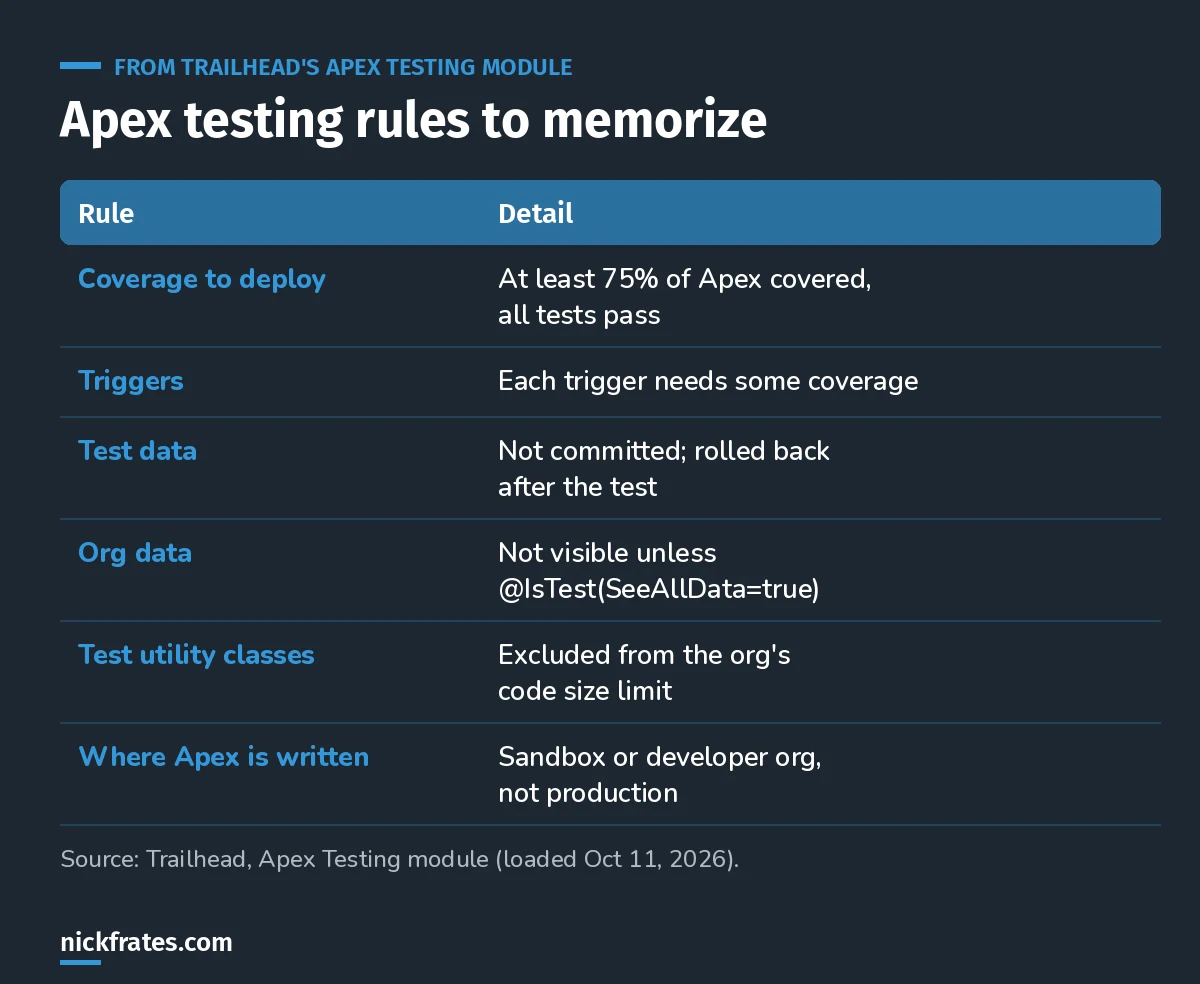
The rules the exam likes to test.
What a test class looks like
A test class is annotated @IsTest. Declare it private if it's only for unit tests; public test classes are usually test data factories. Each test method is also annotated @IsTest, and its access modifier doesn't matter.
Assert.areEqual takes the expected value first, then the actual value, and an optional message that shows up when it fails.
The pattern: arrange, act, assert
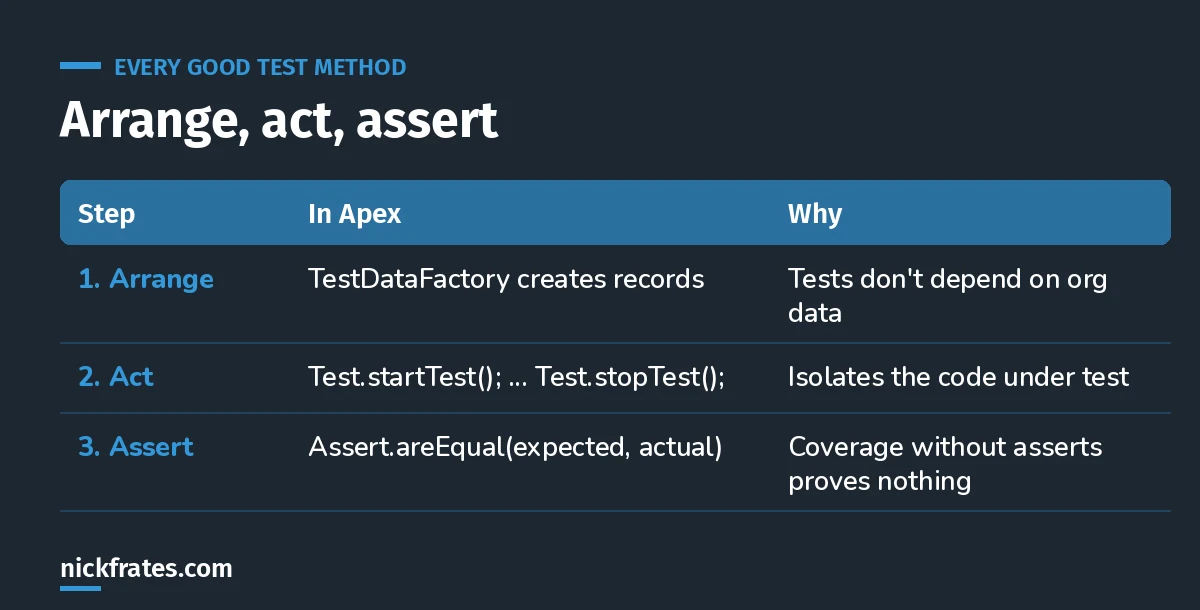
Three steps in every test method.
Arrange with a test data factory. Trailhead's test data unit builds a TestDataFactory class with a method like createAccountsWithOpps(numAccts, numOppsPerAcct). Every test calls it instead of copying setup code. Bonus: test utility classes don't count toward your org's code size limit.
Act between Test.startTest() and Test.stopTest(). Trailhead's trigger tests put the one operation being tested between the two calls.
Assert the outcome. Did the record save? Was the error the right one? A test with no asserts can give you 100% coverage and catch nothing.
Test data: why tests shouldn't touch real records
- Records created in a test aren't committed. They're rolled back when the test finishes.
- There's no separate test database, so unique fields can still collide with existing records.
- Tests can't see existing org data unless you use
@IsTest(SeeAllData=true), and Trailhead calls that not a best practice. Tests that depend on org data break when someone changes the data.
Cert Lab by Nick Frates
Practice the Testing, Debugging and Deployment section
The Platform Developer Cert Lab covers testing, the Salesforce CLI, debugging and deployment, with practice questions that explain every option.
Start the PD1 Cert Lab, $9.99 →What to test (beyond the happy path)
Trailhead's temperature example tests normal values, then points out what's missing: boundary values and invalid inputs. Passing null into that method throws a System.NullPointerException, and only a test that tries it will find out.
- The positive case: it does what it should with good data.
- The negative case: the trigger blocks what it should block. Trailhead's account deletion test checks that the delete fails with the right error.
- The bulk case: the same scenario with many records. This is where non-bulkified triggers fail.
- Boundaries and nulls: the edges of what the method accepts.
If your trigger isn't bulkified, the bulk test will tell you. Read my Apex trigger best practices first, then write the bulk test.
Checking coverage
After a run, coverage shows in the Developer Console's Tests tab. Rerun tests whenever the code changes. Trailhead notes a known Developer Console issue: running only a subset of tests may not update coverage correctly, so use Test, Run All.
Practice question. A deployment fails even though org-wide coverage is 82%. What's the most likely cause?
- A. Coverage must be 90%
- B. A trigger in the deployment has no test coverage, or a test is failing
- C. Test classes count against coverage
- D. Tests used a test data factory
Answer: B. 75% is the minimum, every trigger needs some coverage, and all tests must pass. A factory is the recommended approach, not a problem.
Keep studying
- My 8-week PD1 study plan: testing is week 7.
- How to pass PD1 on your first try.
- 25 free PD1 practice questions.
Cert Lab by Nick Frates
Get the Platform Developer Cert Lab
Lessons, practice questions and flashcards for every PD1 exam section.
Start the PD1 Cert Lab, $9.99 →Hope this helps!
Best,
Nick